
SkillSync MCP
README.md
# SkillSync MCP
[](https://www.npmjs.com/package/@stranzwersweb2/skillsync-mcp)
[](https://smithery.ai/servers/adityasugandhi/skillsync-mcp)
[](https://opensource.org/licenses/MIT)
[](https://modelcontextprotocol.io)
[](https://nodejs.org)
[](#security-model)
[](https://m8ven.ai/mcp/adityasugandhi-skillsync-mcp-k28u2v)
**[Website](https://skillsync.js.org)** | **[Smithery](https://smithery.ai/servers/adityasugandhi/skillsync-mcp)** | **[npm](https://www.npmjs.com/package/@stranzwersweb2/skillsync-mcp)** | **[GitHub](https://github.com/adityasugandhi/skillsync-mcp)**
An MCP (Model Context Protocol) server for [SkillsMP](https://skillsmp.com) -- the marketplace for Claude Code skills. Search, scan for security threats, install, and manage skills directly from your AI assistant.
**The only tool that gates skill installation behind a full security scan.**
## Features
- **Search** -- Keyword and AI-powered semantic search across the SkillsMP marketplace
- **Security Scan** -- 60+ threat patterns: prompt injection, reverse shells, credential theft, supply chain attacks, crypto mining, obfuscation
- **Install** -- Download skills from GitHub to `~/.claude/skills/` with automatic security gate
- **Uninstall** -- Clean removal of installed skills
- **Safe Search** -- Combined search + auto-scan in one step
- **Installed Skills Registry** -- List all installed skills with risk levels and content hashes
- **Deep Audit** -- Force a fresh security scan on any installed skill
- **Startup Verification** -- Background discovery, content hashing, and `fs.watch` for live sync
## Why SkillSync?
| | Raw `git clone` | Other Tools | SkillSync MCP |
|---|---|---|---|
| Security scan before install | No | No | Yes -- 60+ patterns |
| Blocks critical threats | No | No | Yes -- prompt injection, RCE, credential theft |
| Multi-client support | N/A | Varies | Claude Code, OpenClaw, Cursor, Windsurf, GitHub Copilot, Zed, nanobot |
| Marketplace search | Manual | Some | Built-in keyword + AI semantic search |
| Startup verification | No | No | Yes -- fs.watch + content hash |
| Output sanitization | No | No | Yes -- anti prompt injection |
## Tools (13)
| Tool | Description |
|------|-------------|
| `skillsmp_search` | Keyword search across SkillsMP marketplace |
| `skillsmp_ai_search` | AI-powered semantic search (Cloudflare AI) |
| `skillsmp_scan_skill` | Security scan a GitHub skill repo (60+ patterns) |
| `skillsmp_search_safe` | Search + auto-scan top results |
| `skillsmp_install_skill` | Scan then install to `~/.claude/skills/` |
| `skillsmp_uninstall_skill` | Remove an installed skill |
| `skillsmp_list_installed` | List all installed skills with risk levels (optional refresh) |
| `skillsmp_audit_installed` | Deep security audit of a specific installed skill |
| `skillsmp_suggest` | AI-powered skill recommendations based on installed skills |
| `skillsmp_compare` | Side-by-side security comparison of two skills |
| `skillsync_configure` | Manage sync subscriptions and settings |
| `skillsync_sync_now` | Run sync cycle: poll, diff, install/update/remove |
| `skillsync_status` | Show sync engine status and schedule |
## Compatible With
> Works with **Claude Code** | **OpenClaw** | **Cursor** | **Windsurf** | **GitHub Copilot** | **Zed** | **nanobot** -- any MCP-compatible client
## Install
### Smithery (one-click)
[](https://smithery.ai/servers/adityasugandhi/skillsync-mcp)
Install via [Smithery](https://smithery.ai/servers/adityasugandhi/skillsync-mcp) for automatic configuration with any supported client.
### Claude Code
Add to `~/.claude/settings.json`:
```json
{
"mcpServers": {
"skillsmp": {
"command": "npx",
"args": ["-y", "@stranzwersweb2/skillsync-mcp"]
}
}
}
```
### OpenClaw
Add to `~/.openclaw/mcp.json`:
```json
{
"mcpServers": {
"skillsmp": {
"version": "1.3.0",
"autoUpdate": false,
"command": "npx",
"args": ["-y", "@stranzwersweb2/skillsync-mcp@1.3.0"]
}
}
}
```
> OpenClaw uses the same `SKILL.md` format as Claude Code. Skills installed via this server are compatible with both platforms. OpenClaw users should pin versions and review tool policies per the [security hardening guide](https://aimaker.substack.com/p/openclaw-security-hardening-guide).
### Cursor
Add to `.cursor/mcp.json` in your project root:
```json
{
"mcpServers": {
"skillsmp": {
"command": "npx",
"args": ["-y", "@stranzwersweb2/skillsync-mcp"]
}
}
}
```
### Windsurf
Add to `~/.windsurf/mcp.json`:
```json
{
"mcpServers": {
"skillsmp": {
"command": "npx",
"args": ["-y", "@stranzwersweb2/skillsync-mcp"]
}
}
}
```
### GitHub Copilot
Add to `.github/copilot-mcp.json` in your project root, or `~/.github/copilot-mcp.json` for global config:
```json
{
"mcpServers": {
"skillsync": {
"command": "npx",
"args": ["-y", "@stranzwersweb2/skillsync-mcp"],
"env": {
"SKILLSMP_API_KEY": "your-api-key"
}
}
}
}
```
### Zed
Add to `~/.config/zed/settings.json` under the `"context_servers"` key:
```json
{
"context_servers": {
"skillsync": {
"command": {
"path": "npx",
"args": ["-y", "@stranzwersweb2/skillsync-mcp"],
"env": {
"SKILLSMP_API_KEY": "your-api-key"
}
}
}
}
}
```
### Global install
```bash
npm install -g @stranzwersweb2/skillsync-mcp
```
Then reference in any MCP config:
```json
{
"mcpServers": {
"skillsmp": {
"command": "skillsync-mcp"
}
}
}
```
### Client Compatibility
| Client | Config Path | Skill Format |
|--------|------------|--------------|
| Claude Code | `~/.claude/settings.json` | `SKILL.md` in `~/.claude/skills/` |
| OpenClaw | `~/.openclaw/mcp.json` | `SKILL.md` (same format, ClawHub registry) |
| Cursor | `.cursor/mcp.json` | MCP tools only |
| Windsurf | `~/.windsurf/mcp.json` | MCP tools only |
| GitHub Copilot | `.github/copilot-mcp.json` | MCP tools only |
| Zed | `~/.config/zed/settings.json` | MCP tools only |
| nanobot | MCP config | MCP tools only |
## Security Model
Installation is gated by a multi-level security scan:
| Risk Level | Behavior |
|------------|----------|
| **Safe / Low** | Install proceeds, warnings shown |
| **Medium / High** | Install blocked -- requires `force: true` to override |
| **Critical** | Install permanently blocked -- no override |
### Additional Safety Guards
- Path traversal prevention on skill names and filenames
- SSRF prevention -- only `github.com` URLs accepted
- `npm install --ignore-scripts` -- blocks `postinstall` attacks
- Max 50 files, 2MB total size limit
- Binary files skipped, suspicious filenames flagged
- Content hash for TOCTOU verification
- Output sanitization -- strips zero-width Unicode, bidi overrides, truncates to prevent prompt injection
## How It Works
```
Search SkillsMP -> Pick a skill -> Security scan (60+ patterns)
|
Critical? -> BLOCKED
Medium/High? -> Requires force=true
Safe/Low? -> Download from GitHub
|
Write to ~/.claude/skills/<name>/
|
npm install --ignore-scripts (if needed)
|
Startup verification (fs.watch + content hash)
|
Restart your MCP client to load
```
## Examples
Ask your AI assistant:
```
Search for git-related skills on SkillsMP
```
```
Scan this skill for security issues: https://github.com/user/repo/tree/main/skills/my-skill
```
```
Install the commit skill from https://github.com/user/repo/tree/main/skills/commit
```
```
List all my installed skills
```
```
Run a deep security audit on the commit skill
```
```
Uninstall the commit skill
```
## Development
```bash
git clone https://github.com/adityasugandhi/skillsync-mcp.git
cd skillsync-mcp
npm install
npm run build
npm run dev # Watch mode with tsx
npm run test:build # Build + run tests
```
## Requirements
- Node.js >= 20
- Any MCP-compatible client (Claude Code, OpenClaw, Cursor, Windsurf, GitHub Copilot, Zed, nanobot, etc.)
## Contributing
Contributions are welcome. Please see [CONTRIBUTING.md](CONTRIBUTING.md) for guidelines.
- Browse [open issues](https://github.com/adityasugandhi/skillsync-mcp/issues) or look for the `good-first-issue` label
- To add new threat detection patterns, see [docs/THREAT_PATTERNS.md](docs/THREAT_PATTERNS.md)
- All PRs must pass the existing test suite (`npm run test:build`)
## Publisher
The npm package is published under the legacy scope `@stranzwersweb2` — this is the same author as the GitHub owner [`adityasugandhi`](https://github.com/adityasugandhi). Both identities belong to Aditya Sugandhi.
## Author
**Aditya Sugandhi** -- [adityasugandhi.com](https://adityasugandhi.com) | [GitHub](https://github.com/adityasugandhi)
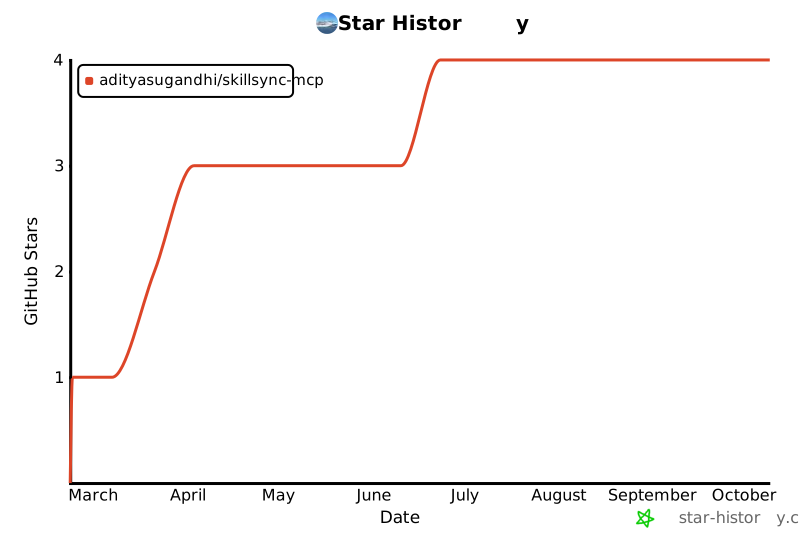
## Star History
[](https://star-history.com/#adityasugandhi/skillsync-mcp&Date)
## License
[MIT](LICENSE) - [Aditya Sugandhi](https://adityasugandhi.com)
This server cannot be deployed
Maintenance
ActivityMaintained
ResponsivenessNo issues