A
licenseB
qualityD
maintenanceThis MCP server provides unified diffs of two text inputs using Python's standard library difflib.
1
9
MIT

Click on "Deploy Server".
Wait a few minutes for the server to deploy. Once ready, it will show a "Started" state.
In the chat, type @ followed by the MCP server name and your instructions, e.g., "@MCP JSONDiff Kel compare expected: {"id": 1, "role": "admin"} with actual: {"id": 1, "role": "user"}"
That's it! The server will respond to your query, and you can continue using it as needed.
Here is a step-by-step guide with screenshots.


基于 Model Context Protocol (MCP) 的高效JSON对比工具,专为AI对话场景设计。
在AI辅助开发过程中,JSON对比常常遇到以下问题:
准确性不足: 传统AI对比方法可能存在误判
理解偏差: AI可能误解需求,生成对比代码而非直接对比结果
输出冗长: 对比结果过于详细,难以快速获取关键信息
本项目通过MCP协议提供标准化的JSON对比服务,确保AI能够准确、快速地完成JSON对比任务。
Related MCP server: mcp-json-tools
uvx mcp-jsondiff-kel@latestpip install mcp-jsondiff-kelgit clone https://github.com/your-username/mcp-jsondiff.git
cd mcp-jsondiff
pip install -e .在应用配置文件中添加以下配置:
{
  "mcpServers": {
    "mcp_jsondiff": {
      "command": "uvx",
      "args": [
        "mcp-jsondiff-kel@latest"
      ]
    }
  }
}{
"mcpServers": {
"mcp_jsondiff": {
"command": "uvx",
"args": [
"mcp-jsondiff-kel@latest"
]
}
}
}演示示例用 Cherry Studio进行演示
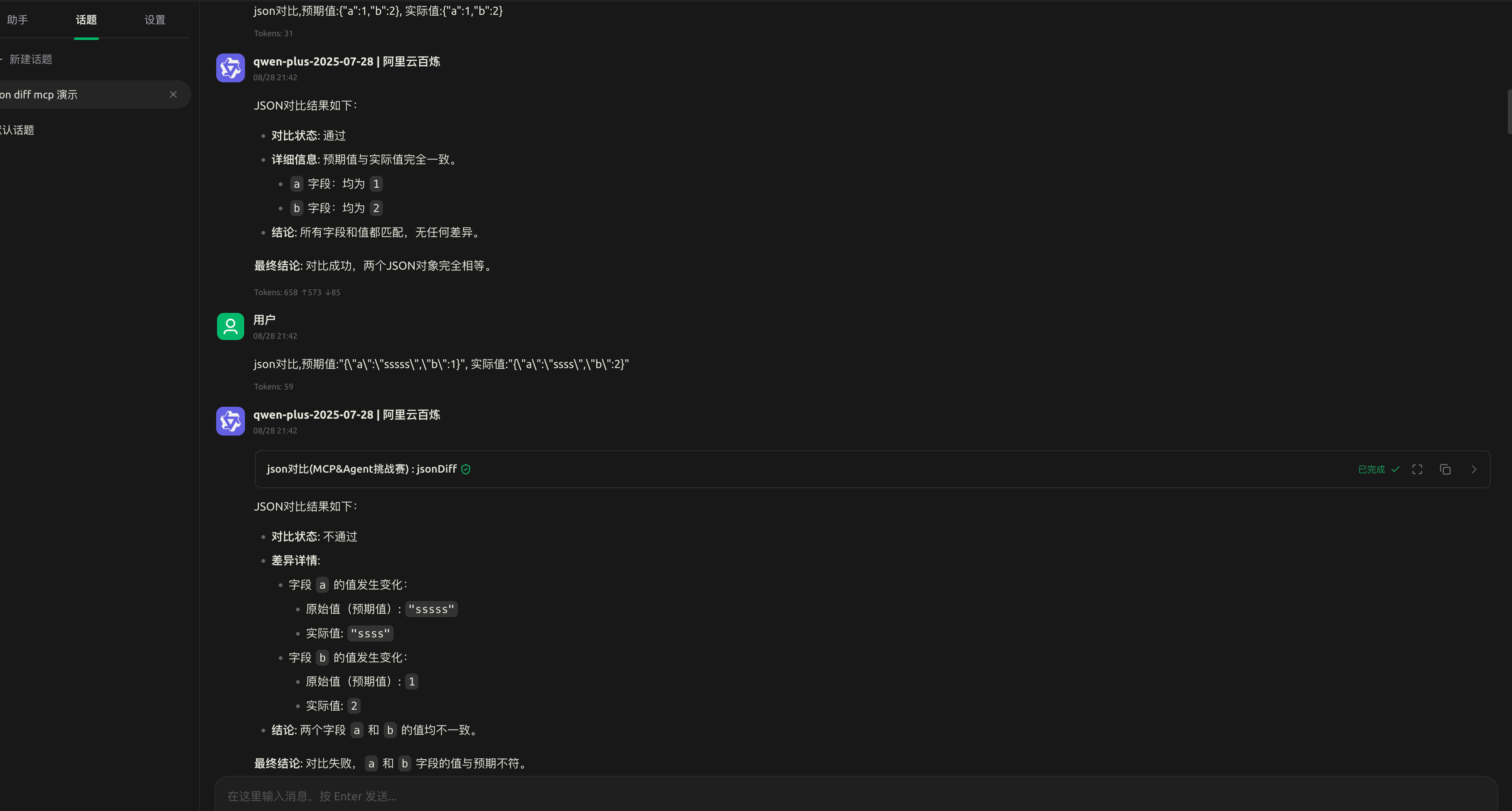
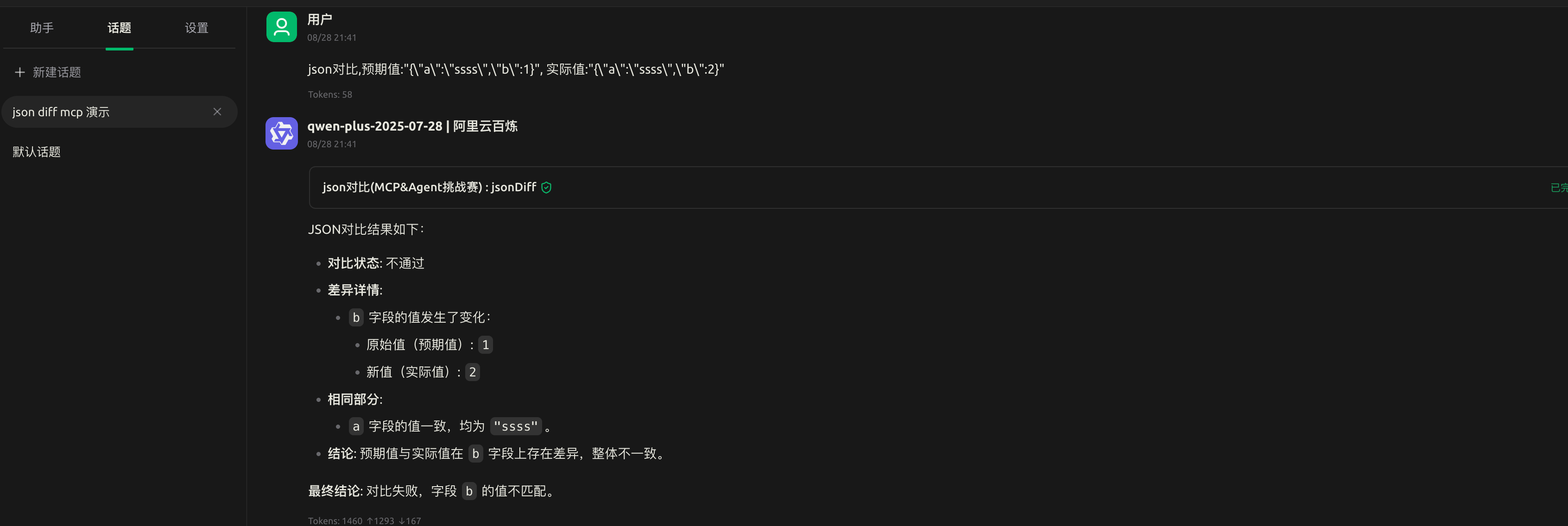
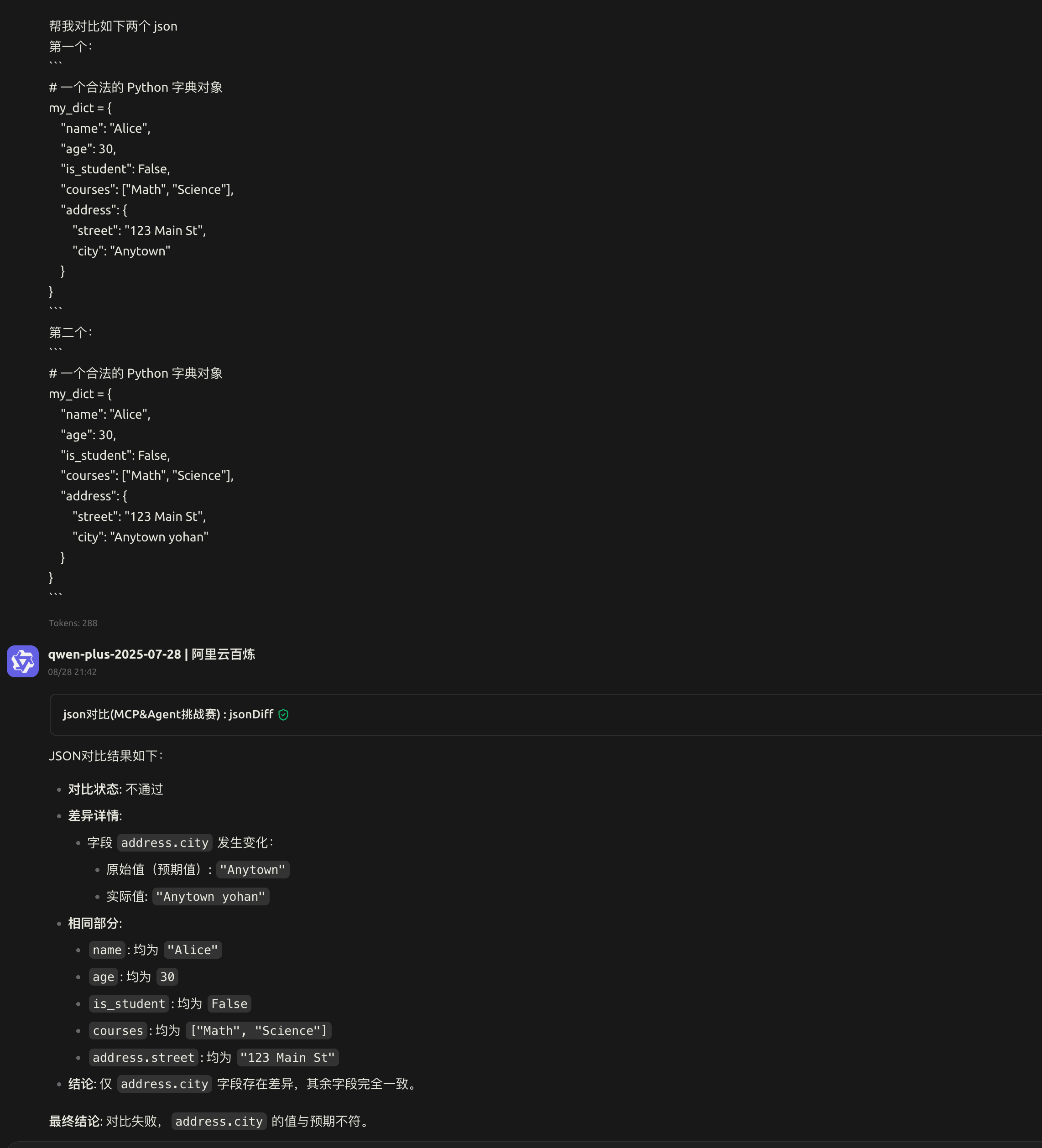
首先在对话框中选择此 mcp 工具 然后输入形如如下的文案即可进行对比
 json对比,预期值:{"a":1,"b":2}, 实际值:{"a":1,"b":2}

🔍 智能对比: 基于 deepdiff 库的深度JSON差异检测
⚡ 快速响应: 优化的对比算法,支持大型JSON文档
🔄 灵活输入: 支持JSON字符串和字典对象两种输入格式
📊 清晰输出: 结构化的差异报告,快速定位问题
🔧 MCP集成: 无缝集成到支持MCP协议的AI应用中
🐍 Python原生: 基于Python 3.13+,性能优异
jsonDiff功能: 对比两个JSON对象或字符串,返回详细的差异信息
参数:
expectKey (Union[str, dict]): 期望的JSON值,支持JSON字符串或字典对象
actualKey (Union[str, dict]): 实际的JSON值,支持JSON字符串或字典对象
返回值:
{
  "differences": "DeepDiff对象,包含所有差异信息",
  "is_identical": "布尔值,表示两个JSON是否完全一致",
  "message": "字符串,描述对比结果或错误信息"
}特性:
自动忽略数组顺序差异 (ignore_order=True)
支持嵌套JSON结构对比
智能错误处理,提供清晰的错误信息
npx @modelcontextprotocol/inspector uvx mcp-jsondiff-kelcd src/mcp_jsondiff_kel
python server.pymcp-jsondiff/
├── pyproject.toml # 项目配置和依赖
├── README.md # 项目文档
├── src/
│ └── mcp_jsondiff_kel/
│ ├── __init__.py # 包入口点
│ ├── __main__.py # 命令行入口
│ └── server.py # MCP服务器核心逻辑
└── uv.lock # 依赖锁定文件Python 3.13+: 核心运行时
FastMCP: MCP协议实现框架
DeepDiff: JSON差异检测引擎
Hatchling: 构建系统
我们欢迎社区贡献!请遵循以下步骤:
Fork 本仓库
创建特性分支 (git checkout -b feature/AmazingFeature)
提交更改 (git commit -m 'Add some AmazingFeature')
推送到分支 (git push origin feature/AmazingFeature)
开启 Pull Request
# 克隆仓库
git clone https://github.com/your-username/mcp-jsondiff.git
cd mcp-jsondiff

# 安装开发依赖
pip install -e ".[dev]"

# 运行测试
python -m pytest初始版本发布
支持基础JSON对比功能
MCP协议集成
错误处理和用户友好的输出格式
本项目采用 MIT 许可证 - 查看 LICENSE 文件了解详情。
yohan - 2220041897@qq.com
Model Context Protocol - 提供MCP协议标准
DeepDiff - 强大的差异检测库
FastMCP - 高效的MCP实现框架
如果您在使用过程中遇到问题或有改进建议,请:
在 GitHub Issues 中提交问题
发送邮件至 2220041897@qq.com
参与社区讨论
⭐ 如果这个项目对您有帮助,请给我们一个星标!
执行json对比
| Name | Required | Description | Default |
|---|---|---|---|
| expectKey | Yes | ||
| actualKey | Yes |
Does the description disclose side effects, auth requirements, rate limits, or destructive behavior?
With no annotations provided, the description carries full burden for behavioral disclosure. '执行json对比' only states the action without revealing any behavioral traits: it doesn't indicate whether this is a read-only operation, what format the comparison results take, whether it modifies data, what happens on errors, or any performance characteristics. The description fails to provide essential context about how the tool behaves.
Agents need to know what a tool does to the world before calling it. Descriptions should go beyond structured annotations to explain consequences.
Is the description appropriately sized, front-loaded, and free of redundancy?
The description is extremely concise at just three characters in Chinese ('执行json对比'), which translates to 'performs JSON comparison.' While severely under-specified, it's not wordy or repetitive. Every character serves a purpose in stating the core function, making it maximally efficient in terms of word count.
Shorter descriptions cost fewer tokens and are easier for agents to parse. Every sentence should earn its place.
Given the tool's complexity, does the description cover enough for an agent to succeed on first attempt?
Given a tool with 2 required parameters, 0% schema description coverage, no annotations, and no output schema, the description is completely inadequate. '执行json对比' doesn't explain what the tool returns, how parameters should be formatted, what the comparison logic entails, or any error conditions. For a comparison tool with undocumented inputs and outputs, this minimal description leaves critical gaps.
Complex tools with many parameters or behaviors need more documentation. Simple tools need less. This dimension scales expectations accordingly.
Does the description clarify parameter syntax, constraints, interactions, or defaults beyond what the schema provides?
The schema has 0% description coverage, meaning neither parameter has any documentation in the structured schema. The description '执行json对比' adds no information about what 'expectKey' and 'actualKey' parameters represent, their expected formats, or how they're used in the JSON comparison. With two required parameters completely undocumented, the description fails to compensate for the schema's deficiencies.
Input schemas describe structure but not intent. Descriptions should explain non-obvious parameter relationships and valid value ranges.
Does the description clearly state what the tool does and how it differs from similar tools?
The description '执行json对比' (performs JSON comparison) states a general action but lacks specificity about what resources or data are being compared. It doesn't explain what 'expectKey' and 'actualKey' represent in the comparison context. While it avoids being a tautology with the name 'jsonDiff', it remains vague about the exact nature of the comparison operation.
Agents choose between tools based on descriptions. A clear purpose with a specific verb and resource helps agents select the right tool.
Does the description explain when to use this tool, when not to, or what alternatives exist?
The description provides no guidance on when to use this tool, what scenarios it's designed for, or any prerequisites. There are no sibling tools mentioned, so differentiation isn't needed, but the complete absence of usage context makes it impossible for an agent to determine appropriate invocation conditions.
Agents often have multiple tools that could apply. Explicit usage guidance like "use X instead of Y when Z" prevents misuse.
Recent tool additions, removals, and schema changes observed during successful MCP inspections.
v0.1.5jsonDiffScored across 1 tool
With only one tool, there is no possibility of ambiguity or overlap between tools. The single tool has a distinct and clear purpose focused on JSON comparison.
The tool name 'jsonDiff' follows a consistent pattern (camelCase) and clearly describes its function. Since there is only one tool, there are no inconsistencies to evaluate.
A single tool is generally too few for most server purposes, as it limits functionality and may indicate an incomplete or overly narrow scope. For a JSON diff server, one tool might suffice for basic comparison, but it feels thin and lacks supporting operations.
The tool covers the core function of JSON comparison, which aligns with the server's name. However, there are notable gaps, such as missing tools for handling different diff formats, merging JSON, or validating JSON inputs, which could limit agent workflows.
Diff and poisoning detection for MCP servers: catch schema drift and prompt poisoning.
MCP server for building and testing AI agents with multi-model experimentation and insights.
Compare two JSON files deeply, ignoring order, to surface every difference. Get a clear, structure…
Compare two JSON files deeply, regardless of order. Get a detailed difference report highlighting…