
onshape-jamcp
# onshape-jamcp
[](https://glama.ai/mcp/servers/YBalan/onshape-jamcp)
[](https://glama.ai/mcp/servers/YBalan/onshape-jamcp)
**J**ust **A**nother **MCP** server for [Onshape](https://www.onshape.com) CAD. It lets an AI
assistant (Claude, Cursor, VS Code, any [MCP](https://modelcontextprotocol.io) client) find your
documents, model parts, measure them, look at them and export them - in **millimeters by default**,
with a switch for **inches**, and a switch that decides whether the assistant gets to **see
screenshots** (which costs tokens) or not.
> **Status: alpha, verified live.** 440+ automated tests run against a simulated Onshape, and the
> tools were checked against real Onshape accounts (free plan) on geometry with a known answer.
> [`scripts/smoke_test.py`](scripts/smoke_test.py) passed **31/31 checks** (2026-11-14): sketch →
> extrude → fillet → hole → edit → screenshot → STEP/STL export, with orientation and dimensions
> measured. On 2026-11-16 chamfer, assemblies with mates, ThreadCreator threads, part naming,
> variables, configurations, patterns, mirror, revolve, shell, boolean and OAuth sign-in were checked
> the same way, and 87 of those checks were re-run on a fresh account. **Not yet verified live:**
> paid-plan and enterprise behavior, threads on a configurable bolt under M18, and OAuth over a real
> one-hour expiry - see [what is verified](docs/development.md#verification-status-read-this-before-trusting-a-tool).
> Re-run the smoke test on your own account (see [below](#verify-it-works-against-your-account)).
[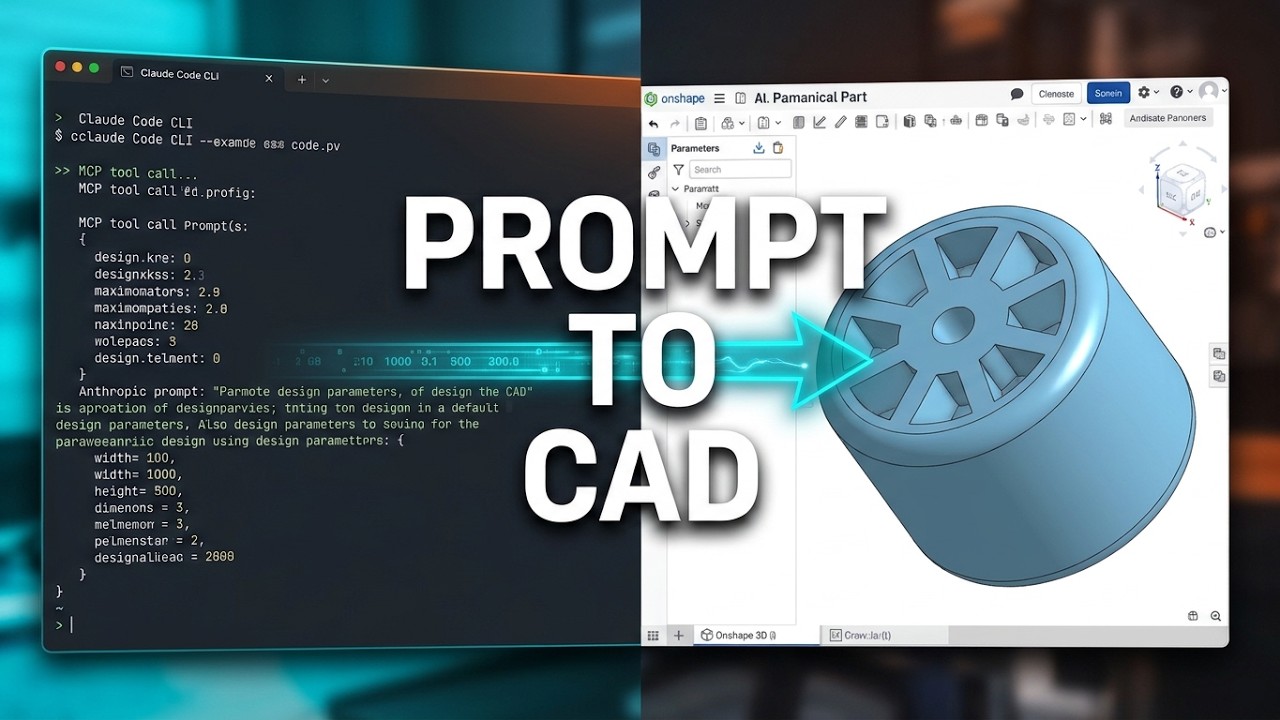](https://youtu.be/WvFzWkIw5H4)
## Highlights
| | |
|---|---|
| 📏 **Metric by default** | Every length you send or receive is in **mm**. Set `ONSHAPE_UNITS=imperial` for inches. Angles are always degrees. |
| 👁️ **Screenshot review toggle** | `ONSHAPE_SCREENSHOT_REVIEW=true` sends renders to the model so it can *see* its work (≈ 640 tokens per 800×600 image). `false` only saves them to disk - zero image tokens. Override per call with `review`. |
| 🔒 **Read-only mode** | `ONSHAPE_READ_ONLY=true` removes every tool that can modify a document. |
| 🧰 **37 focused tools** | Documents, sketch → extrude / revolve → patterns, mirror, shell, boolean, fillet/chamfer, edit parameters, measure, faces/edges, assemblies, screenshots, STEP/STL export - custom Feature Studio features such as Thread Creator, variables, configurations, part naming, plus escape hatches (raw feature JSON, FeatureScript, any REST endpoint). |
| 🧪 **Honest feedback loop** | Every modeling tool reports the feature's health (`OK`/`WARNING`/`ERROR`) so the model notices failures instead of piling more features on top. |
## Quick start
**1. Create API keys** at <https://cad.onshape.com/user/developer> (tick *Read* and *Write*; *Delete*
only if you want `delete_feature`). Copy the secret immediately - Onshape shows it once.
**2. Add the server to your MCP client.**
**Claude Desktop, one click:** install [`uv`](https://docs.astral.sh/uv/getting-started/installation/)
once, download the installer
**[onshape-jamcp.mcpb](https://github.com/YBalan/onshape-jamcp/releases/latest/download/onshape-jamcp.mcpb)**,
open it, paste your two keys into the form and click *Install* - no config file to edit.
[Details and troubleshooting](docs/claude-desktop.md).
**Any client, by hand** - Claude Desktop (`claude_desktop_config.json`):
```json
{
"mcpServers": {
"onshape": {
"command": "uvx",
"args": ["onshape-jamcp"],
"env": {
"ONSHAPE_ACCESS_KEY": "your-access-key",
"ONSHAPE_SECRET_KEY": "your-secret-key",
"ONSHAPE_UNITS": "metric",
"ONSHAPE_SCREENSHOT_REVIEW": "true"
}
}
}
}
```
Claude Code: `claude mcp add onshape -e ONSHAPE_ACCESS_KEY=... -e ONSHAPE_SECRET_KEY=... -- uvx onshape-jamcp`
> To run it from a checkout instead (to work on the code), replace the command with
> `"command": "uv", "args": ["run", "--directory", "/path/to/onshape-jamcp", "onshape-jamcp"]`.
> More clients and details: [docs/getting-started.md](docs/getting-started.md).
**3. Ask for something:**
> *"Create a document called 'Bracket'. In a new Part Studio model a 60 × 40 mm plate, 8 mm thick,
> with four 5 mm holes 6 mm from the corners and 4 mm fillets on the vertical edges. Show me a
> screenshot when you're done."*
## Examples
Plain-language requests that work today. Every modeling reply says what changed (parts, volume), so
the assistant - and you - can see a feature really did something. The numbers are what the tools
measured on live Onshape; recipes with the exact calls are in [docs/how-to.md](docs/how-to.md).
**A plate with holes and rounded corners, then a change of mind**
> *"Create a document 'Bracket' with a 60 × 40 mm plate, 8 mm thick, four 5 mm holes 6 mm from the
> corners and 4 mm fillets on the vertical edges. Then make the plate 12 mm thick."*
The plate is sketched on the Top plane, extruded, filleted and drilled; the later change edits the
extrude's depth and everything after it rebuilds. The part's bounding box confirms 12 mm.
**A part of revolution**
> *"Model a sleeve, outer diameter 40 mm, inner diameter 20 mm, 30 mm tall, by revolving a profile.
> Call the part 'Sleeve'."*
A rectangle plus a construction line as the axis, revolved 360°: 28 274 mm³ (π × (20² − 10²) × 30),
named `Sleeve`.
**A wheel with a configurable number of spokes**
> *"Make a hub, Ø40 × 10 mm, with spokes 6 mm wide reaching 50 mm from the centre, repeated around
> the hub. The number of spokes is a variable. Add a configuration with 3 and 6 spokes."*
One spoke is patterned around the hub's axis with `circular_pattern`, the count comes from a variable
that a configuration input drives: 17 979.92 mm³ with 3 spokes and 23 393.46 mm³ with 6.
**A parametric bolt and nut, M10 or M18**
> *"Model a hex bolt and nut with a Size configuration (M10 / M18) and a Length input. All sizes
> from variables. Add the threads."*
Head, shank, nut and hole follow the `Size` variables (an M18 nut is 15.8 mm high, the shank Ø18);
threads use Onshape's Thread Creator feature script, which must be available on your account
([threads](docs/threads.md)).
**Repeat, mirror and hollow**
> *"In a 100 × 100 mm, 5 mm plate cut a Ø6 hole 10 mm from the corner and repeat it 3 times, 20 mm
> apart, in 2 rows 30 mm apart."* - *"Mirror this part across the Right plane."* - *"Shell this box
> to 2 mm walls, open at the top."*
A grid of six holes removes exactly 6 × 141.37 mm³; the mirror doubles the volume; a 40 × 30 × 20 mm
box (24 000 mm³) shelled to 2 mm walls, open at the top, keeps 7 152 mm³.
**Join parts in an assembly**
> *"Put the bolt and the nut into an assembly and fasten them together."*
Both are inserted and joined with a mate; the reply lists where each instance ended up, because an
accepted mate is not proof that anything moved.
**Measure, look, export**
> *"How big is the 'Sleeve' part and what is its volume?"* - *"Show me a screenshot from the front."*
> - *"Export it as STEP."*
Bounding box, volume and surface area come from Onshape's own measurement (mass only if you assigned
a material); the screenshot is sent to the assistant (or only saved, see
`ONSHAPE_SCREENSHOT_REVIEW`); the STEP file lands in the output folder.
**Look but do not touch**
> *"List my documents and describe how 'Bracket' was built."* (with `ONSHAPE_READ_ONLY=true`)
Every tool that can change a document is removed, so the assistant can only read.
## Verify it works against your account
```bash
cp .env.example .env # fill in the two keys
uv run python scripts/smoke_test.py # on a free plan add --public (see below)
```
It creates a throw-away document (private; on a free plan Onshape only allows public ones, so pass
`--public`), models a plate, checks the dimensions/orientation/hole volume/fillets/edit/screenshot/
STEP+STL export numerically, then moves the document to Onshape's trash.
It prints `PASS`/`FAIL` per check. This is the step that confirms the assumptions a simulated
Onshape cannot (plane orientation, face normals, extrude direction).
## Settings
Set as environment variables (the `env` block of your MCP client) or CLI flags. The important ones:
| Variable | Default | Meaning |
|---|---|---|
| `ONSHAPE_ACCESS_KEY` / `ONSHAPE_SECRET_KEY` | - | **Required** (or OAuth, next row). API keys. |
| `ONSHAPE_OAUTH_CLIENT_ID` / `ONSHAPE_OAUTH_CLIENT_SECRET` | - | Alternative to API keys: your own Onshape OAuth app, then `onshape-jamcp auth login` once. See [docs/oauth.md](docs/oauth.md). |
| `ONSHAPE_UNITS` | `metric` | `metric` = millimeters, `imperial` = inches. Flag: `--units`. |
| `ONSHAPE_SCREENSHOT_REVIEW` | `true` | Send screenshots to the LLM (`true`) or only save them (`false`). Flag: `--[no-]screenshot-review`. |
| `ONSHAPE_READ_ONLY` | `false` | Hide all write tools. Flag: `--read-only`. |
| `ONSHAPE_BASE_URL` | `https://cad.onshape.com` | Enterprise: `https://yourcompany.onshape.com`. |
Everything else (image size, output folder, timeout, auth mode, API version, log level) is in
[docs/configuration.md](docs/configuration.md).
## Tools
| Group | Tools |
|---|---|
| Server | `get_settings`, `whoami` |
| Documents | `list_documents`, `get_document`, `create_document`, `create_element` |
| Inspect | `list_features`, `list_parts`, `get_part_properties`, `get_body_details`, `get_assembly`, `list_custom_features`, `list_variables`, `get_configuration`, `run_featurescript` |
| Model | `create_sketch`, `extrude`, `revolve`, `circular_pattern`, `linear_pattern`, `mirror`, `shell`, `boolean`, `fillet`, `chamfer`, `update_feature`, `delete_feature`, `add_feature`, `add_custom_feature` |
| Names, variables, configurations, assemblies | `rename`, `set_variable`, `set_configuration_input`, `insert_instance`, `add_mate` |
| Look & export | `capture_screenshot`, `export_model` |
| Escape hatch | `onshape_api_request` |
Full parameter reference (generated from the code): [docs/tools.md](docs/tools.md).
## Documentation
- [Getting started](docs/getting-started.md) - keys, installing in each client, first prompt
- [Claude Desktop installer](docs/claude-desktop.md) - one-click `.mcpb`, what the form asks, troubleshooting
- [Configuration](docs/configuration.md) - every setting, units, precedence
- [OAuth sign-in](docs/oauth.md) - sign in with your Onshape account instead of API keys
- [How-to recipes](docs/how-to.md) - holes, fillets, edits, inches, export, read-only, advanced features
- [Threads and custom features](docs/threads.md) - ThreadCreator: bolt and nut example, every option, how to check it
- [Parametric modeling](docs/parametric.md) - names, variables, configurations (M10 / M18) and assemblies
- [Screenshots & token cost](docs/screenshots.md) - what the review toggle does and when to use it
- [Tool reference](docs/tools.md) - all tools and parameters
- [Troubleshooting](docs/troubleshooting.md)
- [Development](docs/development.md) - architecture, tests, adding a tool
- [Publishing](docs/publishing.md) - PyPI and Glama
- [Comparison](docs/comparison.md) - how this relates to the other Onshape MCP servers
## Security notes
- API keys stay in your MCP client's config / environment. They are never returned by any tool,
never logged, and requests are HMAC-signed so the secret is not even sent over the wire.
With OAuth the tokens live in a per-user file and are likewise never returned, logged or sent
anywhere but Onshape.
- **Onshape's free plan makes every document public.** Do not model confidential work there.
- Write tools act as *you* on your real documents. Use `ONSHAPE_READ_ONLY=true` when you only want
the assistant to look around, and rely on Onshape's version history as your undo.
- With screenshot review on, rendered images are sent to your LLM provider like any other message.
## Acknowledgements
Prior art that shaped this project: [hedless/onshape-mcp](https://github.com/hedless/onshape-mcp)
(MIT; the Onshape feature JSON conventions were cross-checked against it) and
[altendky/onshape-mcp](https://github.com/altendky/onshape-mcp). See
[docs/comparison.md](docs/comparison.md).
## License
[MIT](LICENSE). Not affiliated with or endorsed by PTC / Onshape.
TDQS
Scored across 37 tools
Most tools target a clearly distinct resource+action (sketch, extrude, revolve, shell, fillet, chamfer, pattern, boolean, mate, variable, configuration), and the descriptions explicitly cross-reference alternatives (fillet vs chamfer, shell vs extrude-remove). The main friction is the three escape hatches — add_feature, add_custom_feature and onshape_api_request — plus update_feature, which all overlap in 'add/change arbitrary geometry'; the guidance differentiates them but an agent must read carefully to pick correctly.
Most tools follow a snake_case verb_noun pattern (list_documents, create_element, get_settings, set_variable, add_mate, update_feature, delete_feature). However, a large block of modeling tools is named after the bare feature (extrude, revolve, fillet, chamfer, shell, boolean, mirror), and there are further outliers like circular_pattern/linear_pattern (no verb) and whoami. Readable and intuitive by domain convention, but the conventions are genuinely mixed.
37 tools exceeds the comfortable range, and the surface spans modeling, assemblies, variables, configurations, custom features, export and two escape hatches. Most tools are distinct and earn their place in a real CAD workflow, but it is heavy enough that an agent faces a non-trivial selection problem each turn.
Coverage is strong: document/element lifecycle, the feature tree (sketch, extrude, revolve, patterns, mirror, boolean, shell, fillet, chamfer), parts and body inspection, assemblies and mates, variables and configurations, custom features, screenshots, export and raw API access. The notable gaps are deletion of documents and elements (explicitly admitted for documents), plus no drawing/version-management tools, which agents can partially work around via escape hatches.