A
licenseNot graded
qualityD
maintenanceProvides live App Store rankings, charts, app details, reviews, and search across 55 countries, enabling AI assistants to query app store data.
15 npm
MIT

Provides access to Astro ASO (App Store Optimization) data, enabling queries for keyword rankings, historical ranking data, app tracking, keyword trends analysis, and app rating history from the Astro database.
This server does not currently have a deployable release on Glama. Follow the repository's setup instructions to install and configure it for your MCP client, including any required credentials and local dependencies.
An MCP (Model Context Protocol) server that provides access to Astro ASO (App Store Optimization) data for LLMs.
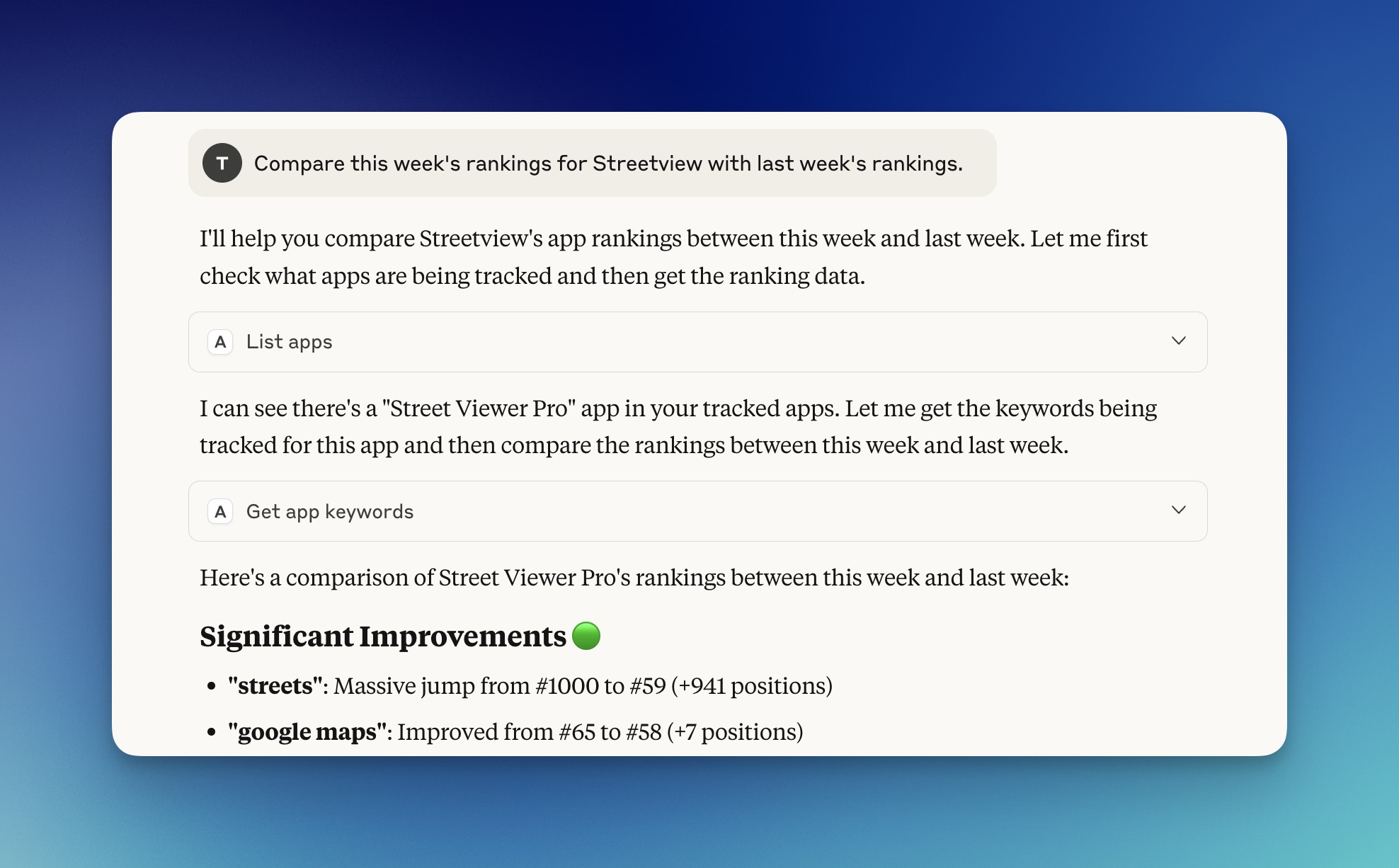
A tool with MCP support (Claude Desktop, Claude Code, ...)
Related MCP server: @sonarapp/mcp
This MCP server provides the following tools for querying Astro's ASO database:
search_rankings - Search current keyword rankings for apps
Find how apps rank for specific keywords
Filter by app store (us, uk, etc.)
Filter by app name or app ID
get_historical_rankings - Get historical ranking data
Track ranking changes over time
Configurable time period (default: 30 days)
Filter by app and store
list_apps - List all tracked applications
Shows app names, IDs, platforms
Includes keyword count per app
get_app_keywords - Get all keywords for a specific app
Shows current and previous rankings
Includes difficulty and popularity scores
Shows ranking changes
Accepts app name or app ID
get_keyword_trends - Analyze ranking trends
Statistical analysis (avg, min, max, volatility)
Trend detection (improving/declining/stable)
Configurable periods (week/month/year/all)
compare_rankings - Compare rankings between dates
Find ranking changes between two specific dates
Calculate percentage changes
get_app_ratings - Get app rating history
Track rating changes over time
Shows user rating counts
Accepts app name or app ID
get_keyword_competitors - Get real App Store competitors for keywords
Shows actual competitor apps from App Store data with app categories
Rankings based on real App Store search results
Multi-store support with automatic data aggregation
Configurable limit for number of competitors returned
get_keyword_recommendations - Get keyword recommendations
Suggests related keywords based on existing tracking data
Helps discover new keyword opportunities
Fuzzy matching for broader keyword discovery
analyze_competitive_landscape - Comprehensive competitive analysis
Identifies top competitors across all tracked keywords with app categories
Calculates market share metrics (top 10/25/50 rankings)
Shows competitor dominance scores and shared keywords
Assesses competitive intensity levels
Configurable limit for number of competitors returned
calculate_keyword_opportunity - Find keyword opportunities
Identifies high-opportunity keywords with low competition
Combines popularity, difficulty, and competition metrics
Configurable thresholds for targeted opportunity discovery
Provides reasoning for each opportunity score
detect_ranking_anomalies - Detect unusual ranking changes
Identifies sudden ranking drops, rises, and volatility spikes
Provides context about timing and previous rankings
Categorizes anomaly severity (low/medium/high/critical)
Includes interpretation of ranking changes
predict_ranking_trends - Predict future ranking movements
Uses linear regression to forecast ranking trajectories
Provides confidence scores and trend directions
Estimates future ranking positions based on historical data
Shows methodology and data points used for predictions
find_low_competition_keywords - Discover underutilized keywords
Finds keywords with low competition scores
Balances difficulty vs. popularity for optimal targeting
Helps identify niche market opportunities
Configurable parameters for precise filtering
Astro app must be installed on your Mac with data in its database
Node.js 18+ required
# Check your Node version
node --versionThe easiest way to use this MCP server is with Claude Code:
# Install from NPM
claude mcp add -s user -t stdio astro -- npx -y astro-mcp-server

# If npx is using the wrong Node version (common with nvm), use the full path:
claude mcp add -s user -t stdio astro -- $(which npx) -y astro-mcp-server

# Or for local/source installation (after building):
claude mcp add -s user -t stdio astro -- node /path/to/astro-mcp-server/dist/index.jsAdd the following to your Claude Desktop configuration:
For NPM installation:
Edit ~/Library/Application Support/Claude/claude_desktop_config.json:
{
  "mcpServers": {
    "astro-aso": {
      "command": "npx",
      "args": ["-y", "astro-mcp-server"]
    }
  }
}
For local/source installation:
First build the project:
cd /path/to/astro-mcp-server
npm run build
Then add to Claude Desktop config:
{
  "mcpServers": {
    "astro-aso": {
      "command": "node",
      "args": ["/path/to/astro-mcp-server/dist/index.js"]
    }
  }
}You can also run the server standalone for testing:
# If installed globally
astro-mcp-server

# Or run with npx
npx astro-mcp-server

# Or from source (after building)
npm run build
npm start

# Or for development with auto-reload
npm run devTest the server using the MCP Inspector:
# For NPM installation
npx @modelcontextprotocol/inspector npx astro-mcp-server

# For local installation (after building)
npx @modelcontextprotocol/inspector node /path/to/dist/index.jsOnce connected to Claude (via Claude Code or Claude Desktop), you can ask questions like:
Basic Queries:
"Use Astro MCP to show the current rankings for the keyword 'productivity' in the US store"
"Use Astro MCP to show me the ranking trends for 'task manager' over the last month"
"Use Astro MCP to list all the apps being tracked"
"Use Astro MCP to show what keywords the app 'Things 3' ranks for"
"Use Astro MCP to compare rankings for 'notes' between last week and today"
"Use Astro MCP to show me the rating history for app ID 1234567890"
Advanced Competitive Intelligence:
"Use Astro MCP to show me the real App Store competitors for the keyword 'meditation' with their categories"
"Use Astro MCP to analyze the competitive landscape for my app in the productivity space, showing top 15 competitors"
"Use Astro MCP to find keyword opportunities with low competition and high popularity"
"Use Astro MCP to detect any ranking anomalies in my app's performance this week"
"Use Astro MCP to predict where my 'todo app' keyword will rank next month"
"Use Astro MCP to find low-competition keywords I should target for my wellness app"
"Use Astro MCP to get keyword recommendations based on my current 'fitness' keyword"
The server requires read access to Astro's SQLite database, typically located at:
~/Library/Containers/matteospada.it.ASO/Data/Library/Application Support/Astro/Model.sqliteMake sure Astro has been run at least once and has collected some data before using this server.
Runtime: Node.js 18+
Database: SQLite via sql.js (JavaScript implementation, no native compilation required)
Database Loading: Automatically detects and reloads database changes, including WAL mode support with checkpoint forcing
Protocol: MCP (Model Context Protocol) via stdio
TypeScript: Compiled to JavaScript for distribution
Date Handling: Converts Core Data timestamps to ISO format
App Identification: Supports both app names (partial matching) and app IDs (exact matching)
WAL Mode Support: Automatically handles Write-Ahead Logging mode databases by forcing checkpoints to merge recent changes
The server reads from these main tables in Astro's database:
ZAPPLICATION - App information
ZKEYWORD - Keywords and current rankings
ZDATAPOINT - Historical ranking data points
ZBINARYDATA - Real App Store competitor data (JSON format)
ZRATING - App ratings
ZRATINGDATAPOINT - Historical rating data
astro-mcp-server/
├── src/
│   ├── index.ts      # Main server implementation
│   └── types.ts      # TypeScript type definitions
├── package.json      # Dependencies
├── tsconfig.json     # TypeScript config
├── mcp.json         # MCP configuration
└── README.md # This fileClone the repository
Install dependencies: npm install
Build the project: npm run build
Run in development mode: npm run dev
Update version in package.json
Update author and repository URLs in package.json
Run: npm publish (automatically builds via prepublishOnly)
Contributions are welcome! Please feel free to submit a Pull Request.
MIT - See LICENSE file for details
"Database not found" error
Ensure Astro is installed and has been run at least once
Check that the database path exists
"Permission denied" error
The server needs read access to Astro's database
Check file permissions on the SQLite database
Node.js compatibility
Ensure you're using Node.js 18 or higher
The server uses sql.js (pure JavaScript), so no native module compilation is required
This eliminates NODE_MODULE_VERSION errors that were common with better-sqlite3
No data returned or stale data
Ensure Astro has collected keyword tracking data
Check that you're using the correct app names or IDs
Verify the store parameter (default is 'us')
The server automatically reloads the database when changes are detected
For WAL mode databases, recent changes are merged automatically via checkpoints
For issues or questions, please open an issue on GitHub.
This project was vibecoded with ❤️ by Tim Broddin - Available for hire at Titans of Industry
Recent tool additions, removals, and schema changes observed during successful MCP inspections.
Loading tool schema changelog…
This server cannot be deployed
App Store Optimization data for AI agents: keyword ranks, scores, competitors, charts
App Store keyword rankings, competitors, markets, reviews and analytics for iOS apps, from your AI.
ASOClimb brings App Store Optimization into your AI assistant. Connect it once with OAuth sign-in, then ask in plain language about the apps you publish on the Apple App Store and Google Play. What it can do: - Keyword research: live keyword inspections with traffic, difficulty and KEI scores, top-ranking apps and related terms, plus live store autocomplete suggestions. - Rank tracking: track keywords for your apps, see daily rank observations, movers, favorites and rank alerts. - Competitors: track competitor apps, see the keywords they rank for, and find keyword gaps where they rank and you don't. - Market research: top free, paid and grossing charts, new releases, category ranks and niche analysis from a seed keyword. - Listing copy: check any App Store or Google Play listing, simulate new titles, subtitles and keyword fields against store character limits, save drafts and compare them with the live listing. - Account: see your plan, limits and month-to-date usage. Ranks are dated observations, not store-provided data. Tools that only read data are marked read-only. Only two tools remove data: untrack_keyword and remove_competitor. Plans: Free costs $0, covers 1 app, and includes 25 keyword inspections and 500 API/MCP requests a month. Pro costs $10 a month or $100 a year, covers up to 50 apps, includes unlimited keyword inspections and 50,000 API/MCP requests a month, and is sold at asoclimb.com/pricing. Monthly allowances reset on the 1st (UTC). Built by Approtic Solutions Private Limited.
ASO tools for AI agents: keyword research, rank tracking, competitor analysis (iOS & Android).