
astrograph

# ASTrograph
<p align="center">
<img src="astrograph_poster.jpg" alt="ASTrograph" width="400">
</p>
[](https://github.com/Thaylo/astrograph/actions/workflows/ci.yml)
[](https://github.com/Thaylo/astrograph/actions/workflows/release.yml)
[](https://hub.docker.com/r/thaylo/astrograph)
[](https://hub.docker.com/r/thaylo/astrograph)
[](LICENSE)
[](https://modelcontextprotocol.io)
An [MCP server](https://modelcontextprotocol.io) that helps AI agents detect duplicate code before writing it. It provides write and edit tools that compare new code against existing functions in your codebase using AST graph isomorphism — powered by algorithms, not LLM tokens. When a structural duplicate is found, the operation is blocked with a pointer to the existing code. Variable names, formatting, and comments are ignored — if two pieces of code share the same abstract structure, ASTrograph flags them as duplicates.
## Installation
Add `.mcp.json` to your project root:
```json
{
"mcpServers": {
"astrograph": {
"command": "docker",
"args": [
"run", "--rm", "-i", "--pull", "missing",
"--add-host", "host.docker.internal:host-gateway",
"-v", ".:/workspace",
"thaylo/astrograph:latest"
]
}
}
}
```
The image is multi-arch (amd64, arm64). The codebase is indexed at startup. Metadata is stored outside the project directory (in the user data dir) so it never interferes with your codebase.
To update to a new release:
```bash
docker pull thaylo/astrograph:latest
```
The running version is always visible in the MCP `serverInfo.version` field on connect.
<details>
<summary><strong>Claude Desktop</strong></summary>
macOS: `~/Library/Application Support/Claude/claude_desktop_config.json`
Windows: `%APPDATA%\Claude\claude_desktop_config.json`
```json
{
"mcpServers": {
"astrograph": {
"command": "docker",
"args": [
"run", "--rm", "-i", "--pull", "missing",
"--add-host", "host.docker.internal:host-gateway",
"-v", "/absolute/path/to/project:/workspace",
"thaylo/astrograph:latest"
]
}
}
}
```
</details>
<details>
<summary><strong>Codex</strong></summary>
`~/.codex/config.toml`:
```toml
[mcp_servers.astrograph]
command = "docker"
args = [
"run", "--rm", "-i", "--pull", "missing",
"--add-host", "host.docker.internal:host-gateway",
"-v", "/absolute/path/to/project:/workspace",
"thaylo/astrograph:latest"
]
```
</details>
<details>
<summary><strong>wmark</strong></summary>
`~/.config/wmark/.mcp.json` (user-level, applies to all projects on macOS):
```json
{
"mcpServers": {
"astrograph": {
"command": "docker",
"args": [
"run", "--rm", "-i", "--pull", "missing",
"--add-host", "host.docker.internal:host-gateway",
"-v", "/Users:/Users:rw",
"thaylo/astrograph:latest"
]
}
}
}
```
Mounting `/Users` makes all macOS home paths accessible inside the container unchanged. Call `set_workspace` with the full host path (e.g. `/Users/yourname/project`) to index a project.
For Linux, replace `/Users:/Users:rw` with `/home:/home:rw`.
</details>
<details>
<summary><strong>Without Docker</strong></summary>
```bash
pip install .
```
```json
{
"mcpServers": {
"astrograph": {
"command": "python",
"args": ["-m", "astrograph.server"],
"cwd": "/path/to/astrograph"
}
}
}
```
</details>
## How it works
Your codebase already contains:
```python
# src/math.py
def calculate_sum(a, b):
return a + b
```
An AI agent tries to write:
```python
# src/utils.py
def add_numbers(x, y):
return x + y
```
ASTrograph detects the duplicate and blocks the write:
```
BLOCKED: Cannot write - identical code exists at src/math.py:calculate_sum (lines 1-2).
Reuse the existing implementation instead.
```
Different variable names, identical structure. Source code is converted into labeled directed graphs and compared using Weisfeiler-Leman hashing with VF2 isomorphism verification — all algorithmic, no LLM tokens spent on the search.
## Detection types
ASTrograph detects four types of structural duplication:
| Type | What it catches | How it works |
|------|----------------|--------------|
| **Exact** | Identical AST structure with renamed variables or different formatting | WL hash identity + VF2 graph isomorphism verification |
| **Pattern** | Same control flow with different operators or constants | Operator-normalized graph hashing |
| **Block** | Duplicate inner blocks (for/if/while/try) within functions | Block-level AST extraction + hash matching |
| **Near-duplicate** | ~80% structural similarity — copy-paste-modify patterns | Hierarchy hash prefix matching at 4/5 depth levels |
Near-duplicate detection catches Type-3 clones that exact and pattern detection miss. For example, Flask's `TagBytes`, `TagDateTime`, `TagTuple`, and `TagUUID` classes share 80%+ identical structure but differ in leaf-level details.
## Language support
Python, JavaScript, and TypeScript work out of the box. C, C++, Java, and Go attach to an already-running language server over TCP.
| Language | Versions | Mode | Default endpoint |
|----------|----------|------|-----------------|
| Python | 3.11 -- 3.14 | bundled | `pylsp` |
| JavaScript | ES2021+, Node 20/22/24 LTS | bundled | `typescript-language-server --stdio` |
| TypeScript | TypeScript 5.x, Node 20/22/24 LTS | bundled | `typescript-language-server --stdio` |
| Go | 1.21 -- 1.25 | attach | `tcp://127.0.0.1:2091` |
| C | C11, C17, C23 | attach | `tcp://127.0.0.1:2087` |
| C++ | C++17, C++20, C++23 | attach | `tcp://127.0.0.1:2088` |
| Java | 11, 17, 21, 25 | attach | `tcp://127.0.0.1:2089` |
The Docker image bundles Python and JS/TS LSP runtimes. For attach-based languages, expose the language server on a TCP port using [socat](https://linux.die.net/man/1/socat) and configure via your MCP JSON:
```json
{
"mcpServers": {
"astrograph": {
"command": "docker",
"args": ["run", "--rm", "-i", "--add-host", "host.docker.internal:host-gateway", "-v", ".:/workspace", "thaylo/astrograph:latest"],
"env": {
"ASTROGRAPH_CPP_LSP_COMMAND": "tcp://host.docker.internal:2088",
"ASTROGRAPH_GO_LSP_COMMAND": "tcp://host.docker.internal:2091",
"ASTROGRAPH_JAVA_LSP_COMMAND": "tcp://host.docker.internal:2089",
"ASTROGRAPH_C_LSP_COMMAND": "tcp://host.docker.internal:2087"
}
}
}
}
```
| Language | Env var | Socat bridge example |
|----------|---------|---------------------|
| C | `ASTROGRAPH_C_LSP_COMMAND` | `socat TCP-LISTEN:2087,reuseaddr,fork EXEC:clangd` |
| C++ | `ASTROGRAPH_CPP_LSP_COMMAND` | `socat TCP-LISTEN:2088,reuseaddr,fork EXEC:clangd` |
| Java | `ASTROGRAPH_JAVA_LSP_COMMAND` | `socat TCP-LISTEN:2089,reuseaddr,fork EXEC:jdtls` |
| Go | `ASTROGRAPH_GO_LSP_COMMAND` | `socat TCP-LISTEN:2091,reuseaddr,fork EXEC:"gopls serve"` |
| Python | `ASTROGRAPH_PY_LSP_COMMAND` | (bundled, override if needed) |
| JS | `ASTROGRAPH_JS_LSP_COMMAND` | (bundled, override if needed) |
| TS | `ASTROGRAPH_TS_LSP_COMMAND` | (bundled, override if needed) |
Run `lsp_setup(mode='inspect')` to see which languages are available and what's missing.
## Real-world results
Tested on popular open-source projects:
| Project | Language | Files | Code Units | Duplicates Found |
|---------|----------|-------|------------|-----------------|
| [Redis](https://github.com/redis/redis) | C | 208 | 18,272 | 556 groups |
| [TypeORM](https://github.com/typeorm/typeorm) | TypeScript | 492 | 7,107 | 511 groups |
| [Express.js](https://github.com/expressjs/express) | JavaScript | 141 | 3,866 | 468 groups |
| [nlohmann/json](https://github.com/nlohmann/json) | C++ | 488 | 9,103 | 959 groups |
| [Gin](https://github.com/gin-gonic/gin) | Go | 99 | 1,557 | 141 groups |
| [Flask](https://github.com/pallets/flask) | Python | 24 | 910 | 48 groups |
| [Spring PetClinic](https://github.com/spring-projects/spring-petclinic) | Java | 47 | 270 | 17 groups |
Exact, pattern, and block findings are verified via VF2 graph isomorphism. Near-duplicates are matched via hierarchy hash prefix similarity (~80% structural identity).
## Star History
[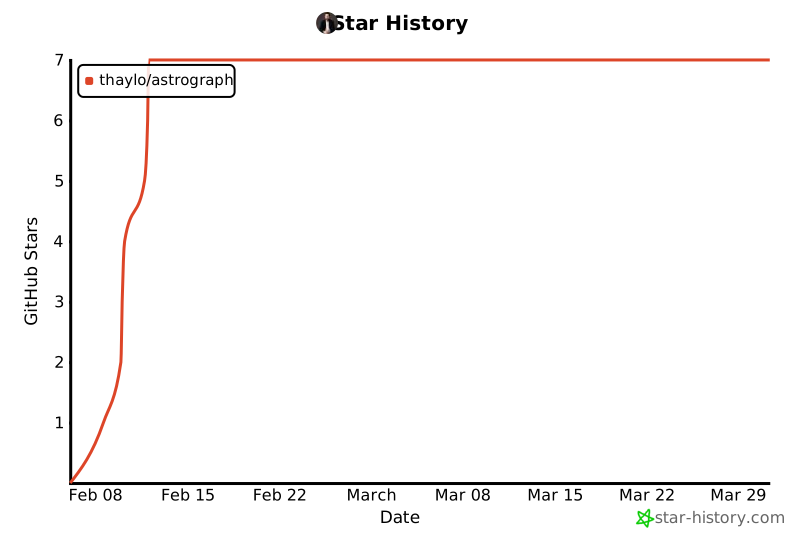](https://www.star-history.com/#Thaylo/astrograph&type=date&legend=top-left)
## License
MIT
TDQS
Scored across 12 tools
Most tools have clearly distinct purposes: analyze finds duplicates, suppress/unsuppress/list manage suppressions, write/edit handle file operations. However, metadata_erase and metadata_recompute_baseline overlap (both erase metadata) and write/edit are similar in behavior, creating minor boundary ambiguity.
Tool names mix single verbs (analyze, status, edit) with verb_noun patterns (list_suppressions, generate_ignore) and noun-verb patterns (metadata_erase, metadata_recompute_baseline). This inconsistency in naming structure makes the set feel less cohesive.
12 tools is an appropriate scope for a code duplication analysis server, covering detection, suppression management, file enforcement, and configuration without excess.
The server covers the core duplication lifecycle well: detect (analyze), manage (suppress/unsuppress/list), enforce (write/edit), plus setup and maintenance tools. Minor gaps exist, such as no configuration for detection thresholds, but the overall surface is comprehensive.