
AI Humanizer MCP Server
# AI Humanize MCP Server
---
A powerful Model Context Protocol (MCP) server that helps refine AI-generated content to sound more natural and human-like. Built with advanced AI detection and text enhancement capabilities.
Powered by [text2go](https://text2go.ai).
---
# Table of Contents
1. [Key Features](#-key-features)
2. [Screenshot](#screenshot)
3. [Prerequisites](#prerequisites)
4. [Installation](#installation)
5. [Usage](#-usage)
- [AI Text Detection](#ai-text-detection)
---
## Screenshot

## ✨ Key Features
- 🤖 **AI Detection** - Accurately identify AI-generated content
- 👤 **Natural Language Enhancement** - Transform robotic text into natural human-like writing
- ⭐ **Grammar Perfection** - Ensure flawless grammatical accuracy
- 📋 **Readability Optimization** - Improve text flow and comprehension
- 📏 **Length Control** - Adjust content length while preserving meaning
- ⚖️ **Term Preservation** - Maintain specific terminology and key phrases
## Prerequisites
- node version >= 16
- Claude Desktop latest version
## Installation
### By npx
1. Configure Claude Desktop:
- Open Claude Desktop
- Navigate to Settings → Developer → Edit Config
- Add the following configuration:
```json
{
"mcpServers": {
"ai-humanizer": {
"command": "npx",
"args": ["-y", "ai-humanizer-mcp-server"]
}
}
}
```
2. Restart Claude Desktop to apply changes
### By Source Code
1. Clone this repository
2. Install Dependencies
```bash
npm install
```
3. Build the project
```bash
npm run build
```
4. Configure Claude Desktop:
- Open Claude Desktop
- Navigate to Settings → Developer → Edit Config
- Add the following configuration:
```json
{
"mcpServers": {
"ai-humanizer": {
"command": "node",
"args": ["<YOUR_PROJECT_PATH>/build/index.js"]
}
}
}
```
5. Restart Claude Desktop to apply changes
## 💡 Usage
### AI Text Detection
To check if text is AI-generated, simply ask Claude:
```text
Is this text ai-generated: In a fast-paced world, where technology is advancing at an exponential rate, it is crucial for businesses to adapt to new trends and keep up with the changing demands of the market.
```
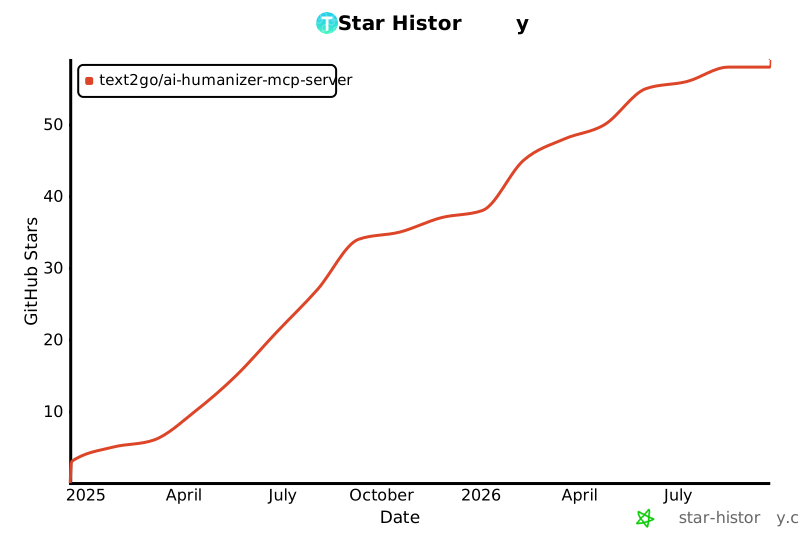
## Star History
[](https://star-history.com/#Text2Go/ai-humanizer-mcp-server&Date)TDQS
Scored across 1 tool
With only one tool, there is no possibility of ambiguity or overlap between tools. The single tool 'detect' has a clearly defined purpose that cannot be confused with any other tool in this set.
A single tool inherently demonstrates perfect naming consistency as there are no other tools to compare against. The tool name 'detect' follows a clear verb-based pattern appropriate for its function.
A single tool is insufficient for most server purposes, creating a thin surface that limits agent capabilities. While the tool has a specific function, the server's scope appears to be AI text detection, which would typically benefit from additional related operations like analysis, comparison, or verification tools.
The server appears focused on AI text detection, but with only a detection tool, there are significant gaps in functionality. There's no way to analyze results, compare texts, verify human-written content, or perform related operations that would complete the AI-human text analysis domain.