
F
licenseNot graded
qualityD
maintenanceEnables conversational analysis of CSV and Parquet files through natural language, providing statistics, summaries, data type information, and comprehensive multi-step data analysis.
-

Integrates with AntV charting library through mcp-server-chart to create interactive data visualizations and dashboards from analyzed data
Enables AI-powered data analysis and business intelligence capabilities using pandas DataFrames, including statistical analysis, data manipulation, and automated report generation
Click on "Deploy Server".
Wait a few minutes for the server to deploy. Once ready, it will show a "Started" state.
In the chat, type @ followed by the MCP server name and your instructions, e.g., "@ChatBI MCP Server analyze sales trends for the last quarter and create a summary report"
That's it! The server will respond to your query, and you can continue using it as needed.
Here is a step-by-step guide with screenshots.
cp .env.example .env编辑.env文件,填写LLM信息,要生成代码,建议填写相对比较强的模型,比如GLM 4.5、Qwen-235B-A22B、Kimi K2等,至少Qwen3-32B,规模再小的生成代码质量会比较差,分析效果差。
uv venv .venv --python=3.11
source .venv/bin/activate
uv pip install -r requirements.txt
Related MCP server: mcp-pandas
cd src
python pandas_mcp_server.py使用任意支持MCP Server的客户端,比如Cherry Studio,配置如下:
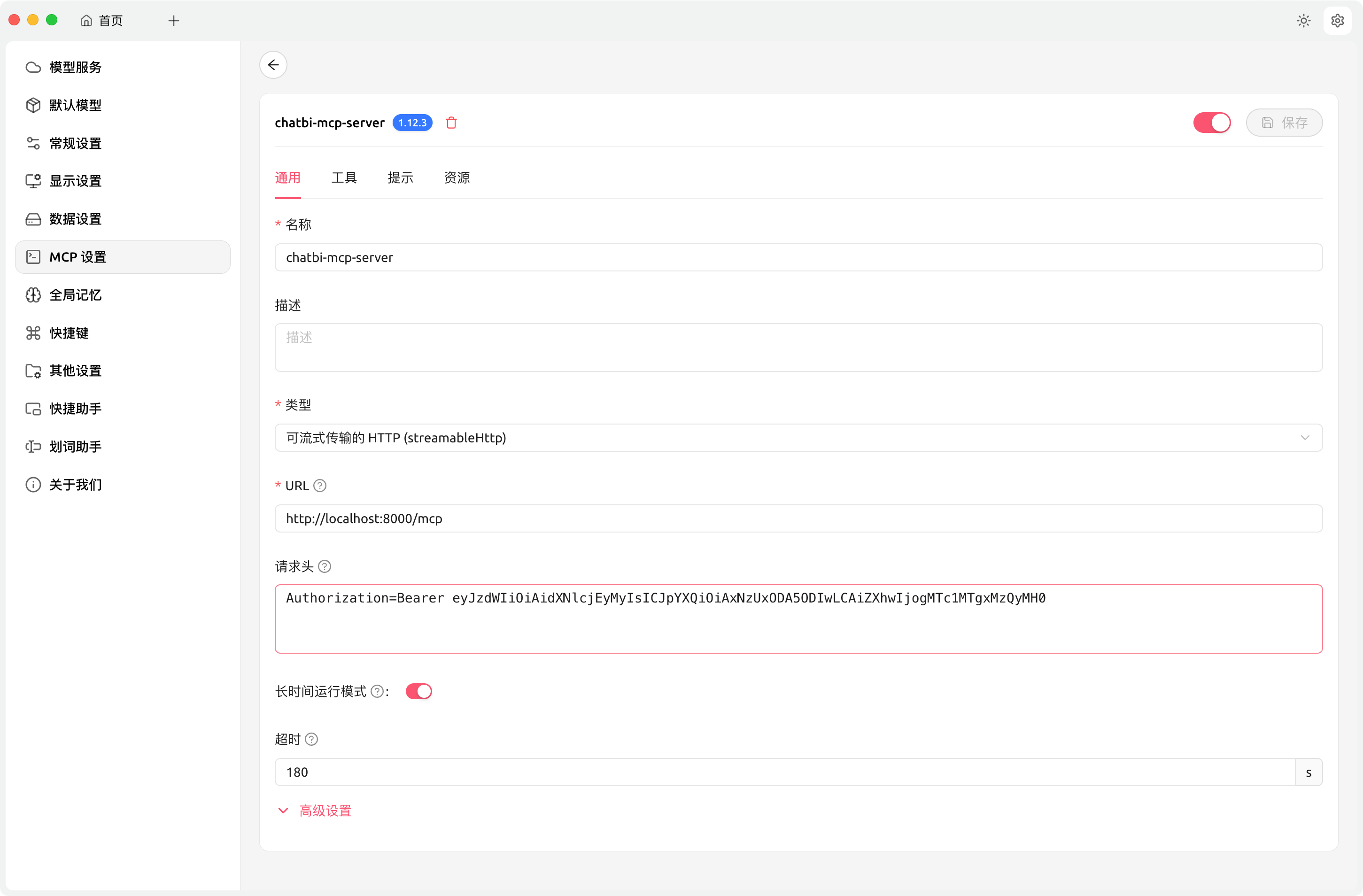
其中验证信息,在config.yaml中,可以自行修改。默认值为eyJzdWIiOiAidXNlcjEyMyIsICJpYXQiOiAxNzUxODA5ODIwLCAiZXhwIjogMTc1MTgxMzQyMH0。
注意:超时时间设置长一点,因为涉及LLM生成代码、如果出错还需要改错
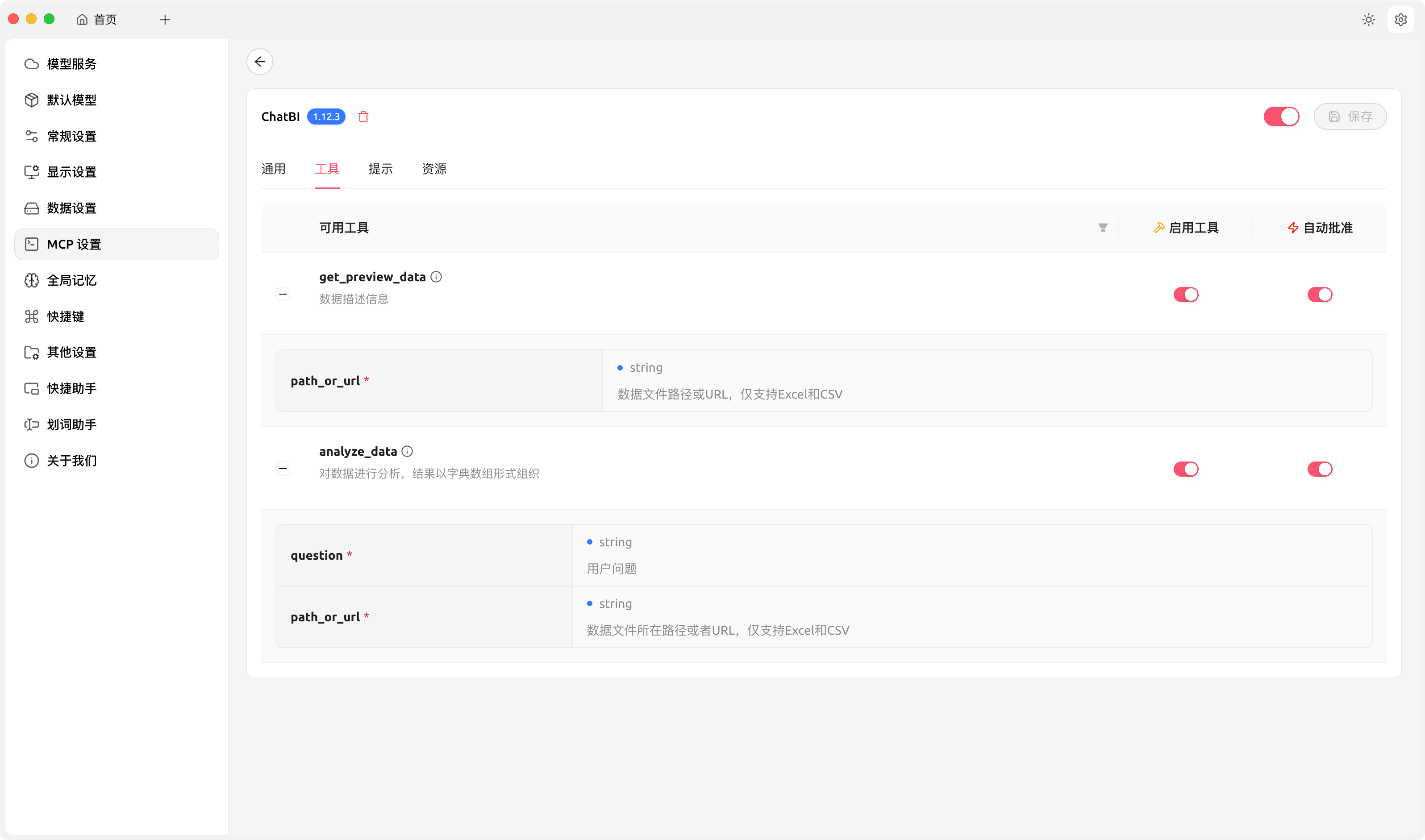
添加完成后,点击“保存”,然后点击又上方的开启选项,切换到“工具”标签页:
如果能正常列出工具,说明配置正确。
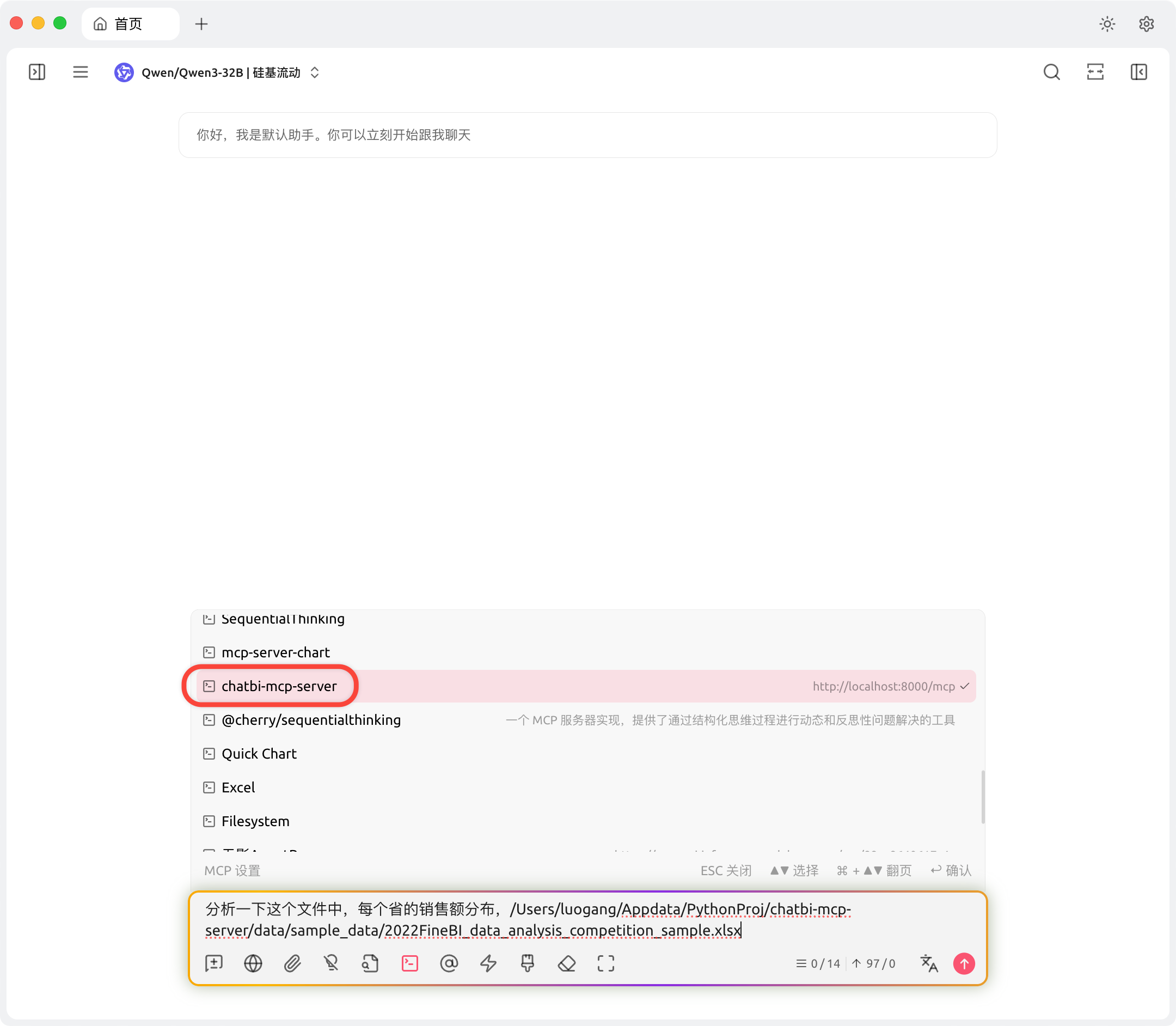
使用时,记得开启这个MCP Server:
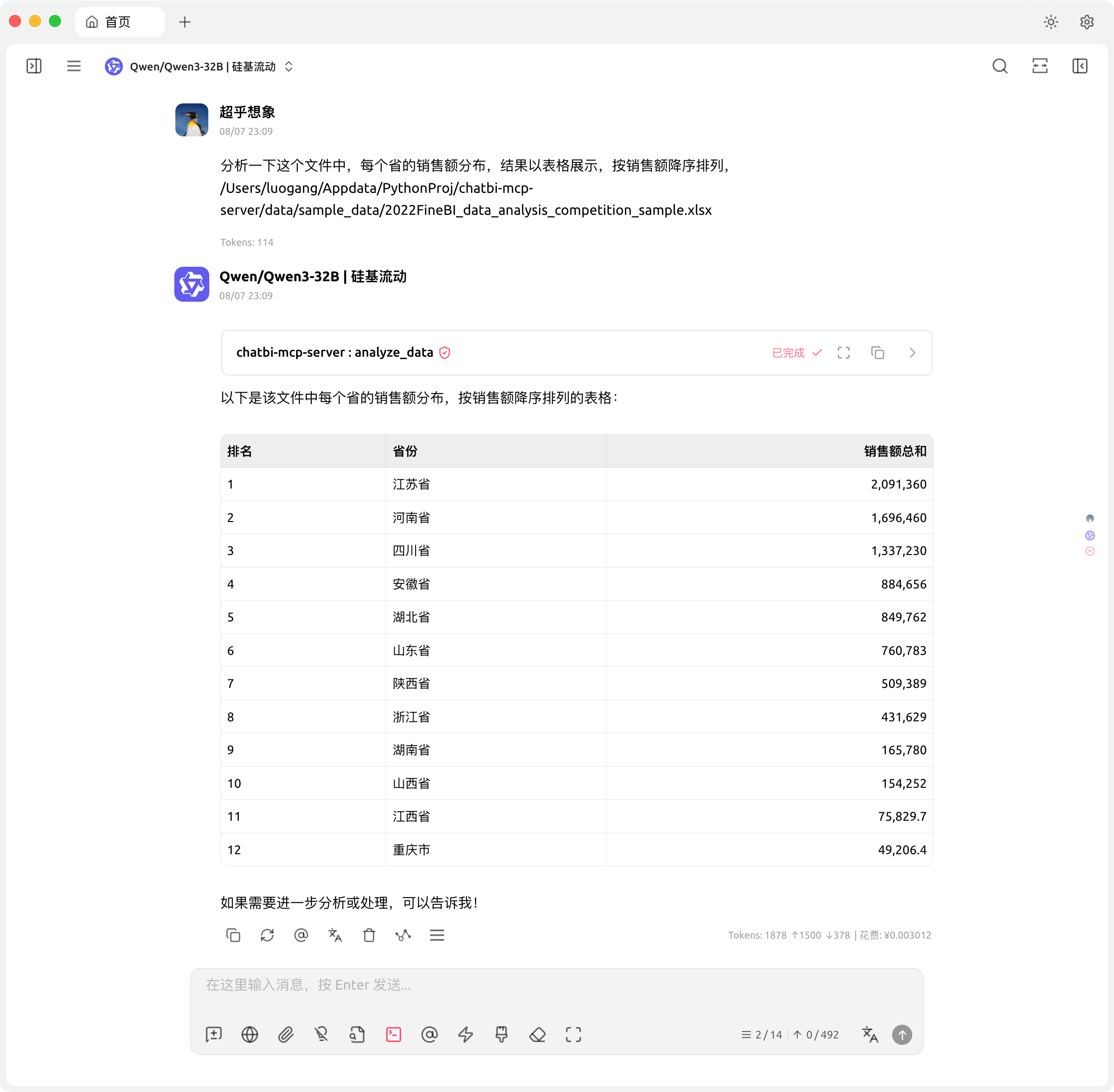
结合mcp-server-chart使用
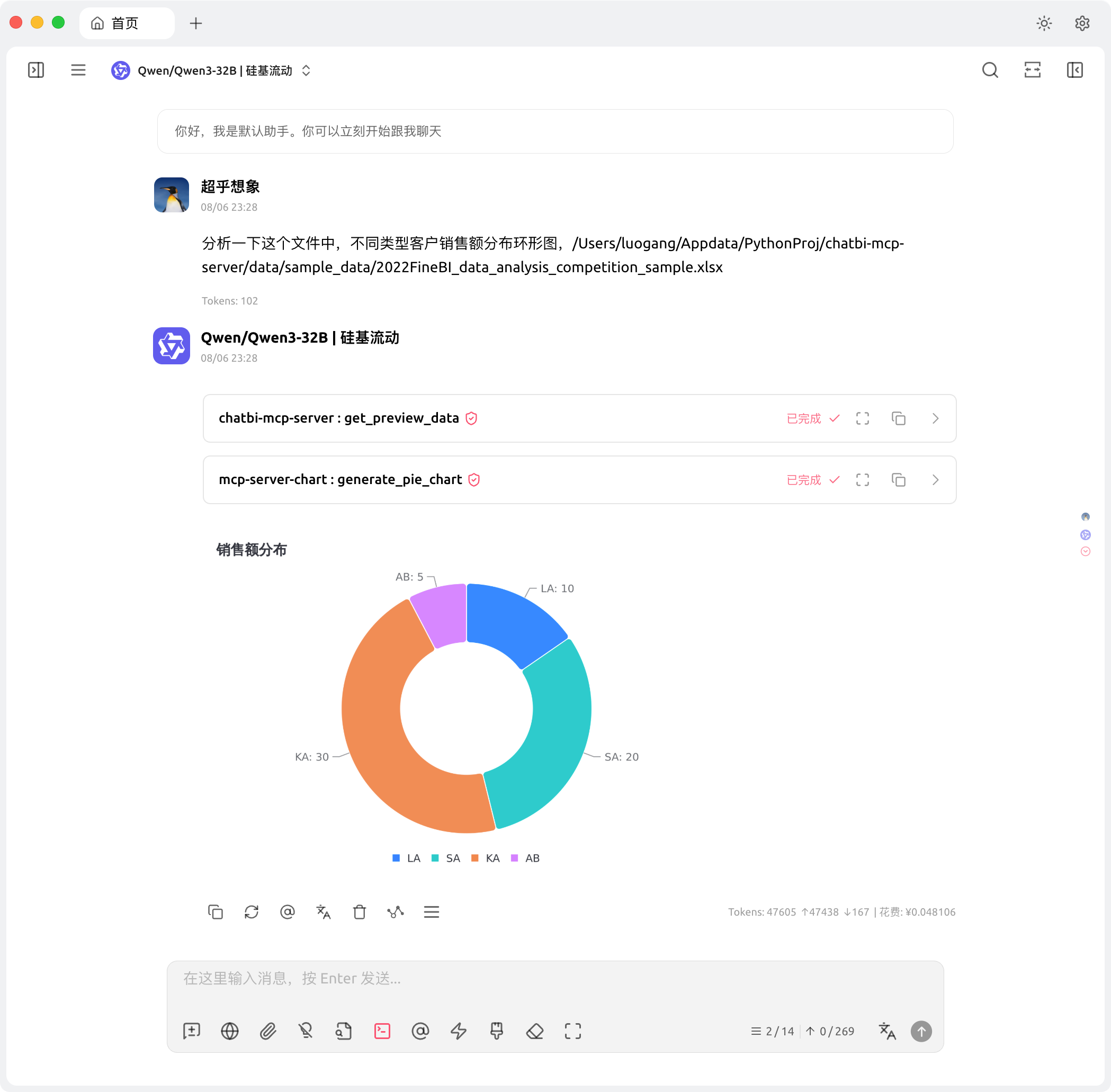
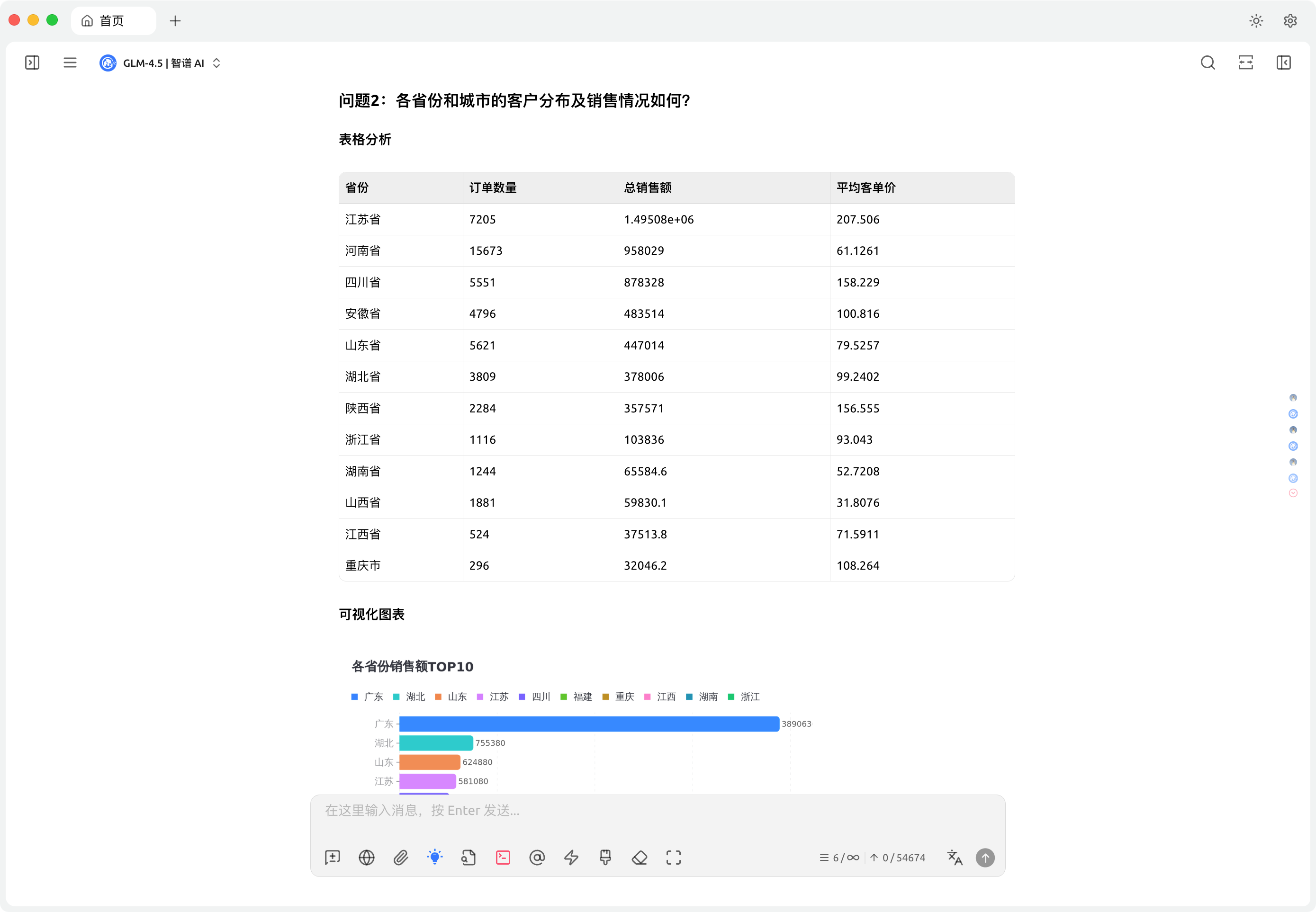
通过指令,自动化数据分析:
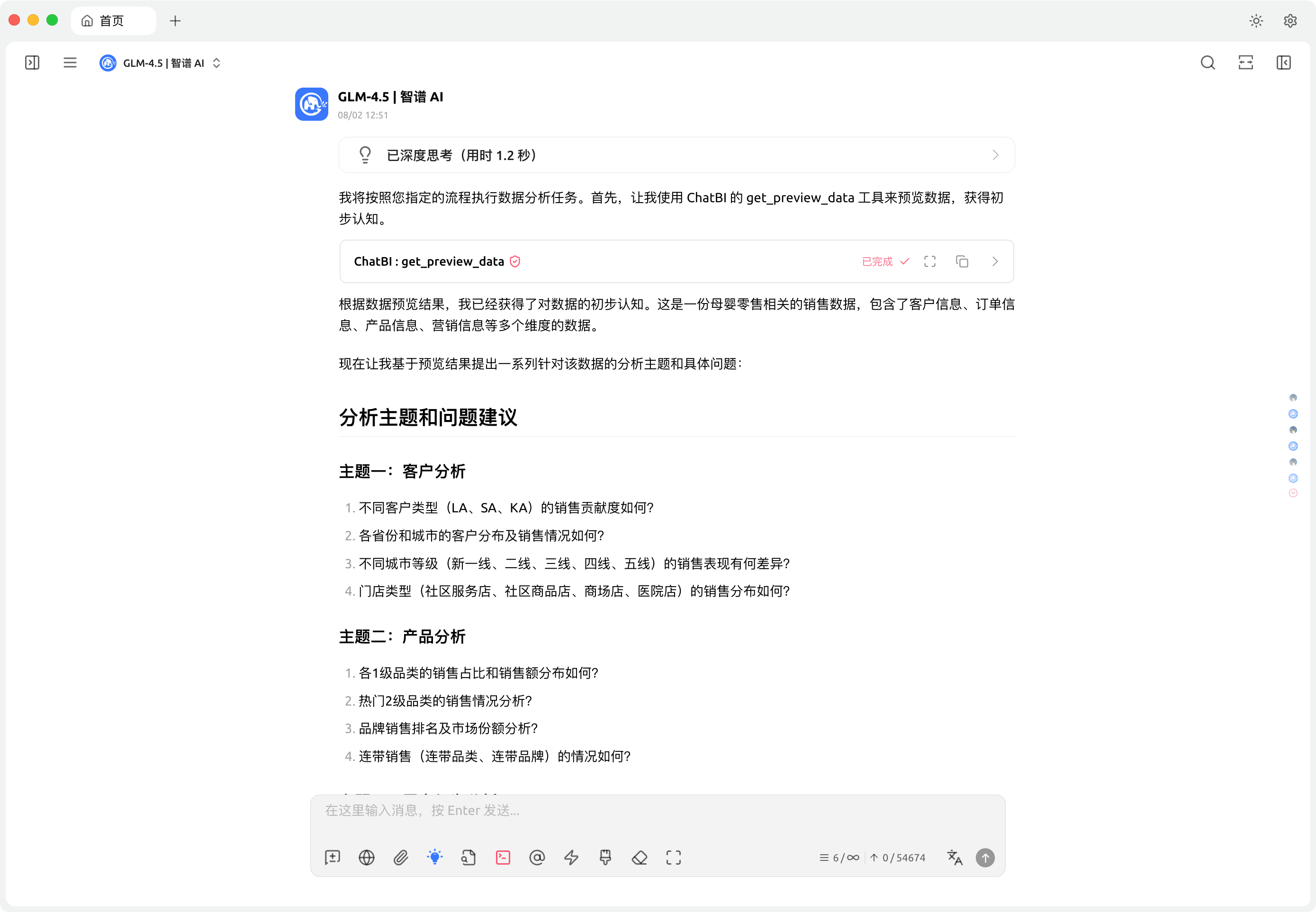
生成数据分析计划:
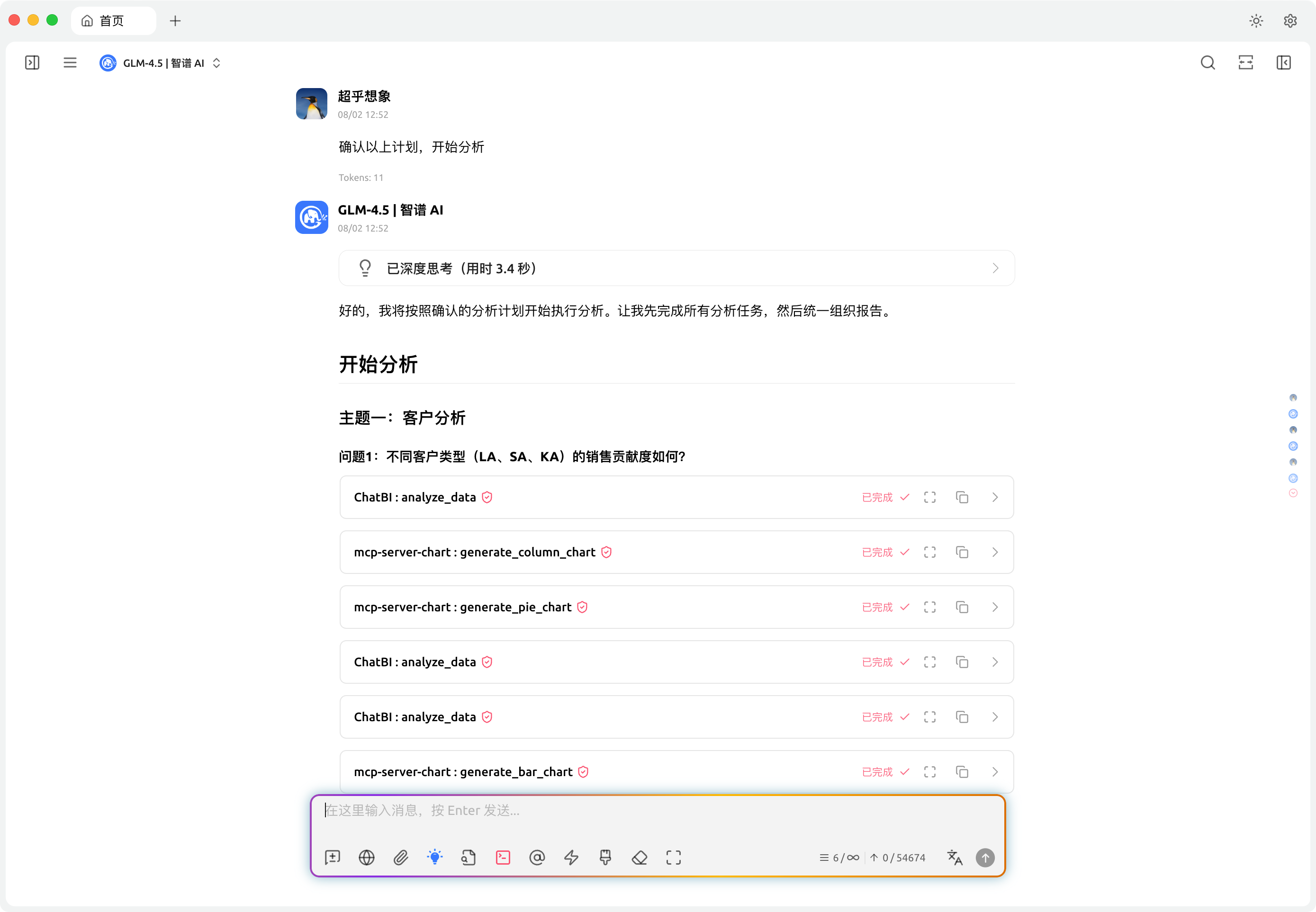
 开始分析:
开始分析:
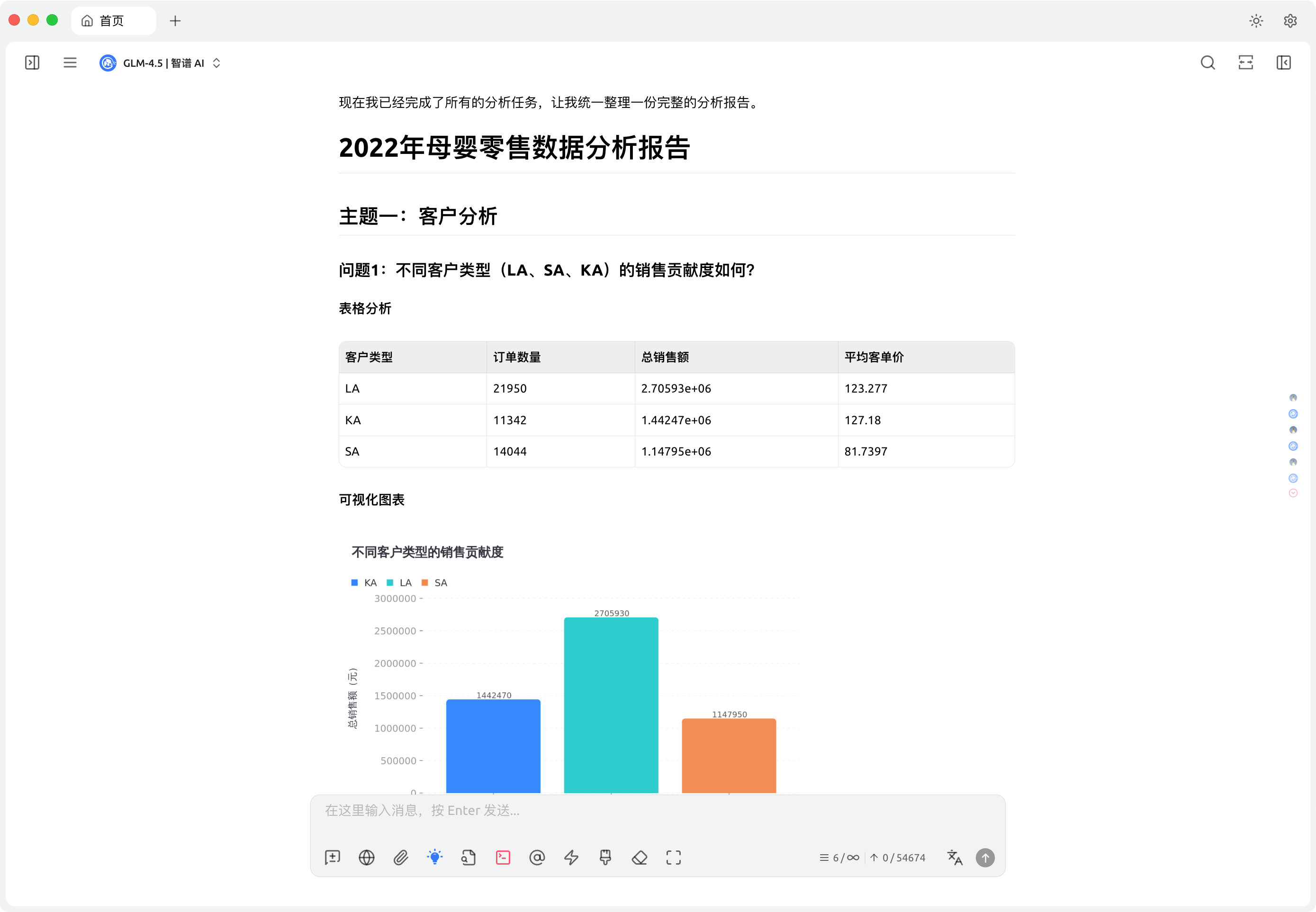
 结果报告:
结果报告:
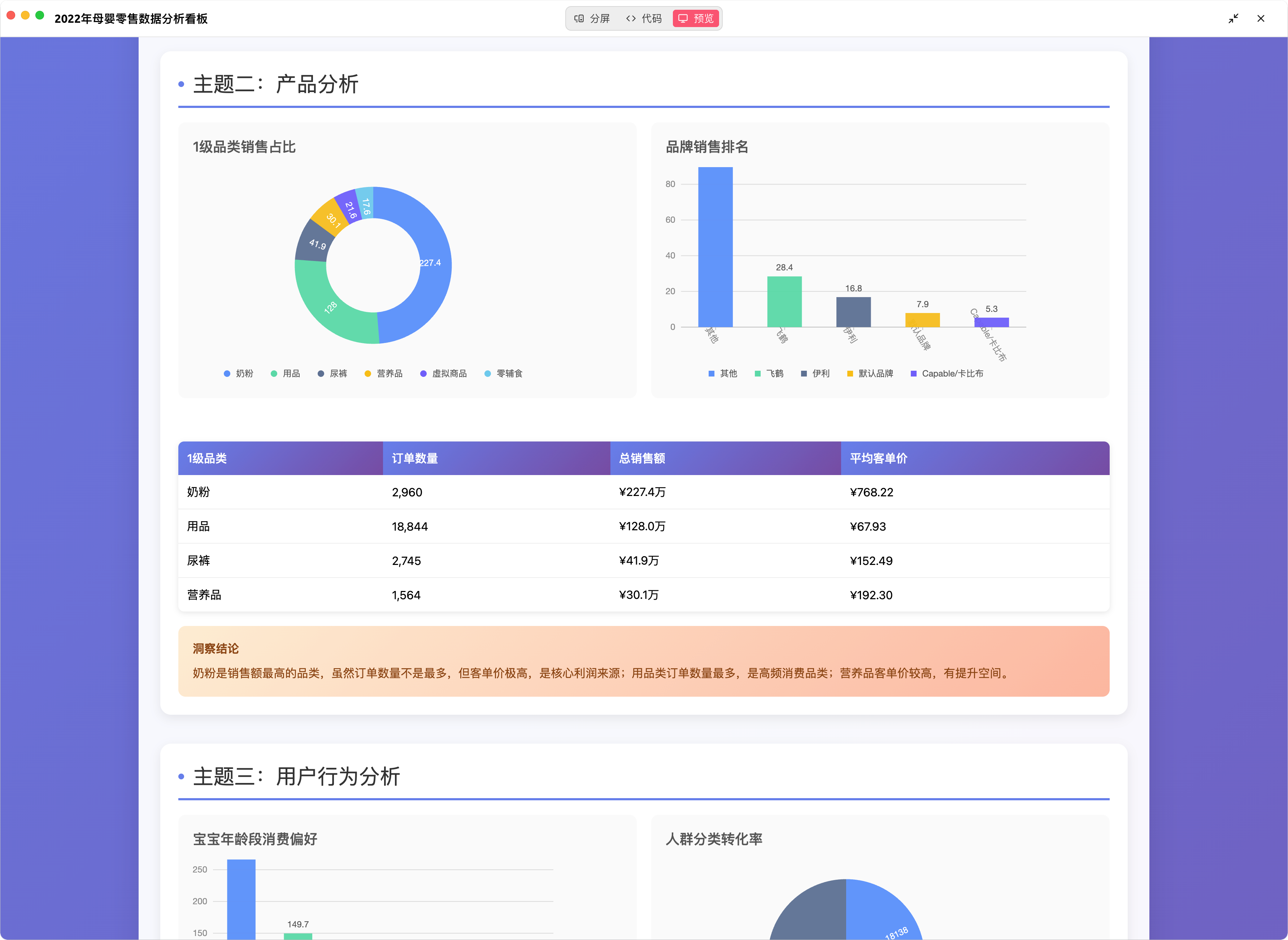
生成的看板:
This server cannot be deployed
AI data analyst: ask about your Excel, CSV, GA4 or database data and get charts and dashboards back
Explore, clean, transform and export your Mammoth Analytics data from an AI client.
Ask data questions in natural language. Get SQL, insights, and charts from your databases.
A statistical analyst in your AI chat: bring data and a question, get a citable, re-runnable report.