
docs
# MCP Documentation Search Server
An **MCP (Model Context Protocol)** server that lets AI clients like **Claude Desktop** search live documentation for popular developer libraries and return clean, source-cited summaries — powered by a lightweight **RAG (Retrieval-Augmented Generation)** pipeline.
Ask a question like *"How do I use ChromaDB with LangChain?"* and the tool searches the official docs, scrapes and cleans the relevant pages, and returns grounded, sourced text — all callable directly from an MCP-compatible AI client.
---
## How it works
```
User query
│
▼
Serper API (site-scoped web search)
│
▼
httpx (async fetch of result pages, run concurrently)
│
▼
trafilatura (clean HTML → readable text)
│
▼
Groq LLM (optional: context-grounded summarization)
│
▼
Source-cited response
```
The server exposes a single MCP tool, `get_docs(query, library)`, registered via [FastMCP](https://gofastmcp.com) and served over **stdio transport** — the standard way MCP hosts (like Claude Desktop) communicate with local tool servers.
---
## Features
- 🔌 **MCP-compliant server** — discoverable and callable by any MCP client (tested with Claude Desktop)
- 🔍 **Scoped documentation search** across LangChain, LlamaIndex, OpenAI, and `uv` docs via the Serper API
- ⚡ **Concurrent async fetching** — all result pages are fetched in parallel with `asyncio.gather` + `httpx`
- 🧹 **Clean text extraction** from raw HTML using `trafilatura`
- 🧠 **LLM-grounded summarization** via Groq, with enforced source citation
- 🛡️ **Resilient to failures** — a single broken/slow URL won't crash the whole request
- 🖥️ **Includes a standalone MCP client** (`client.py`) for testing outside of Claude Desktop
---
## Tech Stack
| Category | Tools |
|---|---|
| Language | Python 3.13+ |
| Protocol | Model Context Protocol (MCP) via `fastmcp` |
| Async | `asyncio`, `httpx` |
| Search | Serper API |
| Content extraction | `trafilatura` |
| LLM | Groq (`openai/gpt-oss-20b`) |
| Package management | `uv` |
---
## Project Structure
```
web-scraper-using-mcp/
├── main.py # MCP server — exposes the get_docs tool
├── client.py # Standalone MCP client for local testing
├── utils.py # HTML cleaning + LLM helper functions
├── pyproject.toml # Project metadata & dependencies (uv)
├── uv.lock # Locked dependency versions
├── .env.example # Template for required API keys
└── src/ # Package scaffolding (uv init)
```
---
## Setup
### 1. Clone the repo
```bash
git clone https://github.com/<your-username>/<repo-name>.git
cd <repo-name>
```
### 2. Install dependencies
```bash
uv sync
```
### 3. Configure environment variables
```bash
cp .env.example .env
```
Then open `.env` and add your keys:
```
SERPER_API_KEY=your_serper_api_key_here
GROQ_API_KEY=your_groq_api_key_here
```
- Get a free Serper API key: https://serper.dev
- Get a free Groq API key: https://console.groq.com
### 4. Run the server
```bash
uv run main.py
```
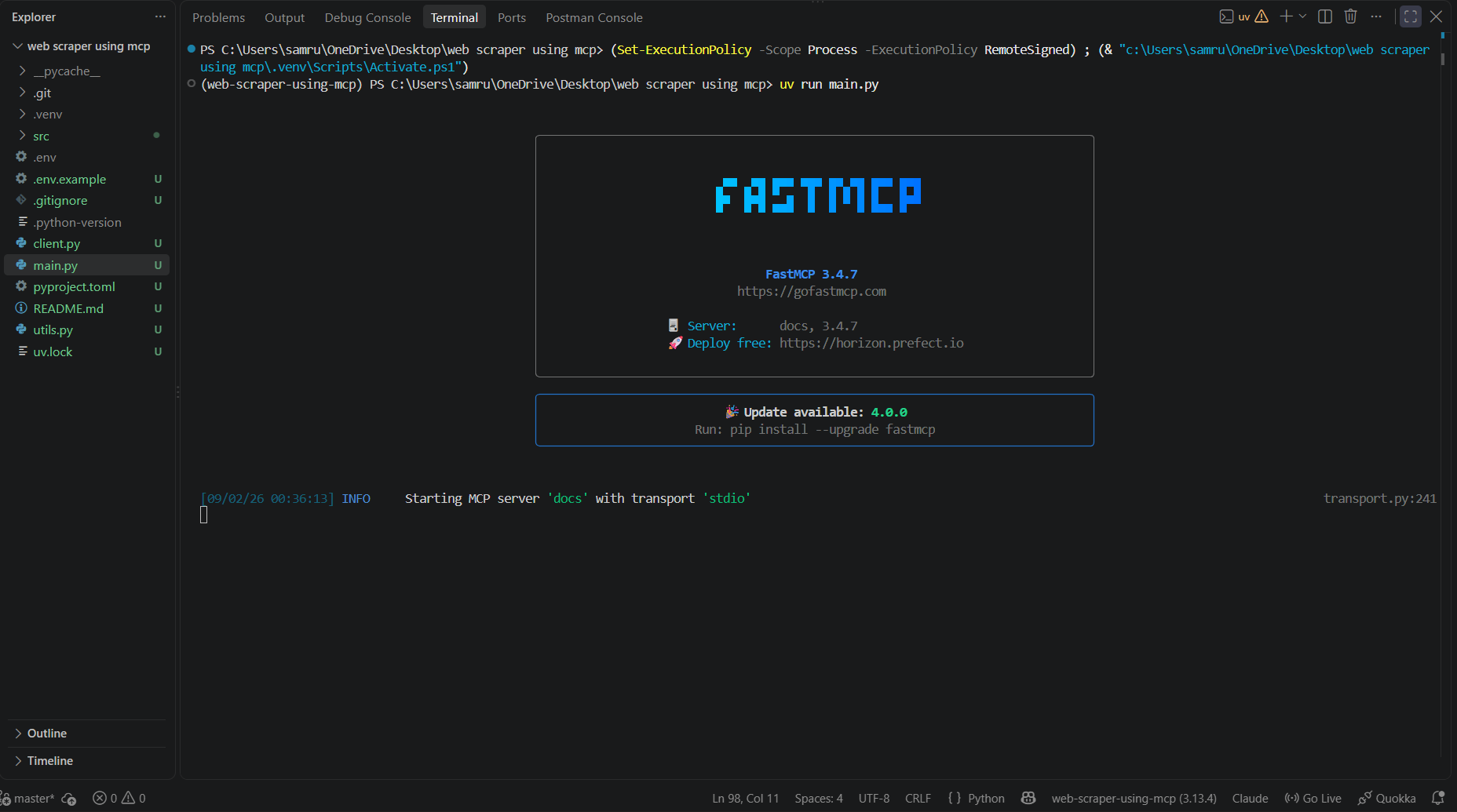
You should see FastMCP start up and log `Starting MCP server 'docs' with transport 'stdio'`.
---
## Usage
### Option A: Test with the included client
```bash
uv run client.py
```
This spins up the server, lists available tools, calls `get_docs`, and prints an LLM-generated, source-cited answer.
### Option B: Connect to Claude Desktop
Add the server to your `claude_desktop_config.json`:
```json
{
"mcpServers": {
"web-scraper": {
"command": "uv",
"args": ["run", "--directory", "/absolute/path/to/project", "main.py"],
"env": {
"SERPER_API_KEY": "your_serper_api_key_here",
"GROQ_API_KEY": "your_groq_api_key_here"
}
}
}
}
```
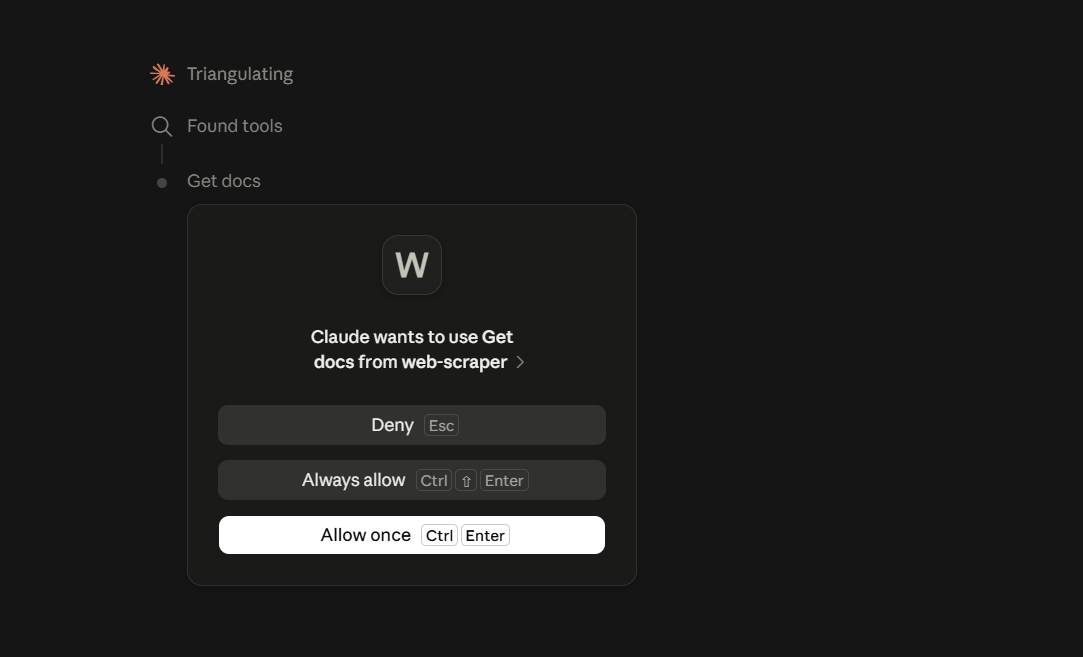
Restart Claude Desktop, then ask something like *"Use the docs tool to look up how ChromaDB works with LangChain."* Claude will discover and call the `get_docs` tool directly.
---
## Demo
**Server running locally:**
**Claude Desktop discovering and requesting to call the tool:**
---
## Supported Libraries
| Library | Docs source |
|---|---|
| `langchain` | docs.langchain.com |
| `llama-index` | docs.llamaindex.ai |
| `openai` | platform.openai.com/docs |
| `uv` | docs.astral.sh/uv |
---
## Known Limitations
- Retrieval is search-based (Serper), not embedding/vector-based — no vector database is used
- Limited to two search results per query
- Only supports the four libraries listed above
- No caching — repeated identical queries re-fetch and re-scrape
---
## Roadmap
- [ ] Add a vector store (e.g. Chroma) for cached, embedding-based retrieval
- [ ] Support additional libraries and configurable result counts
- [ ] Add a CLI interface to `client.py` for arbitrary queries
- [ ] Add automated tests
---
## Author
Built by Samrudhi as a hands-on project exploring the Model Context Protocol, agentic tool-calling, and LLM-grounded retrieval.
TDQS
Scored across 1 tool
Only a single tool exists, so there is no possibility of confusing it with others. The tool's purpose is clearly defined: searching docs.
With a single tool, naming consistency is trivially maintained. The name 'get_docs' follows a clear verb_noun pattern and accurately reflects its function.
A single tool for a docs server feels somewhat thin. While searching is the core need, the surface area is minimal and offers no other useful operations like listing libraries or fetching specific doc pages.
The tool covers the main search use case for the supported libraries, but lacks any auxiliary operations such as retrieving a known doc directly or discovering available libraries. Minor gaps exist but agents can likely work around them.