
Miyabi MCP Bundle
[](https://miyabi-ai.jp)
<div align="center">
# 🌸 Miyabi MCP Bundle
### 🚀 The Most Comprehensive MCP Server for Claude Desktop & AI Agents
[](https://www.npmjs.com/package/miyabi-mcp-bundle)
[](https://www.npmjs.com/package/miyabi-mcp-bundle)
[](https://github.com/ShunsukeHayashi/miyabi-mcp-bundle/actions/workflows/ci.yml)
[](https://codecov.io/gh/ShunsukeHayashi/miyabi-mcp-bundle)
[](https://github.com/ShunsukeHayashi/miyabi-mcp-bundle)
[](LICENSE)
[](https://www.typescriptlang.org/)
[](https://nodejs.org/)
[](https://modelcontextprotocol.io/)
[](https://github.com/ShunsukeHayashi/miyabi-mcp-bundle)
<br />
### 🎯 **172 MCP Tools** · **38 Agents** · **22 Skills** · **56 Commands** · **24 Hooks**
<br />
> **⭐ If this helps you, please give it a star! It helps others discover this project.**
<br />
[Installation](#-installation) · [Quick Start](#-quick-start) · [Tool Reference](#-complete-tool-reference) · [API Docs](https://shunsukeHayashi.github.io/miyabi-mcp-bundle/) · [Plugins](#-plugins) · [Security](#-security) · [日本語](#-日本語)
<br />
```
┌─────────────────────────────────────────────────────────────────┐
│ │
│ ███╗ ███╗██╗██╗ ██╗ █████╗ ██████╗ ██╗ │
│ ████╗ ████║██║╚██╗ ██╔╝██╔══██╗██╔══██╗██║ │
│ ██╔████╔██║██║ ╚████╔╝ ███████║██████╔╝██║ │
│ ██║╚██╔╝██║██║ ╚██╔╝ ██╔══██║██╔══██╗██║ │
│ ██║ ╚═╝ ██║██║ ██║ ██║ ██║██████╔╝██║ │
│ ╚═╝ ╚═╝╚═╝ ╚═╝ ╚═╝ ╚═╝╚═════╝ ╚═╝ │
│ │
│ The All-in-One MCP Server for Claude Desktop v3.7.0 │
│ │
└─────────────────────────────────────────────────────────────────┘
```
</div>
---
## ✨ Why Miyabi?
> **Miyabi (雅)** - Japanese for "elegance" and "refinement"
Transform your Claude Desktop into a **powerful development command center** with the most comprehensive MCP server available:
<table>
<tr>
<td width="50%">
### 🎯 **172 Tools in One Package**
The largest collection of MCP tools: 172 Tools + 38 Agents + 22 Skills + 56 Commands + 24 Hooks.
### ⚡ **Zero Configuration**
Works instantly out of the box. Just add to Claude Desktop and go.
### 🔐 **Enterprise-Grade Security**
Input sanitization, path traversal protection, and secure defaults.
</td>
<td width="50%">
### 🚀 **Intelligent Caching**
Built-in caching system for faster responses and reduced API calls.
### 🌍 **Cross-Platform**
Seamlessly works on macOS, Linux, and Windows.
### 🏥 **Health Check System**
Comprehensive system health validation and diagnostics.
</td>
</tr>
</table>
### 📊 Comparison with Other MCP Servers
| Feature | Miyabi | Other MCP Servers |
|---------|:------:|:-----------------:|
| Total Tools | **172** | 10-30 |
| Security Sanitization | ✅ | ❌ |
| Built-in Caching | ✅ | ❌ |
| Health Check | ✅ | ❌ |
| Cross-Platform | ✅ | Limited |
| Plugin System | ✅ | ❌ |
| Zero Config | ✅ | ❌ |
---
## 📦 Installation
### Quick Start (Recommended)
```bash
# Interactive setup wizard (generates Claude Desktop config automatically)
npx miyabi-mcp-bundle init
```
### Global Installation
```bash
npm install -g miyabi-mcp-bundle
# Run the setup wizard
miyabi-mcp init
# Or diagnose your setup
miyabi-mcp doctor
```
### CLI Commands
| Command | Description |
|---------|-------------|
| `miyabi-mcp init` | 🚀 Interactive setup wizard |
| `miyabi-mcp doctor` | 🔍 Diagnose setup issues |
| `miyabi-mcp info` | ℹ️ Show system information |
| `miyabi-mcp --help` | 📖 Show help |
| `miyabi-mcp` | ▶️ Start MCP server |
| `miyabi-mcp list` | 📋 List available MCP tools |
---
## 🚀 Quick Start
### Step 1: Environment Setup
Create a `.env` file in the repository directory:
```bash
# .env
MIYABI_REPO_PATH=/Users/shunsukehayashi/dev/01-miyabi/_mcp/miyabi-mcp-bundle
GITHUB_TOKEN=ghp_your_token_here
```
**Available Environment Variables:**
| Variable | Required | Default | Description |
|----------|:--------:|---------|-------------|
| `MIYABI_REPO_PATH` | ✅ | `cwd()` | Git repository path |
| `MIYABI_LOG_DIR` | - | Same as repo | Log files directory |
| `MIYABI_WATCH_DIR` | - | Same as repo | File watch directory |
| `GITHUB_TOKEN` | For GitHub | - | GitHub Personal Access Token |
| `GITHUB_DEFAULT_OWNER` | - | - | Default repository owner |
| `GITHUB_DEFAULT_REPO` | - | - | Default repository name |
### Step 2: Pre-Connection Validation
Before connecting to Claude Desktop, verify the setup:
```bash
# Check available tools (must return > 0 tools)
npx miyabi-mcp-bundle list
# Diagnose setup issues
npx miyabi-mcp-bundle doctor
```
**Validation Criteria:**
- ✅ `list` command shows available tools (not 0)
- ✅ `doctor` completes without warnings
---
## ⚙️ Claude Desktop Setup
### Option 1: Automatic Setup (Recommended)
```bash
npx miyabi-mcp-bundle init
```
The setup wizard will:
1. Check prerequisites (Node.js, npm, git)
2. Ask for your repository path
3. Optionally configure GitHub token
4. Generate Claude Desktop configuration automatically
### Option 2: Manual Setup
Add to your Claude Desktop configuration:
<details>
<summary><b>📍 Config File Locations</b></summary>
| OS | Path |
|---|---|
| **macOS** | `~/Library/Application Support/Claude/claude_desktop_config.json` |
| **Windows** | `%APPDATA%\Claude\claude_desktop_config.json` |
| **Linux** | `~/.config/claude/claude_desktop_config.json` |
</details>
```json
{
"mcpServers": {
"miyabi": {
"command": "npx",
"args": ["-y", "miyabi-mcp-bundle"],
"env": {
"MIYABI_REPO_PATH": "/Users/shunsukehayashi/dev/01-miyabi/_mcp/miyabi-mcp-bundle",
"GITHUB_TOKEN": "ghp_your_token_here"
}
}
}
}
```
### Step 3: Claude Desktop Connection
1. Add the configuration above to your Claude Desktop config file
2. Restart Claude Desktop completely (fully quit and reopen)
3. Verify connection status
### Step 4: Test in Claude Desktop
Try these prompts in Claude Desktop:
```text
Show me the list of available MCP tools
Show me my git status
Show open issues in this repository
```
### Troubleshooting: Connection Failures
If connection fails, follow this diagnostic sequence:
1. **Server Health Check:**
```bash
npx miyabi-mcp-bundle doctor
```
2. **CLI Help/Doctor Validation:**
```bash
npx miyabi-mcp-bundle --help
npx miyabi-mcp-bundle list
```
3. **Claude Desktop Config Verification:**
- Check config file path for your OS
- Verify JSON syntax is valid
- Confirm `MIYABI_REPO_PATH` is correct
4. **Client Log Check:**
- macOS: `~/Library/Logs/Claude/claude-desktop.log`
- Windows: `%APPDATA%\Claude\Logs\claude-desktop.log`
- Linux: `~/.config/Claude/Logs/claude-desktop.log`
5. **Restart and Retry:**
- Fully quit Claude Desktop
- Reopen and verify MCP connection status
---
```
📊 "Show me the system resources"
🔀 "What's my git status?"
📁 "List recently changed files"
🐛 "Search logs for errors"
🐙 "Show open GitHub issues"
```
---
## 🛠️ Complete Tool Reference
<div align="center">
### 172 Tools Across 21 Categories + Health Check
</div>
<details open>
<summary><h3>🔀 Git Inspector <code>19 tools</code></h3></summary>
| Tool | Description |
|:-----|:------------|
| `git_status` | Get current git status (modified, staged, untracked) |
| `git_branch_list` | List all branches with remote tracking info |
| `git_current_branch` | Get current branch name |
| `git_log` | Get commit history |
| `git_worktree_list` | List all git worktrees |
| `git_diff` | Get diff of unstaged changes |
| `git_staged_diff` | Get diff of staged changes |
| `git_remote_list` | List all remotes |
| `git_branch_ahead_behind` | Check commits ahead/behind origin |
| `git_file_history` | Get commit history for a specific file |
| `git_stash_list` | List all git stashes |
| `git_blame` | Get blame info for files with line range |
| `git_show` | Show commit details and diffs |
| `git_tag_list` | List all tags with metadata |
| `git_contributors` | Get repository contributors with stats |
| `git_conflicts` | **NEW** Detect merge conflicts in worktree |
| `git_submodule_status` | **NEW** List submodule status |
| `git_lfs_status` | **NEW** Git LFS status (requires git-lfs) |
| `git_hooks_list` | **NEW** List git hooks in repository |
</details>
<details>
<summary><h3>📺 Tmux Monitor <code>10 tools</code></h3></summary>
| Tool | Description |
|:-----|:------------|
| `tmux_list_sessions` | List all tmux sessions |
| `tmux_list_windows` | List windows in a session |
| `tmux_list_panes` | List panes in a window |
| `tmux_send_keys` | Send keys to a pane |
| `tmux_pane_capture` | Capture pane content |
| `tmux_pane_search` | Search pane content |
| `tmux_pane_tail` | Get last N lines from pane |
| `tmux_pane_is_busy` | Check if pane is busy |
| `tmux_pane_current_command` | Get current command in pane |
| `tmux_session_info` | **NEW** Get detailed session information |
</details>
<details>
<summary><h3>📋 Log Aggregator <code>7 tools</code></h3></summary>
| Tool | Description |
|:-----|:------------|
| `log_sources` | List all log sources |
| `log_get_recent` | Get recent log entries |
| `log_search` | Search logs for a pattern |
| `log_get_errors` | Get error-level logs |
| `log_get_warnings` | Get warning-level logs |
| `log_tail` | Tail a specific log file |
| `log_stats` | **NEW** Log file statistics and analysis |
</details>
<details>
<summary><h3>💻 Resource Monitor <code>10 tools</code></h3></summary>
| Tool | Description |
|:-----|:------------|
| `resource_cpu` | Get CPU usage |
| `resource_memory` | Get memory usage |
| `resource_disk` | Get disk usage |
| `resource_load` | Get system load average |
| `resource_overview` | Get comprehensive resource overview |
| `resource_processes` | Get process list sorted by resource |
| `resource_uptime` | Get system uptime |
| `resource_network_stats` | Get network statistics |
| `resource_battery` | **NEW** Battery status and health |
| `resource_temperature` | **NEW** CPU/GPU temperature monitoring |
</details>
<details>
<summary><h3>🌐 Network Inspector <code>15 tools</code></h3></summary>
| Tool | Description |
|:-----|:------------|
| `network_interfaces` | List network interfaces |
| `network_connections` | List active connections |
| `network_listening_ports` | List listening ports |
| `network_stats` | Get network statistics |
| `network_gateway` | Get default gateway |
| `network_ping` | Ping a host (with validation) |
| `network_bandwidth` | Get bandwidth usage |
| `network_overview` | Get network overview |
| `network_dns_lookup` | DNS lookup with IPv4/IPv6 |
| `network_port_check` | Check if port is open on host |
| `network_public_ip` | Get public IP address |
| `network_wifi_info` | WiFi connection details |
| `network_route_table` | **NEW** Show routing table |
| `network_ssl_check` | **NEW** Check SSL certificate for a host |
| `network_traceroute` | **NEW** Traceroute to a host |
</details>
<details>
<summary><h3>⚙️ Process Inspector <code>14 tools</code></h3></summary>
| Tool | Description |
|:-----|:------------|
| `process_info` | Get process details by PID |
| `process_list` | List all processes |
| `process_search` | Search processes by name |
| `process_tree` | Get process tree |
| `process_file_descriptors` | Get file descriptors for process |
| `process_environment` | Get environment variables for process |
| `process_children` | Get child processes |
| `process_top` | Get top processes by CPU/memory |
| `process_kill` | Kill process with safety confirmation |
| `process_ports` | Processes with network ports |
| `process_cpu_history` | CPU usage history |
| `process_memory_detail` | Detailed memory breakdown |
| `process_threads` | **NEW** List threads for a process |
| `process_io_stats` | **NEW** I/O statistics for a process (Linux) |
</details>
<details>
<summary><h3>📁 File Watcher <code>10 tools</code></h3></summary>
| Tool | Description |
|:-----|:------------|
| `file_stats` | Get file/directory stats |
| `file_recent_changes` | Get recently changed files |
| `file_search` | Search files by glob pattern |
| `file_tree` | Get directory tree |
| `file_compare` | Compare two files |
| `file_changes_since` | Get files changed since timestamp |
| `file_read` | Safe file reading with size limits |
| `file_checksum` | **NEW** MD5/SHA256 file checksums |
| `file_size_summary` | **NEW** Directory size analysis |
| `file_duplicates` | **NEW** Find duplicate files |
</details>
<details>
<summary><h3>🤖 Claude Monitor <code>8 tools</code></h3></summary>
| Tool | Description |
|:-----|:------------|
| `claude_config` | Get Claude Desktop configuration |
| `claude_mcp_status` | Get MCP server status |
| `claude_session_info` | Get Claude session info |
| `claude_logs` | Get Claude logs |
| `claude_log_search` | Search Claude logs |
| `claude_log_files` | List Claude log files |
| `claude_background_shells` | Get background shell info |
| `claude_status` | Get comprehensive Claude status |
</details>
<details>
<summary><h3>🐙 GitHub Integration <code>21 tools</code></h3></summary>
| Tool | Description |
|:-----|:------------|
| `github_list_issues` | List GitHub issues |
| `github_get_issue` | Get issue details |
| `github_create_issue` | Create new issue |
| `github_update_issue` | Update issue |
| `github_add_comment` | Add comment to issue/PR |
| `github_list_prs` | List pull requests |
| `github_get_pr` | Get PR details |
| `github_create_pr` | Create pull request |
| `github_merge_pr` | Merge pull request |
| `github_list_labels` | List repository labels |
| `github_add_labels` | Add labels to issue/PR |
| `github_list_milestones` | List milestones |
| `github_list_workflows` | List GitHub Actions workflows |
| `github_list_workflow_runs` | List recent workflow runs |
| `github_repo_info` | Repository metadata and stats |
| `github_list_releases` | Release history |
| `github_list_branches` | Branch listing with protection |
| `github_compare_commits` | Compare commits/branches |
| `github_list_pr_reviews` | **NEW** List reviews for a pull request |
| `github_create_review` | **NEW** Create a review for a pull request |
| `github_submit_review` | **NEW** Submit a pending review |
</details>
<details>
<summary><h3>🏥 Health Check <code>1 tool</code></h3></summary>
| Tool | Description |
|:-----|:------------|
| `health_check` | Comprehensive system health validation |
Validates: Git connectivity, GitHub API status, system resources, and overall health.
</details>
<details>
<summary><h3>🐧 Linux systemd <code>3 tools</code></h3></summary>
| Tool | Description |
|:-----|:------------|
| `linux_systemd_units` | **NEW** List systemd units (Linux only) |
| `linux_systemd_status` | **NEW** Get status of a systemd unit |
| `linux_journal_search` | **NEW** Search systemd journal |
</details>
<details>
<summary><h3>🪟 Windows <code>2 tools</code></h3></summary>
| Tool | Description |
|:-----|:------------|
| `windows_service_status` | **NEW** Get Windows service status |
| `windows_eventlog_search` | **NEW** Search Windows Event Log |
</details>
<details>
<summary><h3>🐳 Docker <code>10 tools</code></h3></summary>
| Tool | Description |
|:-----|:------------|
| `docker_ps` | **NEW** List Docker containers (running/all) |
| `docker_images` | **NEW** List Docker images |
| `docker_logs` | **NEW** Get container logs with tail/since options |
| `docker_inspect` | **NEW** Get container or image details |
| `docker_stats` | **NEW** Get container resource usage (CPU/Memory) |
| `docker_exec` | **NEW** Execute command in container |
| `docker_start` | **NEW** Start a stopped container |
| `docker_stop` | **NEW** Stop a running container |
| `docker_restart` | **NEW** Restart a container |
| `docker_build` | **NEW** Build Docker image from Dockerfile |
</details>
<details>
<summary><h3>📦 Docker Compose <code>4 tools</code></h3></summary>
| Tool | Description |
|:-----|:------------|
| `compose_ps` | **NEW** List Compose services status |
| `compose_up` | **NEW** Start Compose services (detach, build options) |
| `compose_down` | **NEW** Stop Compose services (volumes, orphans options) |
| `compose_logs` | **NEW** Get Compose service logs |
</details>
<details>
<summary><h3>☸️ Kubernetes <code>6 tools</code></h3></summary>
| Tool | Description |
|:-----|:------------|
| `k8s_get_pods` | **NEW** List Kubernetes pods |
| `k8s_get_deployments` | **NEW** List Kubernetes deployments |
| `k8s_logs` | **NEW** Get pod logs |
| `k8s_describe` | **NEW** Describe Kubernetes resource |
| `k8s_apply` | **NEW** Apply Kubernetes manifest (dry-run supported) |
| `k8s_delete` | **NEW** Delete Kubernetes resource (dry-run supported) |
</details>
<details>
<summary><h3>📋 Spec-Kit <code>9 tools</code> - Spec-Driven Development</h3></summary>
| Tool | Description |
|:-----|:------------|
| `speckit_init` | **NEW** Initialize Spec-Kit in project (creates .speckit/ directory) |
| `speckit_status` | **NEW** Get Spec-Kit project status |
| `speckit_constitution` | **NEW** Read or update project constitution (principles) |
| `speckit_specify` | **NEW** Create feature specification from description |
| `speckit_plan` | **NEW** Generate implementation plan for a feature |
| `speckit_tasks` | **NEW** Generate task list from plan |
| `speckit_checklist` | **NEW** Create implementation checklist |
| `speckit_analyze` | **NEW** Analyze project for consistency |
| `speckit_list_features` | **NEW** List all features in project |
</details>
<details>
<summary><h3>🔍 MCP Tool Discovery <code>3 tools</code></h3></summary>
| Tool | Description |
|:-----|:------------|
| `mcp_search_tools` | **NEW** Search MCP tools by name or description |
| `mcp_list_categories` | **NEW** List all tool categories with counts |
| `mcp_get_tool_info` | **NEW** Get detailed information about a specific tool |
</details>
<details>
<summary><h3>🗄️ Database Foundation <code>6 tools</code></h3></summary>
| Tool | Description |
|:-----|:------------|
| `db_connect` | **NEW** Test database connection (SQLite/PostgreSQL/MySQL) |
| `db_tables` | **NEW** List all tables in database |
| `db_schema` | **NEW** Get schema for a specific table |
| `db_query` | **NEW** Execute read-only SQL query (SELECT only) |
| `db_explain` | **NEW** Explain query execution plan |
| `db_health` | **NEW** Check database health and statistics |
**Supported Databases:**
- **SQLite**: File-based, zero configuration
- **PostgreSQL**: Full-featured relational database
- **MySQL**: Popular open-source database
**Security**: All queries are SELECT-only. Dangerous patterns (DROP, DELETE, etc.) are blocked.
</details>
<details>
<summary><h3>⏰ Time Tools <code>4 tools</code></h3></summary>
| Tool | Description |
|:-----|:------------|
| `time_current` | **NEW** Get current time in specified timezone |
| `time_convert` | **NEW** Convert time between timezones |
| `time_format` | **NEW** Format datetime with custom pattern |
| `time_diff` | **NEW** Calculate difference between two times |
</details>
<details>
<summary><h3>🔢 Calculator Tools <code>3 tools</code></h3></summary>
| Tool | Description |
|:-----|:------------|
| `calc_expression` | **NEW** Evaluate mathematical expression safely |
| `calc_unit_convert` | **NEW** Convert between units (length, weight, temp, etc.) |
| `calc_statistics` | **NEW** Calculate statistics (mean, median, stddev, etc.) |
</details>
<details>
<summary><h3>🧠 Sequential Thinking <code>3 tools</code></h3></summary>
| Tool | Description |
|:-----|:------------|
| `think_step` | **NEW** Record a thinking step in sequential reasoning |
| `think_branch` | **NEW** Create alternative thinking branch |
| `think_summarize` | **NEW** Summarize a thinking session |
</details>
<details>
<summary><h3>🎲 Generator Tools <code>4 tools</code></h3></summary>
| Tool | Description |
|:-----|:------------|
| `gen_uuid` | **NEW** Generate UUID (v1 or v4) |
| `gen_random` | **NEW** Generate random numbers |
| `gen_hash` | **NEW** Generate hash (MD5, SHA256, etc.) |
| `gen_password` | **NEW** Generate secure password with entropy |
</details>
---
## 🔒 Security
Miyabi implements **enterprise-grade security** to protect your system:
### 🛡️ Input Sanitization
```typescript
// All shell commands are sanitized to prevent injection
sanitizeShellArg(input) // Removes dangerous characters
sanitizePath(basePath, userPath) // Prevents path traversal
isValidHostname(host) // Validates network targets
isValidPid(pid) // Validates process IDs
```
### 🔐 Security Features
| Feature | Protection |
|:--------|:-----------|
| **Command Injection** | All shell arguments sanitized |
| **Path Traversal** | Base path validation on all file operations |
| **DNS Rebinding** | Hostname validation for network tools |
| **Process Safety** | PID validation and confirmation for kill operations |
| **File Size Limits** | Prevents memory exhaustion attacks |
### ✅ Safe by Default
- All operations use secure defaults
- No dangerous operations without explicit confirmation
- Input validation on all user-provided data
- Error messages don't leak sensitive information
---
## 🔌 Plugins
<div align="center">
### Included Claude Code Plugins (v2.0.0)
</div>
This package includes the complete Miyabi plugin ecosystem:
<details open>
<summary><h3>🤖 38 AI Agents</h3></summary>
| Agent | Description |
|:------|:------------|
| `coordinator-agent` | Multi-agent orchestration and task distribution |
| `codegen-agent` | AI-driven code generation (Rust, TypeScript, Python) |
| `pr-agent` | Pull request creation and management |
| `review-agent` | Code review automation |
| `issue-agent` | GitHub issue analysis and triage |
| `deployment-agent` | CI/CD and deployment automation |
| `analytics-agent` | Data analysis and visualization |
| `honoka-agent` | Udemy course creation specialist |
| `marketing-agent` | Marketing strategy and content |
| `crm-agent` | Customer relationship management |
| `jonathan-ive-design-agent` | UI/UX design with Apple design principles |
| `lp-gen-agent` | Landing page generation |
| `narration-agent` | Voice narration and script writing |
| ... and 25 more agents |
</details>
<details>
<summary><h3>🎯 22 Development Skills</h3></summary>
| Skill | Description |
|:------|:------------|
| `rust-development` | Rust build, test, clippy, fmt workflow |
| `git-workflow` | Conventional commits and PR workflow |
| `tdd-workflow` | Test-driven development patterns |
| `security-audit` | Security scanning and vulnerability checks |
| `performance-analysis` | Profiling and optimization |
| `debugging-troubleshooting` | Error diagnosis and resolution |
| `documentation-generation` | Auto-generate docs from code |
| `project-setup` | New project scaffolding |
| `dependency-management` | Package updates and auditing |
| `context-eng` | Context window optimization |
| `issue-analysis` | Issue triage and prioritization |
| `voicevox` | Japanese voice synthesis |
| `tmux-iterm-integration` | Terminal session management |
| `paper2agent` | Research paper to agent conversion |
| `business-strategy-planning` | Business analysis workflows |
| `sales-crm-management` | Sales pipeline automation |
| `market-research-analysis` | Competitive analysis |
| `content-marketing-strategy` | Content planning |
| `growth-analytics-dashboard` | Growth metrics tracking |
| `agent-execution` | Agent spawning and management |
| `claude-code-x` | Extended Claude Code workflows |
</details>
<details>
<summary><h3>📋 56 Slash Commands</h3></summary>
| Command | Description |
|:--------|:------------|
| `/deploy` | Execute deployment pipeline |
| `/pr-create` | Create pull request |
| `/issue-create` | Create GitHub issue |
| `/health-check` | System health verification |
| `/security-scan` | Run security audit |
| `/dashboard` | Show project dashboard |
| `/worktree-create` | Create git worktree |
| `/tmux-orchestra-start` | Start tmux orchestration |
| `/codex` | OpenAI Codex integration |
| `/voicevox` | Voice synthesis |
| `/generate-docs` | Generate documentation |
| `/test-escalation` | Run test escalation |
| ... and 44 more commands |
</details>
<details>
<summary><h3>🪝 24 Hooks</h3></summary>
| Hook | Description |
|:-----|:------------|
| `agent-complete.sh` | Post-agent execution |
| `agent-worktree-pre.sh` | Before worktree creation |
| `agent-worktree-post.sh` | After worktree creation |
| `auto-format.sh` | Auto-format on save |
| `validate-rust.sh` | Rust validation pre-commit |
| `validate-typescript.sh` | TypeScript validation |
| `git-ops-validator.sh` | Git operation validation |
| `codex-monitor.sh` | Codex process monitoring |
| `session-keepalive.sh` | Session persistence |
| `notification.sh` | Desktop notifications |
| ... and 14 more hooks |
</details>
### Plugin Installation
Plugins are included in `plugins-unpacked/` directory when installed via npm:
```bash
# Access plugins after npm install
ls node_modules/miyabi-mcp-bundle/plugins-unpacked/
```
---
## 🏗️ Architecture
```
┌────────────────────────────────────────────────────────────┐
│ Claude Desktop │
└─────────────────────────┬──────────────────────────────────┘
│ MCP Protocol
▼
┌────────────────────────────────────────────────────────────┐
│ Miyabi MCP Bundle │
│ ┌──────────────────────────────────────────────────────┐ │
│ │ Tool Router │ │
│ └──────────────────────────────────────────────────────┘ │
│ │ │ │ │ │ │ │
│ ▼ ▼ ▼ ▼ ▼ ▼ │
│ ┌──────┐┌──────┐┌──────┐┌──────┐┌──────┐┌──────┐ │
│ │ Git ││ Tmux ││ Log ││Resource││Network││GitHub│ ... │
│ │ 10 ││ 9 ││ 6 ││ 8 ││ 8 ││ 12 │ │
│ └──────┘└──────┘└──────┘└──────┘└──────┘└──────┘ │
└────────────────────────────────────────────────────────────┘
```
---
## 👨💻 Development
```bash
# Clone the repository
git clone https://github.com/ShunsukeHayashi/miyabi-mcp-bundle.git
cd miyabi-mcp-bundle
# Install dependencies
npm install
# Development mode (with hot reload)
npm run dev
# Build for production
npm run build
# Run linter
npm run lint
# Run tests
npm test
```
---
## 🤝 Contributing
Contributions are welcome! Please feel free to submit a Pull Request.
1. Fork the repository
2. Create your feature branch (`git checkout -b feature/amazing-feature`)
3. Commit your changes (`git commit -m 'Add some amazing feature'`)
4. Push to the branch (`git push origin feature/amazing-feature`)
5. Open a Pull Request
---
## 📄 License
MIT © [Shunsuke Hayashi](https://github.com/ShunsukeHayashi)
---
<div align="center">
# 🇯🇵 日本語
</div>
## ✨ Miyabiとは?
> **雅 (Miyabi)** - 洗練された優美さを意味する日本語
Claude Desktopを**強力な開発コマンドセンター**に変換する、最も包括的なMCPサーバーです。
### 🎯 特徴
- **🚀 172 MCPツール** を21カテゴリ + ヘルスチェックに統合
- **🔐 エンタープライズグレードのセキュリティ** - インジェクション対策、パストラバーサル防止
- **⚡ インテリジェントキャッシュ** - 高速レスポンス
- **38 AIエージェント** - コード生成、レビュー、デプロイ等
- **22 開発スキル** - Rust、Git、TDD、セキュリティ等
- **56 スラッシュコマンド** - デプロイ、PR作成、Issue管理等
- **24 フック** - 自動フォーマット、バリデーション等
- **設定不要** - すぐに使える
- **本番環境対応** - 実際の開発環境でテスト済み
## 📦 インストール
```bash
# npx(推奨)
npx miyabi-mcp-bundle
# グローバルインストール
npm install -g miyabi-mcp-bundle
```
## ⚙️ Claude Desktop 設定
### ステップ1: 環境変数設定
リポジトリディレクトリに `.env` ファイルを作成:
```bash
# .env
MIYABI_REPO_PATH=/Users/shunsukehayashi/dev/01-miyabi/_mcp/miyabi-mcp-bundle
GITHUB_TOKEN=ghp_your_token_here
```
### ステップ2: Claude Desktop 設定
```json
{
"mcpServers": {
"miyabi": {
"command": "npx",
"args": ["-y", "miyabi-mcp-bundle"],
"env": {
"MIYABI_REPO_PATH": "/Users/shunsukehayashi/dev/01-miyabi/_mcp/miyabi-mcp-bundle",
"GITHUB_TOKEN": "ghp_your_token_here"
}
}
}
}
```
**Config File Locations:**
- macOS: `~/Library/Application Support/Claude/claude_desktop_config.json`
- Windows: `%APPDATA%\Claude\claude_desktop_config.json`
- Linux: `~/.config/claude/claude_desktop_config.json`
### ステップ3: 接続前検証
Claude Desktopに接続する前に、設定を検証:
```bash
# 利用可能ツール一覧(0件以外であること)
npx miyabi-mcp-bundle list
# セットアップ診断
npx miyabi-mcp-bundle doctor
```
**検証基準:**
- ✅ `list` コマンドが利用可能ツールを表示(0件ではない)
- ✅ `doctor` が警告なしで完了
### ステップ4: Claude Desktop 接続
1. Claude Desktop 設定に上記設定を追加
2. Claude Desktop を完全に再起動(完全に終了して再開)
3. 接続状態を確認
## 🚀 クイックスタート
設定後、Claude Desktopで以下を試してください:
```text
Show me the list of available MCP tools
Show me my git status
Show open issues in this repository
```
### 接続失敗時のトラブルシューティング
接続に失敗した場合、以下の診断手順に従ってください:
1. **サーバーヘルスチェック:**
```bash
npx miyabi-mcp-bundle doctor
```
2. **CLI ヘルプ/doctor 検証:**
```bash
npx miyabi-mcp-bundle --help
npx miyabi-mcp-bundle list
```
3. **Claude Desktop 設定確認:**
- OS別の設定ファイルパスを確認
- JSON構文が有効であることを確認
- `MIYABI_REPO_PATH` が正しいことを確認
4. **クライアントログ確認:**
- macOS: `~/Library/Logs/Claude/claude-desktop.log`
- Windows: `%APPDATA%\Claude\Logs\claude-desktop.log`
- Linux: `~/.config/Claude/Logs/claude-desktop.log`
5. **再起動して再試行:**
- Claude Desktop を完全に終了
- 再起動してMCP接続状態を確認
---
```
📊 「システムリソースを表示して」
🔀 「gitの状態を確認して」
📁 「最近変更されたファイルを見せて」
🐛 「エラーログを検索して」
🐙 「GitHubのIssue一覧を表示して」
```
## 🛠️ ツールカテゴリ
| カテゴリ | ツール数 | 説明 |
|:---------|:--------:|:-----|
| 🔀 **Git Inspector** | 19 | Git状態、ブランチ、差分、履歴、タグ、貢献者、コンフリクト |
| 📺 **Tmux Monitor** | 10 | セッション、ウィンドウ、ペイン管理 |
| 📋 **Log Aggregator** | 7 | ログ検索、エラー、警告、統計 |
| 💻 **Resource Monitor** | 10 | CPU、メモリ、ディスク、バッテリー、温度 |
| 🌐 **Network Inspector** | 15 | インターフェース、接続、ポート、DNS、SSL証明書、traceroute |
| ⚙️ **Process Inspector** | 14 | プロセス一覧、ツリー、詳細、スレッド、I/O |
| 📁 **File Watcher** | 10 | ファイル変更、検索、比較、チェックサム |
| 🤖 **Claude Monitor** | 8 | Claude Desktop設定、ログ、MCP状態 |
| 🐙 **GitHub Integration** | 21 | Issue、PR、レビュー、ラベル、リリース |
| 🏥 **Health Check** | 1 | システムヘルス検証 |
| 🐧 **Linux systemd** | 3 | systemdユニット、ジャーナル |
| 🪟 **Windows** | 2 | サービス状態、イベントログ |
| 🐳 **Docker** | 10 | コンテナ一覧、ログ、stats、起動/停止、ビルド |
| 📦 **Docker Compose** | 4 | サービス起動/停止、ログ、状態 |
| ☸️ **Kubernetes** | 6 | Pod、Deployment、ログ、describe、apply/delete |
| 📋 **Spec-Kit** | 9 | Spec-Driven Development(spec作成、検証) |
| 🔎 **MCP Tool Discovery** | 3 | ツール検索、カテゴリ一覧 |
| 🗄️ **Database Foundation** | 6 | SQLite/PostgreSQL/MySQL 基本操作 |
| ⏰ **Time Tools** | 4 | タイムゾーン、フォーマット、差分 |
| 🧮 **Calculator Tools** | 3 | 数式、単位変換、統計 |
| 🧠 **Sequential Thinking** | 3 | 思考ステップ、分岐、要約 |
| 🎲 **Generator Tools** | 4 | UUID、乱数、ハッシュ、パスワード |
---
<div align="center">
## ⭐ このプロジェクトが役立ったら、スターをお願いします!
**あなたのスターが、他の開発者がこのツールを発見する手助けになります。**
<br />
### 🌟 Star History
[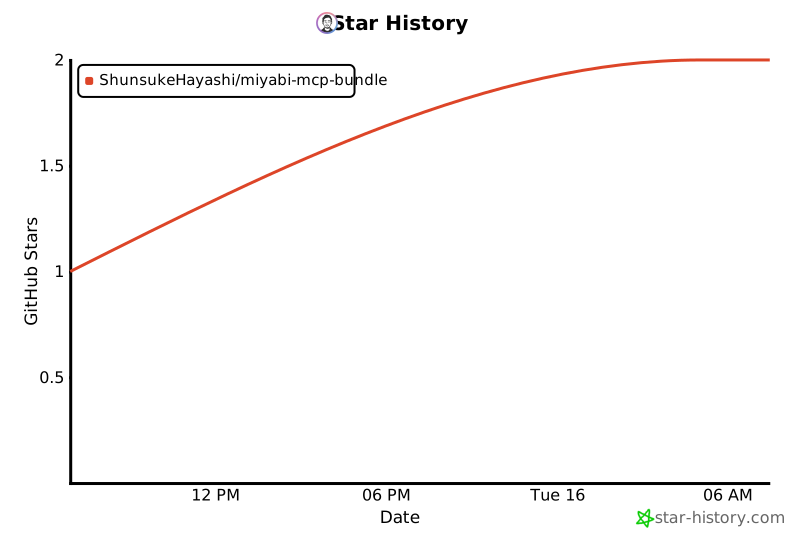](https://star-history.com/#ShunsukeHayashi/miyabi-mcp-bundle&Date)
<br />
### 🤝 コントリビューション歓迎!
PRやIssueでのフィードバックをお待ちしています。
<br />
Made with ❤️ by [Shunsuke Hayashi](https://github.com/ShunsukeHayashi)
<br />
[](https://github.com/ShunsukeHayashi)
[](https://twitter.com/shuhayas)
<br />
**🚀 172 Tools | 🔐 Enterprise Security | ⚡ Zero Config | 🌍 Cross-Platform**
</div>
TDQS
Scored across 194 tools
The tool set has significant overlap and ambiguity, particularly within categories like file operations (e.g., file_changes_since, file_recent_changes, file_search), logging (multiple log_* tools with similar purposes), and process monitoring (process_list, process_top, resource_processes). While descriptions clarify some differences, the sheer number of tools with similar names and functions makes it difficult for an agent to reliably choose the correct one without deep inspection.
Tool names follow a highly consistent snake_case pattern with clear verb_noun or noun_verb structures (e.g., bridge_context_get, calc_expression, docker_build). There are no deviations in naming style across all 194 tools, making them predictable and easy to parse programmatically.
With 194 tools, this server is extremely bloated for any single purpose. It attempts to cover an excessive range of domains (e.g., Docker, Git, GitHub, system monitoring, databases, networking, time, thinking, societies), far beyond what a well-scoped MCP server should handle. Such a large count will overwhelm agents and lead to confusion and inefficiency.
Within each covered domain, the tool set appears remarkably complete, offering comprehensive CRUD and lifecycle operations (e.g., full Git and GitHub workflows, Docker container management, system resource monitoring). However, the broad scope makes it impossible to assess true completeness for a unified purpose, as the server lacks a clear, focused domain. Minor gaps might exist in niche areas, but overall coverage within subdomains is thorough.