Glama
SamNewhouse

github-mcp-bridge

by SamNewhouse
README.md
# github-mcp-bridge

A lightweight TypeScript MCP (Model Context Protocol) server for GitHub. It exposes GitHub operations as MCP tools over HTTP, so any MCP-compatible client can interact with GitHub repositories without needing a built-in GitHub connector.

The GitHub PAT lives server-side only. Clients authenticate to the bridge using a shared `CONNECTOR_SECRET`.

## How it works

```text
MCP Client  ──bearer token──▶  github-mcp-bridge  ──GitHub PAT──▶  GitHub API
```

1. The client sends a JSON-RPC 2.0 request to the bridge with a bearer token.
2. The bridge validates the token against `CONNECTOR_SECRET` (timing-safe, with rate limiting).
3. The bridge selects the correct PAT for the request owner (with fallback to the default) and calls the GitHub API.
4. The bridge maintains a server-owned MCP session for the authenticated caller so normal tool requests can resume without an explicit client-managed reinitialisation flow.

The bridge exposes `tools/list` so any client can discover all available tools and their input schemas at runtime — no manual tool configuration needed.

## Session behaviour

The bridge uses **server-owned sessions** that are bound to the authenticated caller rather than relying on the client to preserve and replay `Mcp-Session-Id` on every request.

### What this means

- A normal authenticated `tools/list` or `tools/call` request can succeed without an explicit prior `initialize` call.
- If the caller already has an active session, the bridge reuses it automatically.
- If there is no active session, the bridge creates one automatically and continues the request.
- `initialize`, `notifications/initialized`, and `ping` are still supported for compatibility with MCP clients that expect them.
- The bridge still returns `Mcp-Session-Id` headers, but the session ID is treated primarily as an internal transport/session handle rather than something every client must actively manage.

### Session lifetime

The default session policy is:

- **Idle timeout:** 2 hours since the last valid request
- **Maximum lifetime:** 12 hours from session creation
- **Refresh-on-use:** each valid request extends the idle timeout window

These defaults can be adjusted with environment variables.

### Current limitation

Sessions are currently stored **in memory**. That means active sessions survive normal requests in the same process, but they do **not** survive:

- process restarts,
- cold starts, or
- multi-instance/serverless routing without shared storage.

For durable cross-instance session continuity, replace the in-memory session store with Redis, Vercel KV, or another shared backend.

## ⚠️ Required parameters for MCP clients

**All repo-scoped tools require `owner` and `repo` parameters.** The only exception is `list_repositories`, which lists repositories accessible to the configured PAT and does not need repo coordinates.

### Example tool call

```json
{
  "jsonrpc": "2.0",
  "id": 1,
  "method": "tools/call",
  "params": {
    "name": "list_branches",
    "arguments": {
      "owner": "SamNewhouse",
      "repo": "github-mcp-bridge"
    }
  }
}
```

### Common mistake

❌ **Wrong** - Missing required parameters:

```json
{
  "name": "list_branches",
  "arguments": {}
}
```

✅ **Correct** - Include owner and repo:

```json
{
  "name": "list_branches",
  "arguments": {
    "owner": "SamNewhouse",
    "repo": "github-mcp-bridge"
  }
}
```

### Strict validation

The server performs strict validation and will reject repo-scoped tool calls that don't include both `owner` and `repo`. This is intentional to:

1. **Prevent accidental operations** on wrong repositories.
2. **Enable multi-PAT support** — the `owner` selects the correct `GITHUB_PAT_<OWNER>` environment variable.
3. **Match GitHub API requirements** — all GitHub endpoints require both parameters.

If you see errors like:

```text
Missing required parameters: 'owner' and 'repo'
```

You need to add these parameters to your tool calls. There are no defaults or fallbacks for repo-scoped tools.

### Exception

`list_repositories` does not require `owner` and `repo` — it lists all repositories accessible to the configured PAT.

## Available tools

### Repositories

| Tool                | Description                                        |
| ------------------- | -------------------------------------------------- |
| `list_repositories` | List repositories accessible to the configured PAT |
| `get_repository`    | Get details of a single repository                 |

### Branches

| Tool            | Description                                                                    |
| --------------- | ------------------------------------------------------------------------------ |
| `list_branches` | List branches for a repository                                                 |
| `get_branch`    | Get branch details including latest commit SHA, message, and protection status |
| `create_branch` | Create a branch from an existing base branch                                   |

### Files

| Tool                 | Description                                                                                                                                                        |
| -------------------- | ------------------------------------------------------------------------------------------------------------------------------------------------------------------ |
| `get_file_contents`  | Get the contents of a file in a repository. Files larger than 3.5 MB are truncated — check the `truncated` flag in the response                                    |
| `read_file`          | Get the raw decoded text content of a file in a repository                                                                                                         |
| `get_multiple_files` | Get the contents of multiple files in a repository. Results are paginated — when `hasMore` is true, call again with `nextCursor` to fetch the next page            |
| `list_directory`     | List files and directories at a repository path                                                                                                                    |
| `upsert_file`        | Create or update a file in a repository branch                                                                                                                     |
| `batch_upsert_files` | Create or update multiple files in a repository branch in a single commit                                                                                          |
| `create_commit`      | Create a single commit that writes multiple files to a repository branch                                                                                           |
| `patch_file`         | Apply targeted text patches to a file without replacing the entire content. Supports `replace_once`, `replace_all`, `insert_before`, and `insert_after` operations |
| `delete_file`        | Delete a single file from a branch                                                                                                                                 |

### Pull requests

| Tool                         | Description                                                                        |
| ---------------------------- | ---------------------------------------------------------------------------------- |
| `list_open_pull_requests`    | List open pull requests for a repository                                           |
| `list_pull_requests`         | List pull requests filtered by state (`open`, `closed`, `all`). Defaults to `open` |
| `get_pull_request`           | Get a pull request by number                                                       |
| `list_pull_request_files`    | List files changed in a pull request, including patches                            |
| `list_pull_request_comments` | List general conversation comments on a pull request                               |
| `add_pull_request_comment`   | Post a general conversation comment on a pull request                              |
| `get_pull_request_reviews`   | List reviews submitted on a pull request                                           |
| `get_pull_request_diff`      | Get the full unified diff for a pull request                                       |
| `create_pull_request`        | Create a pull request                                                              |
| `update_pull_request`        | Update a pull request (title, body, state, base branch)                            |

### Issues

| Tool                         | Description                                                                                                            |
| ---------------------------- | ---------------------------------------------------------------------------------------------------------------------- |
| `list_issues`                | List issues for a repository, filtered by state (`open`, `closed`, `all`). Excludes pull requests                      |
| `get_issue`                  | Get a single issue by number                                                                                           |
| `create_issue`               | Create a new issue                                                                                                     |
| `update_issue`               | Update an existing issue (title, body, state, labels, assignees)                                                       |
| `link_issue_to_pull_request` | Link an issue to a PR using a closing keyword (`closes`/`fixes`/`resolves`). GitHub will auto-close the issue on merge |
| `list_issue_comments`        | List all comments on an issue                                                                                          |
| `add_issue_comment`          | Post a comment on an issue                                                                                             |

### Commits

| Tool           | Description                                                                  |
| -------------- | ---------------------------------------------------------------------------- |
| `list_commits` | List commits for a repository, optionally filtered by branch or file path    |
| `get_commit`   | Get full commit detail by SHA or ref, including changed files and diff stats |

### Actions

| Tool                 | Description                                                                          |
| -------------------- | ------------------------------------------------------------------------------------ |
| `list_workflow_runs` | List workflow runs for a repository, optionally filtered by branch, event, or status |
| `get_workflow_run`   | Get details of a workflow run, including its jobs and steps                          |

### Search

| Tool           | Description                                                                   |
| -------------- | ----------------------------------------------------------------------------- |
| `search_code`  | Search for code within a repository — returns file paths and match fragments  |
| `search_files` | Search for files by name or path pattern using the git tree (no query limits) |

## Testing

The integration tests are split into smaller files to make maintenance safer and avoid giant-file update issues.

### Integration files

- `tests/integration/helpers.ts`
- `tests/integration/repositories-branches.integration.ts`
- `tests/integration/pull-requests.integration.ts`
- `tests/integration/issues.integration.ts`
- `tests/integration/commits-files.integration.ts`
- `tests/integration/search-misc.integration.ts`
- `tests/integration/truncation.integration.ts`

### Truncation coverage

- `get_file_contents` truncation is tested with a real file fixture.
- `get_multiple_files` pagination is tested with `hasMore` and `nextCursor`.

## Getting started

### Prerequisites

- Node.js >= 24
- A GitHub Personal Access Token with `repo` scope (or a fine-grained PAT scoped to the repositories you need)

### Local development

```bash
# 1. Clone the repo
git clone https://github.com/SamNewhouse/github-mcp-bridge.git
cd github-mcp-bridge

# 2. Install dependencies
npm install

# 3. Set up environment variables
cp .env.example .env
# Edit .env and fill in GITHUB_PAT and CONNECTOR_SECRET

# 4. Start the dev server (hot-reloads on change)
npm run dev
```

The server starts on `http://localhost:3000` by default (configurable via `PORT` in `.env`).

### Environment variables

| Variable                  | Required | Description                                                                                                                                                                                                                                                       |
| ------------------------- | -------- | ----------------------------------------------------------------------------------------------------------------------------------------------------------------------------------------------------------------------------------------------------------------- |
| `GITHUB_PAT`              | ✅       | Default GitHub PAT — used for any owner that has no dedicated entry                                                                                                                                                                                               |
| `GITHUB_PAT_<OWNER>`      | ✗        | Owner-specific PAT. The owner name is **uppercased** and **hyphens replaced with underscores** to form the key — e.g. `Kelvast` → `GITHUB_PAT_KELVAST`, `my-org` → `GITHUB_PAT_MY_ORG`. Add as many as you need. Falls back to `GITHUB_PAT` if no match is found. |
| `CONNECTOR_SECRET`        | ✅       | Shared secret used to authenticate requests to the bridge. Minimum 32 characters — generate with `openssl rand -hex 32`. Supports comma-separated list for zero-downtime rotation                                                                                 |
| `PORT`                    | ✗        | HTTP port (default: `3000`)                                                                                                                                                                                                                                       |
| `MCP_SESSION_IDLE_TTL_MS` | ✗        | Idle timeout for server-owned sessions in milliseconds (default: `7200000`, 2 hours)                                                                                                                                                                              |
| `MCP_SESSION_MAX_TTL_MS`  | ✗        | Maximum total lifetime for a server-owned session in milliseconds (default: `43200000`, 12 hours)                                                                                                                                                                 |

## Deploying

The bridge is a standard Node.js HTTP server. It can be deployed anywhere that runs Node.js.

Set the environment variables (`GITHUB_PAT`, `CONNECTOR_SECRET`, and optionally `PORT`, `MCP_SESSION_IDLE_TTL_MS`, and `MCP_SESSION_MAX_TTL_MS`) in your hosting environment, then run:

```bash
npm run build
npm start
```

Once deployed, use the root URL as the MCP endpoint and point your client at it.

## Verifying the server

### Health check

```bash
curl -H "Authorization: Bearer $CONNECTOR_SECRET" http://localhost:3000/health
# {"ok":true}
```

### Discover all tools

A direct authenticated `tools/list` request works even when the client does not explicitly run `initialize` first.

```bash
curl -s -X POST http://localhost:3000 \
  -H "Authorization: Bearer $CONNECTOR_SECRET" \
  -H "Content-Type: application/json" \
  -d '{"jsonrpc":"2.0","id":1,"method":"tools/list","params":{}}'
```

### Call a tool

```bash
curl -s -X POST http://localhost:3000 \
  -H "Authorization: Bearer $CONNECTOR_SECRET" \
  -H "Content-Type: application/json" \
  -d '{
    "jsonrpc": "2.0",
    "id": 1,
    "method": "tools/call",
    "params": {
      "name": "list_branches",
      "arguments": {
        "owner": "your-org",
        "repo": "your-repo"
      }
    }
  }'
```

### Optional MCP initialise flow

Clients that prefer the traditional MCP initialise handshake can still use it.

```bash
curl -i -s -X POST http://localhost:3000 \
  -H "Authorization: Bearer $CONNECTOR_SECRET" \
  -H "Content-Type: application/json" \
  -d '{
    "jsonrpc":"2.0",
    "id":1,
    "method":"initialize",
    "params":{
      "protocolVersion":"2025-03-26",
      "capabilities":{},
      "clientInfo":{"name":"example-client","version":"1.0.0"}
    }
  }'
```

## Connecting an MCP client

Configure your MCP client with:

| Setting       | Value                         |
| ------------- | ----------------------------- |
| **URL**       | Your deployment URL           |
| **Auth type** | Bearer token / API key        |
| **Secret**    | Your `CONNECTOR_SECRET` value |

The client can call `tools/list` at any time to discover all available tools and their input schemas dynamically.

Clients that do preserve and replay `Mcp-Session-Id` will continue to work, but clients that do not preserve it can still use the bridge normally because the server owns session continuity.

## Security

### Authentication

Every request (including `/health` and `HEAD /`) requires a valid `CONNECTOR_SECRET` provided as:

- `Authorization: Bearer <secret>` header, or
- `X-Api-Key: <secret>` header

Secret comparison uses `crypto.timingSafeEqual` to prevent timing side-channel attacks.

### Secret rotation

`CONNECTOR_SECRET` supports zero-downtime rotation via a comma-separated list:

```bash
CONNECTOR_SECRET="newSecret,oldSecret"
```

A request is authorised if it matches **any** entry. Once all clients have rotated to the new secret, remove the old one.

### Rate limiting

Failed authentication attempts are tracked per IP in-memory. After **10 failures** within a 15-minute window, the IP is blocked for **15 minutes**. The counter resets on successful authentication.

> **Note:** The rate limiter is per-process. On serverless runtimes such as Vercel, each cold start gets a fresh counter. For persistent cross-instance enforcement, swap the in-memory store for a shared backend such as Redis.

### Session safety

Server-owned sessions are bound to the authenticated caller identity, and authentication is still checked on every request. A live session is a continuity mechanism, not an authentication substitute.

### Security headers

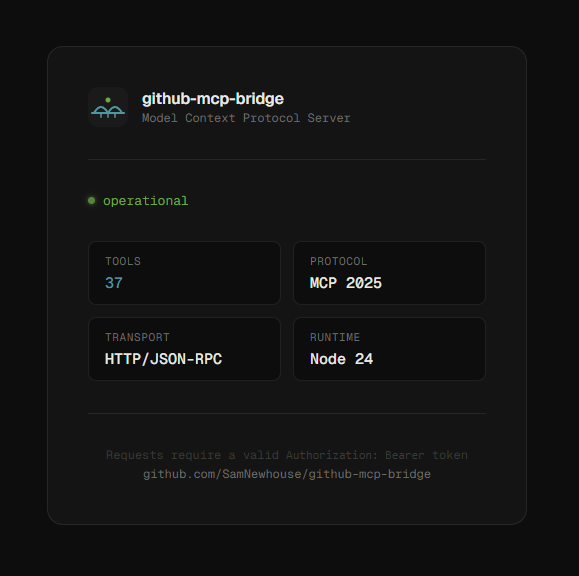
The public splash page (`GET /`) is served with:

- `Content-Security-Policy`
- `X-Content-Type-Options: nosniff`
- `X-Frame-Options: DENY`
- `Referrer-Policy: no-referrer`

### Best practices

- Keep `GITHUB_PAT` server-side only — never expose it to clients
- Use a fine-grained PAT with the minimum repository permissions needed
- Use a minimum 32-character random `CONNECTOR_SECRET` — generate with `openssl rand -hex 32`
- Rotate `CONNECTOR_SECRET` immediately if it is ever exposed
- Rotate `GITHUB_PAT` immediately if it is ever exposed
- Never log or commit secrets

## Scripts

| Command                    | Description                        |
| -------------------------- | ---------------------------------- |
| `npm run dev`              | Start dev server with hot-reload   |
| `npm run build`            | Compile TypeScript to `dist/`      |
| `npm start`                | Run compiled server from `dist/`   |
| `npm test`                 | Run all tests (unit + integration) |
| `npm run test:unit`        | Run unit tests only                |
| `npm run test:integration` | Run integration tests only         |
| `npm run typecheck`        | Type-check without emitting        |
| `npm run format`           | Format code with Prettier          |

Maintenance

ActivitySlowing
ResponsivenessUnresponsive