
Termigent
by Re4lLife
README.md
# Termigent
A universal [Model Context Protocol](https://modelcontextprotocol.io) (MCP) server that exposes a system terminal over Server-Sent Events (SSE).
## Who it is for
Termigent is for people who prefer to stay in a graphical MCP client such as the Claude Desktop app and still want the assistant to run real shell commands, either on the local machine or on a remote server.
- **Local execution** — run `termigent` next to Claude Desktop and let Claude inspect files, run tools, and automate tasks on that machine.
- **Remote execution** — install `termigent` on a remote host, start it with `--host 0.0.0.0`, and let Claude operate that server through the same GUI.
Any GUI MCP client that supports remote SSE, or a stdio bridge such as `mcp-remote`, can use it.
## Requirements
- Python 3.10+
## Install
```bash
pip install termigent
```
## Usage
```bash
termigent # http://127.0.0.1:8000
termigent --port 3000
termigent --host 0.0.0.0 --port 8000
```
| Flag | Default | Description |
| --- | --- | --- |
| `--host` | `127.0.0.1` | Interface to bind |
| `--port` | `8000` | Port to listen on |
| `--version` | | Print version |
The MCP endpoint is `http://<host>:<port>/sse`.
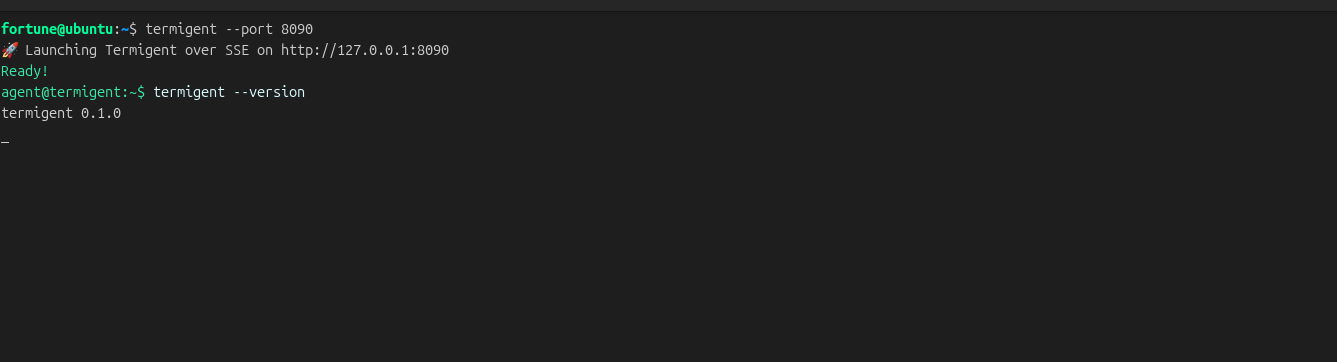
## Preview
## Tool
`run_command(command: str)` executes the command with the shell and returns its combined stdout/stderr. A non-zero exit status is appended as `[exit code: N]`.
In the server terminal, each call is shown as a green `agent@termigent:~$` prompt, a white command, and light-gray output:
```
agent@termigent:~$ pwd
/home/user
```
## Connect Claude Desktop
Claude Desktop brokers remote connectors through Anthropic's cloud, so a connector URL cannot reach your loopback address. Bridge the SSE endpoint through `mcp-remote` in the Desktop config instead. This requires Node.js, which provides `npx`.
**On the local machine** — start `termigent`, then add this to `claude_desktop_config.json`:
```json
{
"mcpServers": {
"termigent": {
"command": "npx",
"args": ["-y", "mcp-remote", "http://127.0.0.1:8000/sse"]
}
}
}
```
**On a remote server** — install termigent there and bind it to all interfaces:
```bash
termigent --host 0.0.0.0 --port 8000
```
Then, on the machine running Claude Desktop, point the bridge at the server:
```json
{
"mcpServers": {
"termigent": {
"command": "npx",
"args": ["-y", "mcp-remote", "http://SERVER_IP:8000/sse"]
}
}
}
```
Restart Claude Desktop after changing its config so it initializes a new MCP session.
## Security
`termigent` has **no authentication** and runs commands with the privileges of the user that started it. Anyone who can reach the endpoint can execute arbitrary shell commands.
- Keep the default loopback bind for local use. When using `--host 0.0.0.0` so another machine can connect, firewall the port to the client's address only.
- Do not expose the endpoint to untrusted networks without an authenticating reverse proxy.
- Termigent is not a sandbox; commands can read, modify, and delete anything the host user can.
Only run it on systems you control and with clients you trust.
## License
MIT
This server cannot be deployed
Maintenance
ActivityMaintained
ResponsivenessNo issues