

A
licenseC
qualityF
maintenanceA Model Context Protocol server that enables AI assistants to create, read, edit, and format Microsoft Word documents through standardized tools and resources.
54
15,666 PyPI
2,107
MIT

This MCP server gives AI agents document generation, processing, extraction, and signing powers via the Nutrient DWS APIs, with local sandbox-aware file handling.
Process & transform documents (document_processor): build/merge PDFs, Office docs, and images; convert between PDF, PDF/A, PDF/UA, images (PNG/JPEG/WebP), Office (DOCX/XLSX/PPTX), HTML, Markdown, and JSON content.
Edit & secure: watermark (text/image), rotate pages, OCR in multiple languages, import XFDF annotations, flatten annotations, compress/linearize, redact via preset (SSN, credit card, email, etc.), regex, or text search, plus password protection and permission control.
Digitally sign PDFs (document_signer): CMS/PKCS#7 and CAdES signatures, visible or invisible, placed by page coordinates or existing form fields, with customizable metadata, appearance modes, watermarks, and graphics.
AI redaction (ai_redactor): automatically detect and permanently remove PII, financial data, PHI, or custom criteria, with optional stage-then-apply workflow.
Parse documents (parse_document): extract spatial JSON elements (paragraphs, tables, key-value pairs, formulas, pictures, handwriting) with bounding boxes, confidence, and reading order, or whole-document Markdown for RAG; four modes (text, structure, understand, agentic) and both formats in one call.
Schema-guided field extraction (extract_fields): pull named fields into a JSON shape you define, with per-field citations, match-quality summaries, and optional citation files.
Check account credits (check_credits): read-only lookup of subscription type, total, used, and remaining DWS credits — no document upload.
Browse sandbox files (sandbox_file_tree): read-only view of local files in the configured sandbox directory.
Click on "Deploy Server".
Wait a few minutes for the server to deploy. Once ready, it will show a "Started" state.
In the chat, type @ followed by the MCP server name and your instructions, e.g., "@Nutrient DWS MCP Server merge the quarterly report PDFs and add a confidential watermark"
That's it! The server will respond to your query, and you can continue using it as needed.
Here is a step-by-step guide with screenshots.
This local MCP server is no longer supported. Use Nutrient MCP instead.
Nutrient now hosts its MCP server at https://mcp.nutrient.io/mcp. Add that URL to your MCP client and sign in with your Nutrient account. There's nothing to install, no API key and no sandbox folder.
# Claude Code
claude mcp add --transport http --scope user nutrient https://mcp.nutrient.io/mcp
# then run /mcp, choose nutrient, and select Authenticate

# Codex
codex mcp add nutrient --url https://mcp.nutrient.io/mcp && codex mcp login nutrient
In the Claude app, add https://mcp.nutrient.io/mcp as a custom connector. To switch, remove @nutrient-sdk/dws-mcp-server from your client config and add the URL. This repository stays up for reference only. It won't get new features or fixes.
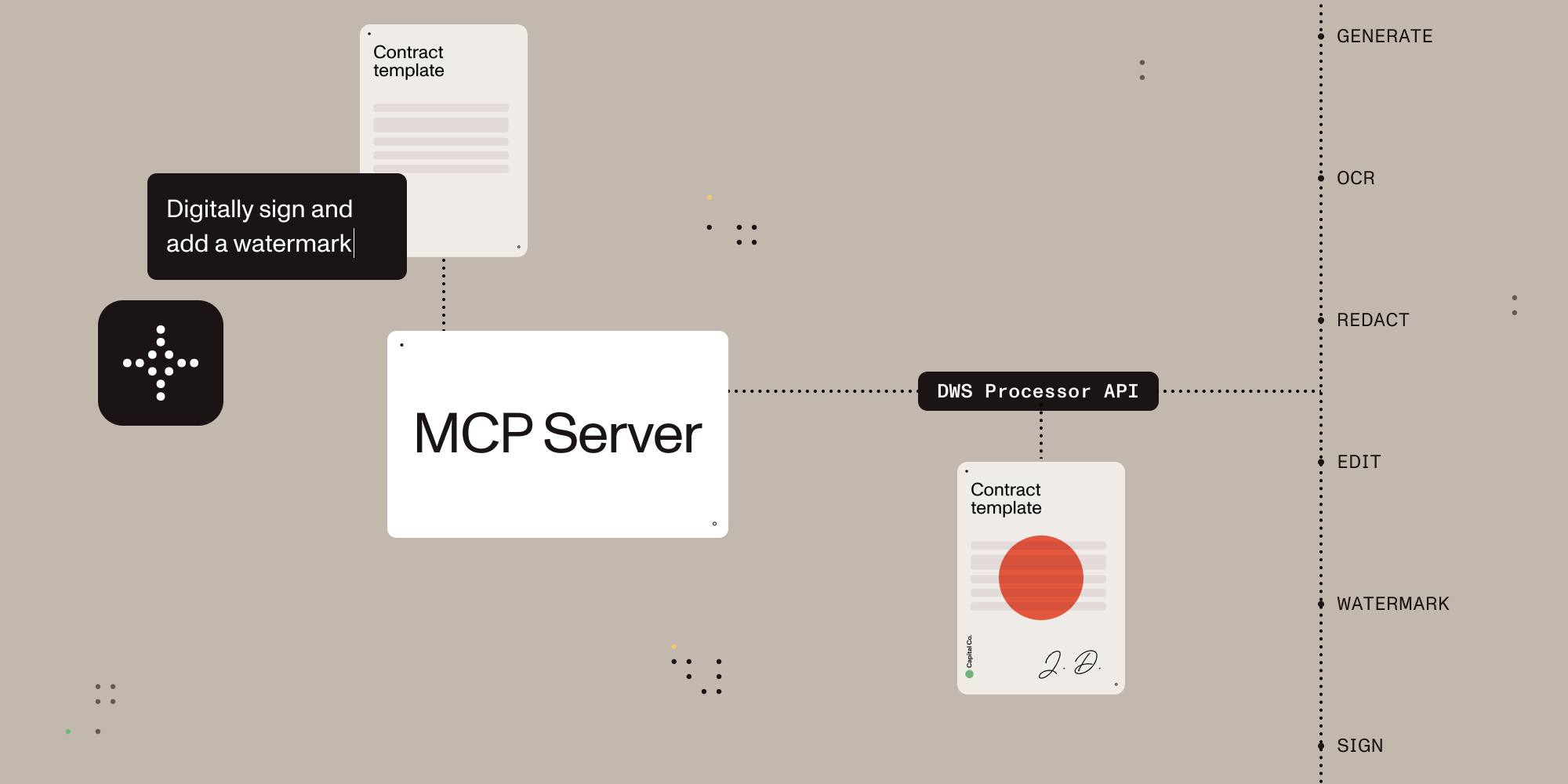
Give AI agents the power to generate, read, extract, process, and sign documents.
A Model Context Protocol (MCP) server that connects AI assistants to the Nutrient Document Web Service (DWS) Processor and Data Extraction APIs — enabling document creation, editing, conversion, digital signing, OCR, and redaction, plus structured data extraction (typed JSON with bounding boxes and confidence, or schema-guided field extraction with per-field citations) through natural language.
Related MCP server: PDF Reader MCP Server
Local stdio MCP server for Claude Desktop and other MCP-compatible clients
Browser-based OAuth on the first request that uses the Nutrient API, with optional API-key fallback for CI and headless environments
Document conversion, OCR, redaction, watermarking, annotation flattening, and digital signing (Processor API)
Data extraction (Data Extraction API): parse whole documents to Markdown or spatial JSON, then pull named fields into a JSON schema you define, with per-field citations. Four parse modes: text (1 credit/page, no OCR), structure (1.5), understand (9, the default), agentic (18, VLM)
Sandbox-aware local file handling with explicit output paths
Read-only account lookup for DWS credits and usage
Once configured, you (or your AI agent) can process documents through natural language:
You: "Merge report-q1.pdf and report-q2.pdf into a single document" AI: "Done! I've merged both reports into combined-report.pdf (24 pages total)."
You: "Redact all social security numbers and email addresses from application.pdf" AI: "I found and redacted 5 SSNs and 3 email addresses. The redacted version is saved as application-redacted.pdf."
You: "Digitally sign this contract with a visible signature on page 3" AI: "I've applied a PAdES-compliant digital signature to contract.pdf. The signed document is saved as contract-signed.pdf."
You: "Convert this PDF to markdown" AI: "Here's the markdown content extracted from your document..."
You: "OCR this scanned document in German and extract the text" AI: "I've processed the scan with German OCR. Here's the extracted text..."
You: "Pull the vendor, invoice number, total, and due date out of invoice-0341.pdf, with citations" AI: "Here are the four fields as JSON. Each value cites the page and bounding box it came from..."
Install it from Claude Desktop Settings -> Extensions if you are using Claude Desktop. If you are developing locally, use the manual setup below.
The Claude Desktop MCPB extension defaults its sandbox directory to ~/Documents/Nutrient. You can change that directory in the extension settings. Clearing the field starts the server without sandbox restrictions, so file operations can use any path visible to your user account.
Sign up for free at nutrient.io/api.
For local desktop use, the recommended path is to omit NUTRIENT_DWS_API_KEY and complete the browser sign-in flow on the first request that uses the Nutrient API. For CI, headless environments, or scripted setups, create an API key in the dashboard and set NUTRIENT_DWS_API_KEY.
Choose your platform and add the configuration:
Open Settings → Developer → Edit Config, then add:
macOS: ~/Library/Application Support/Claude/claude_desktop_config.json
Windows: %APPDATA%\Claude\claude_desktop_config.json
{
  "mcpServers": {
    "nutrient-dws": {
      "command": "npx",
      "args": ["-y", "@nutrient-sdk/dws-mcp-server"],
      "env": {
        "SANDBOX_PATH": "/your/sandbox/directory",
        // "C:\\your\\sandbox\\directory" for Windows
        // Optional for CI or headless usage:
        // "NUTRIENT_DWS_API_KEY": "YOUR_API_KEY_HERE"
      },
    },
  },
}
Create .cursor/mcp.json in your project root:
{
  "mcpServers": {
    "nutrient-dws": {
      "command": "npx",
      "args": ["-y", "@nutrient-sdk/dws-mcp-server"],
      "env": {
        "SANDBOX_PATH": "/your/project/documents",
        // "C:\\your\\project\\documents" for Windows
        // Optional for CI or headless usage:
        // "NUTRIENT_DWS_API_KEY": "YOUR_API_KEY_HERE"
      },
    },
  },
}
Add to ~/.codeium/windsurf/mcp_config.json:
{
  "mcpServers": {
    "nutrient-dws": {
      "command": "npx",
      "args": ["-y", "@nutrient-sdk/dws-mcp-server"],
      "env": {
        "SANDBOX_PATH": "/your/sandbox/directory",
        // "C:\\your\\sandbox\\directory" for Windows
        // Optional for CI or headless usage:
        // "NUTRIENT_DWS_API_KEY": "YOUR_API_KEY_HERE"
      },
    },
  },
}
Create .vscode/mcp.json in your project, or add the same server definition to your user mcp.json profile:
{
  "servers": {
    "nutrient-dws": {
      "type": "stdio",
      "command": "npx",
      "args": ["-y", "@nutrient-sdk/dws-mcp-server"],
      "env": {
        "SANDBOX_PATH": "${workspaceFolder}",
        // Optional for CI or headless usage:
        // "NUTRIENT_DWS_API_KEY": "YOUR_API_KEY_HERE"
      },
    },
  },
}
Any MCP-compatible client can connect using stdio transport:
SANDBOX_PATH=/your/path npx @nutrient-sdk/dws-mcp-server

# Optional for CI or headless usage:
NUTRIENT_DWS_API_KEY=your_key SANDBOX_PATH=/your/path npx @nutrient-sdk/dws-mcp-serverRestart the application to pick up the new MCP server configuration.
Place documents in your sandbox directory and use explicit file names or paths in prompts. Explicit paths are safer and more reliable than vague file-browsing requests.
Tool | Description |
| Document processing for conversions, OCR, watermarking, rotation, annotation flattening, and redaction workflows |
| Structured data extraction (DWS Data Extraction API): typed JSON elements with bounding boxes and confidence, or whole-document Markdown |
| Schema-guided field extraction (DWS Data Extraction API): pulls specific named fields into a JSON shape you define, with per-field citations |
| PDF signing with CMS / PKCS#7 and CAdES signatures plus visible or invisible appearance options |
| AI redaction for detecting and permanently removing sensitive content such as names, addresses, SSNs, emails, and custom criteria |
| Read-only account lookup for current DWS credits and usage. No document content is uploaded |
| Read-only view of files inside the configured sandbox directory |
| Read-only view of local files when sandbox mode is disabled. Sandbox mode is strongly recommended |
sign_and_watermark — Add a text watermark to a document, then digitally sign the watermarked PDF.
extract_document_fields — Extract named fields into a JSON object, optionally retaining citations in a file.
redact_pii — Detect and permanently redact personally identifiable information from a document.
parse_for_rag — Parse a document as Markdown for retrieval-augmented generation and search indexing.
office_to_pdfa — Convert an Office document to an archival PDF/A file.
Feature | Description |
Document Creation | Merge PDFs, Office docs (DOCX, XLSX, PPTX), and images into a single document |
Format Conversion | PDF ↔ DOCX, images (PNG, JPEG, WebP), PDF/A, PDF/UA, HTML, Markdown |
Editing | Watermark (text/image), rotate pages, flatten annotations |
Security | Redact sensitive data (SSNs, credit cards, emails, etc.), password protection, permission control |
Data Extraction | Now a dedicated tool — see Data Extraction ( |
OCR | Multi-language optical character recognition for scanned documents |
Optimization | Compress and linearize PDFs without quality loss |
Annotations | Import XFDF annotations, flatten annotations |
Digital Signing | PAdES-compliant CMS and CAdES digital signatures (via document_signer tool) |
The parse_document and extract_fields tools wrap the DWS Data Extraction API and authenticate as follows:
OAuth (no NUTRIENT_DWS_API_KEY set): the same browser-flow token used by every other tool also covers Data Extraction. No extra configuration is needed.
Static API key: Data Extraction is a separate product with its own tenant, so the Processor key in NUTRIENT_DWS_API_KEY cannot be reused. Set NUTRIENT_DWS_EXTRACTION_API_KEY to a Data Extraction key from the dashboard. Without it, parse_document and extract_fields return an error instead of calling the API.
parse_document runs one of four processing modes:
Mode | Output | OCR | Cost per page |
| Markdown only | No | 1 credit |
| Spatial or Markdown | Yes | 1.5 credits |
| Spatial or Markdown | Yes (AI-augmented) | 9 credits |
| Spatial or Markdown | Yes (VLM) | 18 credits |
Spatial output returns typed elements (paragraphs, tables, key-value regions, formulas, pictures, handwriting) with bounding boxes, confidence scores, and reading order. Because the element list can be large, it is written to outputPath and the tool returns a content-free summary (element counts, low-confidence flags, page geometry).
Markdown output returns whole-document Markdown inline, or writes it to outputPath when provided (recommended for large documents) — useful for RAG and search indexing.
Both at once: pass formats: ["spatial", "markdown"] instead of format to get output.elements and output.markdown in one call. The second format is billed at no extra cost. outputPath is required (as for spatial alone); the summary also reports the markdown byte length.
The document can be supplied either as filePath (uploaded from the local file system or sandbox) or url (fetched directly by the API) — provide exactly one.
Additional options:
language — OCR language(s) for structure/understand/agentic modes; left unset, the API auto-detects. maxLanguages / maxScripts cap how many languages/scripts auto-detection considers, and only apply when language is left unset.
Markdown-only formatting: useHtmlTables (default true), enableSemanticBlockFormatting (default true), includeHeadersAndFooters (default false), extractWordsFromPictures (default false).
Each response reports Data Extraction credit usage. These are a separate balance from the Processor API credits reported by check_credits.
Note: Extracted content returned inline (Markdown output, or
extract_fieldsresults) enters the conversation and may be logged by the host. For sensitive documents, prefer spatial output to a file plus targetedextract_fieldscalls.
extract_fields)Where parse_document parses a whole document into elements or Markdown, extract_fields pulls out only the fields you name. Pass a JSON schema (schema) whose root is type: "object" with properties — the response's output.data matches that shape, e.g. { invoiceNumber, total, lineItems: [...] }.
Supported schema keywords: type, properties, required, items, description, string enum, and format: "date". $ref/$defs and composition/conditional keywords (allOf/anyOf/oneOf/if/then/else) are rejected. Schemas are closed — do not set additionalProperties yourself. Limits: 32 KB serialized, 500 fields, 50 properties per object, 5 nesting levels, enum values capped at 50.
mode runs the parse feeding the extraction: structure (1.5 credits/page), understand (default, 9 credits/page), or agentic (18 credits/page) — no text mode, since schema-guided extraction needs the structural parse text mode skips. Total cost per page is that parse component plus a fixed extract component, in Data Extraction credits.
output.data is always returned inline, pretty-printed — it is the answer, bounded by your own schema. Alongside it, a citation match summary reports how each field was grounded (id_match, id_match_multiblock, id_match_partial, fuzzy_match, not_found) and lists which field paths came back not_found (capped at 10, then "+N more"). Field paths come from your schema, not the document, so this leaks no document content.
Per-field citations (bounding box, confidence, match quality) and page geometry are only kept when outputPath is set — they can be large and add little without the document open alongside them. Without outputPath, a note says they were omitted.
includeCitations (server default true), strict (default false), and multimodal (default false, increases cost/latency) are only sent when you set them explicitly.
instructions (free text, up to 10000 characters) adds guidance for ambiguous fields. language/maxLanguages/maxScripts tune OCR the same way as parse_document.
These examples assume your files live inside the configured sandbox and that you use explicit paths.
User prompt: Convert /path/to/sandbox/invoice.html to PDF and save it as /path/to/sandbox/invoice.pdf. Then digitally sign /path/to/sandbox/invoice.pdf with a visible signature and save it as /path/to/sandbox/invoice-signed.pdf.
What happens: The server uploads the HTML file to Nutrient, saves the generated PDF in the sandbox, then signs that PDF and writes the signed result back to the requested output path.
User prompt: Run OCR on /path/to/sandbox/scanned-contract.pdf, return the extracted text, and save the OCR'd file as /path/to/sandbox/scanned-contract-ocr.pdf.
What happens: The server sends the scanned PDF to Nutrient for OCR, returns the extracted text in Claude, and writes the OCR-processed file back to the sandbox for later use.
User prompt: Check my Nutrient credits, convert /path/to/sandbox/report.docx to PDF, save it as /path/to/sandbox/report.pdf, and then tell me where the output file was written.
What happens: The server first performs a read-only account lookup, then converts the DOCX file to PDF, saves the result in the sandbox, and tells the user exactly where the output file was written.
User prompt: Extract vendor_name, invoice_number, total_amount and due_date from /path/to/sandbox/invoice-0341.pdf and save the citations next to it.
What happens: The agent calls extract_fields with a small JSON schema ({ "type": "object", "properties": { "vendor_name": {"type": "string"}, "invoice_number": {"type": "string"}, "total_amount": {"type": "string"}, "due_date": {"type": "string"} } }) and an outputPath. The server sends the PDF to the Data Extraction API, returns the four values inline as JSON with a citation match summary, and writes the full per-field citations (page, bounding box, confidence) to the output file for auditing.
This MCP server works with any platform that supports the Model Context Protocol:
Claude Desktop — Direct MCP integration
Cursor — AI-powered IDE with MCP support
Windsurf — AI-powered IDE with MCP support
VS Code + Copilot — GitHub Copilot MCP integration
OpenAI Agents SDK — Via MCP server integration
Custom agents — Any MCP-compatible system
AI can read and understand documents — but most tools stop there. Nutrient gives AI agents the ability to actually manipulate documents: merge, redact, sign, watermark, convert formats, extract structured data, and more.
Beyond PDF reading — Not just text extraction. Full document creation, editing, and transformation.
Production-grade — Trusted by thousands of companies for mission-critical document processing.
Standards-compliant — PAdES digital signatures, PDF/A archiving, PDF/UA accessibility.
Cloud-native — No infrastructure to manage. Send documents to the API, get results back.
Comprehensive redaction — Built-in presets for SSNs, credit cards, phone numbers, emails, dates, and more.
Multi-format — Process PDFs, Office documents, images, HTML, and Markdown.
The server supports sandbox mode that restricts file operations to a specific directory. Set the SANDBOX_PATH environment variable to enable it:
export SANDBOX_PATH=/path/to/sandbox/directory
npx @nutrient-sdk/dws-mcp-server
Supported CLI flags are --sandbox <dir> and -s <dir>. Unrecognized flags cause a startup error.
When sandbox mode is enabled:
Relative paths resolve relative to the sandbox directory
All input file paths are validated to ensure they reside in the sandbox
Processed files are saved within the sandbox
Note: If no sandbox directory is specified, the server operates without file path restrictions. Sandbox mode is strongly recommended for security.
Processed files are saved to a location determined by the AI. To guide output placement, use explicit output paths such as save the result to /path/to/sandbox/output/result.pdf or create an output directory in your sandbox.
The server authenticates to the Nutrient DWS API (https://api.nutrient.io) using one of:
Method | When | Config |
API key |
| Static key passed as Bearer token to DWS API |
OAuth browser flow | No API key set | Opens browser for Nutrient OAuth consent on the first request that uses the Nutrient API, caches token locally |
When no API key is configured, the server stays connected and opens a browser-based OAuth flow on the first request that uses the Nutrient API (similar to gh auth login). Tokens are cached at $XDG_CONFIG_HOME/nutrient/credentials.json or ~/.config/nutrient/credentials.json and refreshed automatically.
Data Extraction (parse_document, extract_fields) is a separate product with its own tenant. Under OAuth, one token covers both products — nothing extra to configure. Under a static API key, the Processor key in NUTRIENT_DWS_API_KEY cannot be reused for extraction; set NUTRIENT_DWS_EXTRACTION_API_KEY to a Data Extraction key from the dashboard, or omit NUTRIENT_DWS_API_KEY entirely to use OAuth instead.
Setting only NUTRIENT_DWS_EXTRACTION_API_KEY (with no NUTRIENT_DWS_API_KEY) runs the server in extraction-only mode: parse_document and extract_fields work normally, while the Processor tools (document_processor, document_signer, ai_redactor, check_credits) return an error instead of calling the API.
Variable | Required | Description |
| No* | Nutrient DWS API key (get one free) |
| Only with a static key† | Data Extraction API key from the dashboard (starts with |
| Recommended | Directory to restrict file operations to |
| No | OAuth server base URL (default: |
| No | OAuth client ID. Skips DCR and enables refresh token reuse when set |
| No | DWS API base URL (default: |
| No | Winston logger level ( |
| No | Override log file path (default: system temp directory) |
* If omitted, the server uses an OAuth browser flow to authenticate with the Nutrient API.
† Only relevant when NUTRIENT_DWS_API_KEY is set — Data Extraction is a separate product/tenant, so the Processor key cannot also authenticate it. Not needed under OAuth, which covers both products with one token.
The MCP server process, sandbox enforcement, and file path resolution run on the local machine.
sandbox_file_tree and directory_tree inspect local files only. They do not upload document contents to Nutrient.
API keys and OAuth credentials are stored locally on the machine running the MCP server.
document_processor, document_signer, and ai_redactor upload the document files and processing instructions to the Nutrient DWS API so the requested operation can run.
check_credits sends an authenticated account lookup but does not upload document files.
Processed results are written back to the local output path you request.
When using the OAuth browser flow, access tokens and refresh tokens are cached in plaintext at $XDG_CONFIG_HOME/nutrient/credentials.json or ~/.config/nutrient/credentials.json (permissions 0600). This file contains credentials equivalent to your API key. Do not commit it to version control or include it in shared backups.
This extension reads files from the local sandbox, sends document contents and processing instructions to Nutrient when you invoke document tools, and stores API keys or OAuth credentials locally on the machine running the MCP server.
Nutrient's privacy policy is available at nutrient.io/legal/privacy.
For product or account support, contact Nutrient at nutrient.io/company/contact.
For bugs or feature requests specific to this MCP package, use GitHub issues.
If OAuth authentication stops working, delete the cached token file to start fresh:
rm "${XDG_CONFIG_HOME:-$HOME/.config}/nutrient/credentials.json"The server will automatically register a new client and open the browser for consent on the next tool call.
Server not appearing in Claude Desktop?
Ensure Node.js 18+ is installed (node --version)
Check the config file path is correct for your OS
Restart Claude Desktop completely (check Task Manager/Activity Monitor)
Browser doesn't open for OAuth login?
This happens in headless or remote environments (SSH, Docker, CI). Set NUTRIENT_DWS_API_KEY instead — the server skips the browser flow when an API key is configured.
On macOS, ensure a default browser is set in System Settings → Desktop & Dock → Default web browser.
Asked to sign in again after upgrading?
To support Data Extraction (parse_document, extract_fields), the server now requests a broader OAuth scope so a single token covers both the Processor and Data Extraction products. Tokens cached by an older version predate that scope, so the server prompts for consent once more on the next tool call. This is expected and happens only once — the new token is cached and refreshed as usual.
In headless or CI environments where the browser can't open for that one-time consent, set NUTRIENT_DWS_API_KEY (and NUTRIENT_DWS_EXTRACTION_API_KEY for Data Extraction) to skip the OAuth flow.
"Token exchange failed" or "OAuth authorization failed"?
Delete ${XDG_CONFIG_HOME:-$HOME/.config}/nutrient/credentials.json and try again.
If using a custom AUTH_SERVER_URL, verify the server is reachable and its /oauth/token endpoint is working.
"Dynamic client registration failed"?
If using a custom AUTH_SERVER_URL, verify it is reachable.
Ensure the custom auth server supports RFC 7591 Dynamic Client Registration at its /oauth/register endpoint.
"API key invalid" errors?
Verify your API key at dashboard.nutrient.io
Ensure the key is set correctly in the env section (no extra spaces)
Token expired but refresh fails?
The server automatically refreshes expired tokens using the cached refresh token. If refresh fails (e.g., the refresh token was revoked), delete ${XDG_CONFIG_HOME:-$HOME/.config}/nutrient/credentials.json — the server will re-authenticate via the browser on the next call.
Files not found?
Check that SANDBOX_PATH points to an existing directory
Ensure your documents are inside the sandbox directory
Ask the assistant to inspect the configured sandbox, or inspect the sandbox directory directly
Please see the contribution guidelines in CONTRIBUTING.md.
MIT License — see LICENSE for details.
Detect and permanently redact sensitive content using the Nutrient AI Redaction API. Reads input files from the local file system or sandbox (if enabled) and writes redacted output back locally.
Automatically detects and permanently removes sensitive information from documents using AI analysis. Detected content types include: • Personally identifiable information (names, addresses, phone numbers) • Financial data (credit card numbers, bank accounts, SSNs) • Email addresses and URLs • Protected health information (PHI) • Any custom criteria you specify
By default (when neither stage nor apply is set), redactions are detected and immediately applied. Set stage to true to detect and stage redactions without applying them. Set apply to true to apply previously staged redactions.
| Name | Required | Description | Default |
|---|---|---|---|
| apply | No | Applies previously staged redactions. By default (when neither stage nor apply is set), redactions are detected and immediately applied. Mutually exclusive with stage. Typical workflow: run once with stage=true, then later run again with apply=true to apply staged redactions. | |
| stage | No | Stages redactions without applying them. By default (when neither stage nor apply is set), redactions are detected and immediately applied. Mutually exclusive with apply. Typical workflow: run once with stage=true, then later run again with apply=true to apply staged redactions. | |
| criteria | No | What sensitive information to redact. The AI will detect and remove matching content. Examples: "All personally identifiable information", "Social security numbers and credit card numbers", "Names, email addresses, and phone numbers", "Protected health information (PHI)". | All personally identifiable information |
| filePath | Yes | The path to the document to redact. Resolves to sandbox path if enabled, otherwise resolves to the local file system. | |
| outputPath | Yes | Path for the redacted output file. Resolves to sandbox path if enabled, otherwise resolves to the local file system. |
Does the description disclose side effects, auth requirements, rate limits, or destructive behavior?
Beyond annotations, the description discloses the permanent/destructive nature of the operation, the ability to stage before applying, and that it reads/writes locally or from sandbox. It does not contradict annotations. Adds context on types of content detected and default behavior when neither stage nor apply is set.
Agents need to know what a tool does to the world before calling it. Descriptions should go beyond structured annotations to explain consequences.
Is the description appropriately sized, front-loaded, and free of redundancy?
The description is well-structured with a clear opening sentence, bullet points for content types, and clear paragraphs for stage/apply workflow. Every sentence adds value, no fluff. Appropriate length.
Shorter descriptions cost fewer tokens and are easier for agents to parse. Every sentence should earn its place.
Given the tool's complexity, does the description cover enough for an agent to succeed on first attempt?
Given the tool's moderate complexity and lack of output schema, the description covers the essential aspects: what it does, parameters, workflow, and file handling. It is sufficient for an AI agent to understand when and how to use it effectively.
Complex tools with many parameters or behaviors need more documentation. Simple tools need less. This dimension scales expectations accordingly.
Does the description clarify parameter syntax, constraints, interactions, or defaults beyond what the schema provides?
Schema coverage is 100%, so baseline is 3. The description adds value by explaining the stage/apply workflow, providing concrete examples for the criteria parameter, and clarifying file path resolution. This meaningfully supplements the schema.
Input schemas describe structure but not intent. Descriptions should explain non-obvious parameter relationships and valid value ranges.
Does the description clearly state what the tool does and how it differs from similar tools?
The description clearly states the tool detects and permanently redacts sensitive content using the Nutrient AI Redaction API. It specifies the action (detect and redact) and the resource (sensitive content), and lists types of content it handles. It is distinct from sibling tools like document_processor or document_signer.
Agents choose between tools based on descriptions. A clear purpose with a specific verb and resource helps agents select the right tool.
Does the description explain when to use this tool, when not to, or what alternatives exist?
The description explains the default behavior (detect and apply) and provides explicit workflow for staging and applying redactions using the stage and apply flags. It mentions mutual exclusivity. While it does not directly compare to siblings, the tool's unique purpose is clear enough. Could be improved by stating when not to use it, but overall good guidance.
Agents often have multiple tools that could apply. Explicit usage guidance like "use X instead of Y when Z" prevents misuse.
Check your Nutrient DWS API credit balance and usage for the current billing period.
This is a read-only account lookup. It does not upload any document content.
Returns: subscription type, total credits, used credits, and remaining credits.
| Name | Required | Description | Default |
|---|---|---|---|
No parameters | |||
Does the description disclose side effects, auth requirements, rate limits, or destructive behavior?
Annotations already indicate readOnlyHint=true and destructiveHint=false. The description adds value by explicitly stating it does not upload any document content, which is not evident from annotations alone. The return values are also described.
Agents need to know what a tool does to the world before calling it. Descriptions should go beyond structured annotations to explain consequences.
Is the description appropriately sized, front-loaded, and free of redundancy?
The description is three sentences, each conveying essential information without redundancy: purpose, safety note, and return structure. Every sentence earns its place.
Shorter descriptions cost fewer tokens and are easier for agents to parse. Every sentence should earn its place.
Given the tool's complexity, does the description cover enough for an agent to succeed on first attempt?
Given no output schema, the description lists the returned fields (subscription type, total/used/remaining credits), which is sufficient for an agent to understand the output. No further context needed.
Complex tools with many parameters or behaviors need more documentation. Simple tools need less. This dimension scales expectations accordingly.
Does the description clarify parameter syntax, constraints, interactions, or defaults beyond what the schema provides?
There are no parameters, and schema description coverage is 100%. The description implicitly confirms no input is needed, so no additional parameter semantics are required.
Input schemas describe structure but not intent. Descriptions should explain non-obvious parameter relationships and valid value ranges.
Does the description clearly state what the tool does and how it differs from similar tools?
The description clearly states it checks credit balance and usage, specifying the resource ('Nutrient DWS API credit balance') and the action ('check'). It is distinct from sibling tools which handle document processing, signing, and file browsing.
Agents choose between tools based on descriptions. A clear purpose with a specific verb and resource helps agents select the right tool.
Does the description explain when to use this tool, when not to, or what alternatives exist?
The description provides clear context that this is a read-only account lookup and does not upload content. However, it does not explicitly state when to use this tool versus alternatives or when not to use it, though siblings are clearly different.
Agents often have multiple tools that could apply. Explicit usage guidance like "use X instead of Y when Z" prevents misuse.
Process, convert, and transform documents using the Nutrient API. Reads input files from the local file system or sandbox (if enabled) and writes results back locally.
Features: • Import XFDF annotations • Flatten annotations • OCR processing • Page rotation • Watermarking (text/image) • Redaction creation and application
Output formats: PDF, PDF/A, images (PNG, JPEG, WebP), Office (DOCX, XLSX, PPTX)
For structured data extraction (typed JSON or Markdown with bounding boxes and confidence scores), use the dedicated parse_document tool instead.
| Name | Required | Description | Default |
|---|---|---|---|
| outputPath | Yes | A path to the output file to. (if required) Resolves to sandbox path if enabled, otherwise resolves to the local file system. | |
| instructions | Yes | Build instructions. |
Does the description disclose side effects, auth requirements, rate limits, or destructive behavior?
Annotations already carry destructiveHint=true and idempotentHint=false, so the mutation profile is established. The description adds genuinely useful context beyond annotations: it reads from the local filesystem/sandbox and writes results back locally. It does not, however, disclose nuances like potential overwriting of the outputPath, long-running OCR/processing times, or that applied redactions permanently alter content — though the schema's createRedactions/applyRedactions two-step does hint at the workflow.
Agents need to know what a tool does to the world before calling it. Descriptions should go beyond structured annotations to explain consequences.
Is the description appropriately sized, front-loaded, and free of redundancy?
The description is front-loaded with the core purpose, then organized into tight bullet groups for features and output formats, closing with a valuable sibling-routing note. Every line earns its place and the list format aids scanning. A small redundancy exists — the output format list partially mirrors the schema's output.anyOf variants — but it is useful as a quick capability overview without needing to open the schema.
Shorter descriptions cost fewer tokens and are easier for agents to parse. Every sentence should earn its place.
Given the tool's complexity, does the description cover enough for an agent to succeed on first attempt?
Given the tool's enormous complexity (2 required params, nested instructions object, 8 output variants, 7 action types), the description gives an agent a solid entry point: what it does, its main capabilities, output formats, I/O behavior, and the key exclusion. The schema and its rich descriptions carry the operational detail, which is appropriate. The only notable omission is guidance on how this tool's redaction capabilities relate to the ai_redactor sibling.
Complex tools with many parameters or behaviors need more documentation. Simple tools need less. This dimension scales expectations accordingly.
Does the description clarify parameter syntax, constraints, interactions, or defaults beyond what the schema provides?
Schema description coverage is 100%, so the baseline is 3. The schema already exhaustively documents instructions, parts, output variants, and actions with detailed descriptions. The description adds only marginal parameter-level value — it restates the high-level feature set and the local/sandbox path resolution, but does not meaningfully augment the schema's parameter documentation.
Input schemas describe structure but not intent. Descriptions should explain non-obvious parameter relationships and valid value ranges.
Does the description clearly state what the tool does and how it differs from similar tools?
The description opens with a specific verb phrase — 'Process, convert, and transform documents using the Nutrient API' — and supports it with a concrete feature list (XFDF import, flatten, OCR, rotation, watermarking, redaction) and output format list (PDF, PDF/A, images, Office, HTML, Markdown). It also explicitly differentiates itself from the parse_document sibling by name and by what that alternative does better (typed JSON/Markdown with bounding boxes and confidence scores).
Agents choose between tools based on descriptions. A clear purpose with a specific verb and resource helps agents select the right tool.
Does the description explain when to use this tool, when not to, or what alternatives exist?
The description gives one explicit routing rule: for structured data extraction, 'use the dedicated parse_document tool instead.' It also clarifies the file I/O context (local file system vs. sandbox). However, it doesn't address other potentially overlapping siblings such as ai_redactor (which also performs redaction) or extract_fields, so the guidance is clear but not comprehensive across the full sibling set.
Agents often have multiple tools that could apply. Explicit usage guidance like "use X instead of Y when Z" prevents misuse.
Digitally sign PDF files using the Nutrient Sign API. Reads input files from the local file system or sandbox (if enabled) and writes signed output back locally.
Signature types: • CMS/PKCS#7 (standard digital signatures) • CAdES (advanced electronic signatures)
Appearance options: • Visible or invisible signatures • Multiple display modes (signature only, description only, or both) • Customizable elements (signer name, reason, location, date) • Support for watermarks and custom graphics
Positioning: • Place on specific page coordinates • Use existing signature form fields
| Name | Required | Description | Default |
|---|---|---|---|
| filePath | Yes | The path to the file to be signed. Resolves to sandbox path if enabled, otherwise resolves to the local file system. | |
| outputPath | Yes | A path to the output file to. Resolves to sandbox path if enabled, otherwise resolves to the local file system. | |
| graphicImagePath | No | The path to the graphic image to be used as part of the signature's appearance. Optional. Resolves to sandbox path if enabled, otherwise resolves to the local file system. | |
| signatureOptions | No | Options for creating the digital signature. If not provided, defaults will be used. | |
| watermarkImagePath | No | The path to the watermark image to be used as part of the signature's appearance. Optional. Resolves to sandbox path if enabled, otherwise resolves to the local file system. |
Does the description disclose side effects, auth requirements, rate limits, or destructive behavior?
Annotations indicate destructiveHint=true, so the tool modifies files. The description confirms it writes signed output back locally, which aligns. It adds significant behavioral detail: signature types, appearance customization, positioning options, and reading/writing behavior. This goes beyond the basic annotation hints to inform the agent about the tool's capabilities and behavior.
Agents need to know what a tool does to the world before calling it. Descriptions should go beyond structured annotations to explain consequences.
Is the description appropriately sized, front-loaded, and free of redundancy?
The description is well-structured with clear sections, bullet points, and no redundant information. Every sentence provides useful context. It is appropriately sized for the complexity of the tool, front-loading the main purpose and then detailing options efficiently.
Shorter descriptions cost fewer tokens and are easier for agents to parse. Every sentence should earn its place.
Given the tool's complexity, does the description cover enough for an agent to succeed on first attempt?
Given the complexity (5 parameters, nested objects, no output schema), the description covers the main aspects: input/output paths, signature types, appearance, positioning. It does not explain the return value or error handling, but since the tool writes a file, the agent can infer output is the signed PDF. The description could mention that the output is a new signed file and whether it overwrites existing files, but it still provides substantial contextual completeness.
Complex tools with many parameters or behaviors need more documentation. Simple tools need less. This dimension scales expectations accordingly.
Does the description clarify parameter syntax, constraints, interactions, or defaults beyond what the schema provides?
The input schema has 100% description coverage, so each parameter is well-documented in the schema. The tool description adds value by grouping options into categories (signature types, appearance, positioning) and summarizing at a high level, but it does not add significant detail beyond what the schema already provides. Thus a baseline score of 3 is appropriate.
Input schemas describe structure but not intent. Descriptions should explain non-obvious parameter relationships and valid value ranges.
Does the description clearly state what the tool does and how it differs from similar tools?
The description clearly states the tool's function: 'Digitally sign PDF files using the Nutrient Sign API.' It specifies the type of files (PDF), the API used, and the input/output locations (local file system or sandbox). The sibling tools are different (e.g., ai_redactor for redaction, document_processor for general processing), so this tool is well-distinguished.
Agents choose between tools based on descriptions. A clear purpose with a specific verb and resource helps agents select the right tool.
Does the description explain when to use this tool, when not to, or what alternatives exist?
The description explains what the tool does and lists signature types and options, but it does not provide explicit guidance on when to use this tool versus alternatives. For example, it does not mention when to prefer CMS over CAdES or when to use this instead of document_processor. The context of use is implied by the detailed options, but no direct comparison with siblings is given.
Agents often have multiple tools that could apply. Explicit usage guidance like "use X instead of Y when Z" prevents misuse.
Pull specific named fields out of a document into a JSON shape you define, using the Nutrient DWS Data Extraction API. Reads the input file from the local file system or sandbox (if enabled), or fetches it directly from a URL — provide exactly one of filePath or url.
Unlike parse_document, which parses a whole document into elements or Markdown, extract_fields takes a JSON schema (root type: "object", with properties) and returns only the values matching it — e.g. { invoiceNumber, total, lineItems: [...] } — each with a per-field citation (bounding box, confidence, and match quality) tying it back to where it was found.
Processing modes (cost per page, parse component only — no text mode here): structure = OCR spatial parse (1.5 credits); understand = AI-augmented, default (9 credits); agentic = VLM-augmented (18 credits). Total cost per page is this parse component plus a fixed extract component, billed in Data Extraction credits — a separate balance from the Processor API credits reported by check_credits.
output.data (the extracted values) is always returned inline. Per-field citations and page geometry are large and are only kept when outputPath is provided; otherwise a note says they were omitted.
| Name | Required | Description | Default |
|---|---|---|---|
| url | No | URL of the document to extract from — fetched directly by the API instead of uploading a local file. Exactly one of filePath or url is required. | |
| mode | No | Parse mode feeding the extraction (cost/quality trade-off). No text mode — schema-guided extraction needs the structural parse (OCR/layout) that text mode skips. structure: OCR-based spatial parse (1.5 credits/page). understand: AI-augmented, the default (9 credits/page). agentic: VLM-augmented for the most complex documents (18 credits/page). Total cost per page is this parse component plus a fixed extract component, in Data Extraction credits. | understand |
| schema | Yes | JSON Schema describing the fields to extract. Root must be type: "object" with properties. Schemas are closed — do NOT set additionalProperties yourself, the API rejects a schema that sets it. Limits: 32 KB serialized, 500 fields, 50 properties per object, 5 nesting levels, enum values capped at 50. | |
| strict | No | Fail the extraction if a required field cannot be found, instead of returning a partial result. Server default: false. | |
| filePath | No | Path to the document to extract from (PDF, image, or Office file). Exactly one of filePath or url is required. Resolves to sandbox path if enabled, otherwise resolves to the local file system. | |
| language | No | OCR language(s) — full name (e.g. "german"), ISO code (e.g. "deu"), or array for multilingual docs. Leave unset for auto-detection. | |
| maxScripts | No | Maximum number of scripts to auto-detect. Only valid when language is left unset. Server default: 2. | |
| multimodal | No | Use multimodal (vision) extraction for higher accuracy on visual fields. Increases cost and latency. Server default: false. | |
| outputPath | No | Where to write the full response (data, per-field citations, and pages). Resolves to sandbox path if enabled. output.data is always returned inline regardless of this option; set it to also keep the citations. | |
| instructions | No | Free-text guidance for the extraction, e.g. clarifying an ambiguous field. Max 10000 characters. | |
| maxLanguages | No | Maximum number of languages to auto-detect. Only valid when language is left unset. Server default: 2. | |
| includeCitations | No | Include per-field citations (bounding box, confidence, match quality) in output.metadata. Server default: true. Leave unset to keep that default — passing false here disables citations. |
Does the description disclose side effects, auth requirements, rate limits, or destructive behavior?
The description adds meaningful behavioral context beyond the annotations: input can come from local files, sandbox paths, or URLs; output.data is always inline; citations and page geometry are retained only when outputPath is set; and cost/billing behavior is explained. It does not explicitly reconcile the destructiveHint:true annotation with specific destructive side effects, but it does not contradict the annotation either, and the annotations keep the disclosure burden lower.
Agents need to know what a tool does to the world before calling it. Descriptions should go beyond structured annotations to explain consequences.
Is the description appropriately sized, front-loaded, and free of redundancy?
The description is dense but every sentence earns its place: core purpose, sibling differentiation, input-source constraint, mode/cost guidance, and output-storage behavior. The most decision-relevant information is front-loaded, and the detail is proportional to the tool's complexity.
Shorter descriptions cost fewer tokens and are easier for agents to parse. Every sentence should earn its place.
Given the tool's complexity, does the description cover enough for an agent to succeed on first attempt?
For a 12-parameter tool with nested schema and no output schema, the description covers the essential invocation knowledge: how to choose it, what input it needs, what output it returns, how citations are retained, and the billing model. The remaining details are already present in the 100%-covered parameter schema, so the description is complete enough for an agent to call the tool correctly.
Complex tools with many parameters or behaviors need more documentation. Simple tools need less. This dimension scales expectations accordingly.
Does the description clarify parameter syntax, constraints, interactions, or defaults beyond what the schema provides?
The input schema already has 100% description coverage, so the baseline is 3. The description still adds value beyond the schema by giving an illustrative extraction shape ({ invoiceNumber, total, lineItems: [...] }), clarifying the exactly-one input rule, and explaining mode-specific cost and output-persistence semantics that are not fully obvious from schema text alone.
Input schemas describe structure but not intent. Descriptions should explain non-obvious parameter relationships and valid value ranges.
Does the description clearly state what the tool does and how it differs from similar tools?
The description opens with a specific verb and resource: 'Pull specific named fields out of a document into a JSON shape you define.' It clearly differentiates from parse_document by stating that extract_fields takes a JSON schema and returns only matching values with citations, so an agent can immediately tell what this tool does.
Agents choose between tools based on descriptions. A clear purpose with a specific verb and resource helps agents select the right tool.
Does the description explain when to use this tool, when not to, or what alternatives exist?
The description explicitly contrasts with parse_document: 'Unlike parse_document, which parses a whole document into elements or Markdown, extract_fields takes a JSON schema...' It also tells the agent to provide exactly one of filePath or url and explains that there is no text mode. This is clear when-to-use and when-not-to-use guidance.
Agents often have multiple tools that could apply. Explicit usage guidance like "use X instead of Y when Z" prevents misuse.
Extract structured data from a document using the Nutrient DWS Data Extraction API. Reads the input file from the local file system or sandbox (if enabled), or fetches it directly from a URL — provide exactly one of filePath or url.
Output formats: • spatial — typed elements (paragraphs, tables, key-value pairs, formulas, pictures, handwriting) with bounding boxes, confidence scores, and reading order. Written to outputPath (the list can be large). • markdown — whole-document Markdown. Returned inline, or written to outputPath when provided (recommended for large documents). Good for RAG and search indexing. • Both at once via formats: ["spatial", "markdown"] — a second format costs no extra credits, so ask for both up front instead of extracting twice.
Processing modes (cost per page): text = fast Markdown, no OCR (1 credit); structure = OCR spatial (1.5 credits); understand = AI-augmented, default (9 credits); agentic = VLM-augmented (18 credits).
Note: markdown output and any extracted content are returned into this conversation and may be logged by the host. For sensitive documents, prefer spatial output to a file plus targeted extract_fields calls.
| Name | Required | Description | Default |
|---|---|---|---|
| url | No | URL of the document to extract from — fetched directly by the API instead of uploading a local file. Exactly one of filePath or url is required. | |
| mode | No | Processing mode (cost/quality trade-off). text: fast Markdown from digital-born documents, no OCR (1 credit/page). structure: OCR-based spatial elements (1.5 credits/page). understand: AI-augmented spatial extraction, the default (9 credits/page). agentic: VLM-augmented for the most complex documents (18 credits/page). | understand |
| format | No | Single output format. Defaults to markdown for text mode and spatial for all other modes. Mutually exclusive with formats. | |
| formats | No | Request multiple output formats in one call, e.g. ["spatial", "markdown"] — both output.elements and output.markdown are returned, billed the same as a single format (no extra credits). Mutually exclusive with format. | |
| filePath | No | Path to the document to extract from (PDF, image, or Office file). Exactly one of filePath or url is required. Resolves to sandbox path if enabled, otherwise resolves to the local file system. | |
| language | No | OCR language(s) — full name (e.g. "german"), ISO code (e.g. "deu"), or array for multilingual docs. Only applies to structure/understand/agentic modes; ignored for text mode. Leave unset for auto-detection. | |
| maxScripts | No | Maximum number of scripts to auto-detect. Only valid when language is left unset (auto-detect), and not in text mode, which does no OCR. Server default: 2. | |
| outputPath | No | Where to write spatial JSON output. Required when spatial is among the requested formats (the element list can be large and is kept out of the conversation). Resolves to sandbox path if enabled. | |
| includeWords | No | Include word-level bounding boxes in spatial output. Server default: false. Ignored for markdown output. | |
| maxLanguages | No | Maximum number of languages to auto-detect. Only valid when language is left unset (auto-detect), and not in text mode, which does no OCR. Server default: 2. | |
| useHtmlTables | No | Markdown only. Render tables as HTML instead of Markdown table syntax. Server default: true. | |
| extractWordsFromPictures | No | Markdown only. Extract words found inside pictures into the Markdown output. Server default: false. | |
| includeHeadersAndFooters | No | Markdown only. Include page headers and footers in the Markdown output. Server default: false. | |
| enableSemanticBlockFormatting | No | Markdown only. Group related content into semantic blocks. Server default: true. |
Does the description disclose side effects, auth requirements, rate limits, or destructive behavior?
Annotations (readOnlyHint=false, destructiveHint=true, idempotentHint=false) are consistent with the description's disclosed writes to outputPath and credit consumption; no contradiction. The description adds high-value context beyond annotations: exact credit costs per mode, the privacy caveat that extracted content 'may be logged by the host,' and the large-output behavior where spatial lists are kept out of the conversation.
Agents need to know what a tool does to the world before calling it. Descriptions should go beyond structured annotations to explain consequences.
Is the description appropriately sized, front-loaded, and free of redundancy?
Dense but deliberately structured with bullet lists for output formats and processing modes, making the cost table and format trade-offs scannable. Every sentence carries decision-relevant information — costs, privacy, output destinations, alternatives — and the slight redundancy with schema credit figures is justified because it consolidates the choice into one place.
Shorter descriptions cost fewer tokens and are easier for agents to parse. Every sentence should earn its place.
Given the tool's complexity, does the description cover enough for an agent to succeed on first attempt?
For a 14-parameter tool with no output schema and zero required parameters, the description covers all invocation-critical aspects: input source constraint, output format destinations, mode costs, privacy/logging implications, and alternative routing to extract_fields. Nothing an agent needs to select a mode, choose a format, or avoid logging sensitive content is missing.
Complex tools with many parameters or behaviors need more documentation. Simple tools need less. This dimension scales expectations accordingly.
Does the description clarify parameter syntax, constraints, interactions, or defaults beyond what the schema provides?
Schema description coverage is 100%, so the baseline is 3. The description earns extra credit by explaining what each format actually yields (typed elements with bounding boxes/confidence/reading order vs whole-document Markdown) and by clarifying destination behavior — spatial goes to outputPath, markdown is inline or filed. The cost relationships across formats and modes add meaning the schema's enum descriptions only partially convey.
Input schemas describe structure but not intent. Descriptions should explain non-obvious parameter relationships and valid value ranges.
Does the description clearly state what the tool does and how it differs from similar tools?
The opening line states a specific verb+resource: 'Extract structured data from a document using the Nutrient DWS Data Extraction API.' The body further clarifies what 'structured data' means by enumerating spatial vs markdown outputs. It also distinguishes itself from siblings by naming extract_fields as the alternative for sensitive documents, separating parsing from signer/redactor/processor tools.
Agents choose between tools based on descriptions. A clear purpose with a specific verb and resource helps agents select the right tool.
Does the description explain when to use this tool, when not to, or what alternatives exist?
Contains explicit decision rules: 'provide exactly one of filePath or url,' 'ask for both up front instead of extracting twice,' and mode selection framed by per-page cost/quality trade-offs. The final note gives an explicit when-not: 'For sensitive documents, prefer spatial output to a file plus targeted extract_fields calls,' and markdown is tied to RAG/search indexing use cases.
Agents often have multiple tools that could apply. Explicit usage guidance like "use X instead of Y when Z" prevents misuse.
Browse files already available in the configured sandbox directory. This is a read-only local filesystem operation and does not upload documents to Nutrient.
| Name | Required | Description | Default |
|---|---|---|---|
No parameters | |||
Does the description disclose side effects, auth requirements, rate limits, or destructive behavior?
The description adds value beyond annotations by specifying it's a local filesystem operation and does not upload. Since annotations already cover readOnlyHint and destructiveHint, the description provides additional context.
Agents need to know what a tool does to the world before calling it. Descriptions should go beyond structured annotations to explain consequences.
Is the description appropriately sized, front-loaded, and free of redundancy?
Two concise sentences that front-load the purpose and are free of unnecessary detail.
Shorter descriptions cost fewer tokens and are easier for agents to parse. Every sentence should earn its place.
Given the tool's complexity, does the description cover enough for an agent to succeed on first attempt?
Given zero parameters, no output schema, and low complexity, the description is fully adequate for an agent to understand when and how to use the tool.
Complex tools with many parameters or behaviors need more documentation. Simple tools need less. This dimension scales expectations accordingly.
Does the description clarify parameter syntax, constraints, interactions, or defaults beyond what the schema provides?
With no parameters, the schema coverage is 100%. The description doesn't need to add parameter info, and the baseline is 4.
Input schemas describe structure but not intent. Descriptions should explain non-obvious parameter relationships and valid value ranges.
Does the description clearly state what the tool does and how it differs from similar tools?
The description clearly states the verb 'browse' and resource 'files in sandbox directory', and distinguishes from siblings by noting it's a read-only local filesystem operation that does not upload documents.
Agents choose between tools based on descriptions. A clear purpose with a specific verb and resource helps agents select the right tool.
Does the description explain when to use this tool, when not to, or what alternatives exist?
The description provides clear context that this tool is for browsing sandbox files without uploading, helping the agent understand when to use it versus potential upload-oriented siblings like document_processor.
Agents often have multiple tools that could apply. Explicit usage guidance like "use X instead of Y when Z" prevents misuse.
Recent tool additions, removals, and schema changes observed during successful MCP inspections.
v0.1.2extract_fieldsparse_documentv0.0.5ai_redactorcheck_creditsdirectory_treesandbox_file_treedirectory_treedocument_processordocument_signerScored across 7 tools
Most tools have clearly distinct purposes: signing, processing, redaction, parsing, field extraction, credit checking, and file browsing. However, document_processor and parse_document both handle document transformation/extraction, and their overlap is only partially clarified by the cross-reference in document_processor.
Tool names use a consistent pattern of noun-based verbs (document_signer, document_processor, ai_redactor) and clear action verbs (check_credits, parse_document, extract_fields). One exception is sandbox_file_tree, which describes a resource rather than an action, but it remains readable and doesn't break the overall pattern.
Seven tools is well within the ideal 3-15 range. Each tool addresses a distinct capability (signing, processing, redaction, extraction, field extraction, credit checking, sandbox browsing) without redundancy, making the set appropriately scoped for the server's document workflow purpose.
The server covers a comprehensive document lifecycle: signing, processing, redaction, parsing, and field extraction, plus account management and file access. Minor gaps exist—such as no explicit tool for document creation or conversion beyond document_processor's transformation features—but these are covered indirectly, and the core workflows are well supported.
A comprehensive Model Context Protocol (MCP) server that enables AI assistants to interact with yo…
Document API for AI-native software: render PDFs, e-sign, PAdES-seal, and verify.
MCP server for the PDFGate API. Generate PDFs, manage documents and handle e-signatures.
MCP server for detecting and redacting PII (Personally Identifiable Information) in PDF documents.