Click on "Install Server".
Wait a few minutes for the server to deploy. Once ready, it will show a "Started" state.
In the chat, type
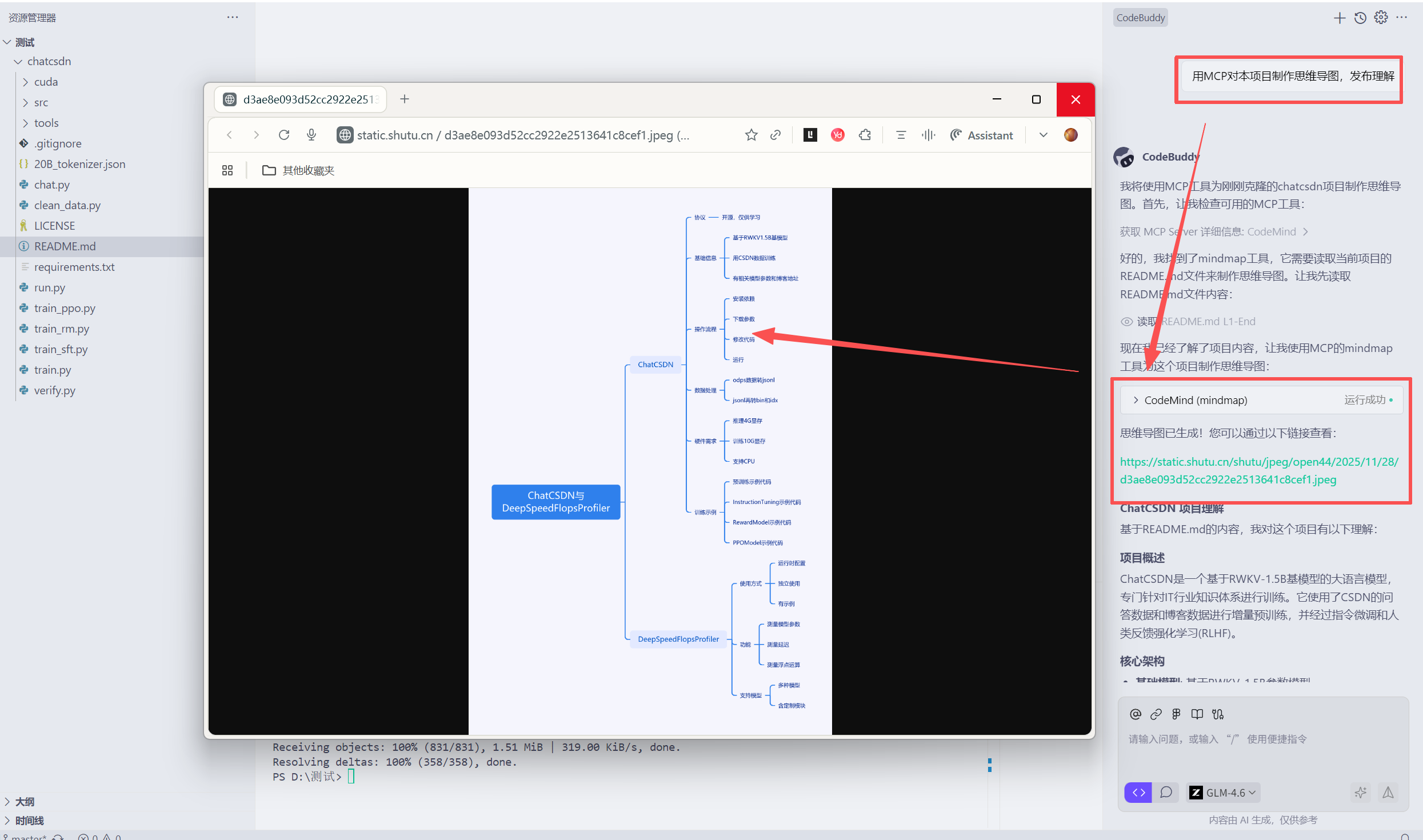
@followed by the MCP server name and your instructions, e.g., "@CodeMind MCPAnalyze the README files and generate a mind map of this project."
That's it! The server will respond to your query, and you can continue using it as needed.
Here is a step-by-step guide with screenshots.
CodeMind MCP
一个 MCP(Model Context Protocol)服务器,通过自动化流程帮助用户快速理解代码仓库并生成思维导图。
背景
是不是老是忘记git命令?
本MCP 可以用于管理仓库、拉取请求、问题等。
得到一个项目是不是看不懂项目?
本MCP会作为一个专业的架构师,帮助你快速理解代码仓库并生成思维导图。
核心功能
gitcode_request: 通用的 GitCode API 调用工具,用于管理仓库、拉取请求、问题等。mindmap: 读取当前目录及其子目录中的所有 README.md 文件,生成思维导图:递归查找并收集所有 README.md 文件
合并文件内容并调用 Coze 工作流生成思维导图
返回思维导图公开访问链接
安装与使用
环境要求: Node.js >= 18.x
全局安装
npm install -g @lucianaib/codemind-mcp
codemind-mcp在 MCP 客户端中配置
{
"mcpServers": {
"CodeMind": {
"command": "npx",
"args": ["@lucianaib/codemind-mcp"]
}
}
}
工具调用参数
gitcode_request
baseUrl: string (可选),如
https://api.gitcode.comtoken: string,鉴权令牌(支持
Bearer <token>或纯 token)method: "GET" | "POST" | "PUT" | "PATCH" | "DELETE"
path: string,如
/v1/reposquery: Record<string, unknown> (可选)
body: Record<string, unknown> (可选)
headers: Record<string, string> (可选)

mindmap
prompt: string (可选),用于自定义生成思维导图的提示词

开发与代码结构
src/index.ts: MCP 服务器入口,使用McpServer注册工具src/gitcode.ts: GitCode API 的通用请求封装src/mindmap.ts: README.md 文件收集及调用 Coze API 的核心逻辑
安全提示
重要: Coze API 凭证目前硬编码在 src/mindmap.ts 中,存在安全风险。生产环境请移至环境变量。
许可证
本项目采用 MIT 许可证。详见 LICENSE 文件。
This server cannot be installed
Resources
Looking for Admin?
Admins can modify the Dockerfile, update the server description, and track usage metrics. If you are the server author, to access the admin panel.