Glama
MesuterPikin

Browserbase MCP Server
by MesuterPikin

Browserbase MCP Server

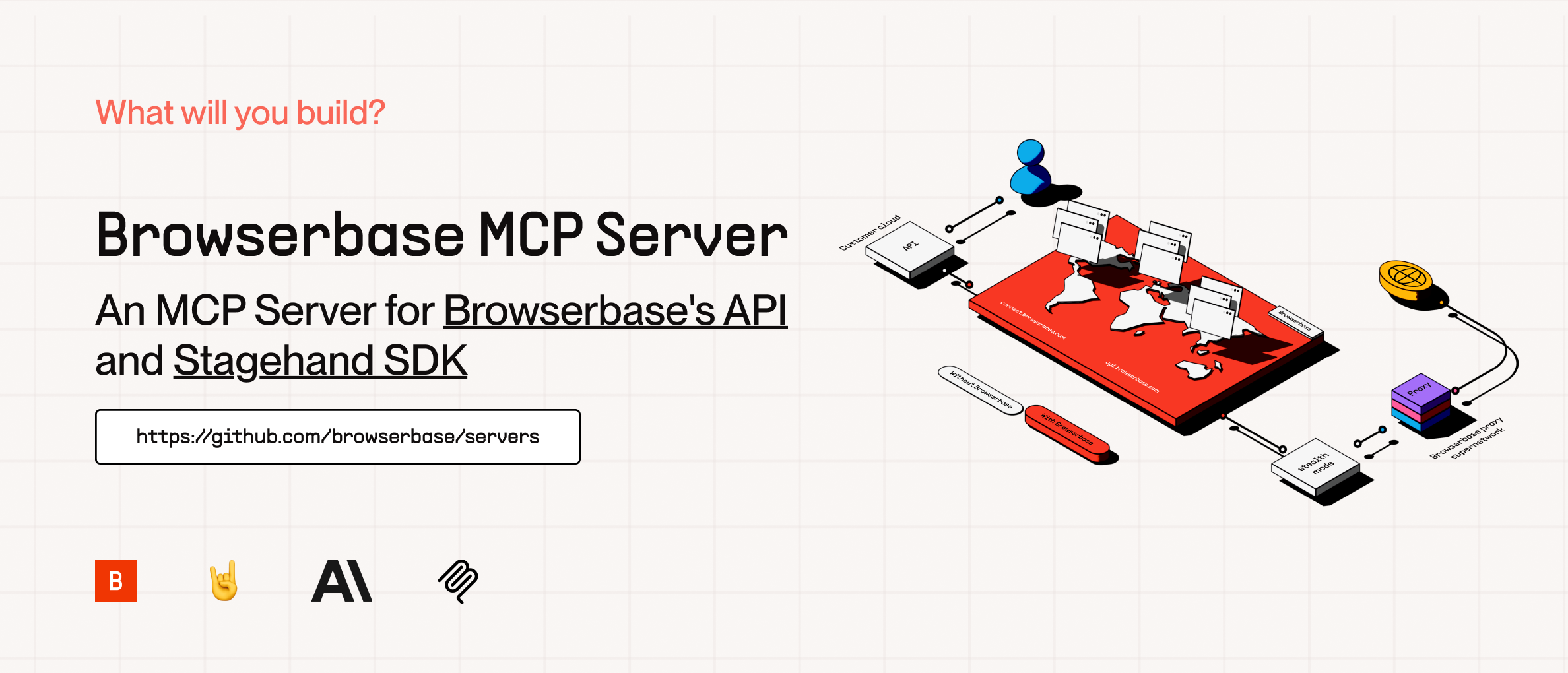
cover

The Model Context Protocol (MCP) is an open protocol that enables seamless integration between LLM applications and external data sources and tools. Whether you're building an AI-powered IDE, enhancing a chat interface, or creating custom AI workflows, MCP provides a standardized way to connect LLMs with the context they need.

This server provides cloud browser automation capabilities using Browserbase and Stagehand. It enables LLMs to interact with web pages, take screenshots, extract information, and perform automated actions with atomic precision.

What's New in Stagehand v3

Powered by Stagehand v3.0, this MCP server now includes:

  • 20-40% Faster Performance: Speed improvements across all core operations (act, extract, observe) through automatic caching

  • Enhanced Extraction: Targeted extraction and observation across iframes and shadow roots

  • Improved Schemas: Streamlined extract schemas for more intuitive data extraction

  • Advanced Selector Support: CSS selector support with improved element targeting

  • Multi-Browser Support: Compatible with Playwright, Puppeteer, and Patchright

  • New Primitives: Built-in page, locator, frameLocator, and deepLocator for simplified automation

  • Experimental Features: Enable cutting-edge capabilities with the --experimental flag

For more details, visit the Stagehand v3 documentation.

Related MCP server: Browserbase MCP Server

Features

Feature

Description

Browser Automation

Control and orchestrate cloud browsers via Browserbase

Data Extraction

Extract structured data from any webpage

Web Interaction

Navigate, click, and fill forms with ease

Screenshots

Capture full-page and element screenshots

Model Flexibility

Supports multiple models (OpenAI, Claude, Gemini, and more)

Vision Support

Use annotated screenshots for complex DOMs

Session Management

Create, manage, and close browser sessions

High Performance

20-40% faster operations with automatic caching (v3)

Advanced Selectors

Enhanced CSS selector support for precise element targeting

How to Setup

Quickstarts:

Add to Cursor

Copy and Paste this link in your Browser:

cursor://anysphere.cursor-deeplink/mcp/install?name=browserbase&config=eyJjb21tYW5kIjoibnB4IEBicm93c2VyYmFzZWhxL21jcCIsImVudiI6eyJCUk9XU0VSQkFTRV9BUElfS0VZIjoiIiwiQlJPV1NFUkJBU0VfUFJPSkVDVF9JRCI6IiIsIkdFTUlOSV9BUElfS0VZIjoiIn19

We currently support 2 transports for our MCP server, STDIO and SHTTP. We recommend you use SHTTP with our remote hosted url to take advantage of the server at full capacity.

SHTTP:

To use the Browserbase MCP Server through our remote hosted URL, add the following to your configuration.

Go to smithery.ai and enter your API keys and configuration to get a remote hosted URL. When using our remote hosted server, we provide the LLM costs for Gemini, the best performing model in Stagehand.
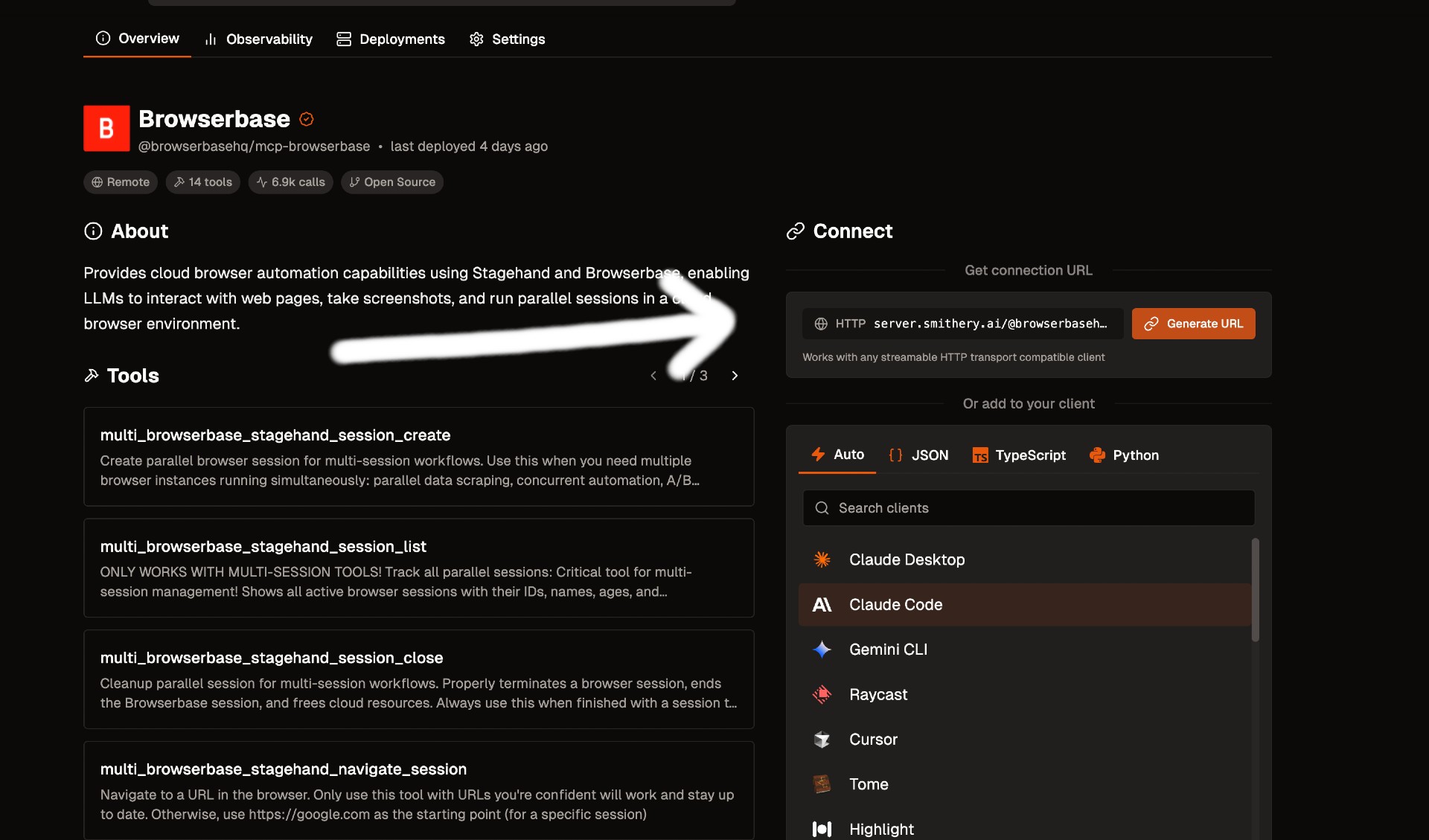
Smithery Image

If your client supports SHTTP:

{
  "mcpServers": {
    "browserbase": {
      "type": "http",
      "url": "your-smithery-url.com"
    }
  }
}

If your client doesn't support SHTTP:

{
  "mcpServers": {
    "browserbase": {
      "command": "npx",
      "args": ["mcp-remote", "your-smithery-url.com"]
    }
  }
}

STDIO:

You can either use our Server hosted on NPM or run it completely locally by cloning this repo.

❗️ Important: If you want to use a different model you have to add --modelName to the args and provide that respective key as an arg. More info below.

Go into your MCP Config JSON and add the Browserbase Server:

{
  "mcpServers": {
    "browserbase": {
      "command": "npx",
      "args": ["@browserbasehq/mcp-server-browserbase"],
      "env": {
        "BROWSERBASE_API_KEY": "",
        "BROWSERBASE_PROJECT_ID": "",
        "GEMINI_API_KEY": ""
      }
    }
  }
}

That's it! Reload your MCP client and Claude will be able to use Browserbase.

To run 100% local:

Option 1: Direct installation

# Clone the Repo
git clone https://github.com/browserbase/mcp-server-browserbase.git
cd mcp-server-browserbase

# Install the dependencies and build the project
npm install && npm run build

Option 2: Docker

# Clone the Repo
git clone https://github.com/browserbase/mcp-server-browserbase.git
cd mcp-server-browserbase

# Build the Docker image
docker build -t mcp-browserbase .

Then in your MCP Config JSON run the server. To run locally we can use STDIO or self-host SHTTP.

STDIO:

Using Direct Installation

To your MCP Config JSON file add the following:

{
  "mcpServers": {
    "browserbase": {
      "command": "node",
      "args": ["/path/to/mcp-server-browserbase/cli.js"],
      "env": {
        "BROWSERBASE_API_KEY": "",
        "BROWSERBASE_PROJECT_ID": "",
        "GEMINI_API_KEY": ""
      }
    }
  }
}

Using Docker

To your MCP Config JSON file add the following:

{
  "mcpServers": {
    "browserbase": {
      "command": "docker",
      "args": [
        "run",
        "--rm",
        "-i",
        "-e",
        "BROWSERBASE_API_KEY",
        "-e",
        "BROWSERBASE_PROJECT_ID",
        "-e",
        "GEMINI_API_KEY",
        "mcp-browserbase"
      ],
      "env": {
        "BROWSERBASE_API_KEY": "",
        "BROWSERBASE_PROJECT_ID": "",
        "GEMINI_API_KEY": ""
      }
    }
  }
}

Then reload your MCP client and you should be good to go!

Configuration

The Browserbase MCP server accepts the following command-line flags:

Flag

Description

--proxies

Enable Browserbase proxies for the session

--advancedStealth

Enable Browserbase Advanced Stealth (Only for Scale Plan Users)

--keepAlive

Enable Browserbase Keep Alive Session

--contextId <contextId>

Specify a Browserbase Context ID to use

--persist

Whether to persist the Browserbase context (default: true)

--port <port>

Port to listen on for HTTP/SHTTP transport

--host <host>

Host to bind server to (default: localhost, use 0.0.0.0 for all interfaces)

--browserWidth <width>

Browser viewport width (default: 1024)

--browserHeight <height>

Browser viewport height (default: 768)

--modelName <model>

The model to use for Stagehand (default: gemini-2.0-flash)

--modelApiKey <key>

API key for the custom model provider (required when using custom models)

--experimental

Enable experimental features (default: false)

These flags can be passed directly to the CLI or configured in your MCP configuration file.

NOTE:

Currently, these flags can only be used with the local server (npx @browserbasehq/mcp-server-browserbase or Docker).

Using Configuration Flags with Docker

When using Docker, you can pass configuration flags as additional arguments after the image name. Here's an example with the --proxies flag:

{
  "mcpServers": {
    "browserbase": {
      "command": "docker",
      "args": [
        "run",
        "--rm",
        "-i",
        "-e",
        "BROWSERBASE_API_KEY",
        "-e",
        "BROWSERBASE_PROJECT_ID",
        "-e",
        "GEMINI_API_KEY",
        "mcp-browserbase",
        "--proxies"
      ],
      "env": {
        "BROWSERBASE_API_KEY": "",
        "BROWSERBASE_PROJECT_ID": "",
        "GEMINI_API_KEY": ""
      }
    }
  }
}

You can also run the Docker container directly from the command line:

docker run --rm -i \
  -e BROWSERBASE_API_KEY=your_api_key \
  -e BROWSERBASE_PROJECT_ID=your_project_id \
  -e GEMINI_API_KEY=your_gemini_key \
  mcp-browserbase --proxies

Configuration Examples

Proxies

Here are our docs on Proxies.

To use proxies, set the --proxies flag in your MCP Config:

{
  "mcpServers": {
    "browserbase": {
      "command": "npx",
      "args": ["@browserbasehq/mcp-server-browserbase", "--proxies"],
      "env": {
        "BROWSERBASE_API_KEY": "",
        "BROWSERBASE_PROJECT_ID": "",
        "GEMINI_API_KEY": ""
      }
    }
  }
}

Advanced Stealth

Here are our docs on Advanced Stealth.

To use advanced stealth, set the --advancedStealth flag in your MCP Config:

{
  "mcpServers": {
    "browserbase": {
      "command": "npx",
      "args": ["@browserbasehq/mcp-server-browserbase", "--advancedStealth"],
      "env": {
        "BROWSERBASE_API_KEY": "",
        "BROWSERBASE_PROJECT_ID": "",
        "GEMINI_API_KEY": ""
      }
    }
  }
}

Contexts

Here are our docs on Contexts

To use contexts, set the --contextId flag in your MCP Config:

{
  "mcpServers": {
    "browserbase": {
      "command": "npx",
      "args": [
        "@browserbasehq/mcp-server-browserbase",
        "--contextId",
        "<YOUR_CONTEXT_ID>"
      ],
      "env": {
        "BROWSERBASE_API_KEY": "",
        "BROWSERBASE_PROJECT_ID": "",
        "GEMINI_API_KEY": ""
      }
    }
  }
}

Browser Viewport Sizing

The default viewport sizing for a browser session is 1024 x 768. You can adjust the Browser viewport sizing with browserWidth and browserHeight flags.

Here's how to use it for custom browser sizing. We recommend to stick with 16:9 aspect ratios (ie: 1920 x 1080, 1280 x 720, 1024 x 768)

{
  "mcpServers": {
    "browserbase": {
      "command": "npx",
      "args": [
        "@browserbasehq/mcp-server-browserbase",
        "--browserHeight 1080",
        "--browserWidth 1920"
      ],
      "env": {
        "BROWSERBASE_API_KEY": "",
        "BROWSERBASE_PROJECT_ID": "",
        "GEMINI_API_KEY": ""
      }
    }
  }
}

Experimental Features

Stagehand v3 includes experimental features that can be enabled with the --experimental flag. These features provide cutting-edge capabilities that are actively being developed and refined.

To enable experimental features:

{
  "mcpServers": {
    "browserbase": {
      "command": "npx",
      "args": ["@browserbasehq/mcp-server-browserbase", "--experimental"],
      "env": {
        "BROWSERBASE_API_KEY": "",
        "BROWSERBASE_PROJECT_ID": "",
        "GEMINI_API_KEY": ""
      }
    }
  }
}

Note: Experimental features may change or be removed in future releases. Use them at your own discretion.

Model Configuration

Stagehand defaults to using Google's Gemini 2.0 Flash model, but you can configure it to use other models like GPT-4o, Claude, or other providers.

Important: When using any custom model (non-default), you must provide your own API key for that model provider using the --modelApiKey flag.

Here's how to configure different models:

{
  "mcpServers": {
    "browserbase": {
      "command": "npx",
      "args": [
        "@browserbasehq/mcp-server-browserbase",
        "--modelName",
        "anthropic/claude-sonnet-4.5",
        "--modelApiKey",
        "your-anthropic-api-key"
      ],
      "env": {
        "BROWSERBASE_API_KEY": "",
        "BROWSERBASE_PROJECT_ID": ""
      }
    }
  }
}

Note: The model must be supported in Stagehand. Check out the docs here. When using any custom model, you must provide your own API key for that provider.

Resources

The server provides access to screenshot resources:

  1. Screenshots (screenshot://<screenshot-name>)

    • PNG images of captured screenshots

Key Features

  • AI-Powered Automation: Natural language commands for web interactions

  • Multi-Model Support: Works with OpenAI, Claude, Gemini, and more

  • Screenshot Capture: Full-page and element-specific screenshots

  • Data Extraction: Intelligent content extraction from web pages

  • Proxy Support: Enterprise-grade proxy capabilities

  • Stealth Mode: Advanced anti-detection features

  • Context Persistence: Maintain authentication and state across sessions

For more information about the Model Context Protocol, visit:

For the official MCP Docs:

License

Licensed under the Apache 2.0 License.

Copyright 2025 Browserbase, Inc.

Available Tools

9 tools
browserbase_screenshotC

Capture a full-page screenshot and return it (and save as a resource).

ParametersJSON Schema
NameRequiredDescriptionDefault
nameNoThe name of the screenshot

TDQS

C2.9/5.0
Behavior2/5

Does the description disclose side effects, auth requirements, rate limits, or destructive behavior?

With no annotations provided, the description carries the full burden of behavioral disclosure. It mentions saving as a resource, which adds some context beyond the basic action, but fails to detail critical aspects like permissions needed, rate limits, error conditions, or what 'full-page' entails (e.g., scrolling behavior). This leaves significant gaps for an agent to understand operational traits.

Agents need to know what a tool does to the world before calling it. Descriptions should go beyond structured annotations to explain consequences.

Conciseness5/5

Is the description appropriately sized, front-loaded, and free of redundancy?

The description is extremely concise—a single sentence that directly states the tool's function and an additional behavior (saving as a resource). It's front-loaded with the core action and wastes no words, making it efficient and easy to parse.

Shorter descriptions cost fewer tokens and are easier for agents to parse. Every sentence should earn its place.

Completeness2/5

Given the tool's complexity, does the description cover enough for an agent to succeed on first attempt?

Given the tool's complexity (involving browser interaction and resource management) and the absence of annotations and output schema, the description is insufficient. It doesn't explain what 'full-page' means, how the screenshot is returned (e.g., format, size), or error handling, leaving the agent with incomplete operational context.

Complex tools with many parameters or behaviors need more documentation. Simple tools need less. This dimension scales expectations accordingly.

Parameters3/5

Does the description clarify parameter syntax, constraints, interactions, or defaults beyond what the schema provides?

The input schema has 100% description coverage for its single parameter 'name', so the description doesn't need to add parameter details. It doesn't provide extra meaning beyond the schema, but with high coverage, a baseline score of 3 is appropriate as the schema handles the parameter documentation adequately.

Input schemas describe structure but not intent. Descriptions should explain non-obvious parameter relationships and valid value ranges.

Purpose4/5

Does the description clearly state what the tool does and how it differs from similar tools?

The description clearly states the action ('capture a full-page screenshot') and the resource (screenshot), with the verb 'capture' being specific. However, it doesn't explicitly differentiate from sibling tools like 'browserbase_stagehand_observe' which might also involve visual capture, leaving room for ambiguity.

Agents choose between tools based on descriptions. A clear purpose with a specific verb and resource helps agents select the right tool.

Usage Guidelines2/5

Does the description explain when to use this tool, when not to, or what alternatives exist?

The description provides no guidance on when to use this tool versus alternatives, such as when a full-page screenshot is needed over other capture methods or sibling tools. It lacks context about prerequisites or exclusions, offering only a basic functional statement.

Agents often have multiple tools that could apply. Explicit usage guidance like "use X instead of Y when Z" prevents misuse.

browserbase_session_closeA

Close the current Browserbase session and reset the active context.

ParametersJSON Schema
NameRequiredDescriptionDefault

No parameters

TDQS

A4.1/5.0
Behavior3/5

Does the description disclose side effects, auth requirements, rate limits, or destructive behavior?

With no annotations provided, the description carries the full burden. It discloses that the tool closes a session and resets context, which implies a destructive action (ending an active session) but does not detail effects like data loss, cleanup behavior, or error handling. This provides basic behavioral insight but lacks depth for a mutation tool.

Agents need to know what a tool does to the world before calling it. Descriptions should go beyond structured annotations to explain consequences.

Conciseness5/5

Is the description appropriately sized, front-loaded, and free of redundancy?

The description is a single, clear sentence that is front-loaded with the core action ('Close the current Browserbase session') and adds necessary context ('and reset the active context'). There is no wasted verbiage, making it highly efficient and well-structured.

Shorter descriptions cost fewer tokens and are easier for agents to parse. Every sentence should earn its place.

Completeness3/5

Given the tool's complexity, does the description cover enough for an agent to succeed on first attempt?

Given the tool's complexity (a mutation with no annotations and no output schema), the description is minimal but covers the essential action. It lacks details on what 'reset the active context' entails, potential side effects, or return values, which could be important for an agent using this tool effectively.

Complex tools with many parameters or behaviors need more documentation. Simple tools need less. This dimension scales expectations accordingly.

Parameters4/5

Does the description clarify parameter syntax, constraints, interactions, or defaults beyond what the schema provides?

The input schema has 0 parameters with 100% coverage, so no parameter documentation is needed. The description does not mention parameters, which is appropriate, and thus adds no value beyond the schema. Baseline is 4 for zero parameters, as it avoids unnecessary detail.

Input schemas describe structure but not intent. Descriptions should explain non-obvious parameter relationships and valid value ranges.

Purpose5/5

Does the description clearly state what the tool does and how it differs from similar tools?

The description clearly states the specific action ('Close') and resource ('the current Browserbase session'), and distinguishes it from siblings by mentioning 'reset the active context' which is unique among the listed tools. It precisely communicates what the tool does without being tautological.

Agents choose between tools based on descriptions. A clear purpose with a specific verb and resource helps agents select the right tool.

Usage Guidelines4/5

Does the description explain when to use this tool, when not to, or what alternatives exist?

The description implies usage context by referring to 'the current Browserbase session,' suggesting it should be used when a session is active and needs termination. However, it does not explicitly state when not to use it or name alternatives, such as whether other tools might handle session management differently.

Agents often have multiple tools that could apply. Explicit usage guidance like "use X instead of Y when Z" prevents misuse.

browserbase_session_createC

Create or reuse a Browserbase browser session and set it as active.

ParametersJSON Schema
NameRequiredDescriptionDefault
sessionIdNoOptional session ID to use/reuse. If not provided or invalid, a new session is created.

TDQS

C2.9/5.0
Behavior2/5

Does the description disclose side effects, auth requirements, rate limits, or destructive behavior?

With no annotations provided, the description carries the full burden of behavioral disclosure. It mentions session creation/reuse and activation but omits critical details like authentication requirements, rate limits, session lifecycle, or error handling. This is inadequate for a tool that likely involves resource allocation.

Agents need to know what a tool does to the world before calling it. Descriptions should go beyond structured annotations to explain consequences.

Conciseness5/5

Is the description appropriately sized, front-loaded, and free of redundancy?

The description is a single, efficient sentence that front-loads the core functionality without unnecessary words. Every part of the sentence contributes directly to understanding the tool's purpose.

Shorter descriptions cost fewer tokens and are easier for agents to parse. Every sentence should earn its place.

Completeness2/5

Given the tool's complexity, does the description cover enough for an agent to succeed on first attempt?

Given the complexity of session management, lack of annotations, and no output schema, the description is insufficient. It fails to explain what a 'session' entails, how activation works, or what the tool returns, leaving significant gaps for an AI agent to operate effectively.

Complex tools with many parameters or behaviors need more documentation. Simple tools need less. This dimension scales expectations accordingly.

Parameters3/5

Does the description clarify parameter syntax, constraints, interactions, or defaults beyond what the schema provides?

Schema description coverage is 100%, so the schema already documents the 'sessionId' parameter fully. The description adds no additional meaning beyond what the schema provides, such as examples or edge cases, but does not contradict it either.

Input schemas describe structure but not intent. Descriptions should explain non-obvious parameter relationships and valid value ranges.

Purpose4/5

Does the description clearly state what the tool does and how it differs from similar tools?

The description clearly states the action ('Create or reuse') and resource ('Browserbase browser session'), and specifies the outcome ('set it as active'). However, it does not explicitly differentiate from sibling tools like 'browserbase_session_close', which handles session termination, leaving some ambiguity in scope.

Agents choose between tools based on descriptions. A clear purpose with a specific verb and resource helps agents select the right tool.

Usage Guidelines2/5

Does the description explain when to use this tool, when not to, or what alternatives exist?

The description provides no guidance on when to use this tool versus alternatives, such as whether to prefer creating a new session over reusing an existing one, or how it relates to other session management tools. It lacks context on prerequisites or typical workflows.

Agents often have multiple tools that could apply. Explicit usage guidance like "use X instead of Y when Z" prevents misuse.

browserbase_stagehand_actB

Perform a single action on the page (e.g., click, type).

ParametersJSON Schema
NameRequiredDescriptionDefault
actionYesThe action to perform. Should be as atomic and specific as possible, i.e. 'Click the sign in button' or 'Type 'hello' into the search input'.
variablesNoVariables used in the action template. ONLY use variables if you're dealing with sensitive data or dynamic content. When using variables, you MUST have the variable key in the action template. ie: {"action": "Fill in the password", "variables": {"password": "123456"}}

TDQS

B3.2/5.0
Behavior2/5

Does the description disclose side effects, auth requirements, rate limits, or destructive behavior?

With no annotations provided, the description carries the full burden of behavioral disclosure. It mentions performing actions but omits critical details: whether this requires an active session, what happens on failure (e.g., if element not found), side effects, or error handling. This is inadequate for a tool that likely interacts with a live browser.

Agents need to know what a tool does to the world before calling it. Descriptions should go beyond structured annotations to explain consequences.

Conciseness5/5

Is the description appropriately sized, front-loaded, and free of redundancy?

The description is a single, efficient sentence that front-loads the core purpose with illustrative examples. Every word earns its place, and there's no redundancy or fluff.

Shorter descriptions cost fewer tokens and are easier for agents to parse. Every sentence should earn its place.

Completeness2/5

Given the tool's complexity, does the description cover enough for an agent to succeed on first attempt?

Given the complexity of browser automation (no annotations, no output schema), the description is insufficient. It doesn't cover session dependencies, error behavior, or result formats, leaving significant gaps for an agent to use this tool safely and effectively.

Complex tools with many parameters or behaviors need more documentation. Simple tools need less. This dimension scales expectations accordingly.

Parameters3/5

Does the description clarify parameter syntax, constraints, interactions, or defaults beyond what the schema provides?

Schema description coverage is 100%, so the schema fully documents both parameters. The description adds no additional meaning about parameters beyond implying they're used for actions like 'click' or 'type'. This meets the baseline for high schema coverage but doesn't enhance understanding.

Input schemas describe structure but not intent. Descriptions should explain non-obvious parameter relationships and valid value ranges.

Purpose4/5

Does the description clearly state what the tool does and how it differs from similar tools?

The description clearly states the verb ('perform') and resource ('single action on the page'), with examples ('click, type') that illustrate the scope. It distinguishes this from sibling tools like 'screenshot' or 'navigate' by focusing on atomic page interactions, though it doesn't explicitly name alternatives.

Agents choose between tools based on descriptions. A clear purpose with a specific verb and resource helps agents select the right tool.

Usage Guidelines3/5

Does the description explain when to use this tool, when not to, or what alternatives exist?

The description implies usage for atomic page actions, but provides no explicit guidance on when to use this versus alternatives like 'stagehand_agent' or 'stagehand_extract'. The context of 'single action' suggests it's for basic interactions, but lacks clear boundaries or prerequisites.

Agents often have multiple tools that could apply. Explicit usage guidance like "use X instead of Y when Z" prevents misuse.

browserbase_stagehand_agentB

Execute a task autonomously using Gemini Computer Use agent. The agent will navigate and interact with web pages to complete the given task.

ParametersJSON Schema
NameRequiredDescriptionDefault
promptYesThe task prompt describing what you want the sub-agent to accomplish. Be clear and specific about the goal. For example: 'Go to Hacker News and find the most controversial post from today, then summarize the top 3 comments'. The agent will autonomously navigate and interact with web pages to complete this task.

TDQS

B3.2/5.0
Behavior2/5

Does the description disclose side effects, auth requirements, rate limits, or destructive behavior?

With no annotations provided, the description carries full burden. It mentions autonomous navigation and interaction but lacks critical behavioral details: whether this tool creates/destroys sessions, requires authentication, has rate limits, timeouts, or error handling. The description states what the tool does but not how it behaves operationally, leaving significant gaps for an agent to understand its traits.

Agents need to know what a tool does to the world before calling it. Descriptions should go beyond structured annotations to explain consequences.

Conciseness5/5

Is the description appropriately sized, front-loaded, and free of redundancy?

The description is perfectly concise: two sentences that directly state the tool's function and method. Every word earns its place - 'Execute a task autonomously' establishes the core purpose, 'using Gemini Computer Use agent' specifies the mechanism, and 'navigate and interact with web pages' clarifies the domain. No wasted words or redundant information.

Shorter descriptions cost fewer tokens and are easier for agents to parse. Every sentence should earn its place.

Completeness2/5

Given the tool's complexity, does the description cover enough for an agent to succeed on first attempt?

Given this is a complex autonomous agent tool with no annotations and no output schema, the description is insufficiently complete. It doesn't explain what the tool returns (success/failure indicators, results of task execution), doesn't mention session management implications, and provides minimal behavioral context. For a tool that presumably orchestrates multiple web interactions, more completeness is needed.

Complex tools with many parameters or behaviors need more documentation. Simple tools need less. This dimension scales expectations accordingly.

Parameters3/5

Does the description clarify parameter syntax, constraints, interactions, or defaults beyond what the schema provides?

Schema description coverage is 100%, so the schema already fully documents the single 'prompt' parameter with examples. The description adds no additional parameter semantics beyond what's in the schema. According to scoring rules, with high schema coverage (>80%), the baseline is 3 even with no param info in the description.

Input schemas describe structure but not intent. Descriptions should explain non-obvious parameter relationships and valid value ranges.

Purpose4/5

Does the description clearly state what the tool does and how it differs from similar tools?

The description clearly states the tool's purpose: 'Execute a task autonomously using Gemini Computer Use agent' with the specific action of navigating and interacting with web pages. It distinguishes from siblings like 'browserbase_screenshot' or 'browserbase_stagehand_navigate' by emphasizing autonomous task execution rather than single operations. However, it doesn't explicitly contrast with 'browserbase_stagehand_act' which might have overlapping functionality.

Agents choose between tools based on descriptions. A clear purpose with a specific verb and resource helps agents select the right tool.

Usage Guidelines3/5

Does the description explain when to use this tool, when not to, or what alternatives exist?

The description implies usage for autonomous web-based task completion, with an example prompt provided in the schema. However, it lacks explicit guidance on when to use this tool versus alternatives like 'browserbase_stagehand_act' or 'browserbase_stagehand_extract'. The context is clear but no exclusions or specific alternatives are mentioned in the description itself.

Agents often have multiple tools that could apply. Explicit usage guidance like "use X instead of Y when Z" prevents misuse.

browserbase_stagehand_extractC

Extract structured data or text from the current page using an instruction.

ParametersJSON Schema
NameRequiredDescriptionDefault
instructionYesThe specific instruction for what information to extract from the current page. Be as detailed and specific as possible about what you want to extract. For example: 'Extract all product names and prices from the listing page'.The more specific your instruction, the better the extraction results will be.

TDQS

C2.9/5.0
Behavior2/5

Does the description disclose side effects, auth requirements, rate limits, or destructive behavior?

No annotations are provided, so the description carries the full burden of behavioral disclosure. It mentions extraction but doesn't specify details like whether it requires a loaded page, how it handles errors, what formats the output might be in, or any performance considerations. This leaves significant gaps for an agent to understand the tool's behavior beyond basic functionality.

Agents need to know what a tool does to the world before calling it. Descriptions should go beyond structured annotations to explain consequences.

Conciseness5/5

Is the description appropriately sized, front-loaded, and free of redundancy?

The description is a single, efficient sentence that front-loads the core purpose without unnecessary details. It's appropriately sized for a tool with one parameter and no annotations, with zero waste or redundancy.

Shorter descriptions cost fewer tokens and are easier for agents to parse. Every sentence should earn its place.

Completeness2/5

Given the tool's complexity, does the description cover enough for an agent to succeed on first attempt?

Given the complexity of a data extraction tool with no annotations and no output schema, the description is incomplete. It doesn't explain what the tool returns, how to interpret results, or any behavioral traits like error handling. This makes it inadequate for an agent to use the tool effectively in varied contexts.

Complex tools with many parameters or behaviors need more documentation. Simple tools need less. This dimension scales expectations accordingly.

Parameters3/5

Does the description clarify parameter syntax, constraints, interactions, or defaults beyond what the schema provides?

The schema description coverage is 100%, with the 'instruction' parameter well-documented in the schema. The description adds minimal value beyond the schema by reiterating the need for an instruction but doesn't provide additional semantic context or examples not already covered. Baseline 3 is appropriate as the schema does the heavy lifting.

Input schemas describe structure but not intent. Descriptions should explain non-obvious parameter relationships and valid value ranges.

Purpose4/5

Does the description clearly state what the tool does and how it differs from similar tools?

The description clearly states the tool's purpose: 'Extract structured data or text from the current page using an instruction.' It specifies the verb ('extract'), resource ('structured data or text'), and context ('from the current page'). However, it doesn't explicitly differentiate from sibling tools like 'browserbase_stagehand_observe' or 'browserbase_stagehand_agent', which might have overlapping or related functionality.

Agents choose between tools based on descriptions. A clear purpose with a specific verb and resource helps agents select the right tool.

Usage Guidelines2/5

Does the description explain when to use this tool, when not to, or what alternatives exist?

The description provides no guidance on when to use this tool versus alternatives. It doesn't mention sibling tools or contexts where extraction is preferred over other actions like navigation or observation. Usage is implied by the purpose but lacks explicit when/when-not instructions or prerequisites.

Agents often have multiple tools that could apply. Explicit usage guidance like "use X instead of Y when Z" prevents misuse.

browserbase_stagehand_get_urlA

Return the current page URL (full URL with query/fragment).

ParametersJSON Schema
NameRequiredDescriptionDefault

No parameters

TDQS

A3.9/5.0
Behavior3/5

Does the description disclose side effects, auth requirements, rate limits, or destructive behavior?

No annotations are provided, so the description carries full burden. It discloses the tool returns the current page URL, but does not mention behavioral traits like whether it requires an active session, potential errors (e.g., if no page is loaded), or rate limits. It adds basic context but lacks depth for a tool with no annotations.

Agents need to know what a tool does to the world before calling it. Descriptions should go beyond structured annotations to explain consequences.

Conciseness5/5

Is the description appropriately sized, front-loaded, and free of redundancy?

The description is a single, efficient sentence that front-loads the core purpose ('Return the current page URL') and adds clarifying detail ('full URL with query/fragment') without waste. Every word earns its place.

Shorter descriptions cost fewer tokens and are easier for agents to parse. Every sentence should earn its place.

Completeness3/5

Given the tool's complexity, does the description cover enough for an agent to succeed on first attempt?

Given the tool's low complexity (0 parameters, no output schema, no annotations), the description is minimally complete. It states what the tool does but lacks context on prerequisites (e.g., requires an active session) or output format details, which could be helpful despite the simplicity.

Complex tools with many parameters or behaviors need more documentation. Simple tools need less. This dimension scales expectations accordingly.

Parameters4/5

Does the description clarify parameter syntax, constraints, interactions, or defaults beyond what the schema provides?

There are 0 parameters, so the baseline is 4. The description does not need to compensate for any parameter gaps, and schema description coverage is 100%, making additional parameter semantics unnecessary.

Input schemas describe structure but not intent. Descriptions should explain non-obvious parameter relationships and valid value ranges.

Purpose5/5

Does the description clearly state what the tool does and how it differs from similar tools?

The description clearly states the specific action ('Return') and resource ('current page URL'), specifying it includes the full URL with query/fragment. It distinguishes from siblings like browserbase_stagehand_navigate (which changes URLs) and browserbase_stagehand_observe (which might return page content).

Agents choose between tools based on descriptions. A clear purpose with a specific verb and resource helps agents select the right tool.

Usage Guidelines3/5

Does the description explain when to use this tool, when not to, or what alternatives exist?

The description implies usage when the current page URL is needed, but does not explicitly state when to use this tool versus alternatives (e.g., vs. browserbase_stagehand_observe for page content). No exclusions or prerequisites are mentioned, leaving usage context somewhat implied.

Agents often have multiple tools that could apply. Explicit usage guidance like "use X instead of Y when Z" prevents misuse.

browserbase_stagehand_navigateA

Navigate to a URL in the browser. Only use this tool with URLs you're confident will work and be up to date. Otherwise, use https://google.com as the starting point

ParametersJSON Schema
NameRequiredDescriptionDefault
urlYesThe URL to navigate to

TDQS

A4.4/5.0
Behavior4/5

Does the description disclose side effects, auth requirements, rate limits, or destructive behavior?

With no annotations provided, the description carries the full burden. It discloses behavioral traits: it performs a navigation action (implying it changes browser state), includes a caution about URL reliability, and suggests a fallback. However, it lacks details on error handling, timeouts, or session dependencies, which are relevant for a browser tool.

Agents need to know what a tool does to the world before calling it. Descriptions should go beyond structured annotations to explain consequences.

Conciseness5/5

Is the description appropriately sized, front-loaded, and free of redundancy?

It is appropriately sized with two sentences that are front-loaded (first states the purpose, second provides guidelines). Every sentence earns its place by adding critical context without redundancy or fluff.

Shorter descriptions cost fewer tokens and are easier for agents to parse. Every sentence should earn its place.

Completeness4/5

Given the tool's complexity, does the description cover enough for an agent to succeed on first attempt?

Given the tool's moderate complexity (navigation with reliability concerns), no annotations, and no output schema, the description is mostly complete. It covers purpose, usage, and behavioral caution, but could benefit from mentioning potential outputs or errors. However, it adequately addresses core needs for an AI agent.

Complex tools with many parameters or behaviors need more documentation. Simple tools need less. This dimension scales expectations accordingly.

Parameters3/5

Does the description clarify parameter syntax, constraints, interactions, or defaults beyond what the schema provides?

Schema description coverage is 100%, so the schema already documents the 'url' parameter. The description adds no additional meaning beyond implying the URL should be reliable, but this is more about usage than parameter semantics. Baseline 3 is appropriate as the schema handles the heavy lifting.

Input schemas describe structure but not intent. Descriptions should explain non-obvious parameter relationships and valid value ranges.

Purpose5/5

Does the description clearly state what the tool does and how it differs from similar tools?

The description clearly states the specific action ('Navigate to a URL in the browser') and resource ('URL'), distinguishing it from siblings like 'browserbase_stagehand_get_url' (which likely retrieves rather than navigates) and 'browserbase_screenshot' (which captures screenshots). It uses precise verb+resource language.

Agents choose between tools based on descriptions. A clear purpose with a specific verb and resource helps agents select the right tool.

Usage Guidelines5/5

Does the description explain when to use this tool, when not to, or what alternatives exist?

It provides explicit guidance on when to use ('Only use this tool with URLs you're confident will work and be up to date') and when not to use (implying unreliable URLs), with a clear alternative ('Otherwise, use https://google.com as the starting point'). This helps differentiate from other navigation or browsing tools.

Agents often have multiple tools that could apply. Explicit usage guidance like "use X instead of Y when Z" prevents misuse.

browserbase_stagehand_observeB

Find interactive elements on the page from an instruction; optionally return an action.

ParametersJSON Schema
NameRequiredDescriptionDefault
instructionYesDetailed instruction for what specific elements or components to observe on the web page. This instruction must be extremely specific and descriptive. For example: 'Find the red login button in the top right corner', 'Locate the search input field with placeholder text', or 'Identify all clickable product cards on the page'. The more specific and detailed your instruction, the better the observation results will be. Avoid generic instructions like 'find buttons' or 'see elements'. Instead, describe the visual characteristics, location, text content, or functionality of the elements you want to observe. This tool is designed to help you identify interactive elements that you can later use with the act tool for performing actions like clicking, typing, or form submission.

TDQS

B3.1/5.0
Behavior2/5

Does the description disclose side effects, auth requirements, rate limits, or destructive behavior?

No annotations are provided, so the description carries the full burden. It mentions that the tool 'optionally return an action,' which hints at behavioral output, but it doesn't disclose key traits like whether it's read-only or destructive, how it handles errors, or what the 'action' entails (e.g., format, conditions). This leaves significant gaps for a tool interacting with web pages.

Agents need to know what a tool does to the world before calling it. Descriptions should go beyond structured annotations to explain consequences.

Conciseness4/5

Is the description appropriately sized, front-loaded, and free of redundancy?

The description is concise and front-loaded with the core purpose in the first sentence. The second sentence elaborates on the 'optionally return an action' aspect, which is relevant but could be slightly more integrated. Overall, it's efficient with minimal waste, though not perfectly structured.

Shorter descriptions cost fewer tokens and are easier for agents to parse. Every sentence should earn its place.

Completeness2/5

Given the tool's complexity, does the description cover enough for an agent to succeed on first attempt?

Given the complexity of web interaction tools, no annotations, and no output schema, the description is incomplete. It doesn't explain what the tool returns (e.g., element details, actions), how it handles failures, or prerequisites (e.g., requires an active session). This leaves the agent with insufficient context for reliable use.

Complex tools with many parameters or behaviors need more documentation. Simple tools need less. This dimension scales expectations accordingly.

Parameters3/5

Does the description clarify parameter syntax, constraints, interactions, or defaults beyond what the schema provides?

The schema description coverage is 100%, with the parameter 'instruction' fully documented in the schema. The description adds minimal value beyond the schema by reiterating the need for specificity (e.g., 'detailed instruction'), but it doesn't provide additional semantic context or examples not already in the schema. This meets the baseline for high schema coverage.

Input schemas describe structure but not intent. Descriptions should explain non-obvious parameter relationships and valid value ranges.

Purpose4/5

Does the description clearly state what the tool does and how it differs from similar tools?

The description clearly states the tool's purpose: 'Find interactive elements on the page from an instruction; optionally return an action.' This specifies the verb ('find'), resource ('interactive elements'), and scope ('from an instruction'), though it doesn't explicitly differentiate from sibling tools like 'browserbase_stagehand_extract' or 'browserbase_stagehand_act' beyond mentioning the latter. It avoids tautology and is not misleading.

Agents choose between tools based on descriptions. A clear purpose with a specific verb and resource helps agents select the right tool.

Usage Guidelines3/5

Does the description explain when to use this tool, when not to, or what alternatives exist?

The description implies usage by stating it's for finding interactive elements to later use with the 'act' tool, but it doesn't explicitly say when to use this tool versus alternatives like 'browserbase_stagehand_extract' or 'browserbase_screenshot'. It provides some context (e.g., for identifying elements for actions) but lacks clear exclusions or direct comparisons to siblings.

Agents often have multiple tools that could apply. Explicit usage guidance like "use X instead of Y when Z" prevents misuse.

TDQS

A3.5/5.0
Disambiguation4/5

Most tools have distinct purposes, such as session management (create/close), navigation (navigate/get_url), and interaction (screenshot/act/extract/observe). However, 'browserbase_stagehand_agent' and 'browserbase_stagehand_observe' could cause some confusion as both involve autonomous or guided interaction, though their descriptions help differentiate them.

Naming Consistency4/5

The naming follows a consistent pattern with 'browserbase_' prefix and snake_case throughout. Most tools use descriptive verb_noun combinations, but there is a minor deviation with 'browserbase_stagehand_agent' which uses 'agent' as a noun instead of a verb, slightly breaking the pattern.

Tool Count5/5

With 9 tools, the count is well-scoped for a browser automation server, covering essential operations like session handling, navigation, interaction, and data extraction. Each tool serves a clear purpose without redundancy, making the set appropriately sized for the domain.

Completeness4/5

The tool surface provides comprehensive coverage for browser automation, including session lifecycle, navigation, interaction, and data extraction. A minor gap exists in lacking explicit tools for handling browser contexts like tabs or windows, but core workflows are well-supported and agents can work around this.

Maintenance

ActivityInactive
ResponsivenessNo issues

Resources

Unclaimed servers have limited discoverability.

Looking for Admin?

If you are the server author, to access and configure the admin panel.

Related MCP Connectors

Related MCP Servers

Latest Blog Posts

MCP directory API

We provide all the information about MCP servers via our MCP API.

curl -X GET 'https://glama.ai/api/mcp/v1/servers/MesuterPikin/mcp-server-browserbase'

If you have feedback or need assistance with the MCP directory API, please join our Discord server