

F
licenseA
qualityD
maintenanceAn MCP server that enables scheduling, updating, deleting, and listing calendar appointments through Cal.com's Calendar API.
4
3
-

Click on "Deploy Server".
Wait a few minutes for the server to deploy. Once ready, it will show a "Started" state.
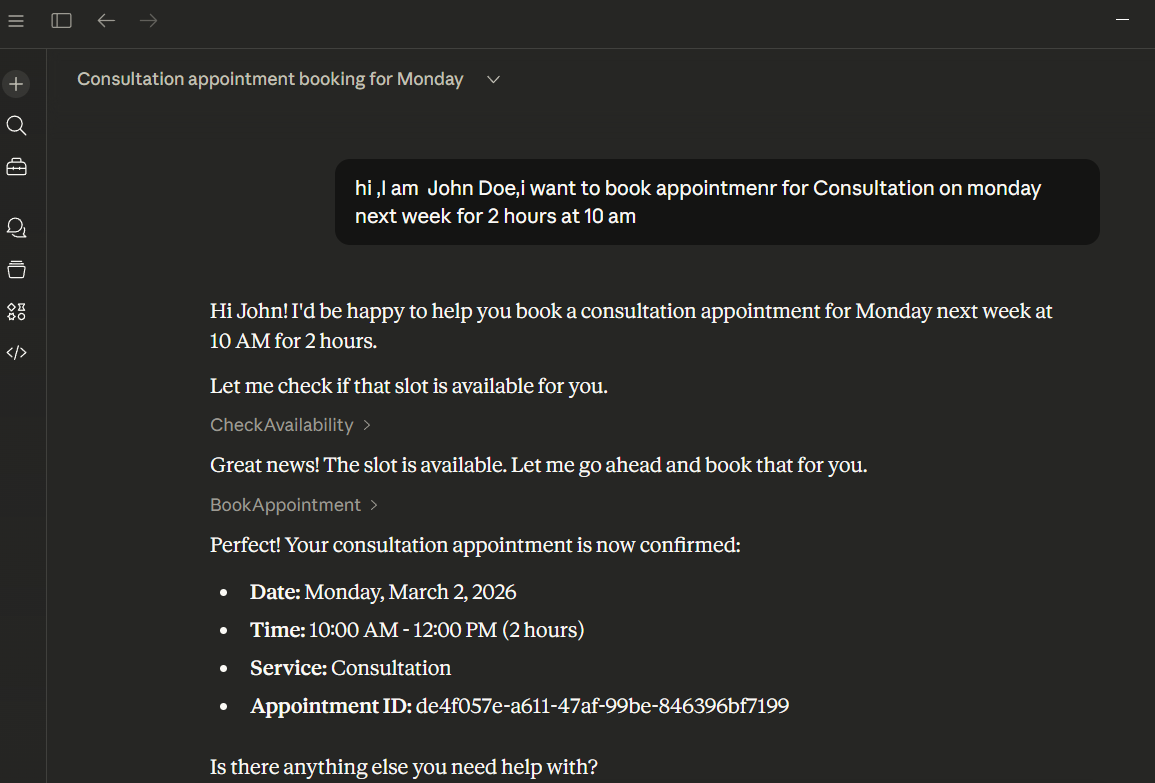
In the chat, type @ followed by the MCP server name and your instructions, e.g., "@MCP Appointment Booking Server Book a dental checkup for Michael Scott next Friday at 2 PM"
That's it! The server will respond to your query, and you can continue using it as needed.
Here is a step-by-step guide with screenshots.
Related MCP server: Meeting Room MCP Server
Result folder to define conversational behavior and available tools.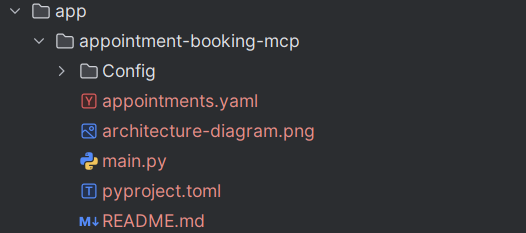
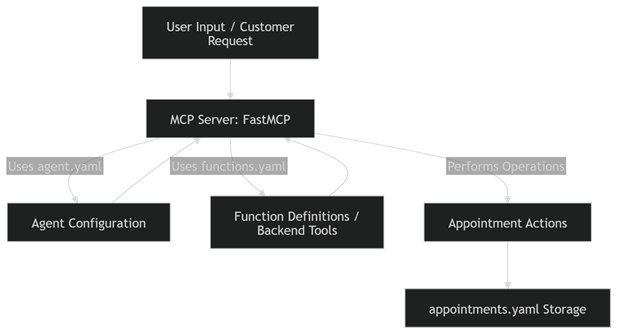
Check Availability: Verify if a time slot is free.
Book Appointment: Reserve a slot for a customer.
Cancel Appointment: Delete an appointment by ID.
Reschedule Appointment: Change date/time of an existing appointment.
List Appointments: Retrieve all appointments for a given user.
git clone <path>Ensure you have Python >=3.10 <=3.13 installed on your system to install CrewAI.
pip install -r requirements.txtReplace agent and function files as you need

uv run mcp install main.py Guided by agent.yaml
Defines persona, conversation flow, and instructions for the appointment assistant
Defined in functions.yaml
Provide backend logic for booking, canceling, rescheduling, and listing appointments
User requests an appointment
Agent asks for required details (customerName, service, date, time, durationMinutes)
Server executes the appropriate tool from functions.yaml
Results are stored in appointments.yaml for persistence
This server cannot be deployed
Hosted MCP server for Cliniko — patients, appointments, availability, and invoices for AI agents.
MCP server for your apps' tools and custom tools, plus hosted AI agents and approval-gated workflows
Hosted Google Calendar MCP server for AI agents. No self-hosting or Google Cloud setup.
MCP server for lacita - appointment management software