
keenetic-mcp
by ML-senior
README.md
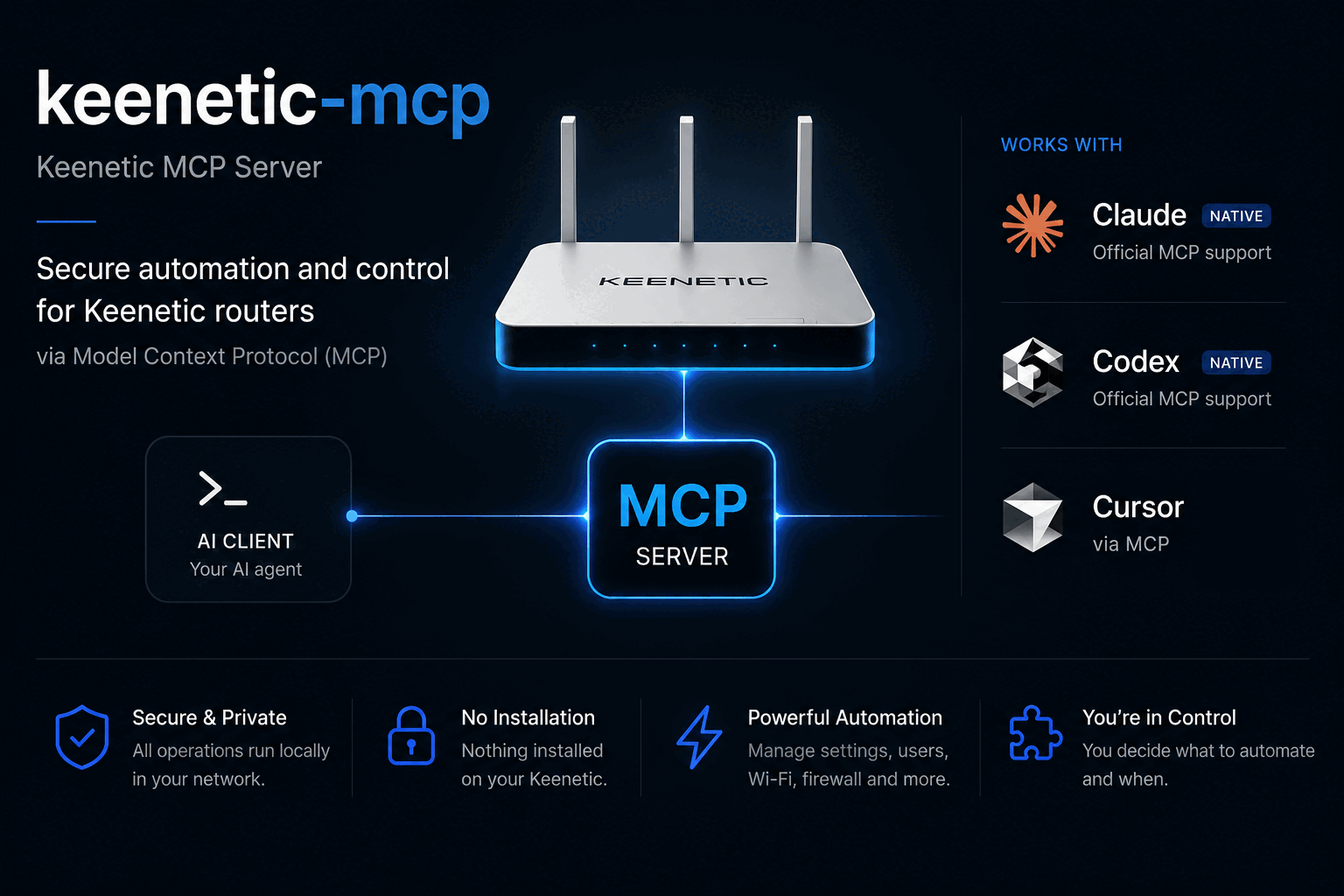
# keenetic-mcp
**Your Keenetic router, fully controllable by an AI agent — devices, Wi-Fi, port forwarding, KeenDNS, DNS, DHCP, firewall, mesh, storage, logs, and Entware over SSH.**
[](LICENSE)
[](https://modelcontextprotocol.io)
[](#supported-routers)
[](#requirements)
[](#full-tool-reference)
> **Fork of [salatmaster/keenetic-mcp](https://github.com/salatmaster/keenetic-mcp)** — extended from 18 to 44 tools: full network-service management (port forwarding, KeenDNS, DNS, static DHCP, firewall), mesh and storage monitoring, log and ping diagnostics, and **opt-in SSH access** for Entware packages and their configs. Same safety model, same zero-install philosophy.
---
## 🧭 What's inside
| 🚀 Start | ⚡ [Quick Start](#-quick-start) | 📦 [Install](#-install) | 🔧 [Configuration](#%EF%B8%8F-configuration) |
|---|---|---|---|
| 💡 **Learn** | 💥 [Why this server](#-why) | 🛡️ [Safety model](#%EF%B8%8F-the-safety-model) | 🔬 [How it works](#-how-it-works) |
| 🧰 **Features** | 📖 [Full tool reference](#-full-tool-reference) | 🐚 [SSH & Entware](#-ssh--entware-opt-in) | 🧩 [Skills included](#-skills-included) |
| 👀 **See it** | 💬 [In action](#-in-action) | 📡 [Supported routers](#-supported-routers) | 🗺️ [Roadmap](#%EF%B8%8F-roadmap) |
| 📦 **Project** | 🛠️ [Development](#-development) | 🙏 [Acknowledgments](#-acknowledgments) | 📄 [License](#-license) |
---
## 💥 Why
- **Nothing on the router.** It talks to the router's own HTTP API (RCI) over your
LAN. No USB drive, no Entware, no firmware modification — until you *opt in*
to SSH for Entware work.
- **Works on any Keenetic.** The tool set adapts to what your specific model and
firmware actually support.
- **Safe by construction.** Changes are never saved unless you ask, a backup is
taken before the first one, and every change is read back and verified before
it is reported as done.
- **Read-only if you want it.** One flag and the agent physically cannot change
anything — the write tools are never even registered.
- **Shell access is opt-in, never default.** `--ssh` unlocks Entware package
management and file editing with a blocklist for flash writes, `rm -rf` of
system paths and lockout commands.
- **LAN only.** No cloud, no telemetry, no outbound connection to anything but
your router.
---
## 💬 In action
```
> who is using the most bandwidth right now?
Three devices are active. Sorted by traffic:
work-laptop wifi:HomeNet -46 dBm 7.7 GB down
living-room-tv wired:Home 3.2 GB down
hallway-camera wifi:HomeNet -48 dBm 5.4 MB down
> forward port 8123 to the home server
Forwarded tcp/8123 on GigabitEthernet1 -> 02:00:00:00:00:10 (home-server).
Applied to the running configuration and verified, but NOT saved.
A reboot discards it. Backup taken before the change:
~/Library/Application Support/keenetic-mcp/backups/…txt
> install mc on the router and enable it in cron (with --ssh)
$ opkg install mc
Package mc (4.8.30-1) installed. 41 KB free on /opt.
Wrote /opt/etc/crontab (backup at /opt/etc/crontab.bak-2026-10-18T…),
md5 verified.
```
---
## ⚡ Quick Start
### Requirements
- **Node.js ≥ 20** on the machine that will run the server (your PC, a NAS, a
Raspberry Pi — anything on the same LAN as the router)
- A Keenetic router on **KeeneticOS 5.x** (4.x works too, the tool set adapts)
- Any MCP client: Claude Code, Codex, Cursor, Claude Desktop…
### 📦 Install
```bash
git clone https://github.com/ML-senior/keenetic-mcp.git
cd keenetic-mcp
npm install
npm run build
```
Then run the setup wizard — it finds your router from the default gateway,
confirms it really is a Keenetic, checks the password, and stores the password
in your **operating system keychain** (only the address and login go in a
settings file):
```bash
node dist/index.js init
```
### Connect your MCP client
**Claude Code**
```bash
claude mcp add keenetic -- node /path/to/keenetic-mcp/dist/index.js
```
**Cursor / Claude Desktop / anything else** — add to the MCP config:
```json
{
"mcpServers": {
"keenetic": {
"command": "node",
"args": ["/path/to/keenetic-mcp/dist/index.js"]
}
}
}
```
**With SSH/Entware access** (see [SSH & Entware](#-ssh--entware-opt-in)):
```json
{
"mcpServers": {
"keenetic": {
"command": "node",
"args": ["/path/to/keenetic-mcp/dist/index.js", "--ssh"]
}
}
}
```
### Verify it's working
Ask your agent:
```
> what router do I have, and is the internet up?
```
You should see your model, firmware and the reachability checks. 🎉
---
## ⚙️ Configuration
Configuration resolves in this order: **environment variable → CLI flag →
stored config** (written by `init`).
| Variable | Flag | Default | Purpose |
|---|---|---|---|
| `KEENETIC_HOST` | `--host` | *(wizard finds it)* | Router address |
| `KEENETIC_USER` | — | `admin` | Router login |
| `KEENETIC_PASSWORD` | — | *(keychain)* | Router password |
| — | `--read-only` | off | Never register the write tools |
| `KEENETIC_TOOLS` | `--tools` | `all` | Which tools to advertise: `core`, `read`, `shell`, tool names or globs, comma-separated (see below) |
| `KEENETIC_HOST` with a port | — | — | Web UI moved off 80? Put the port in the host: `192.168.1.1:8080`. SSH uses its own port either way |
| — | `--max-response-bytes` | `25000` | Cap on any tool response |
| `KEENETIC_SSH` | `--ssh` | **off** (on if set up in `init`) | Enable the SSH/Entware tools; `0` turns a stored setup off |
| `KEENETIC_SSH_PORT` | `--ssh-port` | `222` | Entware dropbear port. `22` is the KeeneticOS CLI, which is not a shell |
| `KEENETIC_SSH_USER` | — | `root` | SSH user |
| `KEENETIC_SSH_PASSWORD` | — | *(keychain)* | SSH password. The router password is reused only when the SSH user *is* the router login |
| `KEENETIC_SSH_KEY` | `--ssh-key` | — | Private key file instead of a password (`~/` is expanded) |
| `KEENETIC_SSH_KEY_PASSPHRASE` | — | *(keychain)* | Passphrase for that key |
| `KEENETIC_STATE_DIR` | — | per-OS state dir | Where backups live |
Environment variables are what you want in a container. The wizard reads
passwords from the terminal; nothing ever lands in a log or a tool response.
---
## 🪶 Fewer tools, fewer tokens
Every request an agent makes carries the description of every tool it can
see. All 44 cost about **8k tokens per request**; most agents need a fraction:
| `--tools` | Tools | ≈ tokens | For |
|---|---|---|---|
| `all` (default) | 44 | 7 900 | interactive work with everything at hand |
| `core` | 15 | 2 700 | devices, Wi-Fi, port forwarding, KeenDNS, save, log |
| `read` | 24 | 3 500 | monitoring and diagnostics; nothing can change |
| `shell` | 9 | 1 600 | Entware work over SSH (needs SSH enabled) |
Mix them: `--tools core,ssh_check,list_*`. `--read-only` still wins, so
`--tools core --read-only` gives the core read tools only. A bot that only
reports status is best served by `--tools read`.
```json
{ "command": "node", "args": ["/path/to/keenetic-mcp/dist/index.js", "--tools", "core"],
"env": { "KEENETIC_HOST": "192.168.1.1:8080", "KEENETIC_PASSWORD": "…" } }
```
---
## 📖 Full tool reference
**44 tools.** Read tools are always available; write tools hide in
`--read-only` mode; SSH tools hide unless shell access is enabled (`--ssh` or
the SSH step of `init`) — except `ssh_check`, which only probes ports.
### 👀 Read
| Tool | What it returns |
|---|---|
| `list_devices` | every device, filtered by active/wired/wireless/blocked, sorted by traffic, name, signal or last seen |
| `get_device` | one device in full: lease, Wi-Fi rate, policy, schedule, traffic |
| `list_interfaces` | WAN links, bridges, access points, VPN tunnels |
| `get_interface` | one interface in full, including WireGuard peers |
| `get_wifi_status` | radios by band, with client counts |
| `get_internet_status` | reachability, and which check failed |
| `list_routes` | routing table, or just the default route |
| `list_policies` | connection policies for selective routing |
| `get_system_info` | model, firmware, CPU, memory, installed components |
| `get_config_state` | unsaved changes, who changed what and when |
| `list_segments` | every bridge, and whether the web interface lists it as a segment |
| `backup_config` | download the configuration to a local file |
| `get_port_forwarding` | static NAT / port forwarding rules |
| `get_keendns_mappings` | KeenDNS web-app mappings and their upstreams |
| `get_dns_records` | static DNS records the router itself serves |
| `get_dhcp_static` | fixed MAC-to-IP reservations |
| `get_firewall_rules` | access-lists and firewall settings, parsed from the running config |
| `get_log` | system log, with line count and text filter |
| `get_mesh_nodes` | Mesh controller and extenders, with per-node client counts |
| `get_media` | USB/flash partitions, free space, what uses them |
| `get_opkg_status` | Entware binding: which drive, which init script |
| `get_ping_check` | router-side reachability probes for its internet links; says so when no profile is actually probing |
| `ssh_check` | which SSH servers answer on the router (no login): configured port, 22, 222 and the KeeneticOS one, with advice |
| `run_ping` | pings a host from the machine running this server |
### ✏️ Change
| Tool | What it does |
|---|---|
| `update_device` | rename, block or allow, assign a routing policy, schedule or priority |
| `set_interface_state` | bring an interface up or down |
| `delete_interface` | remove a VPN tunnel (WireGuard, OpenVPN, …); refuses physical, bridge and default-route interfaces; lists the policies that lost it |
| `create_segment` | a guest or IoT network the web interface actually lists, with Wi-Fi, DHCP and optional VPN routing |
| `delete_segment` | remove a segment and everything created with it |
| `set_port_forwarding` / `remove_port_forwarding` | forward an external TCP/UDP port to a device, addressed by MAC (an IP of a known device is resolved; an unknown IP is refused) |
| `set_keendns_mapping` / `remove_keendns_mapping` | publish or withdraw a KeenDNS web-app mapping, with HTTPS redirect and public/private access |
| `set_dns_host` / `remove_dns_host` | static DNS records served by the router; refuses to round-robin an existing name |
| `set_dhcp_host` / `remove_dhcp_host` | fixed MAC-to-IP reservations; refuses an IP already reserved for another MAC |
| `reboot_router` | reboot, only with `confirm=true`; reports whether unsaved changes were lost |
| `save_config` | make pending changes survive a reboot |
### 🐚 Shell (opt-in, `--ssh`)
| Tool | What it does |
|---|---|
| `ssh_exec` | run a shell command, get stdout, stderr and the exit code |
| `ssh_read_file` | read a file, e.g. an Entware config under `/opt/etc` |
| `ssh_write_file` | write under `/opt/` or `/tmp/` only; backs up the old file and verifies the md5 afterwards |
| `opkg_manage` | `update` / `install` / `remove` / `list` / `list-installed` / `info` for Entware packages |
### 🪤 Escape hatch
| Tool | What it does |
|---|---|
| `rci_call` | any router API path at all, for whatever the tools above do not cover |
---
## 🛡️ The safety model
- **Nothing is saved unless you ask.** Changes apply to the running
configuration and are discarded on reboot until `save_config` is called. The
server never calls it on its own.
- **A backup is taken automatically** before the first change of a session.
The path is in every write response.
- **Every change is verified.** The router accepts some wrong commands silently
and changes nothing, so each write is read back and compared before it is
reported as successful.
- **Read-only mode really is read-only.** With `--read-only`, the write tools
are not registered at all rather than registered and refusing, so the agent
never sees them.
- **SSH is a deliberate second key.** It is off by default, never appears in
read-only mode, refuses flash writes / `rm -rf` of system paths /
`reboot` / `passwd` outright, and `ssh_write_file` is confined to `/opt/` and
`/tmp/` with a `.bak` copy and an md5 round-trip on every write.
- **Your password goes in the system keychain**, not in a config file, and
never in a log or a tool response.
- **LAN only.** No cloud, no telemetry, no outbound connection to anything but
your router.
---
## 🐚 SSH & Entware (opt-in)
The RCI API covers the router's own configuration. For everything that lives
*inside* the router's Linux — Entware packages, their configs, service logs —
enable shell access:
```bash
node dist/index.js --ssh
# or: KEENETIC_SSH=1 node dist/index.js
```
Keenetic has **two** SSH servers, and only one of them is a shell:
| Server | Default port | User | What you get |
|---|---|---|---|
| Entware **dropbear** | **222** | `root` (password `keenetic` until changed) | a Linux shell: `opkg`, `/opt`, services — what the SSH tools need |
| KeeneticOS SSH component | 22 (often moved, e.g. 2022) | the router account | the router **CLI** (`show version`, …) — not a shell |
So the defaults are **222 / root**, and the router password is never handed to
`root`. The easiest setup is the wizard — after the router login it asks
whether to enable shell access, then for port, user, and **password or key
file**, logs in to check it really reached Entware, and stores the secret in
the system keychain (config.json only gets port, user and key path):
```bash
node dist/index.js init
```
Or by environment:
```bash
KEENETIC_SSH=1 KEENETIC_SSH_PASSWORD=… node dist/index.js # 222, root
KEENETIC_SSH=1 KEENETIC_SSH_KEY=~/.ssh/keenetic node dist/index.js # key auth
KEENETIC_SSH=1 KEENETIC_SSH_PORT=2222 KEENETIC_SSH_PASSWORD=… node dist/index.js
```
Not sure which port? Ask the agent to run **`ssh_check`**: it probes the
configured port, 22, 222 and the port the KeeneticOS server is set to (read from
`ip ssh`), shows each banner, and says what to set. If nothing answers on 222,
dropbear is not running: `opkg install dropbear` and
`/opt/etc/init.d/S51dropbear start`.
Typical flow an agent can now drive end-to-end:
```
1. get_media / get_opkg_status → is the Entware drive healthy?
2. opkg_manage { action: "update" } → refresh package lists
3. opkg_manage { action: "install", package: "adguardhome" }
4. ssh_read_file / ssh_write_file → edit /opt/etc/… (auto .bak + md5 check)
5. ssh_exec "/opt/etc/init.d/S99x restart" → apply
6. ssh_exec "logread" / get_log → verify from the logs
```
---
## 🧩 Skills included
The plugin ships four skills, so the agent knows how your router behaves rather
than guessing. One plugin directory serves both Claude Code and Codex: they read
different manifests but share the same skills and the same server definition.
- **keenetic-rci** teaches the router's API tree: which paths exist, which ones
return 100 KB, and how to recover the exact syntax of a command from the
router's own configuration.
- **keenetic-safe-changes** teaches the change workflow: what the router's
fail-safe does and does not protect against, which interfaces will cut off
your own access, and why the SSH tools are a different risk class.
- **keenetic-segments** covers building an isolated network the router will
admit exists. The obvious way produces a guest network that carries traffic
perfectly and never appears in the web interface, because a segment is
VLAN-backed and the VLAN is the part everyone leaves out.
- **keenetic-troubleshoot** is an ordered diagnostic playbook for "the internet
is down", "Wi-Fi is bad" and "one device cannot connect".
---
## 📡 Supported routers
RCI, the API this uses, is a standard part of KeeneticOS rather than a feature
of expensive models, so this works across the range. Verified against a
**Keenetic Ultra (KN-1811) on KeeneticOS 5.1.3**.
Models on the current 5.1 branch: Giga (KN-1010), Hero (KN-1011, KN-1012),
Start and Starter (KN-1111, KN-1112, KN-1121), Air and Explorer (KN-1613,
KN-1621), Extra and Carrier (KN-1713, KN-1714, KN-1721), Ultra and Titan
(KN-1810, KN-1811, KN-1812). Older hardware on 4.x and earlier has RCI too; the
tool set adapts to the components each router actually has.
The SSH tools work with any Keenetic running Entware with dropbear;
`opkg_manage` additionally needs Entware installed on a USB drive.
---
## 🔬 How it works
Keenetic routers expose RCI, a JSON mirror of their command-line tree, over
HTTP. This server speaks both of the router's authentication schemes: the
classic challenge-response (NDW2) and the three-phase NDW4 handshake introduced
in KeeneticOS 5.x — Argon2id key derivation with SCRAM-style mutual proofs,
where client and server each prove they know the password before a session is
opened. The scheme is picked from the router's `WWW-Authenticate` header,
exactly the way the web panel picks it, so the same build works against 4.x
and 5.x firmware. One session is kept alive across the agent's questions, and
the answers are shaped so they fit in a model's context: the raw interface
listing alone is 32 KB, and the NAT table is over 100 KB.
Shell access runs over a fresh SSH connection per command — a stateless connect
sidesteps every flavour of stale-session bug a long-lived dropbear connection
collects, at the cost of a handshake per command that nobody notices at agent
speeds.
There is no coherent public documentation for RCI, so
[docs/rci-api.md](docs/rci-api.md) is the notes taken while building this: the
authentication handshake, the paths that exist, the traps, and how to recover a
command's syntax from the router itself.
---
## 🗺️ Roadmap
- [x] Port forwarding, KeenDNS mappings, static DNS, static DHCP, firewall read
- [x] Mesh nodes, storage, OPKG status, system log, ping, safe reboot
- [x] Opt-in SSH: exec, file read/write with backup + md5 verify, opkg
- [ ] `show/netfilter` parsed view (live firewall counters)
- [ ] Wi-Fi site survey and channel analysis
- [ ] Traffic statistics over time (interface counters sampling)
- [ ] npm publication under a scoped name
- [ ] WireGuard peer management (`interface WireguardN` write tools)
Want one of these? Open an issue.
---
## 🛠️ Development
```bash
npm install
npm test # no router required
npm run typecheck
npm run build
```
A checkout reports its version as `0.0.0-dev`, because there is no version
written down anywhere in the sources. Put `KEENETIC_MCP_VERSION` in a `.env` at
the repository root to say otherwise; the same file can hold `KEENETIC_HOST`
and `KEENETIC_PASSWORD` so you do not have to export them. A real environment
variable always wins over that file, and an installed copy never reads one.
Tests run against sanitized fixtures captured from a real router. To refresh
them, and to run a read-only smoke test against your own:
```bash
KEENETIC_HOST=… KEENETIC_PASSWORD=… npm run capture:fixtures
KEENETIC_TEST_HOST=… KEENETIC_TEST_PASSWORD=… npm run smoke
```
Fixtures are anonymized deterministically and a test scans the whole repository
for anything that looks like a real MAC address, private IP or key.
### Contributing
1. Fork the repository
2. Create your feature branch (`git checkout -b feature/amazing-tool`)
3. Commit your changes (`git commit -m 'Add amazing tool'`)
4. Push to the branch (`git push origin feature/amazing-tool`)
5. Open a Pull Request
See [CONTRIBUTING.md](CONTRIBUTING.md) for details.
---
## 🙏 Acknowledgments
| Project | How it fed this one |
|---|---|
| **[salatmaster/keenetic-mcp](https://github.com/salatmaster/keenetic-mcp)** | The original project this fork is built on: the RCI client, the safety model, the skills, the test suite |
| **[st412m/keenetic-mcp](https://github.com/st412m/keenetic-mcp)** | The on-router Entware implementation whose documented RCI write shapes (port forwarding, KeenDNS, DNS, DHCP) were ported into the TypeScript tools here |
| **[foxel/python_ndms2_client](https://github.com/foxel/python_ndms2_client)** | Prior art for the RCI authentication handshake |
---
## 📄 License
MIT — see [LICENSE](LICENSE).
This server cannot be deployed
Maintenance
ActivityMaintained
ResponsivenessNo issues