
imugi
by M00N7682
README.md
<div align="center">
<img src="https://raw.githubusercontent.com/M00N7682/imugi/main/assets/hero.png" alt="imugi" width="200" />
# imugi
[](https://www.npmjs.com/package/imugi-ai)
[](https://github.com/M00N7682/imugi/stargazers)
[](https://opensource.org/licenses/MIT)
[](https://nodejs.org)
[](https://github.com/M00N7682/imugi)
**Give AI eyes to see your frontend.**
*Figma design → pixel-perfect code, with zero manual CSS tweaking.*
*imugi is an MCP tool that captures your running UI, compares it against the original design using image similarity, and keeps pushing AI to fix the code until it's a perfect match.*
[Get Started](#quick-start) · [Docs](https://imugi.ddstudio.co.kr) · [MCP Tools](#mcp-tools) · [Examples](#examples) · [Contributing](CONTRIBUTING.md)
<br />
<img src="https://raw.githubusercontent.com/M00N7682/imugi/main/assets/demo-remotion.gif" alt="imugi — Design to Code demo" width="820" />
</div>
---
## The Problem
You give AI a Figma design and ask it to build the frontend. The result looks... *close*. But then you spend the next 2 hours manually tweaking padding, font sizes, colors, and alignment — because AI has no way to verify what it actually produced.
**imugi fixes this.** It gives AI the ability to screenshot its own output, compare it pixel-by-pixel against the design, see exactly where the differences are, and fix them — automatically, in a loop, until the implementation matches the design.
No more eyeballing. No more manual CSS tweaking. The AI does it all.
---
## How it works
```
Design Image → Code Generation → Screenshot → Compare → Analyze → Patch
↓
Score ≥ 95%? → Done!
↓ No
Repeat
```
imugi uses **SSIM** (Structural Similarity) + **pixelmatch** + **Claude Vision** to compare design images against live rendered output, then automatically patches the code to close the gap. This is the **Boulder Loop** — it keeps rolling until your code matches the design.
---
## Why imugi?
| | Without imugi | With imugi |
|---|---|---|
| **Design fidelity** | "Looks close enough" — eyeball and pray | Pixel-level verification with composite score (SSIM + pixel diff + AI vision) |
| **CSS tweaking** | 2+ hours of manual padding/color/font fixes | AI fixes its own mistakes automatically |
| **Feedback loop** | You are the feedback loop | imugi is the feedback loop — screenshots, compares, patches, repeats |
| **Framework support** | Configure each project manually | Auto-detects React, Vue, Svelte, Next.js, Tailwind, CSS Modules, and more |
| **AI integration** | Copy-paste screenshots between tools | Drop-in MCP server for Claude Code / Cursor — zero setup |
| **Cost** | Extra API keys, extra subscriptions | **No API key needed in MCP mode** — uses your existing AI editor |
---
## Quick Start
### Step 1: Install & Setup
```bash
npm install -g imugi-ai
# One-click setup: installs Playwright browser, detects project, creates config
imugi init
```
### Step 2: Add to your AI tool
Add imugi as an MCP server in your Claude Code or Cursor config (no API key required):
```json
{
"mcpServers": {
"imugi": {
"command": "npx",
"args": ["-y", "imugi-ai", "mcp"]
}
}
}
```
### Step 3: Build something
Ask your AI to implement a design — imugi handles the visual verification loop.
```
Implement this login page design. Here's the reference: ./login-design.png
```
That's it. imugi captures, compares, and patches until the output matches your design.
---
## Examples
### Design → Code (zero manual CSS)
A terminal-inspired hero section — designed in Figma/Pencil, implemented entirely by AI + imugi. No manual CSS tweaking involved.
<div align="center">
<img src="https://raw.githubusercontent.com/M00N7682/imugi/main/assets/example-comparison.png" alt="imugi — design vs implementation comparison" width="820" />
</div>
> Left: original design. Right: AI-generated code verified by imugi. The AI iterated autonomously until it achieved a pixel-perfect match — nav bar, hero CTA, flow diagram, MCP tools grid, footer, all matching the design down to the pixel.
See the full example at [`examples/hero-section/`](examples/hero-section/).
### More Examples
| Example | Description |
|---------|-------------|
| [`hero-section/`](examples/hero-section/) | Terminal-inspired landing hero with flow diagram |
| [`login-page/`](examples/login-page/) | Split-panel login with social auth buttons |
| [`pricing-page/`](examples/pricing-page/) | 3-tier pricing cards (Starter / Pro / Enterprise) |
| [`dashboard/`](examples/dashboard/) | Analytics dashboard with sidebar, stats, and chart |
---
## Features
- **Visual Comparison Engine** — SSIM + pixel diff scoring with red heatmap showing exact diff locations
- **Region Crop Pairs** — Side-by-side crop images of each diff region (design vs your code) so AI can visually compare specific areas
- **DOM Style Extraction** — Extracts computed CSS from your running page (font-size, color, padding, etc.) and maps them to diff regions — AI knows exactly what CSS values to change
- **Figma Spec Diff** — When `FIGMA_TOKEN` is set, fetches exact design specs from Figma API and diffs them against your DOM: `fontSize: design=42px → your code=48px`. No guessing from pixels
- **Boulder Loop** — Automated iterative improvement: capture → compare → patch → repeat until 95%+ match
- **MCP Server** — Drop-in for Claude Code / Cursor / any MCP-compatible AI tool. No API key needed
- **Figma Integration** — Export Figma frames directly via URL (`imugi figma <URL>`), no manual export
- **Project Auto-Detection** — Detects React/Vue/Svelte/Next.js, Tailwind/CSS Modules/styled-components, TypeScript/JavaScript
- **Smart Patching** — Full rewrite for low scores (< 0.7), surgical CSS fixes for high scores (>= 0.7)
- **Interactive Agent** — Terminal UI with real-time iteration progress (powered by Ink)
- **CI/CD Ready** — GitHub Action for visual regression testing in your pipeline
---
## Usage Modes
### As MCP Server (Recommended)
```bash
imugi mcp
```
Works with Claude Code, Cursor, and any MCP-compatible tool. The AI calls imugi tools to verify and fix its own frontend output.
> **No API key needed for MCP mode.** imugi provides the eyes (capture, compare, heatmap). Your AI editor provides the brain (code generation, patching). You provide nothing extra — zero additional cost.
### As Interactive Agent
```bash
export ANTHROPIC_API_KEY=sk-ant-...
imugi
```
Then describe what you want:
```
> implement this design ./login-design.png
```
### One-shot Generation
```bash
imugi generate ./design.png --output src/app/page.tsx
```
### Compare Only
```bash
# Compare against a local screenshot file
imugi compare ./design.png --screenshot ./current.png
# Compare against a running dev server URL
imugi compare ./design.png --screenshot http://localhost:3000
```
### Figma Export
```bash
# Export a Figma frame as PNG
imugi figma "https://www.figma.com/design/FILE_KEY/name?node-id=42-1234"
# Export at 3x scale with custom output path
imugi figma "https://www.figma.com/design/FILE_KEY/name?node-id=42-1234" -s 3 -o design.png
# Export and immediately compare against dev server
imugi figma "https://www.figma.com/design/FILE_KEY/name?node-id=42-1234" --compare
```
Requires a Figma personal access token via `FIGMA_TOKEN` environment variable or `figma.token` in config.
---
## MCP Tools
| Tool | Description |
|------|-------------|
| `imugi_iterate` | **The main loop tool.** Captures screenshot → compares against design → analyzes diffs → returns score + heatmap + region crop pairs + DOM computed styles + Figma spec diff (if `FIGMA_TOKEN` set). Returns `ACTION_REQUIRED` or `DONE`. Call repeatedly after each code fix. |
| `imugi_capture` | Screenshot a URL via headless Chromium |
| `imugi_compare` | Compare design vs screenshot — returns SSIM score, pixel diff, heatmap, and region crop pairs |
| `imugi_analyze` | Analyze visual differences with actionable fix suggestions |
| `imugi_figma_export` | Export a Figma frame as PNG via URL or file key + node ID |
| `imugi_detect` | Detect project tech stack (framework, CSS, language) |
| `imugi_serve` | Start a dev server for the target project |
---
## Comparison Algorithm
The composite score combines multiple signals:
| Signal | What it measures |
|--------|-----------------|
| **SSIM** | Structural similarity — luminance, contrast, structure |
| **Pixel diff** | Raw pixel-level comparison via pixelmatch |
| **Claude Vision** | AI-powered visual assessment (CLI agent mode, activated for scores < 0.98) |
Beyond the score, `imugi_iterate` returns three layers of actionable feedback:
| Layer | What it provides | Requires |
|-------|-----------------|----------|
| **Heatmap + crop pairs** | Red overlay showing diff locations + zoomed-in design vs code crops for each region | Nothing (free) |
| **DOM computed styles** | Actual CSS values (font-size, color, padding...) of elements in each diff region | Nothing (free) |
| **Figma spec diff** | Exact design-vs-code CSS comparison: `fontSize: design=42px → code=48px` | `FIGMA_TOKEN` |
Strategy selection based on score:
| Score | Strategy | Description |
|-------|----------|-------------|
| < 0.7 | **Full regeneration** | Rewrite the code from scratch |
| >= 0.7 | **Surgical patch** | Targeted fixes only |
---
## Configuration
Create `imugi.config.json` in your project root:
```json
{
"comparison": {
"threshold": 0.95,
"maxIterations": 10
},
"rendering": {
"port": 3000,
"viewport": { "width": 1440, "height": 900 }
}
}
```
### Environment Variables
| Variable | Description |
|----------|-------------|
| `ANTHROPIC_API_KEY` | Anthropic API key |
| `IMUGI_API_KEY` | Alternative API key |
| `IMUGI_THRESHOLD` | Similarity threshold (0.8–0.99) |
| `IMUGI_MAX_ITERATIONS` | Max iterations (1–50) |
| `IMUGI_PORT` | Dev server port |
| `FIGMA_TOKEN` | Figma personal access token — enables Figma export, and **exact CSS spec diff** in `imugi_iterate` (design values vs your code) |
---
## Architecture
```
src/
├── cli.ts # CLI entry point (Commander.js)
├── mcp/server.ts # MCP server (stdio transport)
├── agent/
│ ├── auth.ts # OAuth PKCE + API key auth
│ ├── loop.ts # Boulder Loop — iterative improvement
│ ├── session.ts # State management
│ └── ui.tsx # Terminal UI (Ink/React)
├── core/
│ ├── comparator.ts # SSIM + pixelmatch + heatmap
│ ├── analyzer.ts # Diff classification + strategy
│ ├── renderer.ts # Playwright screenshot engine
│ ├── patcher.ts # Code generation + patching
│ ├── context.ts # Project tech stack detection
│ └── figma.ts # Figma URL parsing + API export + design spec extraction
├── llm/
│ ├── client.ts # Anthropic SDK wrapper
│ └── prompts.ts # Prompt engineering
├── config/
│ ├── schema.ts # Zod validation
│ ├── loader.ts # Config loading (file + env + CLI)
│ └── defaults.ts # Default configuration
└── types.ts # Shared type definitions
```
---
## Alternatives & Comparison
How does imugi compare to other design-to-code tools?
| Feature | imugi | Anima | Locofy | Screenshot-to-Code | Vercel v0 |
|---------|-------|-------|--------|---------------------|-----------|
| **Visual verification** | SSIM + pixel diff + heatmap + crop pairs + DOM styles | None | None | None | None |
| **Design spec diff** | Figma API → exact CSS comparison (design=42px vs code=48px) | None | None | None | None |
| **Automated iteration** | Boulder Loop (capture → compare → patch → repeat) | Single pass | Single pass | Single pass | Single pass |
| **MCP server** | Native MCP for Claude Code / Cursor | No | No | No | No |
| **Open source** | MIT | No | No | Yes | No |
| **Additional API key** | Not needed in MCP mode | Required | Required | Required | Required |
| **Figma integration** | Direct URL export | Plugin | Plugin | No | No |
| **Framework detection** | Auto (React, Vue, Svelte, Next.js) | Manual | Manual | Limited | Auto |
| **Pricing** | Free | Paid | Paid | Free (self-host) | Freemium |
imugi is the only tool that measures design-to-code fidelity with an objective score and automatically iterates until the code matches the design. Other tools generate code in a single pass with no verification step.
---
## Star History
If imugi helped you skip the manual CSS grind, consider giving it a star.
[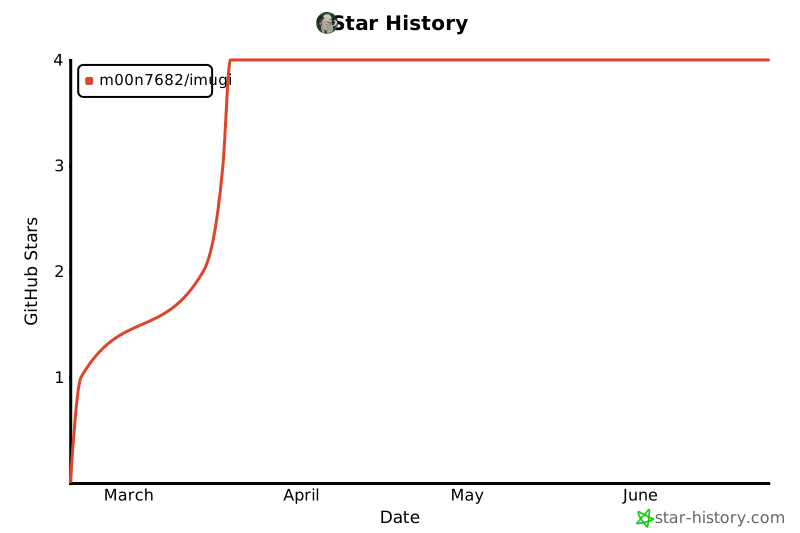](https://star-history.com/#M00N7682/imugi&Date)
---
## Development
```bash
git clone https://github.com/M00N7682/imugi.git
cd imugi
npm install
npm run build
npm test
```
See [CONTRIBUTING.md](CONTRIBUTING.md) for guidelines.
---
## License
[MIT](LICENSE)
This server cannot be deployed
Maintenance
ActivityInactive
ResponsivenessNo issues