
mcp-server-master
README.md
## Installation Guide
<!-- Minor update: Documentation improved on June 6, 2025 -->
### Adding MCP to your python project
#### Installation with uv (recommended)
We recommend using [uv](https://docs.astral.sh/uv/) to manage your Python projects.
#### Installing from pyproject.toml RECOMENDED
If you prefer to manage your dependencies using `pyproject.toml`, you can add all libraries to your project:
```bash
uv sync
```
#### Installing manually
If you haven't created a uv-managed project yet, create one:
```bash
uv init mcp-server-demo
cd mcp-server-demo
```
Then add MCP to your project dependencies:
```bash
uv add "mcp[cli]"
```
Alternatively, for projects using pip for dependencies:
```bash
pip install "mcp[cli]"
```
### Testing the installation
1. Make sure you activate your virtual environment if you're using one.
2. Run de `client.py` file provided
```bash
python client.py
```
### Running the standalone MCP development tools
To run the mcp command with uv:
```bash
uv run mcp
```
# MCP Inspector
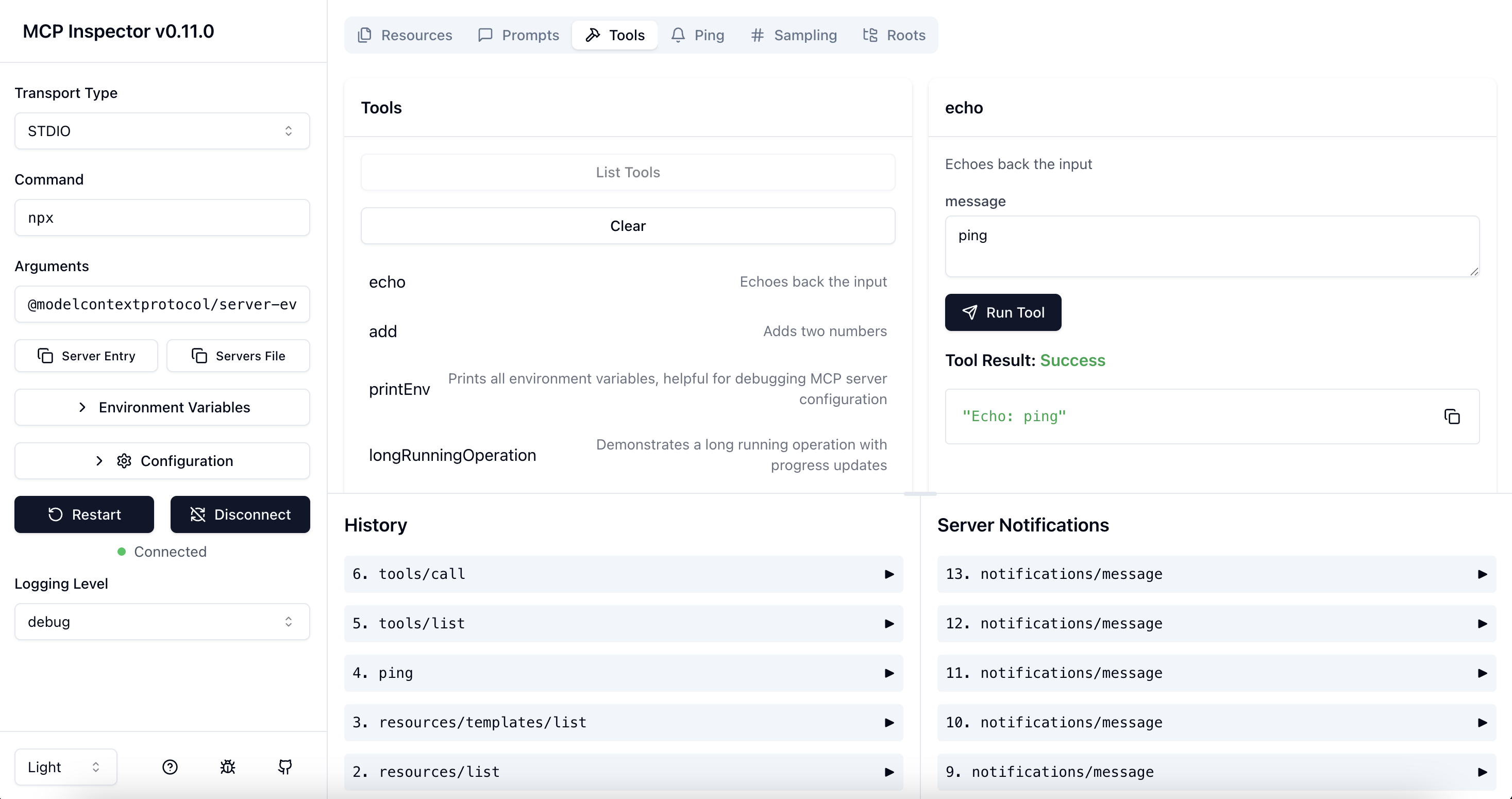
The MCP inspector is a developer tool for testing and debugging MCP servers.
## Architecture Overview
The MCP Inspector consists of two main components that work together:
- **MCP Inspector Client (MCPI)**: A React-based web UI that provides an interactive interface for testing and debugging MCP servers
- **MCP Proxy (MCPP)**: A Node.js server that acts as a protocol bridge, connecting the web UI to MCP servers via various transport methods (stdio, SSE, streamable-http)
Note that the proxy is not a network proxy for intercepting traffic. Instead, it functions as both an MCP client (connecting to your MCP server) and an HTTP server (serving the web UI), enabling browser-based interaction with MCP servers that use different transport protocols.
## Running the Inspector
### Requirements
- Node.js: ^22.7.5
### Quick Start (UI mode)
To get up and running right away with the UI, just execute the following:
```bash
npx @modelcontextprotocol/inspector
```
The server will start up and the UI will be accessible at `http://localhost:6274`.
### From an MCP server repository
To inspect an MCP server implementation, there's no need to clone this repo. Instead, use `npx`. For example, if your server is built at `build/index.js`:
```bash
npx @modelcontextprotocol/inspector node build/index.js
```
For python server with `uv`:
```bash
npx @modelcontextprotocol/inspector uv run main.py
```This server cannot be deployed
Maintenance
ActivityInactive
ResponsivenessNo issues