
Algolia Node.js MCP
by Juls95
README.md
# Algolia Node.js MCP – n8n Integration Guide
[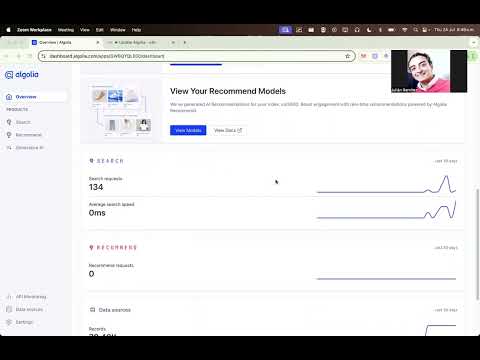](https://youtu.be/pV6RO6BN4P4)
Watch the video above for a walkthrough of the n8n workflow integration process.
---
## 🚀 Quick Start: n8n Workflow Integration
This guide explains how to connect Algolia Node.js MCP to your custom [n8n](https://n8n.io/) workflows, enabling you to trigger automations from Claude Desktop or any MCP-compatible client.
### 1. Clone and Install MCP
```sh
git clone https://github.com/Juls95/algoliaMCP.git
cd algoliaMCP
npm install
```
### 2. Configure and Start MCP
- **Authenticate** with Algolia:
```sh
node src/app.ts authenticate
```
- **Start the MCP server:**
```sh
node src/app.ts start-server
```
### 3. Configure Claude Desktop (or MCP Client)
Add this to your Claude Desktop configuration:
```json
{
"mcpServers": {
"algolia-mcp": {
"command": "<PATH_TO_BIN>/node",
"args": [
"--experimental-strip-types",
"--no-warnings=ExperimentalWarning",
"<PATH_TO_PROJECT>/src/app.ts"
]
}
}
}
```
Restart Claude Desktop after saving changes.
---
## 🆕 How the n8n Workflow Tool Works
- The tool `triggerN8nWorkflow` is included by default and registered automatically.
- It accepts a single argument: `payload`, which is any JSON object you want to send to your n8n webhook.
- The payload is sent as the POST body to the webhook URL:
`https://julsrmx.app.n8n.cloud/webhook-test/e5abd0c0-7efb-4fde-90a8-d4e6150f5ba5`
- The response from n8n is returned as plain text.
### Example Usage
**Prompt:**
```
Trigger my n8n workflow with this payload: {"message": "Hello from Claude!", "userId": 1234}
```
**Or, using MCP Inspector:**
```json
{
"payload": {
"message": "Hello from MCP!",
"userId": 1234
}
}
```
---
## 🛠 Troubleshooting
- **"App not responding" error:** Remove the quarantine attribute on macOS:
```sh
xattr -r -d com.apple.quarantine <path_to_executable>
```
- **Authentication failures:** Try logging out and authenticating again:
```sh
node src/app.ts logout
node src/app.ts authenticate
```
- **Claude can't access tools:** Verify your MCP configuration in Claude Desktop settings.
---
## 📦 More Information
- Full source and updates: [https://github.com/Juls95/algoliaMCP](https://github.com/Juls95/algoliaMCP)
- For advanced MCP usage, see the [official documentation](https://modelcontextprotocol.io/quickstart/user).
- Official Algolia MCP Repo: [https://github.com/algolia/mcp-node](https://github.com/algolia/mcp-node)
## License
MIT License. See [LICENSE](https://github.com/Juls95/algoliaMCP/blob/main/LICENSE).
This server cannot be deployed
Maintenance
ActivityInactive
ResponsivenessNo recent community issues