Click on "Install Server".
Wait a few minutes for the server to deploy. Once ready, it will show a "Started" state.
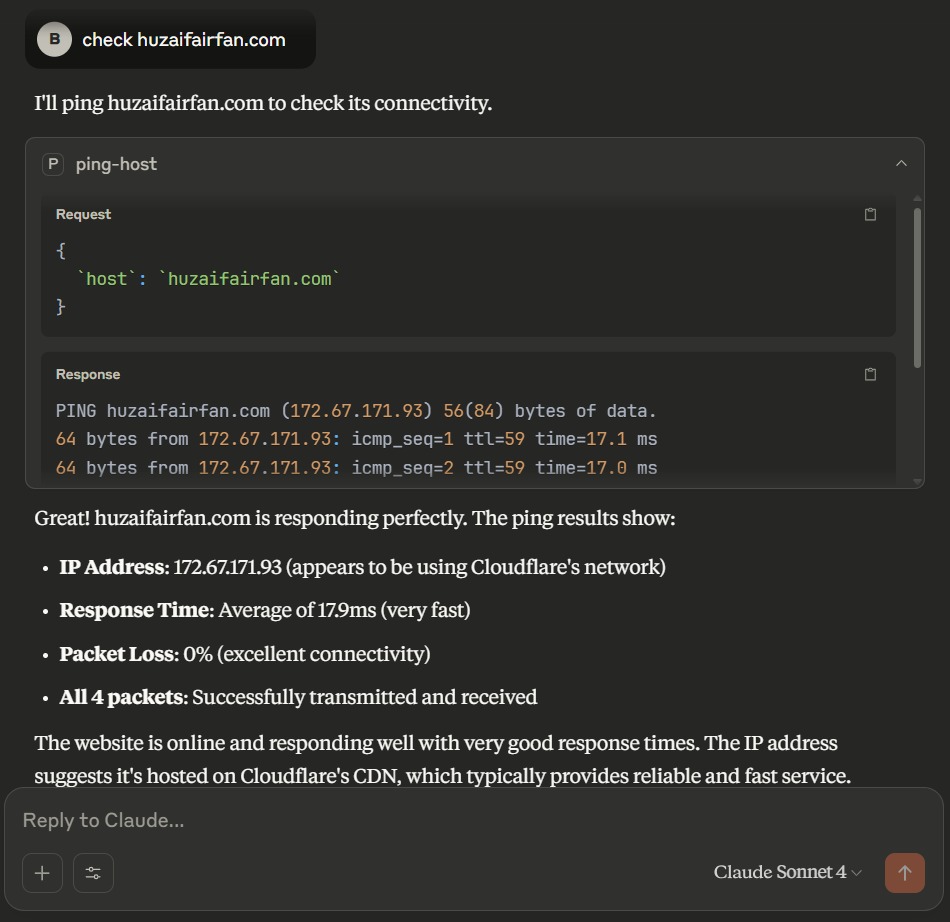
In the chat, type
@followed by the MCP server name and your instructions, e.g., "@Ping MCP Serverping google.com and check the network latency"
That's it! The server will respond to your query, and you can continue using it as needed.
Here is a step-by-step guide with screenshots.
🚀 Usage
Run Ping MCP Server SSE
FASTMCP_HOST="0.0.0.0" FASTMCP_PORT=1234 uv run ping-mcp-serverTest
uv run pytestMCP Inspector
npx -y @modelcontextprotocol/inspectorClaude Configuration
{
"mcpServers": {
"ping": {
"command": "npx",
"args": [
"mcp-remote",
"http://localhost:1234/sse",
"--allow-http"
]
}
}
}
📝 Documentation
📚 References
🤝🏻 Connect with Me
Huzaifa Irfan
💬 Just want to say hi?
🚀 Have a project to discuss?
📧 Email me @: hi@huzaifairfan.com
📞 Visit my Profile for other channels:
📜 License
Licensed under the GPL3 License, Copyright 2025 Huzaifa Irfan. LICENSE
Last Updated on 2025-07-13
This server cannot be installed
Resources
Unclaimed servers have limited discoverability.
Looking for Admin?
If you are the server author, to access and configure the admin panel.