
F
licenseNot graded
qualityD
maintenanceEnables AI assistants to interact with Confluence by converting Markdown documents to professionally styled Confluence pages with Mermaid diagram support.
1
-

Enables programmatic interaction with Atlassian Confluence to manage spaces and pages, allowing for automated documentation workflows and content synchronization.
Converts and uploads Markdown documents to Confluence, with support for Mermaid diagrams, code macros, image attachments, and hierarchical page management.
Markdown to Confluence converter — MCP server that uploads Markdown files to Atlassian Confluence with auto-converted Mermaid diagrams, code blocks, and images.

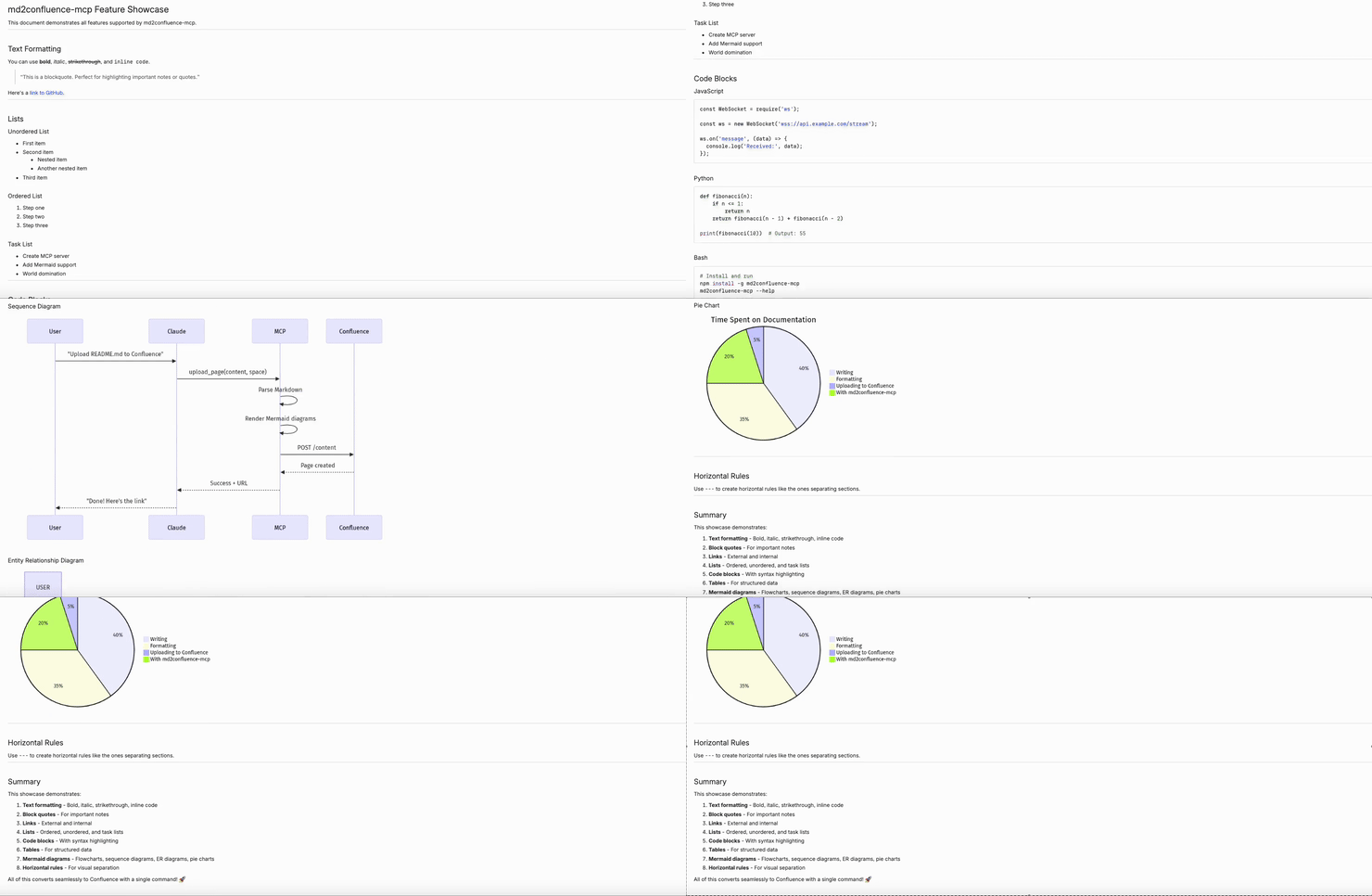
Uploading showcase.md to Confluence with images and Mermaid diagrams
Related MCP server: Confluence MCP Server
✅ Mermaid diagrams → PNG (auto-converted via kroki.io)
✅ Code blocks → Confluence Code macro
✅ Images → Attachments (auto-uploaded)
✅ Tables, links, formatting → Preserved
Add to your Claude Code settings (~/.claude/settings.json):
{
  "mcpServers": {
    "confluence": {
      "command": "npx",
      "args": ["-y", "md2confluence-mcp"],
      "env": {
        "CONFLUENCE_URL": "https://your-domain.atlassian.net/wiki",
        "CONFLUENCE_EMAIL": "your@email.com",
        "CONFLUENCE_TOKEN": "YOUR_API_TOKEN"
      }
    }
  }
}Add to your project's .mcp.json:
{
  "mcpServers": {
    "confluence": {
      "command": "npx",
      "args": ["-y", "md2confluence-mcp"],
      "env": {
        "CONFLUENCE_URL": "https://your-domain.atlassian.net/wiki",
        "CONFLUENCE_EMAIL": "your@email.com",
        "CONFLUENCE_TOKEN": "YOUR_API_TOKEN"
      }
    }
  }
}Click "Create API token"
Copy the token to CONFLUENCE_TOKEN
Once configured, Claude Code can use these tools automatically.
"Upload README.md to my personal Confluence space""Upload this document to my Confluence space""Upload docs/SETUP.md to Confluence here: https://company.atlassian.net/wiki/spaces/TEAM/overview""Create a new page in https://company.atlassian.net/wiki/spaces/~712020170fdaa4716743419285f156aa587665/overview with this content""Update this Confluence page with the latest content: https://company.atlassian.net/wiki/spaces/TEAM/pages/123456/My+Page""Sync docs/API.md to https://company.atlassian.net/wiki/spaces/EN/pages/789012/API+Reference""Create a new page under https://company.atlassian.net/wiki/spaces/TEAM/pages/123456/Parent+Page""Add a sub-page to this page: https://company.atlassian.net/wiki/spaces/EN/pages/789012/Guide""Show me available Confluence spaces""Find Confluence pages about authentication in the EN space"Type | Format | Example |
Global space | Short key |
|
Personal space |
|
|
Tip: You can extract the space key from a Confluence URL:
https://company.atlassian.net/wiki/spaces/TEAM/overview
                                        ^^^^ space key

https://company.atlassian.net/wiki/spaces/~712020.../overview
^^^^^^^^^^ personal space keyTool | Description |
| Create a new Confluence page from Markdown |
| Update an existing page |
| Create a new page under an existing page |
| Sync a local file to an existing page |
| List available spaces |
| Search for pages |
flowchart LR
    A["Markdown"] --> B["Parse"]
    B --> C["Mermaid → kroki.io → PNG"]
    C --> D["Convert to Confluence HTML"]
    D --> E["Upload via REST API"]
    E --> F["Attach images"]
Parse - Extract content, remove front matter
Render - Convert Mermaid diagrams to PNG via kroki.io
Convert - Transform Markdown to Confluence storage format
Upload - Create/update page via Confluence REST API
Attach - Upload images as page attachments
Variable | Required | Description |
| ✅ | e.g., |
| ✅ | Your Atlassian account email |
| ✅ | API token |
# Clone
git clone https://github.com/Gyeom/md2confluence-mcp.git
cd md2confluence-mcp

# Install dependencies
npm install

# Build
npm run build

# Test locally
CONFLUENCE_URL=... CONFLUENCE_EMAIL=... CONFLUENCE_TOKEN=... npm startMIT
kroki.io - Diagram rendering API
Model Context Protocol - MCP SDK
Create a NEW page as a child (sub-page) of an existing page.
⚠️ MUST USE THIS TOOL WHEN:
User wants to create a page "under", "below", "하위에", or "beneath" another page
User provides a parent page URL and wants NEW content added as a sub-page
User says "put this under [page]", "[page] 하위에 넣어줘", "add as child of [page]"
❌ WARNING: upload_page with a page URL will UPDATE that page, NOT create a child. ✅ ALWAYS use create_child_page for hierarchical page creation.
Inputs: content (required), title (required), parentPageUrl (required).
List available Confluence spaces. NOTE: Do NOT use this before upload_page. Only use when user explicitly asks to browse/list spaces. For uploads, ask user directly for space key or URL.
Inputs: limit, type.
Search for Confluence pages
Inputs: query (required), spaceKey, limit.
Sync a LOCAL file to a Confluence page. This tool reads the file directly from the filesystem.
⚠️ CRITICAL INSTRUCTIONS FOR AI:
file_path MUST be the EXACT path specified by the user
Do NOT infer or guess file path based on Confluence page title or URL content
If user says "sync readme.md to URL", find "readme.md" file, NOT files matching page title
If multiple files match, ask user to specify the exact path
This tool handles file reading internally - just pass the path
Examples:
User: "sync readme.md to https://..." → file_path: "/path/to/readme.md" (find readme.md)
User: "sync /docs/guide.md to https://..." → file_path: "/docs/guide.md" (exact path)
Inputs: file_path (required), page_url (required), title.
Update an existing Confluence page with Markdown content
Inputs: content (required), pageId (required), title.
Upload Markdown to Confluence at SPACE ROOT level or UPDATE existing page.
⚠️ ROUTING RULES:
Page URL provided → UPDATES that existing page (ignores parentId)
Space key/URL only → Creates NEW page at space root level
❌ DO NOT use this tool to create child/sub-pages. ✅ Use 'create_child_page' tool instead for hierarchical pages.
Mermaid diagrams are auto-converted to images.
Inputs: content (required), title (required), space (required).
Recent tool additions, removals, and schema changes observed during successful MCP inspections.
Loading tool schema changelog…
Scored across 6 tools
The tools are mostly distinct with clear purposes, but there is some potential confusion between 'upload_page' and 'create_child_page' for page creation scenarios, as both involve creating pages but under different conditions. The descriptions provide explicit routing rules to mitigate this, but an agent might still need to carefully parse user intent to choose correctly.
All tool names follow a consistent snake_case pattern with clear verb_noun structures (e.g., create_child_page, list_spaces, search_pages, sync_file, update_page, upload_page). This consistency makes the tool set predictable and easy to understand at a glance.
With 6 tools, the server is well-scoped for its purpose of managing Confluence pages from Markdown files. The count is appropriate, covering key operations like listing, searching, creating, updating, and syncing without being overwhelming or too sparse.
The tool set covers essential CRUD-like operations for Confluence pages (create, update, sync, list, search), but there are minor gaps such as the lack of a delete_page tool for full lifecycle management. However, agents can likely work around this by using other methods or the existing tools for most workflows.
Publish markdown documents as public share links with mermaid diagrams. Built by AutEng.ai
Converts PDF, scans, DOCX, XLSX and PPTX to Markdown with tables and page-aware RAG chunks.
Convert documents to Markdown and back, keep them, and share them as a page with one link.
Convert Markdown to PDF, DOCX, HTML or EPUB with formatting and display options.