Enables automated creation and generation of Anki flashcard decks with rich CSS templates, media asset embedding, and secure file handling through genanki integration
Click on "Install Server".
Wait a few minutes for the server to deploy. Once ready, it will show a "Started" state.
In the chat, type
@followed by the MCP server name and your instructions, e.g., "@Genanki MCP Servercreate a Spanish vocabulary deck with audio pronunciations"
That's it! The server will respond to your query, and you can continue using it as needed.
Here is a step-by-step guide with screenshots.
genanki-mcp
Automated Anki deck generation service built with genanki and the Model Context Protocol (MCP).
Focuses on dependable deck creation, strict media sandboxing, and keeping the workflow lean—nothing more.
Highlights
Streamable MCP HTTP tool that plugs into any MCP-compliant client
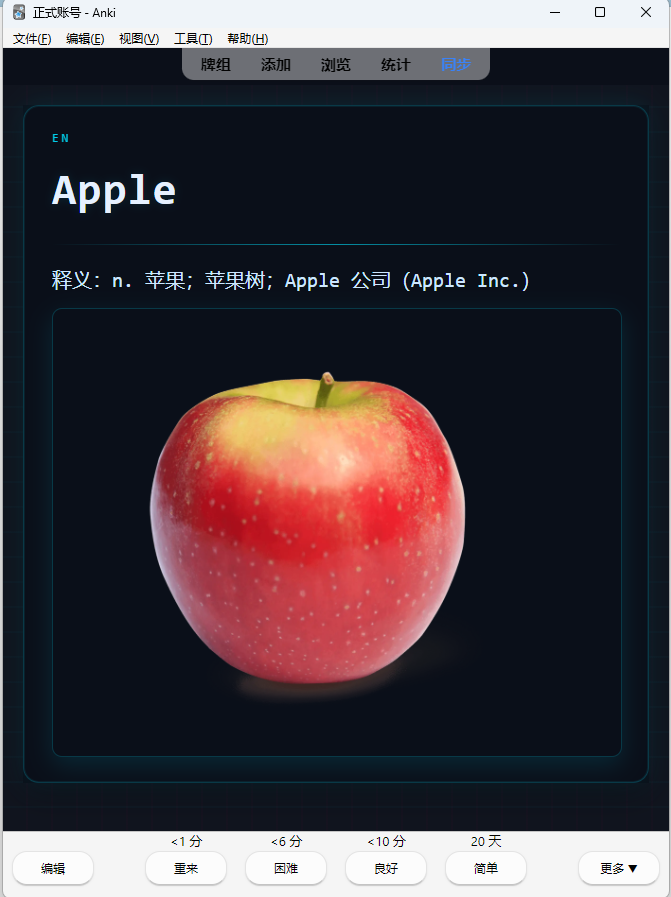
Agents can craft rich CSS templates and embed media assets safely
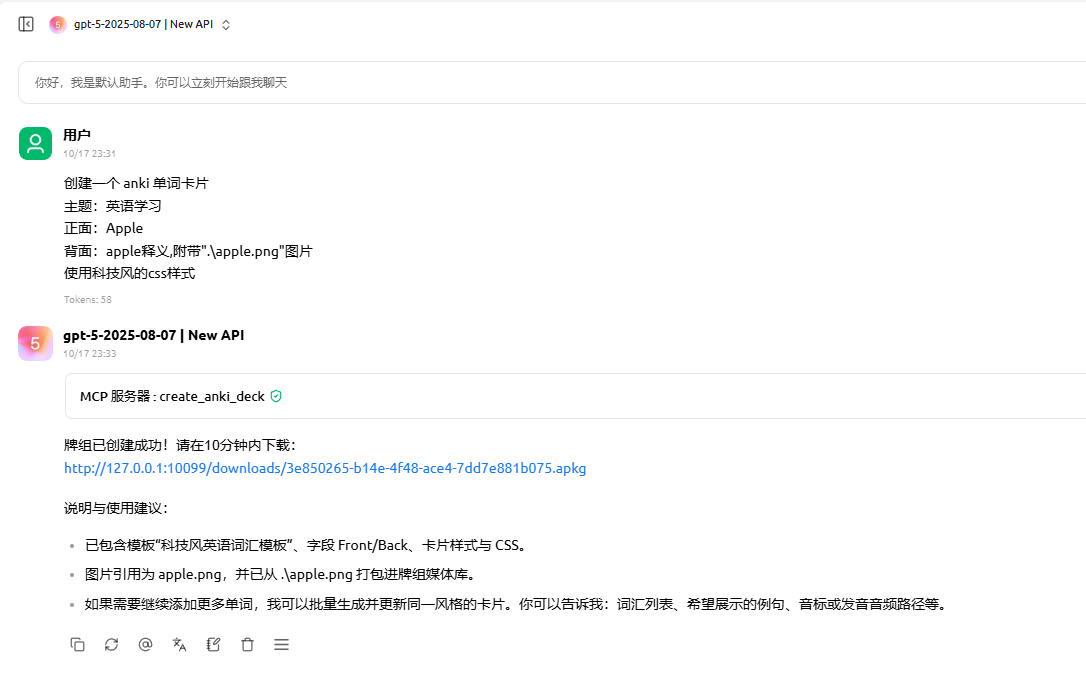
Temporary download links (default expiry 600 seconds) for
.apkgretrievalMedia path sandbox prevents out-of-scope file access and orphaned assets
Project Layout
anki_mcp/
├── anki_tools/ # genanki utility wrapper
│ └── genanki_tool.py
├── server/ # MCP + HTTP entrypoints
│ ├── anki_models.py # Pydantic request/response models
│ └── anki_server.py # FastMCP / Starlette server
├── temp_anki_decks/ # Temporary .apkg exports
├── .envexample # Environment variable template
├── pyproject.toml # uv / pip project definition
└── uv.lockQuick Start
git clone https://github.com/Epiphany-0312/genanki-mcp.git
cd genanki-mcpRequirements
Python ≥ 3.13
Dependency management via uv (recommended) or
pip
Install Dependencies
# With uv (recommended)
uv sync
# Or with pip
python -m venv .venv
.venv\Scripts\activate # PowerShell
pip install -r requirements.txtConfigure Environment Variables
Duplicate .envexample to .env and adjust as needed.
Variable | Description | Default |
| Uvicorn/FastMCP listening port |
|
| Public IP/host used to compose download links |
|
| Optional bearer token protecting tool access | (empty) |
If TOKEN is omitted, the service skips authentication. Set it in production environments.
Run the Service
uv run python -m server.anki_server
# or
python -m server.anki_serverFastMCP exposes the tool at http://0.0.0.0:<PORT>/anki and temporary downloads at http://0.0.0.0:<PORT>/downloads.
Usage
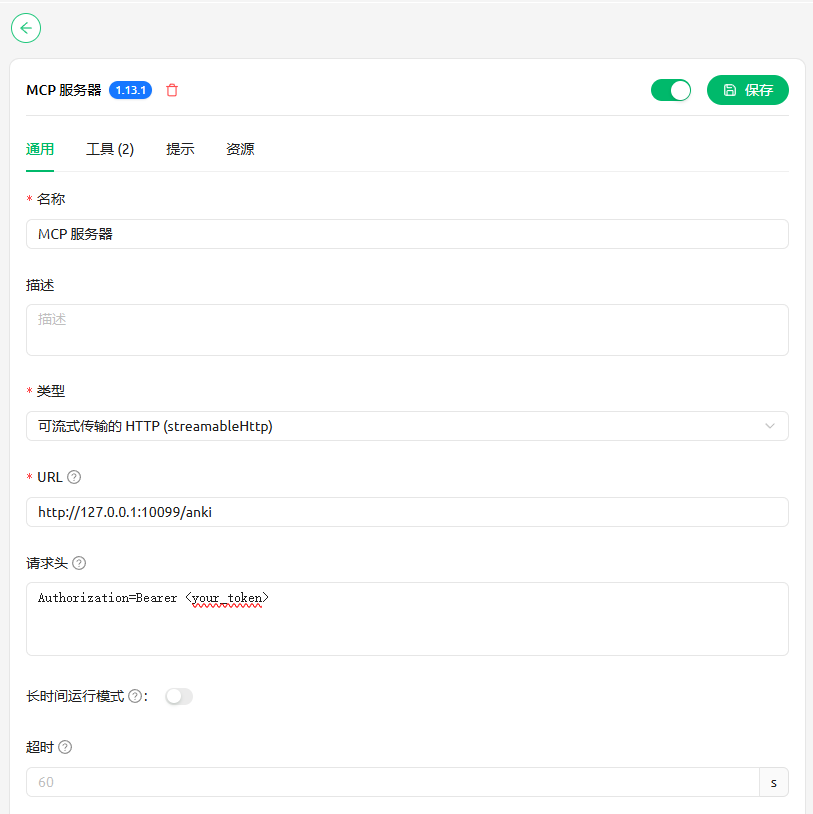
Connect with any MCP-capable client. By default the MCP endpoint listens on http://127.0.0.1:10099/anki.
Cherry Studio example configuration and workflow:


License
MIT License
This server cannot be installed
Resources
Looking for Admin?
Admins can modify the Dockerfile, update the server description, and track usage metrics. If you are the server author, to access the admin panel.