
Smart MCP Proxy
by Dumbris
README.md
# Smart MCP Proxy
[](https://badge.fury.io/py/smart-mcp-proxy)
[](https://opensource.org/licenses/MIT)
[](https://www.python.org/downloads/)
[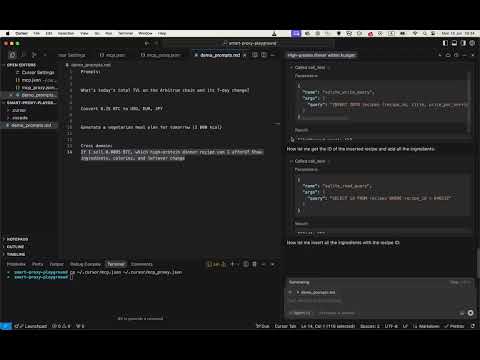](https://youtu.be/SCYBfCgkkVE)
## Quick Start
install with pip:
```bash
pip install smart-mcp-proxy
```
## Cursor IDE Integration
To use mcpproxy in Cursor IDE, add this configuration to your `~/.cursor/mcp.json`:
```json
{
"mcpServers": {
"mcp-proxy": {
"command": "mcpproxy",
"env": {
"MCPPROXY_CONFIG_PATH": "/Users/user/.cursor/mcp_proxy.json"
}
}
}
}
```
Then create a separate `~/.cursor/mcp_proxy.json` with your actual(!) MCP servers:
(just an example of configuration, you can use any MCP servers you want)
```json
{
"mcpServers": {
"company-mcp": {
"command": "uvx",
"args": ["--from", "mcp-company-python@git+https://github.com/company/mcp-company.git", "company-mcp-server"],
"env": {
"COMPANY_TOKEN": "${COMPANY_TOKEN}",
"PORT": "9090"
}
},
"company-docs": {
"url": "http://localhost:8000/mcp/"
}
}
}
```
**Important**: The `mcp_proxy.json` must be a different file than `mcp.json` to avoid circular proxy connections. The proxy configuration file has the same format as Cursor's MCP configuration but contains the actual MCP servers you want to federate.
## Google ADK Integration
To use mcpproxy with Google ADK, you can integrate it using the MCPToolset:
```python
from google.adk.tools.mcp_tool.mcp_toolset import MCPToolset, StdioServerParameters
proxy_tool = MCPToolset(
connection_params=StdioServerParameters(
command="mcpproxy",
args=[],
env={"MCPPROXY_CONFIG_PATH": "/Users/user/.cursor/mcp_proxy.json"}
)
)
```
## Tip for better LLM results (copy-paste into your system/dev prompt):
```
When you see a tool named `retrieval_tools` in the MCP tool list, call it first.
It returns the most relevant tools for the user’s request, helping you answer more accurately and concisely.
```
---
A federating gateway that sits between AI agents and multiple Model Context Protocol (MCP) servers, providing intelligent tool discovery and dynamic registration.
🌐 **Website**: [mcpproxy.app](https://mcpproxy.app)
📦 **PyPI**: [pypi.org/project/smart-mcp-proxy](https://pypi.org/project/smart-mcp-proxy/)
🔗 **GitHub**: [github.com/Dumbris/mcpproxy](https://github.com/Dumbris/mcpproxy)
## Features
- **Flexible Routing Strategies**: Two modes - `DYNAMIC` (tools registered on-demand) or `CALL_TOOL` (proxy-only execution)
- **Dynamic Tool Discovery**: Automatically discovers tools from multiple MCP servers
- **Intelligent Search**: Uses configurable embedding backends (BM25, HuggingFace, OpenAI) to find relevant tools
- **One-Click Tool Access**: Single `retrieve_tools` function that searches, registers, and exposes the top 5 most relevant tools
- **FastMCP Integration**: Built on FastMCP v2 for robust server runtime and client capabilities
- **Persistent Indexing**: SQLite + Faiss storage for fast tool lookup and change detection
- **MCP Spec Compliant**: Emits proper `notifications/tools/list_changed` events
- **Flexible Dependencies**: Optional dependencies for different backends to minimize install size
## Architecture
```
┌─────────────────┐ ┌─────────────────────────────────┐ ┌─────────────────┐
│ AI Agent │───▶│ Smart MCP Proxy │───▶│ MCP Servers │
│ │ │ │ │ │
│ retrieve_tools()│ │ ┌─────────────┐ ┌─────────────┐ │ │ • company-prod │
│ │ │ │ Indexer │ │ Persistence │ │ │ • company-docs │
│ tool_1() │◀───│ │ (BM25/ │ │ (SQLite + │ │ │ • oauth-server │
│ tool_2() │ │ │ HF/OpenAI) │ │ Faiss) │ │ │ • ... │
│ ... │ │ └─────────────┘ └─────────────┘ │ │ │
└─────────────────┘ └─────────────────────────────────┘ └─────────────────┘
```
## Quick Start
### 1. Installation
Choose your installation based on the embedding backend you want to use:
```bash
# Basic installation with BM25 (lexical search, no ML dependencies)
pip install smart-mcp-proxy
# Or with specific backends:
pip install smart-mcp-proxy[bm25] # Explicit BM25 (same as basic)
pip install smart-mcp-proxy[huggingface] # HuggingFace + vector search
pip install smart-mcp-proxy[openai] # OpenAI embeddings + vector search
pip install smart-mcp-proxy[all] # All backends available
# Development install
git clone https://github.com/Dumbris/mcpproxy.git
cd mcpproxy
pip install -e .[all]
```
The proxy will automatically check for required dependencies and provide helpful error messages if you try to use a backend without the required packages installed.
### 2. Start the Proxy
```bash
# Using the installed script
MCPPROXY_CONFIG_PATH=mcp_config.json mcpproxy
```
The proxy will:
1. Discover tools from all configured MCP servers
2. Index them using the chosen embedding backend
3. Start MCP server, by default transport is stdio, you can use MCPPROXY_TRANSPORT to change it to streamable-http or sse
## Routing Strategies
Smart MCP Proxy supports two routing strategies:
### DYNAMIC Mode
- **Behavior**: AI agent calls `retrieve_tools`, which searches and dynamically registers the most relevant tools as MCP tools
- **Tool Registration**: Tools become available in the MCP protocol after `retrieve_tools` call
- **Client View**: Sees both `retrieve_tools` and the registered tools (e.g., `company_create_user`, `storage_upload_file`)
- **Use Case**: Best for clients that can handle dynamic tool registration and notifications
### CALL_TOOL Mode (Default)
- **Behavior**: AI agent calls `retrieve_tools` to discover tools, then uses `call_tool` to execute them
- **Tool Registration**: No dynamic registration - tools are executed through the proxy
- **Client View**: Only sees `retrieve_tools` and `call_tool` tools
- **Use Case**: Better for clients with tool registration limits or simpler tool management
```bash
# Set routing strategy
export MCPPROXY_ROUTING_TYPE=DYNAMIC # or CALL_TOOL (default)
```
## Output Truncation
To prevent context bloating from large tool outputs, you can configure output truncation:
```bash
# Truncate tool outputs to 2000 characters (disabled by default)
export MCPPROXY_TRUNCATE_OUTPUT_LEN=2000
```
When enabled, outputs exceeding the limit are truncated showing:
- First portion of the output
- `<truncated by smart mcp proxy>` marker
- Last 50 characters of the output
This helps manage token usage while preserving both the beginning and end of outputs.
## Usage
### Cursor IDE
See example on the top of the [README.md](README.md) file.
### For AI Agents
**DYNAMIC Mode Usage:**
1. Call `retrieve_tools("user management")`
2. Use the returned tools directly (e.g., `company_create_user`)
**CALL_TOOL Mode Usage:**
1. Call `retrieve_tools("user management")`
2. Call `call_tool("company_create_user", {"name": "john", "email": "john@example.com"})`
### Programmatic Usage
```python
from mcpproxy import SmartMCPProxyServer
proxy = SmartMCPProxyServer("config.json")
await proxy.start()
# Use the indexer directly
results = await proxy.indexer.search_tools("delete volume", k=3)
for result in results:
print(f"{result.tool.name}: {result.score}")
```
## Project Structure
```
mcpproxy/
├── models/
│ └── schemas.py # Pydantic models and schemas
├── persistence/
│ ├── db.py # SQLite operations
│ ├── faiss_store.py # Faiss vector storage
│ └── facade.py # Unified persistence interface
├── indexer/
│ ├── base.py # Base embedder interface
│ ├── bm25.py # BM25 implementation
│ ├── huggingface.py # HuggingFace embeddings
│ ├── openai.py # OpenAI embeddings
│ └── facade.py # Search and indexing interface
├── server/
│ ├── config.py # Configuration management
│ └── mcp_server.py # FastMCP server implementation
└── utils/
└── hashing.py # SHA-256 utilities for change detection
```
## Environment Variables
| Variable | Values | Default | Description |
|------------------|-------------------------------|---------|-------------|
| `MCPPROXY_ROUTING_TYPE` | `DYNAMIC`, `CALL_TOOL` | `CALL_TOOL` | Tool routing strategy |
| `MCPPROXY_EMBEDDER` | `BM25`, `HF`, `OPENAI` | `BM25` | Embedding backend |
| `MCPPROXY_HF_MODEL` | HuggingFace model name | `sentence-transformers/all-MiniLM-L6-v2` | HF model |
| `MCPPROXY_TOP_K` | Integer | `5` | Number of tools to register |
| `MCPPROXY_TOOLS_LIMIT` | Integer | `15` | Maximum number of tools in active pool |
| `MCPPROXY_TOOL_NAME_LIMIT` | Integer | `60` | Maximum tool name length |
| `MCPPROXY_TRUNCATE_OUTPUT_LEN` | Integer | - | Truncate tool output to prevent context bloating (disabled by default) |
| `MCPPROXY_LIST_CHANGED_EXEC` | Shell command | - | External command to execute after tool changes (see [Client Compatibility](#client-compatibility)) |
| `MCPPROXY_DATA_DIR` | Directory path | `~/.mcpproxy` | Directory for database and index files |
| `MCPPROXY_CONFIG_PATH`| Path to config file | `mcp_config.json` | Config file location |
| `MCPPROXY_HOST` | Host to bind | `127.0.0.1` | Server host |
| `MCPPROXY_PORT` | Port to bind | `8000` | Server port |
| `MCPPROXY_TRANSPORT` | Transport to use | `stdio` | Transport to use |
| `MCPPROXY_LOG_LEVEL` | Log level | `INFO` | Logging level (DEBUG, INFO, WARNING, ERROR) |
| `MCPPROXY_LOG_FILE` | File path | - | Optional log file path |
| `MCPPROXY_RESET_DATA` | Boolean | `false` | Reset all data (useful when dimensions change) |
## Client Compatibility
### MCP Tool List Refresh Workaround
**This is only needed for DYNAMIC routing mode.** The default CALL_TOOL routing mode doesn't require `MCPPROXY_LIST_CHANGED_EXEC` since tools are not dynamically registered.
Some MCP clients (like Cursor IDE) don't properly handle the standard `tools/list_changed` notification when new tools are registered in DYNAMIC mode. As a temporary workaround, you can configure the proxy to execute an external command after tool changes to trigger client refresh.
#### For Cursor IDE
Set the `MCPPROXY_LIST_CHANGED_EXEC` environment variable to touch the MCP configuration file:
```bash
# For macOS/Linux
export MCPPROXY_LIST_CHANGED_EXEC="touch $HOME/.cursor/mcp.json"
# For Windows (PowerShell)
$env:MCPPROXY_LIST_CHANGED_EXEC = "cmd /c copy `"$HOME\.cursor\mcp.json`" +,,"
```
This causes Cursor to detect the config file change and refresh its tool list.
#### How it Works
1. When you call `retrieve_tools`, the proxy registers new tools
2. Standard `tools/list_changed` notification is sent (proper MCP way)
3. If `MCPPROXY_LIST_CHANGED_EXEC` is set, the command is executed asynchronously
4. The command triggers the MCP client to refresh its tool list
#### Security Note
⚠️ **Important**: The command in `MCPPROXY_LIST_CHANGED_EXEC` is executed with shell privileges. Only use trusted commands and never set this variable to user-provided input.
#### When Not to Use
- Your MCP client properly handles `tools/list_changed` notifications
- You're using the proxy programmatically (not through an MCP client)
- Security policies prohibit executing external commands
This feature is disabled by default and only executes when explicitly configured.
## Contributing
We welcome contributions! Please see our [GitHub repository](https://github.com/Dumbris/mcpproxy) for:
- 🐛 **Bug Reports**: [Submit an issue](https://github.com/Dumbris/mcpproxy/issues)
- 💡 **Feature Requests**: [Start a discussion](https://github.com/Dumbris/mcpproxy/discussions)
- 🔧 **Pull Requests**: Fork the repo and submit a PR
### Development Setup
```bash
git clone https://github.com/Dumbris/mcpproxy.git
cd mcpproxy
pip install -e .[dev,all]
pytest tests/
```
## License
This project is licensed under the MIT License - see the [LICENSE](LICENSE) file for details.
This server cannot be deployed
Maintenance
ActivityInactive
ResponsivenessNo issues