

A
licenseNot graded
qualityD
maintenanceEnables AI assistants to interact with Notion workspaces through the Notion API. Supports searching, reading, creating pages, and querying databases with filters and sorting capabilities.
4,756 npm
MIT

Enables AI-powered interaction with Notion workspaces, including searching pages and databases, extracting block-level content, summarizing pages, and analyzing sentiment/emotion of page text.
Click on "Deploy Server".
Wait a few minutes for the server to deploy. Once ready, it will show a "Started" state.
In the chat, type @ followed by the MCP server name and your instructions, e.g., "@NotionMCP summarize the quarterly planning page in 150 words"
That's it! The server will respond to your query, and you can continue using it as needed.
Here is a step-by-step guide with screenshots.
NotionMCP is a Modular Context Protocol (MCP) server that exposes advanced Notion search, reading, summarization, and emotion-analysis tools to any MCP-compatible LLM client such as Claude Desktop.
This project turns your Notion workspace into an intelligent, queryable knowledge system, giving your AI assistant the ability to:
Search pages and databases with precision
Read and extract block-level content
Summarize large or complex Notion pages
Analyze sentiment/emotion of page text
Build AI workflows on top of your Notion data
Operate securely using the MCP standard
It is built for:
Developers
Researchers
Data science teams
Knowledge-intensive organizations
Anyone wanting an AI agent deeply integrated with Notion
Title search
Page/database filtering
Pagination + streaming search
User discovery tools
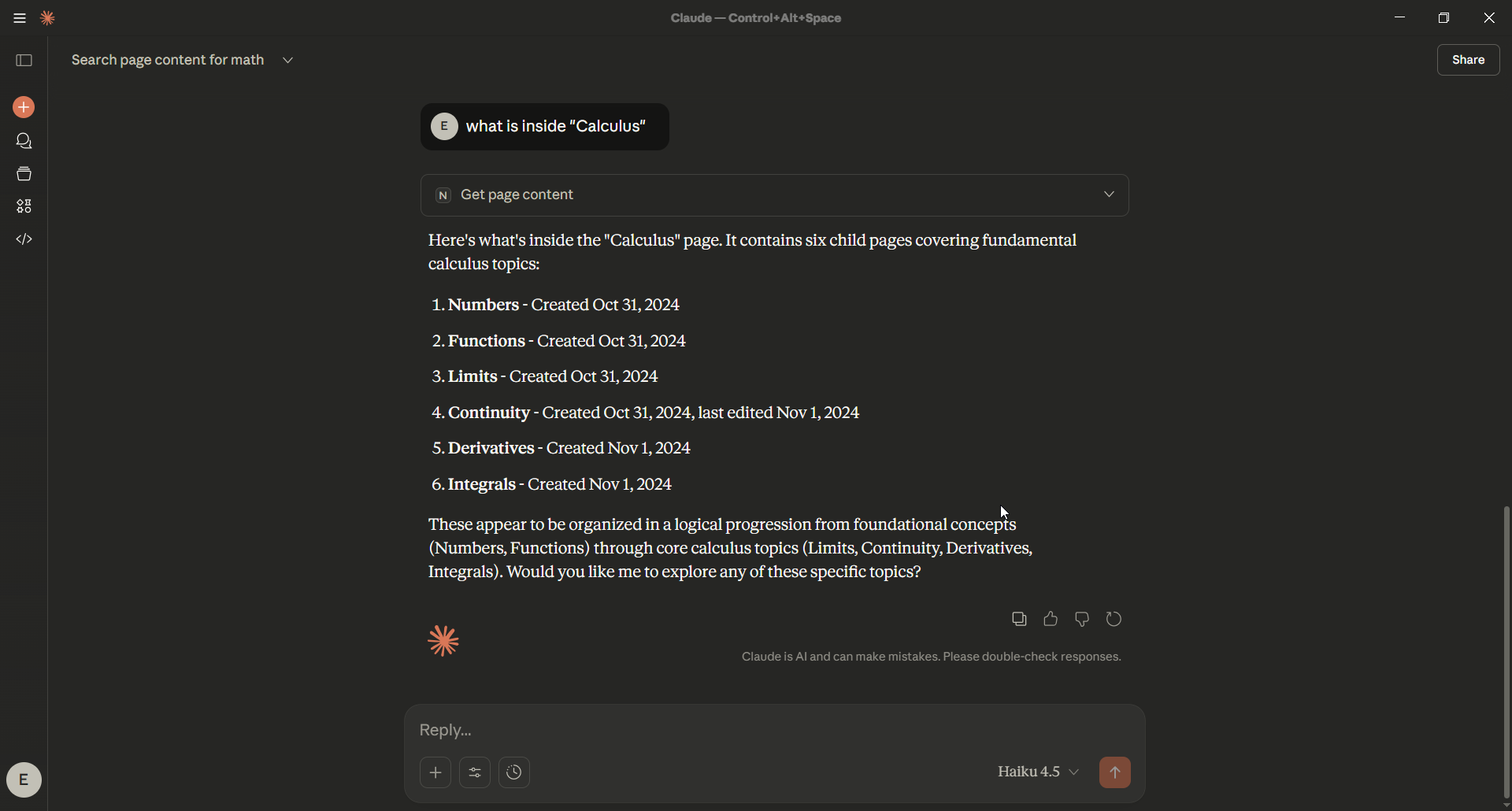
Extract readable text from pages
Traverse block structures
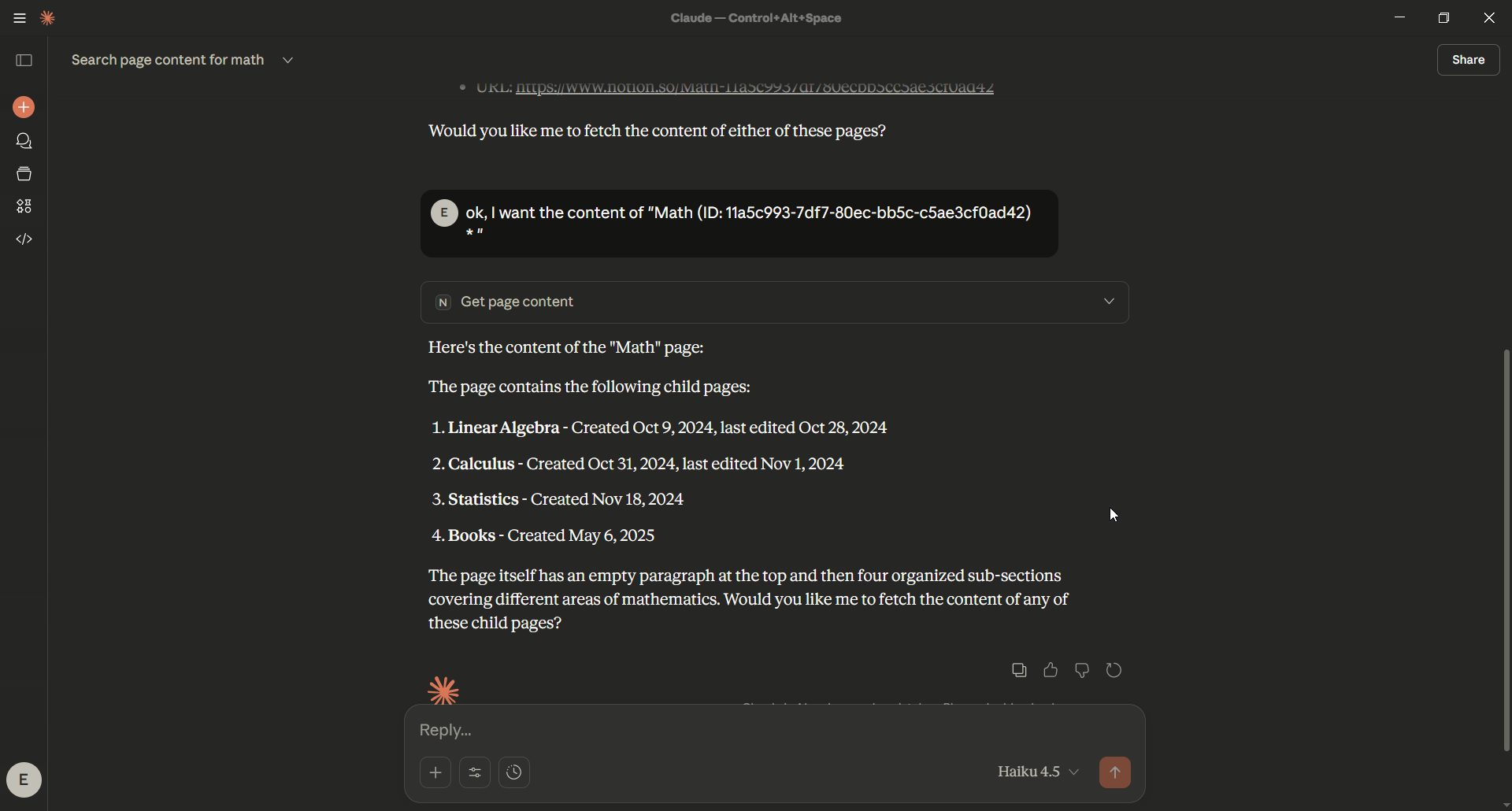
Read pages by name or ID
Support for headings, lists, checkboxes, callouts, quotes, etc.
Abstractive summarization (T5)
Emotion/tone classification (Transformers)
Integrated into Notion workflows
Works out-of-the-box with:
Claude Desktop
ChatGPT MCP mode
Any MCP-compatible automation or agent
search_tools.py
read_tools.py
ai_tools.py
Async Notion client layer with retries + rate-limit handling
NotionMCP upgrades Notion from a documentation space into a scalable AI knowledge engine. It enables teams and organizations to operate faster, reduce manual overhead, and make better decisions by turning unstructured notes into actionable intelligence.
Automate summarization, research, onboarding, and documentation workflows
Improve knowledge accessibility across teams and departments
Standardize how information is consumed, summarized, and shared
Reduce operational time spent searching or rewriting content
Build internal AI agents capable of retrieving, processing, and analyzing company knowledge
Gain a robust async Notion API client with retry + backoff handling
Extend MCP tools with custom AI models or internal logic
Integrate Notion into broader AI, analytics, or automation pipelines
Build reproducible and automated workflows on top of Notion pages
Maintain full control over data by running tools locally
Faster decision-making
Reduced cognitive load across technical and non-technical teams
Stronger organizational memory and knowledge consistency
A foundation for deployable AI assistants operating on real company data
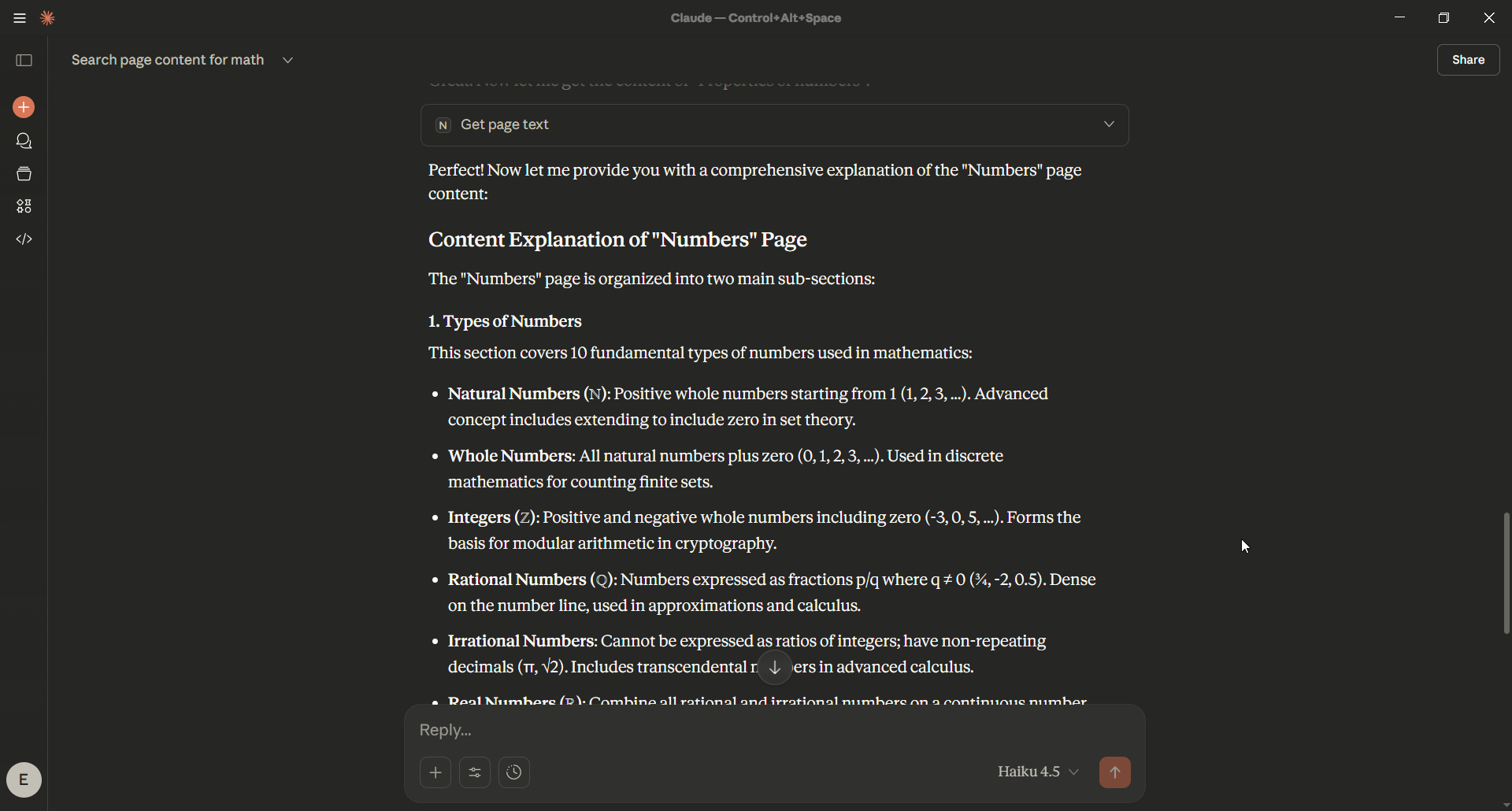
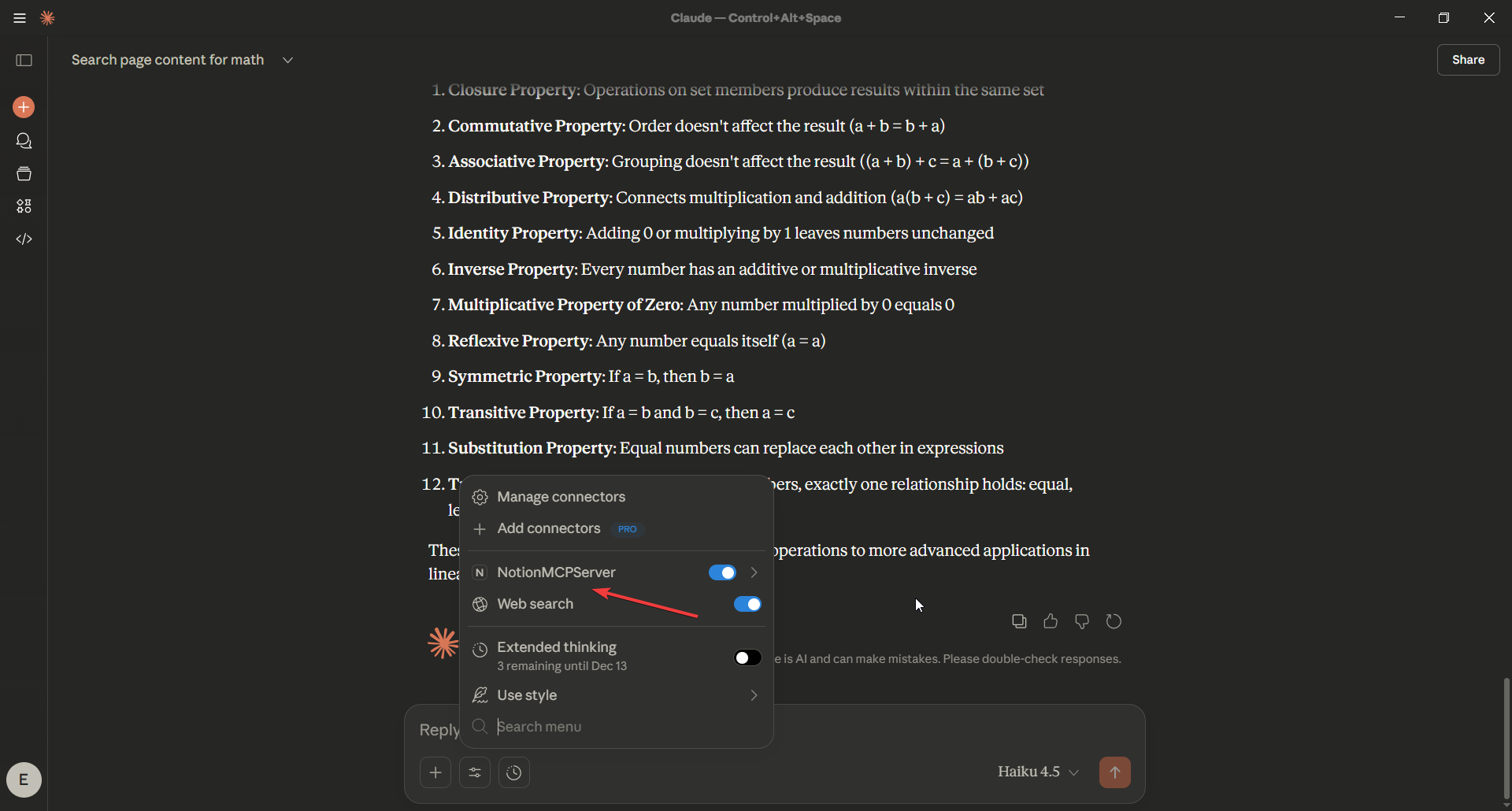
You may install using either:
venv (recommended for most users)git clone https://github.com/DeepActionPotential/NotionMCP.git
cd NotionMCPpython -m venv .venvActivate it:
Windows
.venv\Scripts\activatemacOS/Linux
source .venv/bin/activatepip install -r requirements.txtpython server.pyRelated MCP server: Notion Weaver
uvuv sync
uv run server.pyAdd the following to:
claude_desktop_config.json
{
  "mcpServers": {
    "NotionMCPServer": {
      "command": "uv",
      "args": [
        "--directory",
        "your-own-server-file-directory",
        "run",
        "server.py"
      ]
    }
  }
}
Restart Claude Desktop. You should now see all Notion tools available under the MCP Tools menu.
Create a .env file or export environment variables:
NOTION_API_KEY=secret_notion-api
HTTP-TIMEOUT=60
Your Notion integration must be shared with the pages or workspace you want to read.
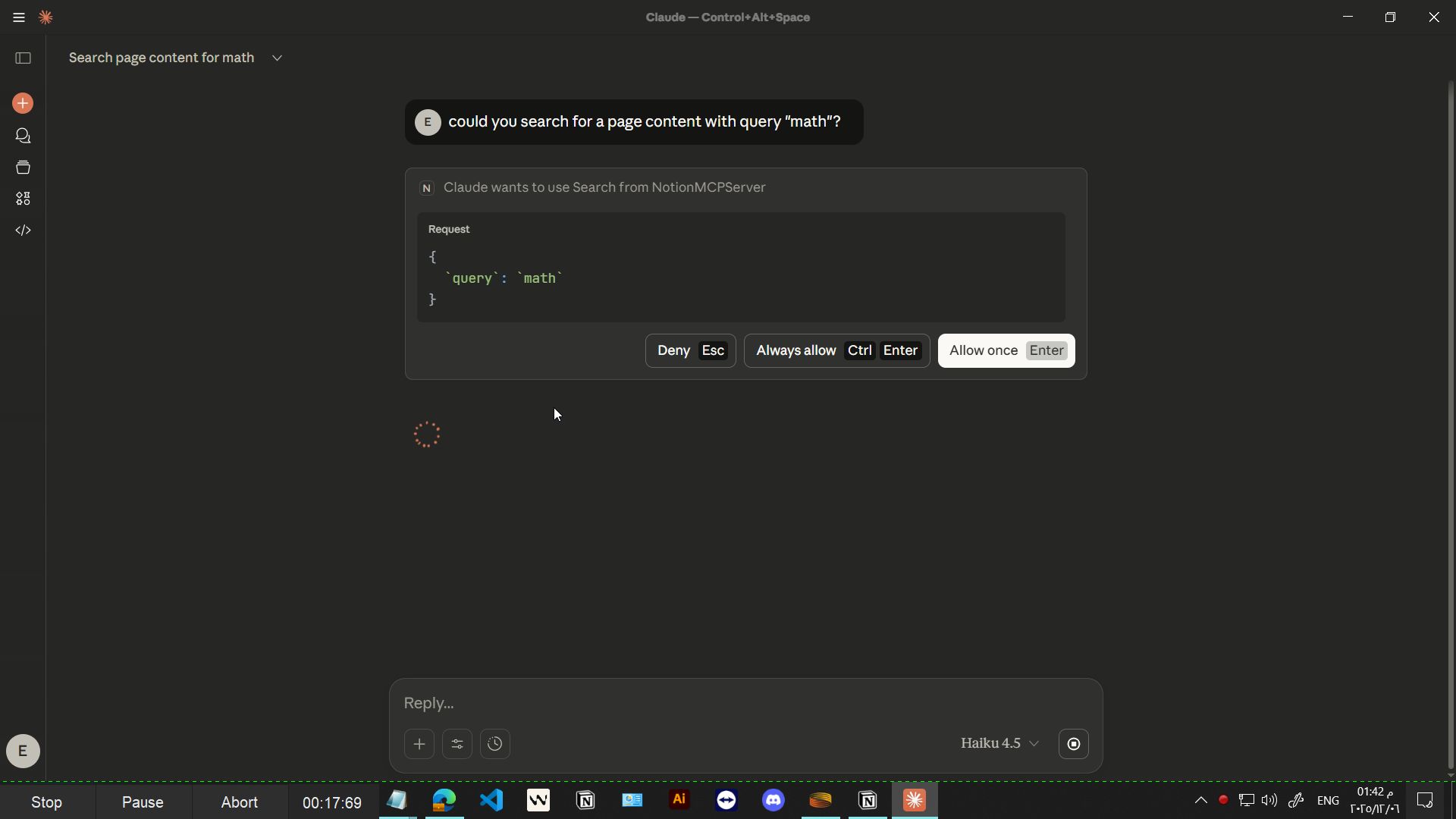
Ask Claude:
“Search Notion for pages about convolution.”
“Summarize the Deep Learning page in 200 words.”
“Extract the first 20 lines of the Metrics page.”
“Analyze the emotional tone of the Vision page.”
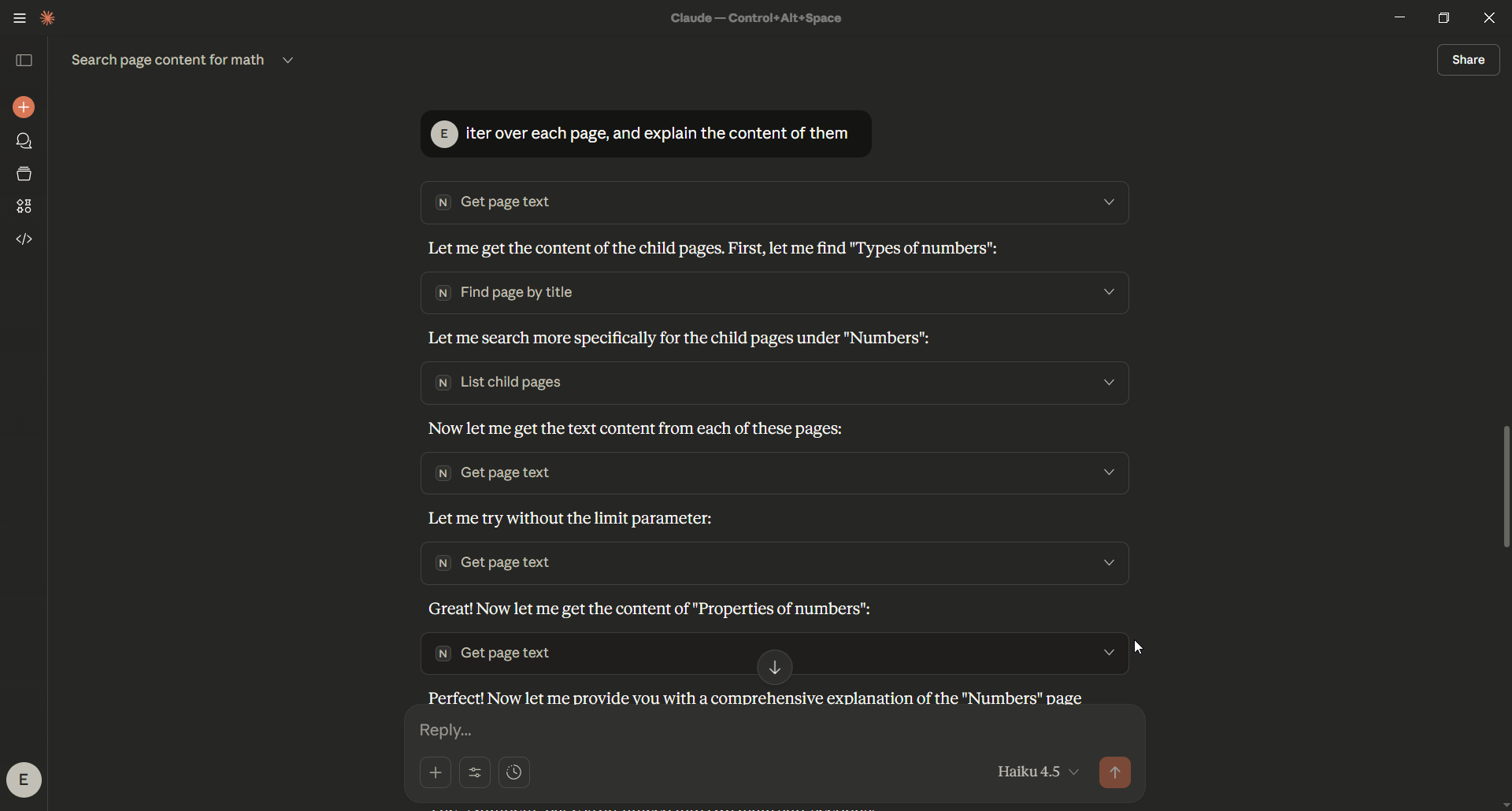
Claude will automatically call MCP tools such as:
search
iter_search
get_page_text
summarize_page_text
get_page_sentiment
NotionMCP
│
├── tools/
│   ├── search_tools.py
│   ├── read_tools.py
│   └── ai_tools.py
│
├── core/
│   └── notion_clients.py
│
├── services/
│   ├── summarization_service.py
│   └── text_emotion_service.py
│
├── demo/
│
└── server.pyContributions are welcome:
New AI models
Additional Notion endpoints
Performance improvements
New MCP tools
Please open an issue or submit a PR.
MIT License — free for commercial and private use.
This server cannot be deployed
Search your knowledge bases from any AI assistant using hybrid RAG.
Connect AI assistants to your GitHub-hosted Obsidian vault to seamlessly access, search, and analy…
Connect your team's living knowledge base — docs, data, issues, CRM — to Claude and ChatGPT.
Governed memory and workspace for any AI: tasks, calendar, mail and pages, with per-action consent.