A
licenseB
qualityC
maintenanceProvides access to Chess.com player data, game records, and public information through standardized MCP interfaces, allowing AI assistants to search and analyze chess information.
10
89
MIT

Provides tools for fetching Chess.com player profiles and statistics, including ratings, game counts, performance metrics, and historical data through Chess.com's public API.
Click on "Deploy Server".
Wait a few minutes for the server to deploy. Once ready, it will show a "Started" state.
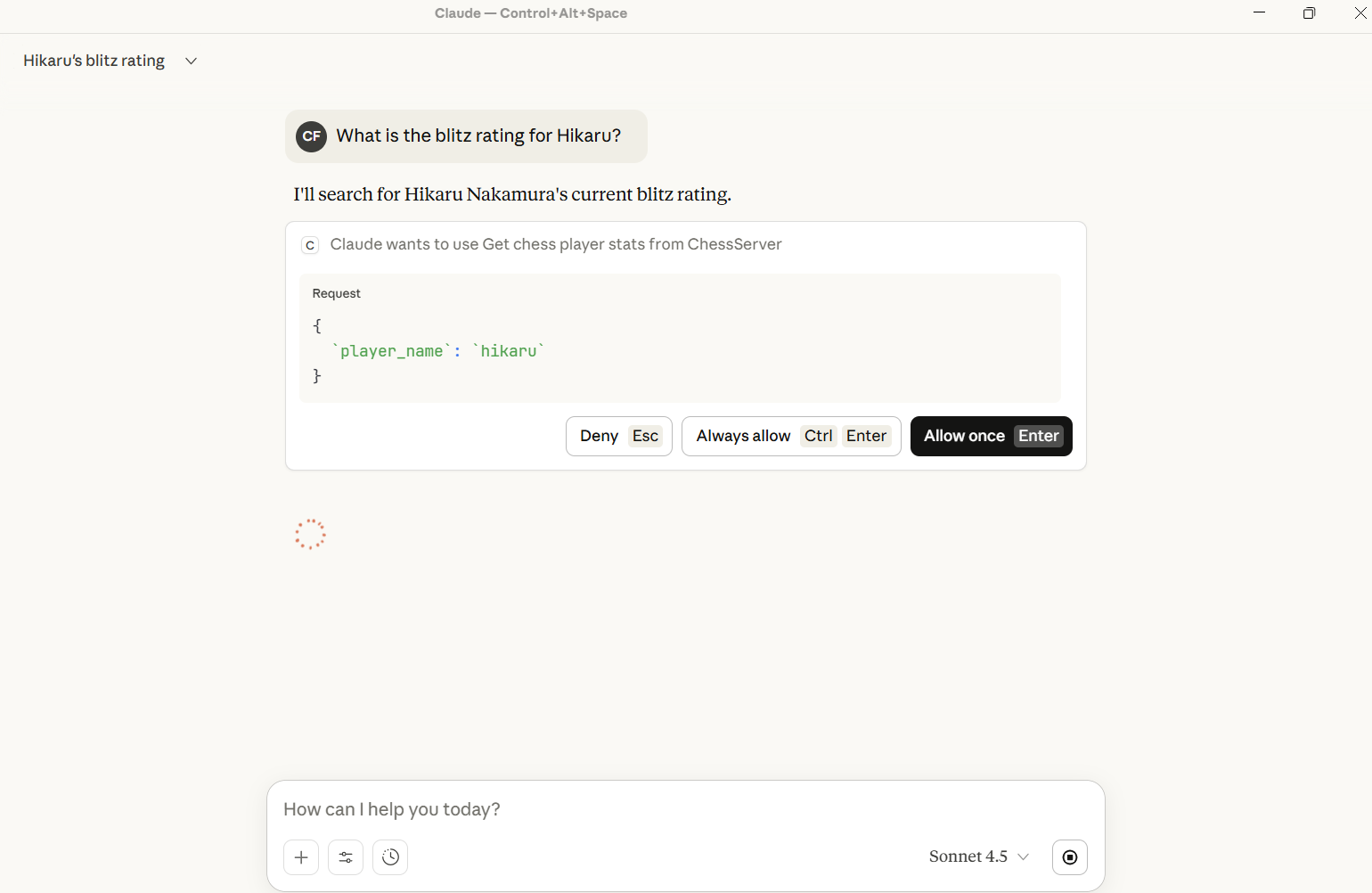
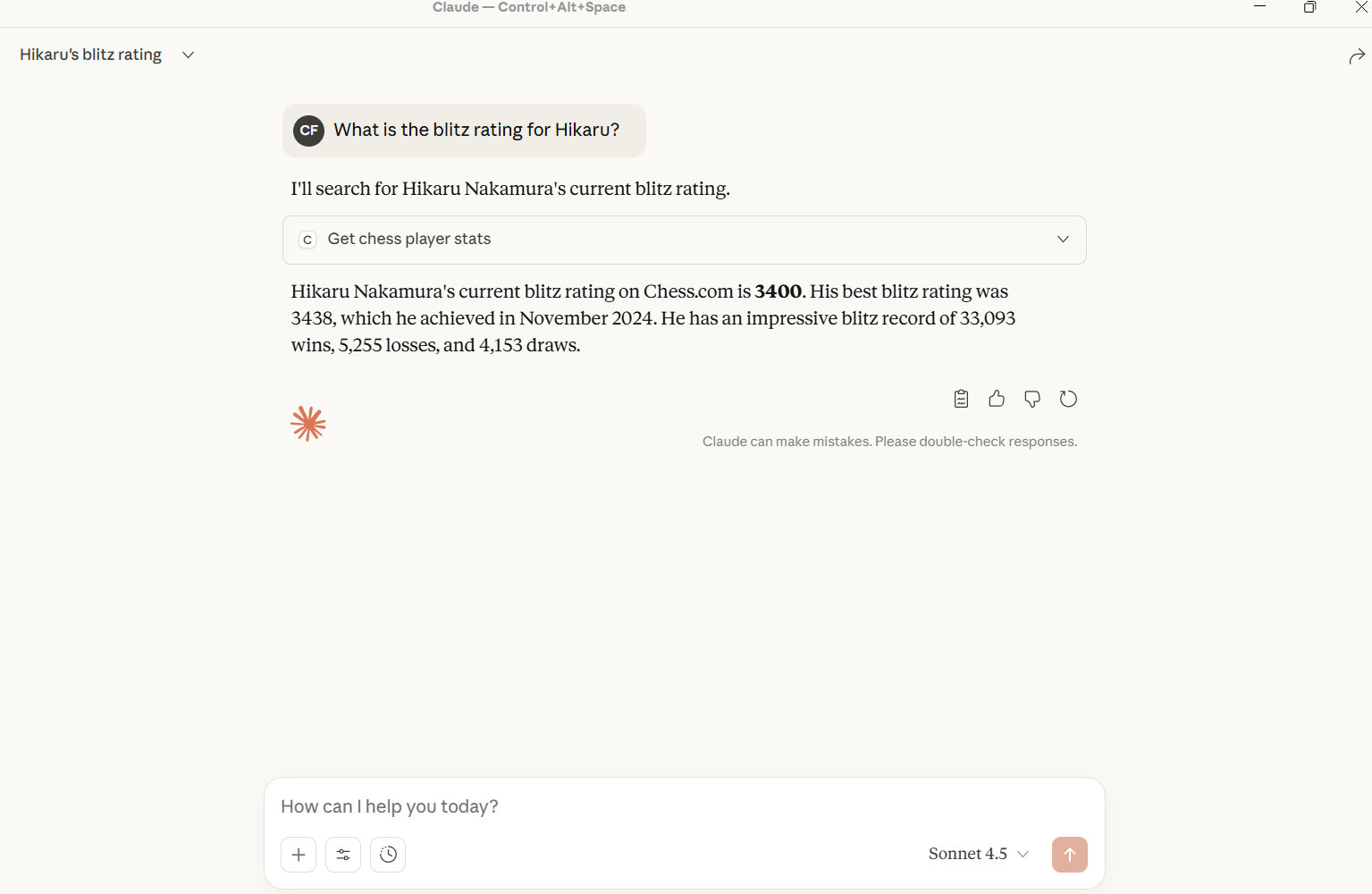
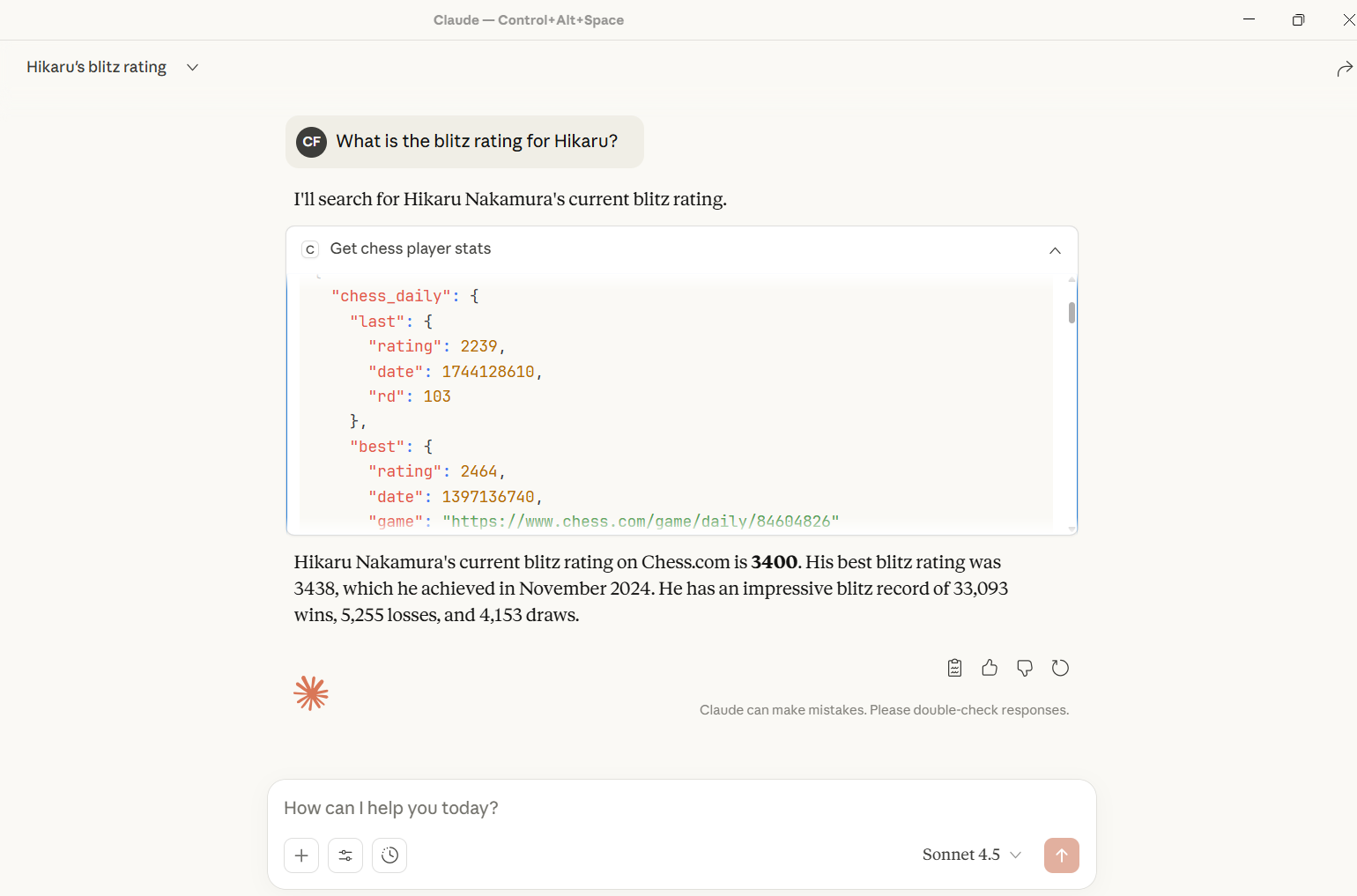
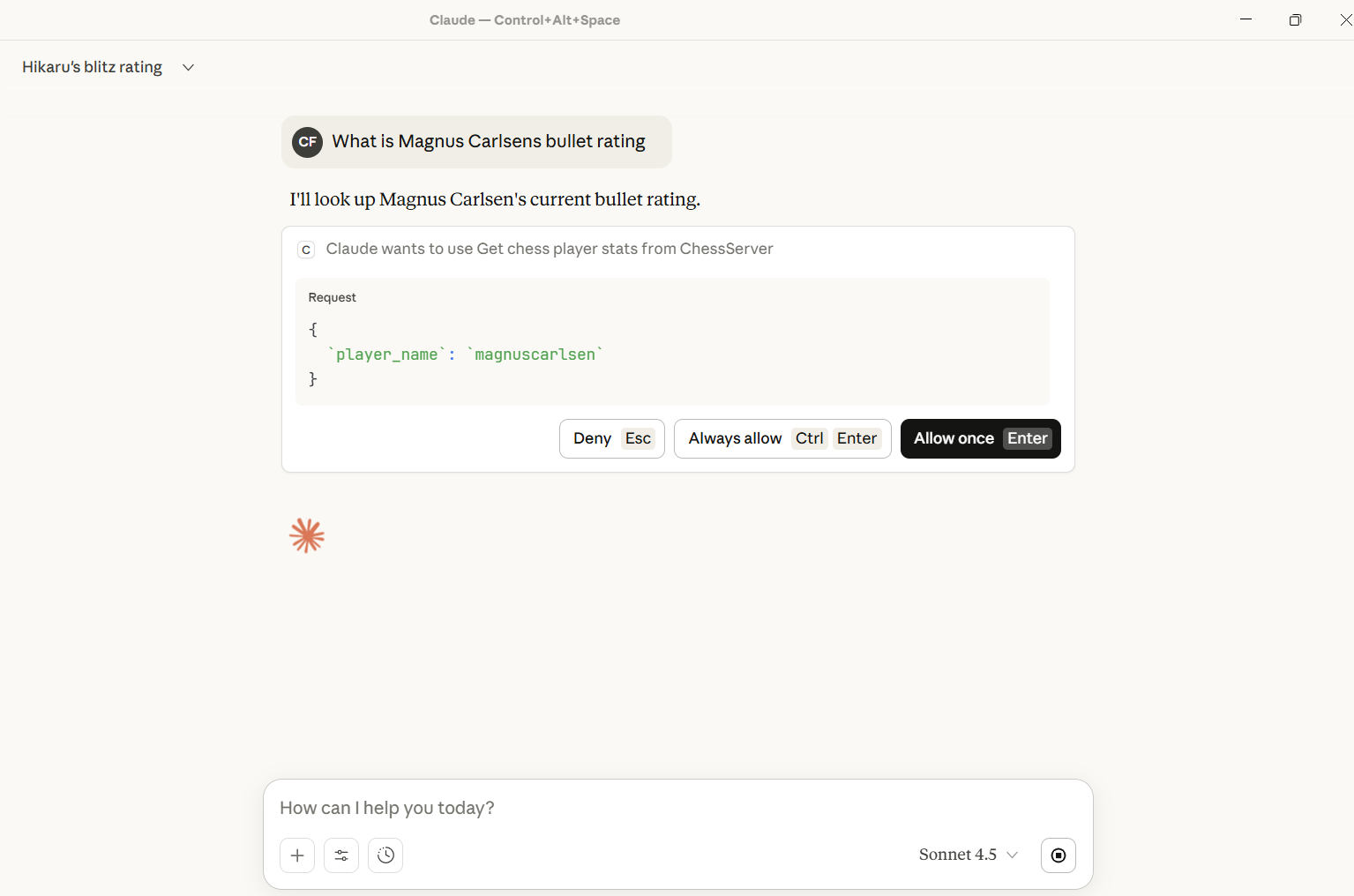
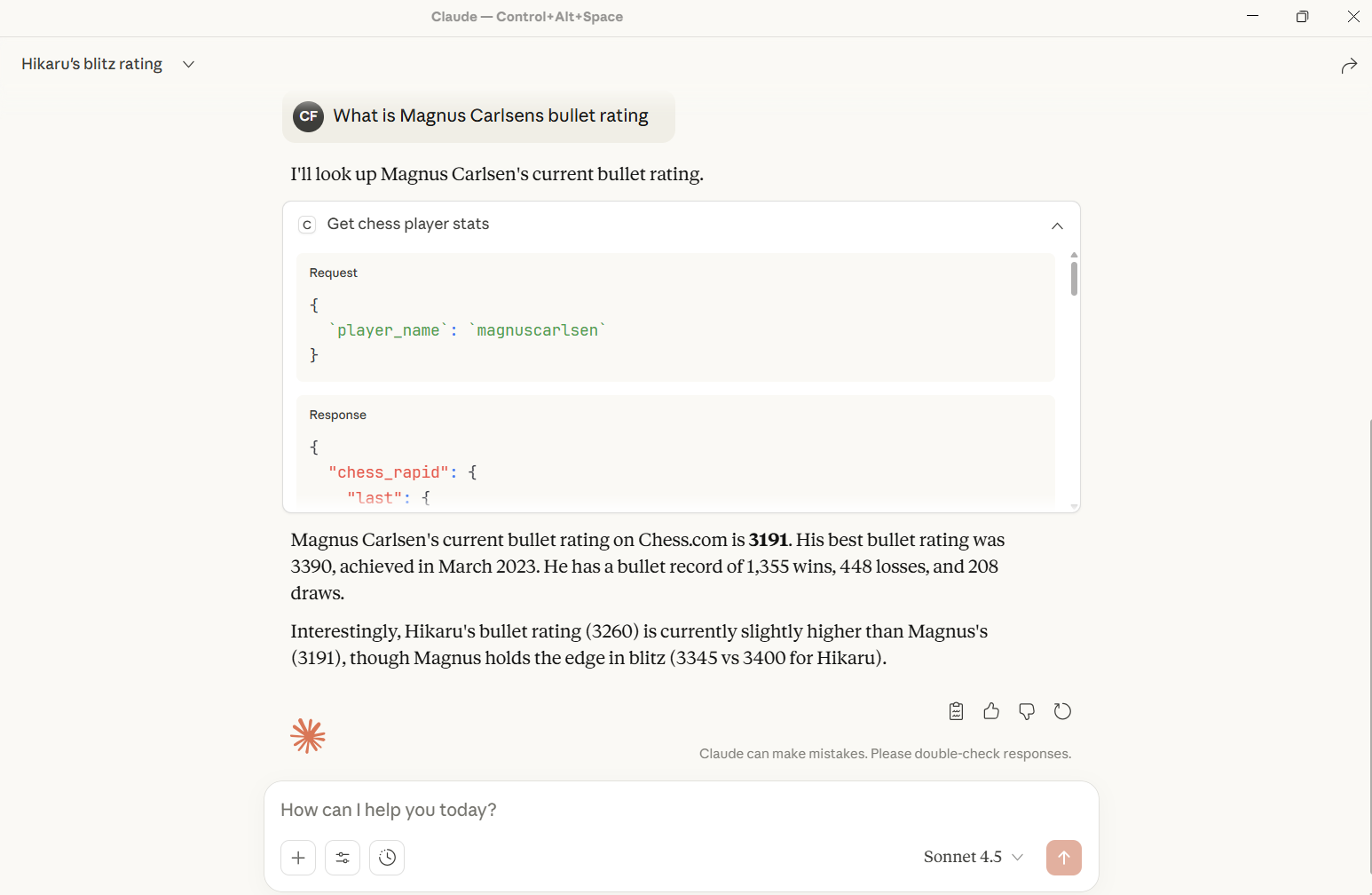
In the chat, type @ followed by the MCP server name and your instructions, e.g., "@MCP Chess Server get Magnus Carlsen's current chess ratings"
That's it! The server will respond to your query, and you can continue using it as needed.
Here is a step-by-step guide with screenshots.
By BINATI AInalytics
A Model Context Protocol (MCP) server that provides Chess.com player data integration. This server allows AI assistants like Claude to fetch real-time chess player profiles and statistics from Chess.com's public API.
Related MCP server: MCP Chess Server
Player Profile Lookup: Get detailed profile information for any Chess.com player
Player Statistics: Retrieve comprehensive statistics including ratings, game counts, and performance metrics
Error Handling: Robust error handling for API requests with detailed error messages
Type Safety: Full type hints for better code quality and IDE support
Python >= 3.13
uv (recommended) or pip for package management
Clone the repository:
git clone https://github.com/CyprianFusi/mcp-chess-server.git
cd mcp_chess_server
Install dependencies using uv:
uv syncOr using pip:
pip install -e .The server can be run directly using the installed command:
chessOr via Python module:
python -m chess.serverTo use this MCP server with Claude Desktop, add the following configuration to your Claude Desktop config file:
For MacOS: ~/Library/Application Support/Claude/claude_desktop_config.json
For Windows: %APPDATA%\Claude\claude_desktop_config.json
{
  "mcpServers": {
    "chess": {
      "command": "uv",
      "args": [
        "--directory",
        "/path/to/mcp_chess_server",
        "run",
        "chess.py"
      ]
    }
  }
}
Replace /path/to/mcp_chess_server with the actual path to your installation directory.
Alternatively, you can also integrate it directly from Github by updating claude desktop as follows:
"chess": {
	"command": "uvx",
	"args": [
		"--from",
		"git+https://github.com/CyprianFusi/mcp-chess-server.git",
		"chess.py"
	]
}
If this is your first MCP server then use this instead:
{
  "mcpServers": {
	"chess": {
		"command": "uvx",
		"args": [
			"--from",
			"git+https://github.com/CyprianFusi/mcp-chess-server.git",
			"chess.py"
		]
	}
  }
}get_chess_player_profileRetrieves the public profile for a Chess.com player.
Parameters:
player_name (str): The Chess.com username
Returns:
Player profile information including:
Username
Player ID
URL
Name (if public)
Country
Location
Join date
Last online timestamp
Followers count
And more...
Example:
Get the profile for player "hikaru"get_chess_player_statsRetrieves comprehensive statistics for a Chess.com player.
Parameters:
player_name (str): The Chess.com username
Returns:
Player statistics including:
Current ratings for all game types (blitz, bullet, rapid, daily, etc.)
Best ratings
Win/loss/draw records
Tactics rating
Lessons stats
Puzzle rush scores
Example:
Get the stats for player "magnuscarlsen"mcp_chess_server/
├── src/
│ └── chess/
│ ├── __init__.py # Package initialization
│ ├── server.py # MCP server implementation
│ └── chess_api.py # Chess.com API client
├── assets/ # Screenshots and images
├── main.py # Entry point (legacy)
├── pyproject.toml # Project configuration
├── uv.lock # Dependency lock file
└── README.md # This filemcp[cli] (>=1.22.0): Model Context Protocol framework
requests (>=2.32.5): HTTP library for API calls
openai (>=2.8.1): OpenAI Python client
This server uses the Chess.com Public API (https://api.chess.com/pub). No API key is required as it uses publicly available endpoints.
The server includes comprehensive error handling:
Network timeouts (10 second timeout on requests)
HTTP error responses
Invalid player names
API downtime
All errors are properly propagated with descriptive messages to help diagnose issues.
# Install development dependencies
uv sync --dev

# Run tests (when available)
pytestThe codebase follows Python best practices:
Type hints for all functions
Comprehensive docstrings
PEP 8 style guidelines
Error handling on all API calls
Contributions are welcome! Please feel free to submit a Pull Request.
This project is open source and available under the MIT License.
Built with FastMCP
Uses Chess.com Public API
For issues, questions, or contributions, please open an issue on the GitHub repository.
Get the public profile for a Chess.com player by player_name.
| Name | Required | Description | Default |
|---|---|---|---|
| player_name | Yes |
| Name | Required | Description |
|---|---|---|
| result | Yes |
Does the description disclose side effects, auth requirements, rate limits, or destructive behavior?
Without annotations, the description carries the burden of disclosure. It states the tool gets a 'public profile', implying no authentication, but does not mention rate limits, error handling (e.g., invalid player name), or the nature of the profile data. The behavioral expectations are minimally conveyed.
Agents need to know what a tool does to the world before calling it. Descriptions should go beyond structured annotations to explain consequences.
Is the description appropriately sized, front-loaded, and free of redundancy?
The description is a single sentence that directly states the tool's purpose with no extraneous words. It is front-loaded with the verb. However, it could be expanded to include critical usage details without losing conciseness.
Shorter descriptions cost fewer tokens and are easier for agents to parse. Every sentence should earn its place.
Given the tool's complexity, does the description cover enough for an agent to succeed on first attempt?
The output schema exists, so return values are covered. However, the description lacks context about input constraints, expected player name format, and whether the player must exist. For a simple lookup tool with one parameter, this is somewhat adequate but still incomplete.
Complex tools with many parameters or behaviors need more documentation. Simple tools need less. This dimension scales expectations accordingly.
Does the description clarify parameter syntax, constraints, interactions, or defaults beyond what the schema provides?
Schema description coverage is 0%, so the description must add meaning to the parameter. It only repeats the parameter name 'player_name' in context—'by player_name'—without explaining format, case sensitivity, or examples. This provides no value beyond the schema's property name.
Input schemas describe structure but not intent. Descriptions should explain non-obvious parameter relationships and valid value ranges.
Does the description clearly state what the tool does and how it differs from similar tools?
The description clearly states the verb 'Get' and the resource 'public profile for a Chess.com player', distinguishing it from the sibling tool 'get_chess_player_stats' which presumably returns stats rather than profile data. The phrase 'by player_name' indicates the required parameter.
Agents choose between tools based on descriptions. A clear purpose with a specific verb and resource helps agents select the right tool.
Does the description explain when to use this tool, when not to, or what alternatives exist?
No guidance is provided on when to use this tool versus alternatives, what prerequisites are needed, or any conditions under which it should not be used. The agent must infer usage solely from the name and the sibling tool.
Agents often have multiple tools that could apply. Explicit usage guidance like "use X instead of Y when Z" prevents misuse.
Get the stats for a Chess.com player by player_name.
| Name | Required | Description | Default |
|---|---|---|---|
| player_name | Yes |
| Name | Required | Description |
|---|---|---|
| result | Yes |
Does the description disclose side effects, auth requirements, rate limits, or destructive behavior?
With no annotations, the description carries full burden but only says 'get stats', which implies a read operation. It does not disclose any behavioral traits such as data freshness, error handling, rate limits, or required permissions.
Agents need to know what a tool does to the world before calling it. Descriptions should go beyond structured annotations to explain consequences.
Is the description appropriately sized, front-loaded, and free of redundancy?
Single sentence, front-loaded with key action and resource. Efficient but could include more detail without losing conciseness.
Shorter descriptions cost fewer tokens and are easier for agents to parse. Every sentence should earn its place.
Given the tool's complexity, does the description cover enough for an agent to succeed on first attempt?
Given the simple tool (one param, output schema present), the description is minimally complete. It covers the basic purpose but lacks context on return values, even though output schema exists. Sibling tool is mentioned externally, not in description.
Complex tools with many parameters or behaviors need more documentation. Simple tools need less. This dimension scales expectations accordingly.
Does the description clarify parameter syntax, constraints, interactions, or defaults beyond what the schema provides?
Schema coverage is 0%, so description must compensate. It adds minimal value by stating 'by player_name', which repeats the parameter name without adding format, constraints, or examples beyond the schema's required string type.
Input schemas describe structure but not intent. Descriptions should explain non-obvious parameter relationships and valid value ranges.
Does the description clearly state what the tool does and how it differs from similar tools?
Description clearly states it gets stats for a Chess.com player using a player name. It is specific about the resource and verb, and distinguishes from the sibling tool 'get_chess_player_profile' which focuses on profile data.
Agents choose between tools based on descriptions. A clear purpose with a specific verb and resource helps agents select the right tool.
Does the description explain when to use this tool, when not to, or what alternatives exist?
No guidance on when to use this tool vs alternatives, no prerequisites, and no mention of excluded scenarios. The description only states what it does, not when or when not to use it.
Agents often have multiple tools that could apply. Explicit usage guidance like "use X instead of Y when Z" prevents misuse.
Recent tool additions, removals, and schema changes observed during successful MCP inspections.
v0.1.0get_chess_player_profileget_chess_player_statsScored across 2 tools
The two tools have clearly distinct purposes: one retrieves public profile information, the other retrieves stats. There is no overlap or ambiguity.
Both tools follow a consistent 'get_chess_player_*' pattern, making it easy to infer their functionality from their names.
Two tools is minimal, but for a server focused solely on retrieving Chess.com player data, it could be acceptable. However, it feels thin compared to typical API coverage.
The server covers profile and stats, but lacks other common operations like listing games or tournaments. There are notable gaps for a full player information server.
Chess.com MCP — wraps the Chess.com public API (free, no auth)
Chess MCP for Claude: engine analysis, attack maps, game review. One URL, no install.
Lichess MCP — public read-only API for users, games, explorer, tablebase.
Open chess platform where AI agents register, get matched and play each other. Referee only.