
Click on "Install Server".
Wait a few minutes for the server to deploy. Once ready, it will show a "Started" state.
In the chat, type
@followed by the MCP server name and your instructions, e.g., "@Mcp-Swagger-Serverconvert the Petstore API spec to MCP tools"
That's it! The server will respond to your query, and you can continue using it as needed.
Here is a step-by-step guide with screenshots.
MCP Swagger Server(mss)


一个将 OpenAPI/Swagger 规范转换为 Model Context Protocol (MCP) 格式的工具
零配置将您的 REST API 转换为 AI 可调用的工具
Languages: English | 中文
🎯 项目截图
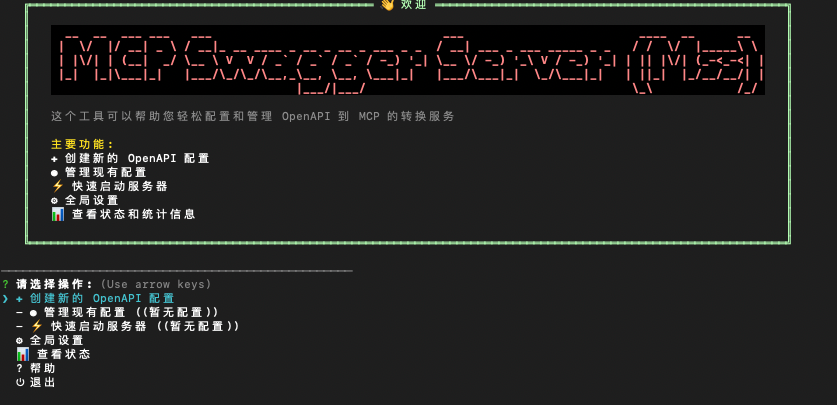
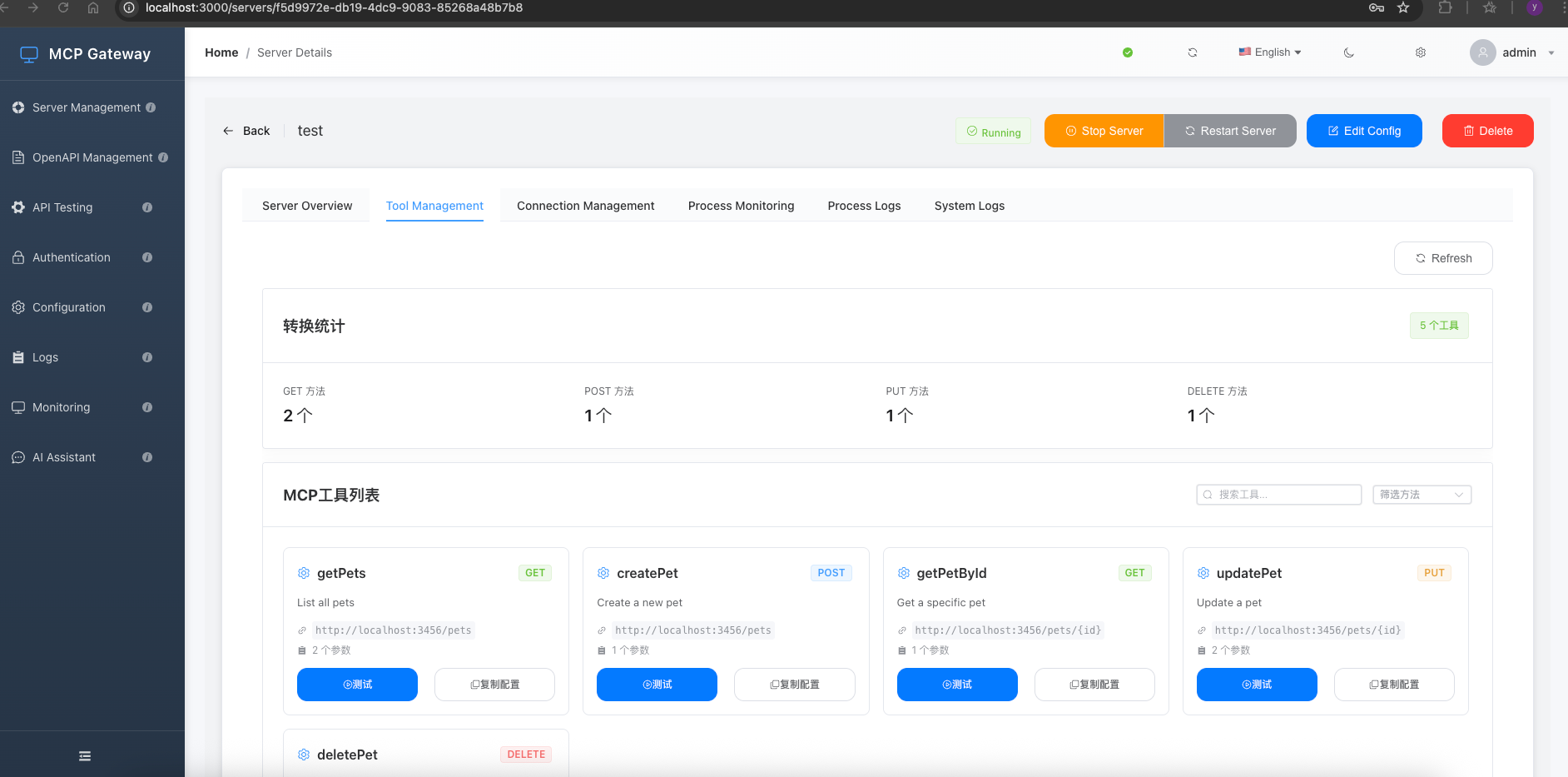
Related MCP server: Swagger MCP Server
🎯 项目简介
MCP Swagger Server 是一个将 OpenAPI/Swagger 规范转换为 Model Context Protocol (MCP) 格式的工具。
📦 项目结构
✨ 核心特性
🔄 零配置转换: 输入 OpenAPI 规范,立即获得 MCP 工具
🎯 渐进式命令行: 提供逐步引导的命令行界面,方便用户配置
🔌 多传输协议: 支持 SSE、Streamable 和 Stdio 传输
🔐 安全认证: 支持 Bearer Token 认证保护 API 访问
🚀 快速开始
环境要求
Node.js ≥ 20.0.0
pnpm ≥ 8.0.0 (推荐)
安装
快速启动
自定义启动
一键启动
命令行选项
🔐 Bearer Token 认证
mcp-swagger-server 支持 Bearer Token 认证,可以保护需要身份验证的 API 访问。
认证方式
1. 直接指定 Token
环境变量配置
创建 .env 文件:
🤖 与 AI 助手集成
Claude Desktop 配置
🛠️ 开发
构建系统
🤝 贡献
欢迎贡献!请先阅读 贡献指南。
📄 许可证
MIT License - 详见 LICENSE 文件。
Built with ❤️ by ZhaoYaNan(ZTE)