
Utilizes CesiumJS to provide 3D globe rendering capabilities, including interactive perspective controls, zooming, and camera navigation to specific coordinates.
Integrates with OpenStreetMap for geocoding services via the Nominatim API and provides interactive map imagery using free OSM tiles.
Click on "Install Server".
Wait a few minutes for the server to deploy. Once ready, it will show a "Started" state.
In the chat, type
@followed by the MCP server name and your instructions, e.g., "@Interactive Map MCP ServerShow me the Eiffel Tower on the map"
That's it! The server will respond to your query, and you can continue using it as needed.
Here is a step-by-step guide with screenshots.
Example: Interactive Map
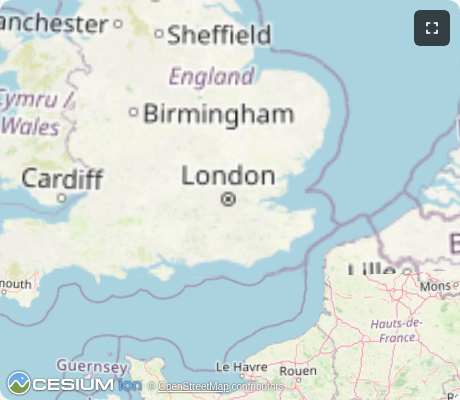
Interactive 3D globe viewer using CesiumJS with OpenStreetMap tiles. Demonstrates geocoding integration and full MCP App capabilities.
MCP Client Configuration
Add to your MCP client configuration (stdio transport):
Local Development
To test local modifications, use this configuration (replace ~/code/ext-apps with your clone path):
Features
3D Globe Rendering: Interactive CesiumJS globe with rotation, zoom, and 3D perspective
Geocoding: Search for places using OpenStreetMap Nominatim (no API key required)
OpenStreetMap Tiles: Uses free OSM tile server (no Cesium Ion token needed)
Dynamic Loading: CesiumJS loaded from CDN at runtime for smaller bundle size
Running
Install dependencies:
npm installBuild and start the server:
npm run start:http # for Streamable HTTP transport # OR npm run start:stdio # for stdio transportView using the
basic-hostexample or another MCP Apps-compatible host.
Tools
geocode
Search for places by name or address. Returns coordinates and bounding boxes.
Returns up to 5 matches with lat/lon coordinates and bounding boxes.
show-map
Display the 3D globe zoomed to a bounding box.
Defaults to London if no coordinates provided.
Architecture
Server (server.ts)
Exposes two tools:
geocode- Queries OpenStreetMap Nominatim API with rate limitingshow-map- Renders the CesiumJS globe UI at a specified location
Configures Content Security Policy to allow fetching tiles from OSM and Cesium CDN.
App (src/mcp-app.ts)
Vanilla TypeScript app that:
Dynamically loads CesiumJS from CDN
Initializes globe with OpenStreetMap imagery (no Ion token)
Receives tool inputs via the MCP App SDK
Handles camera navigation to specified bounding boxes
Key Files
server.ts- MCP server with geocode and show-map toolsmcp-app.html/src/mcp-app.ts- CesiumJS globe UIserver-utils.ts- HTTP server utilities
Notes
Rate limiting is applied to Nominatim requests (1 request per second per their usage policy)
The globe works in sandboxed iframes with appropriate CSP configuration
No external API keys required - uses only open data sources

