
Click on "Install Server".
Wait a few minutes for the server to deploy. Once ready, it will show a "Started" state.
In the chat, type
@followed by the MCP server name and your instructions, e.g., "@Panecreate a flowchart showing our project workflow"
That's it! The server will respond to your query, and you can continue using it as needed.
Here is a step-by-step guide with screenshots.
Pane
A visual communication channel for AI agents. Instead of text-only responses, agents can show diagrams, request structured input, and maintain visual state throughout your conversation.
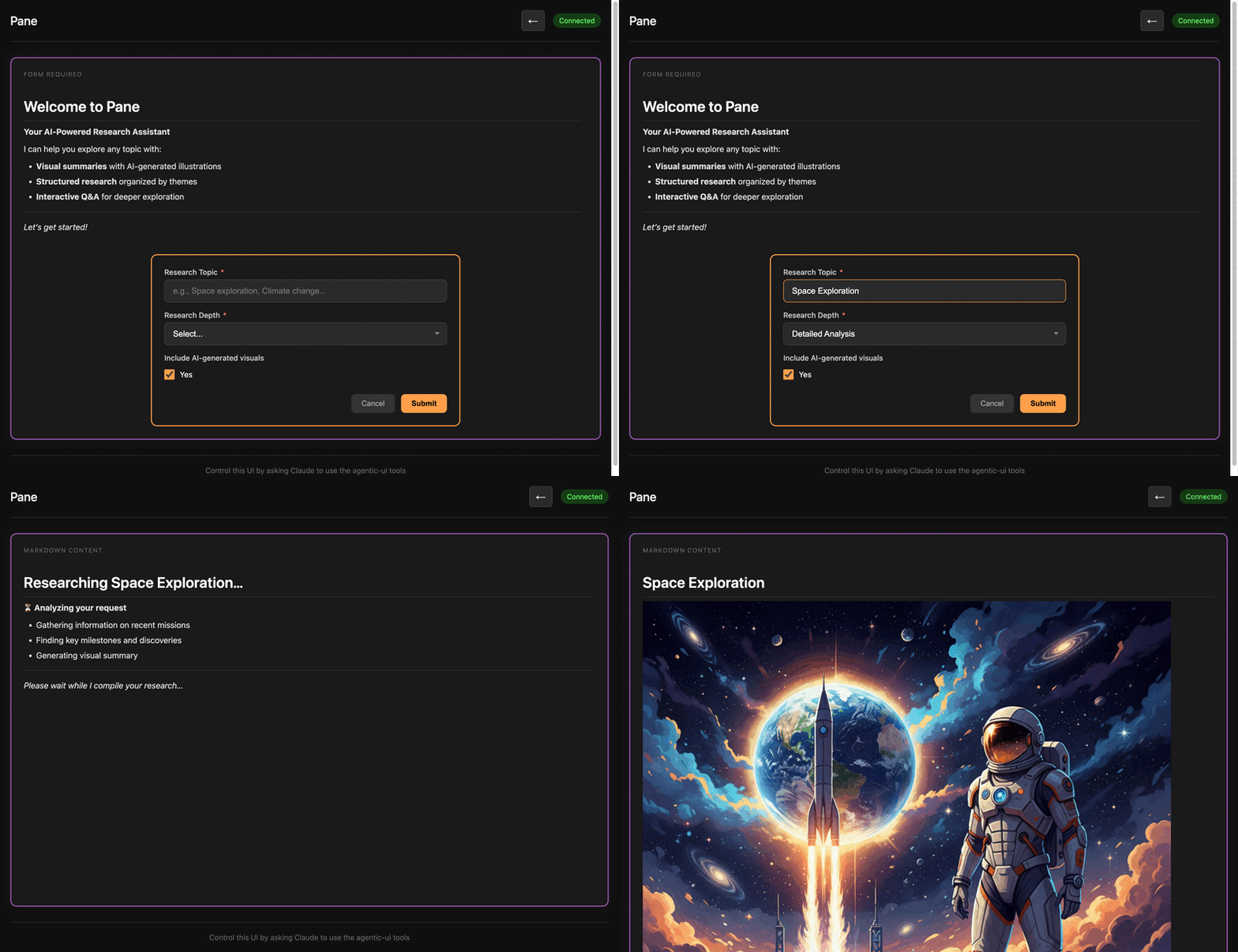
Getting Started
Requires (for TypeScript execution)
Claude Code (30 seconds)
Cursor
Add to your Cursor MCP settings (~/.cursor/mcp.json or via Settings > MCP):
Then restart Cursor.
Using Pane
Open http://localhost:3000 and ask your AI:
"respond using pane"
That's it!
Architecture
Features
Text & Markdown Display - Rich content with Mermaid diagram support
User Input Forms - Single and multi-field forms with various input types
Long-Polling - Auto-trigger when user submits (no manual Enter needed)
State Persistence - Full state restoration across MCP restarts
User Context - Persistent key-value storage across interactions
MCP Tools
Tool | Description |
| Get app info and capabilities |
| Get current state, text, and available actions |
| Execute actions (set_text, set_markdown, clear, undo, reset) |
| Display single-field input form |
| Display multi-field form |
| Long-poll for user input (blocks until submitted) |
| Get persistent user context values |
| Set a user context value |
| Clear all user context |
| Upload image (path or base64) for use in markdown |
Development
MCP Server
Frontend
License
MIT