
Click on "Install Server".
Wait a few minutes for the server to deploy. Once ready, it will show a "Started" state.
In the chat, type
@followed by the MCP server name and your instructions, e.g., "@Clinical Trials MCP Agentfind active Phase 2 trials for breast cancer"
That's it! The server will respond to your query, and you can continue using it as needed.
Here is a step-by-step guide with screenshots.
Enterprise Clinical Trials Agent (MCP Architecture)
This project implements a robust Retrieval-Augmented Generation (RAG) agent using the Model Context Protocol (MCP) standard. It acts as an integration middleware that fetches real-world clinical data, stores it in hybrid databases (SQL + Vector), and exposes it to LLM clients for autonomous reasoning.
🚀 Key Features
REST API Integration: Implements a custom ETL pipeline (
etl_pipeline.py) that consumes the ClinicalTrials.gov API with pagination and error handling.Hybrid Data Architecture:
Structured (SQL): Uses SQLite for high-precision filtering (Trial Status, Phase, Conditions).
Unstructured (Vector DB): Uses ChromaDB with
sentence-transformersfor semantic search within medical protocols.
MCP Server: A centralized integration server (
mcp_server.py) that standardizes tools for any AI client (Claude Desktop, Cursor, IDEs).
📸 Autonomous Agent Demo
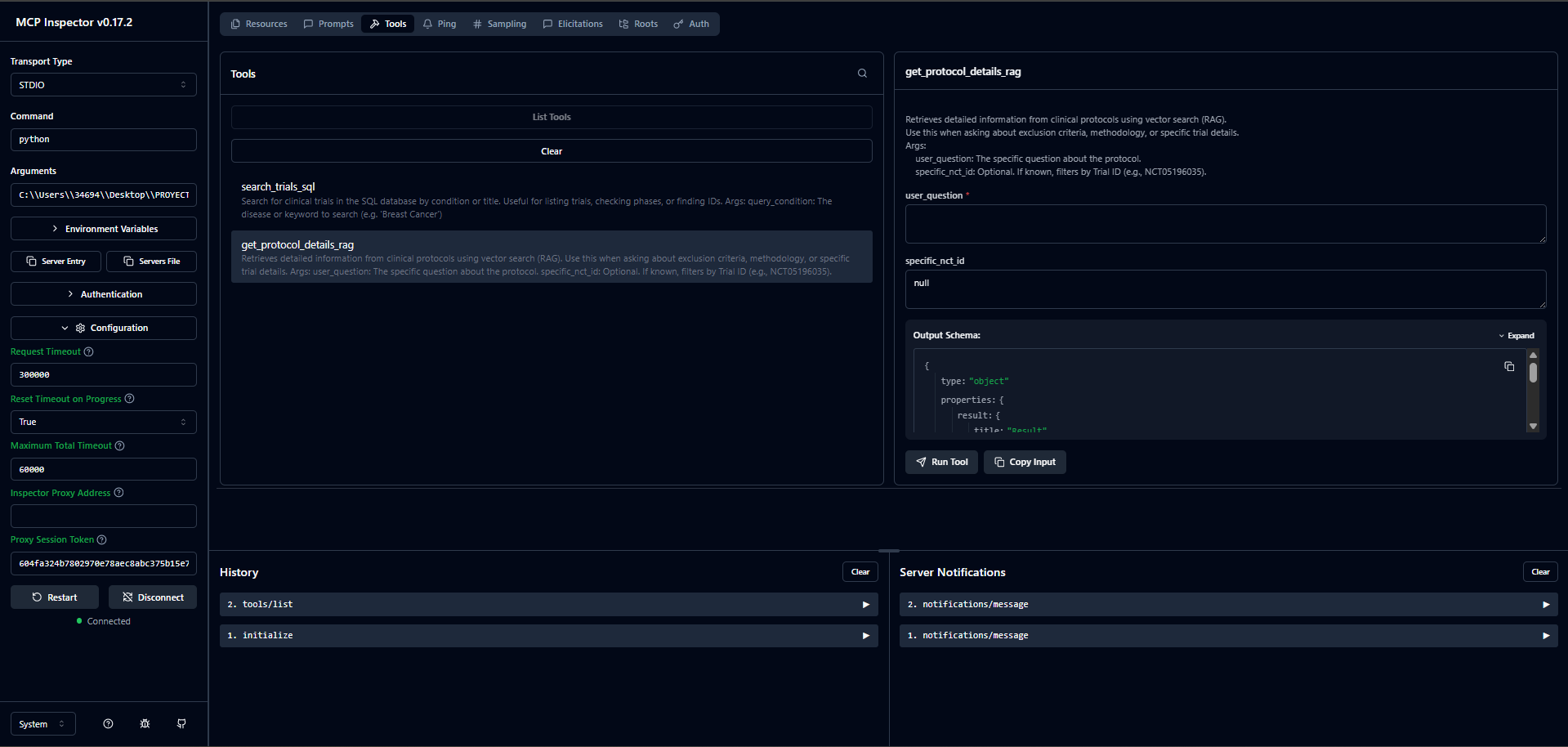
1. Backend Verification (MCP Inspector)
The server exposes structured SQL tools and Vector RAG tools via standard JSON-RPC.
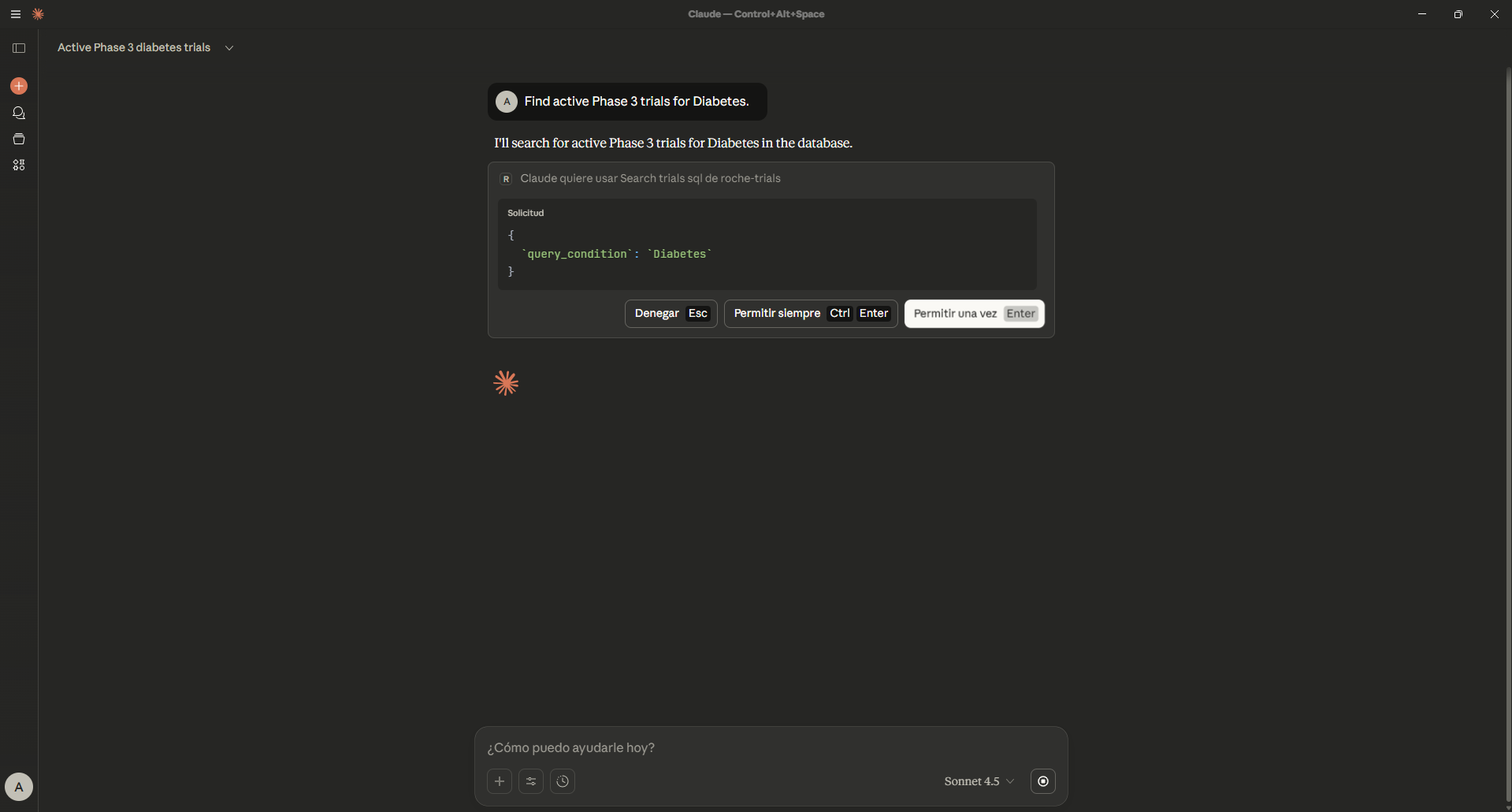
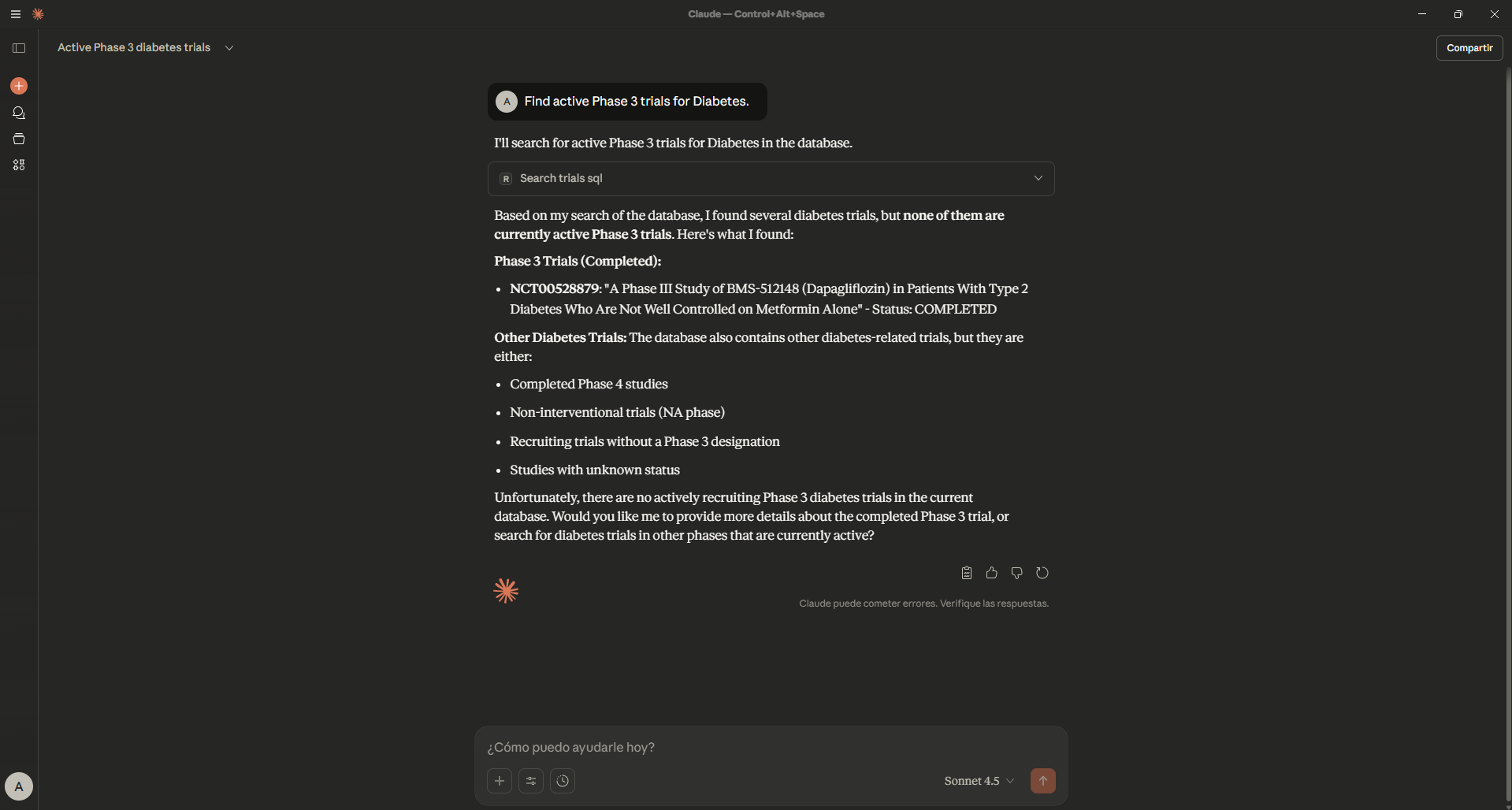
2. Structured Reasoning (SQL Tool)
User asks for "Diabetes trials". The Agent autonomously selects the SQL tool to filter by disease.
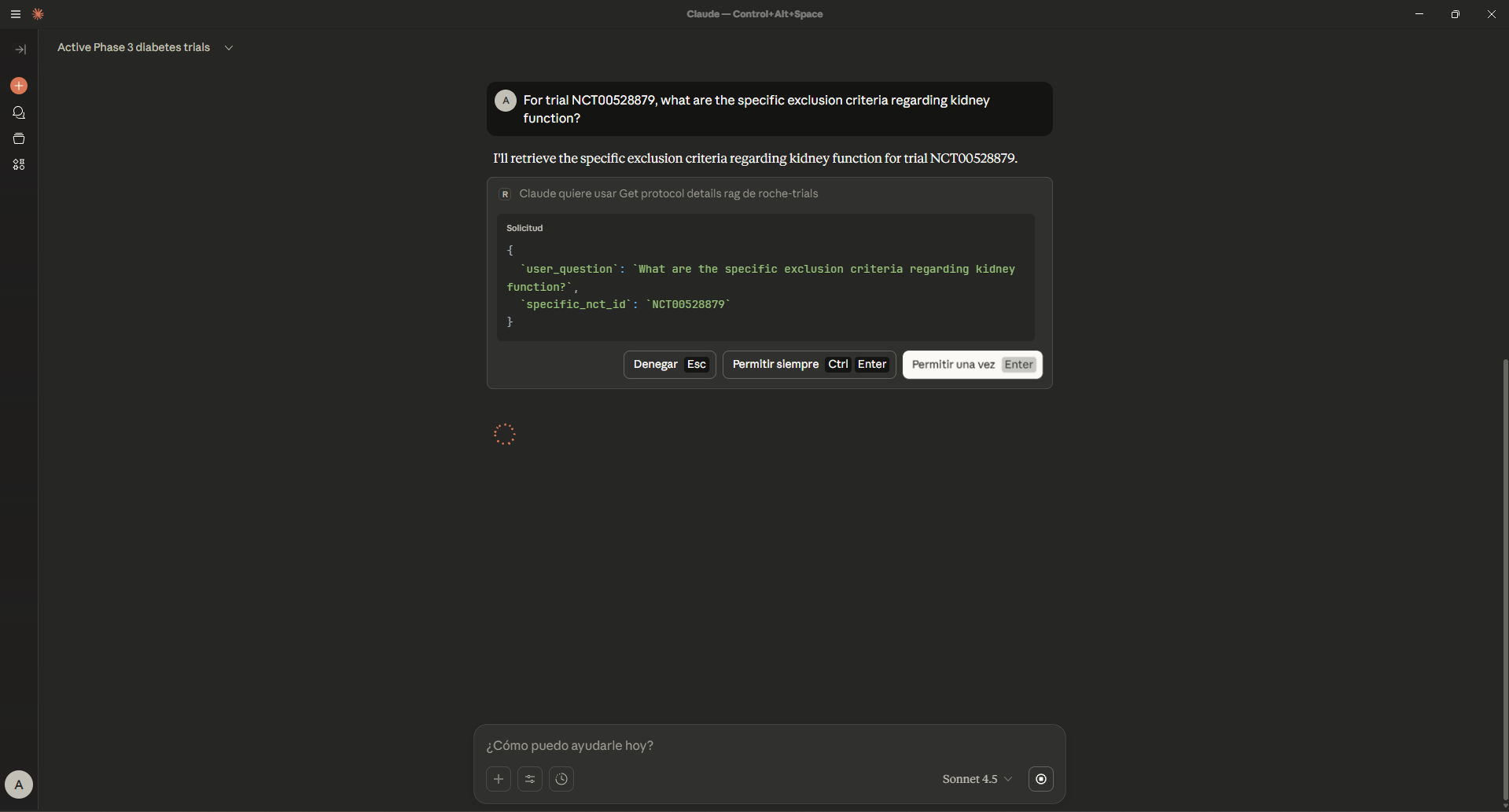
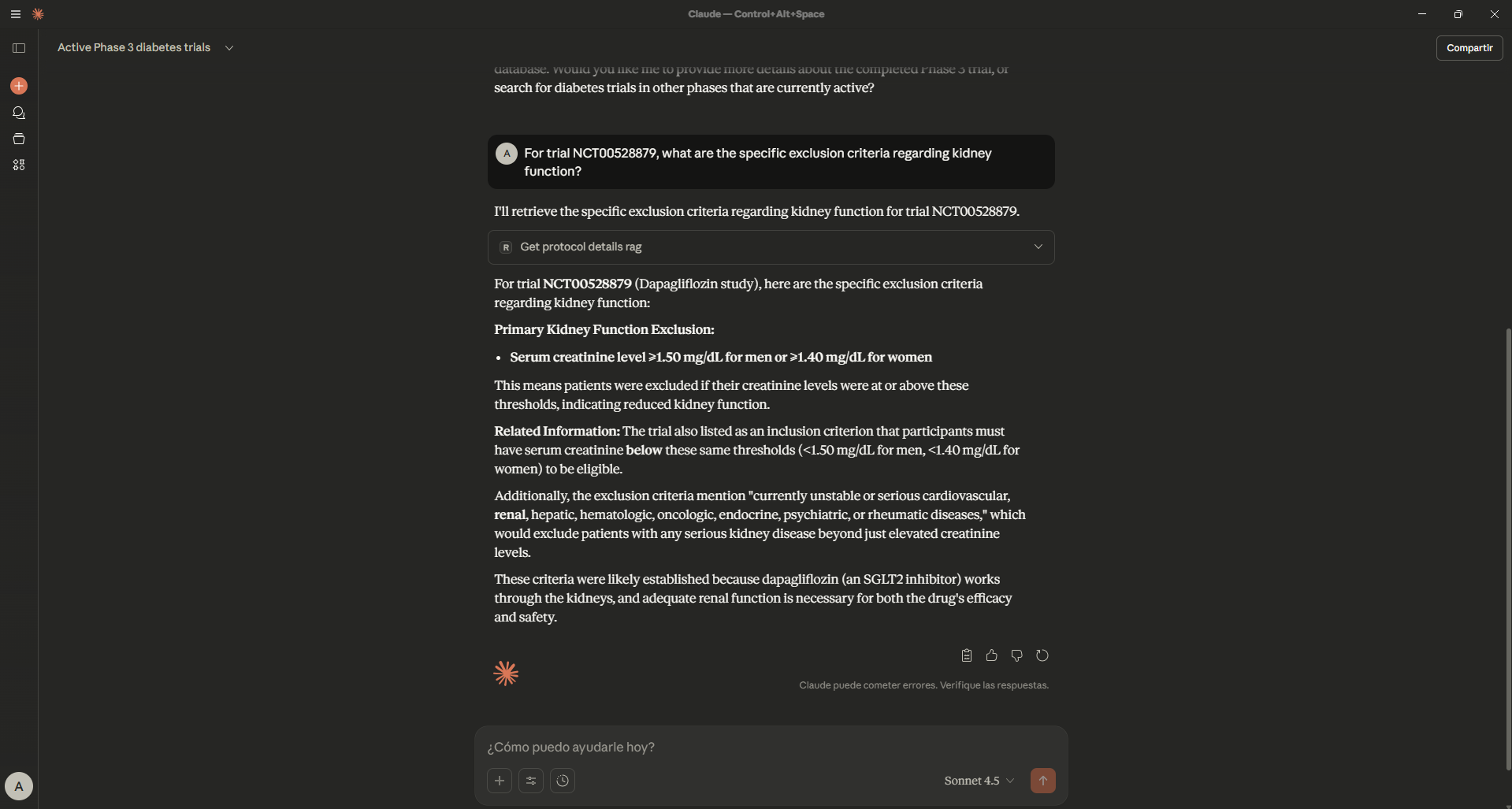
3. Semantic Reasoning (RAG Tool)
User asks for specific "kidney function exclusion criteria". The Agent switches tools to perform vector search on the protocol text.
🛠️ Installation
Clone the repository:
git clone https://github.com/tonih23/clinical-trials-mcp-agent.git
cd clinical-trials-mcp-agentSet up the environment:
python -m venv venv
Windows:
venv\Scripts\activate
Mac/Linux:
source venv/bin/activate
pip install -r requirements.txt
🔄 Usage Workflow
1. Data Ingestion (ETL)
Run the pipeline to fetch live data from the API and populate local databases. This demonstrates the REST integration pattern:
This will fetch the latest trials related to Oncology, Cardiology, and Diabetes.
2. Run the MCP Server (Dev Mode)
Start the integration server to test connections:
3. Connect to LLM Client (Production-like)
To use this with an MCP-compliant client (like Claude Desktop), add this configuration to your claude_desktop_config.json:
Note: Replace the path below with the absolute path to your project folder.
On Windows, use double backslashes (\\).
🧠 Example Queries
Once connected, the Agent can perform autonomous tool calling:
Structured Query (SQL)
"Find active Phase 3 trials for Diabetes."
(The LLM will automatically route this to search_trials_sql.)
Semantic Query (RAG)
"For trial NCT00528879, what are the specific exclusion criteria regarding kidney function?"
(The LLM will automatically route this to get_protocol_details_rag.)
Developed as a Proof of Concept for Enterprise AI Integration.