
Click on "Install Server".
Wait a few minutes for the server to deploy. Once ready, it will show a "Started" state.
In the chat, type
@followed by the MCP server name and your instructions, e.g., "@InputMCPdraw a quick sketch of a cat for me"
That's it! The server will respond to your query, and you can continue using it as needed.
Here is a step-by-step guide with screenshots.
input-mcp
MCP server for collecting contextual user input.
The server exposes a single collect_input tool that can collect:
Text input - simple text or JSON from the user
Image input - freeform drawing on a canvas
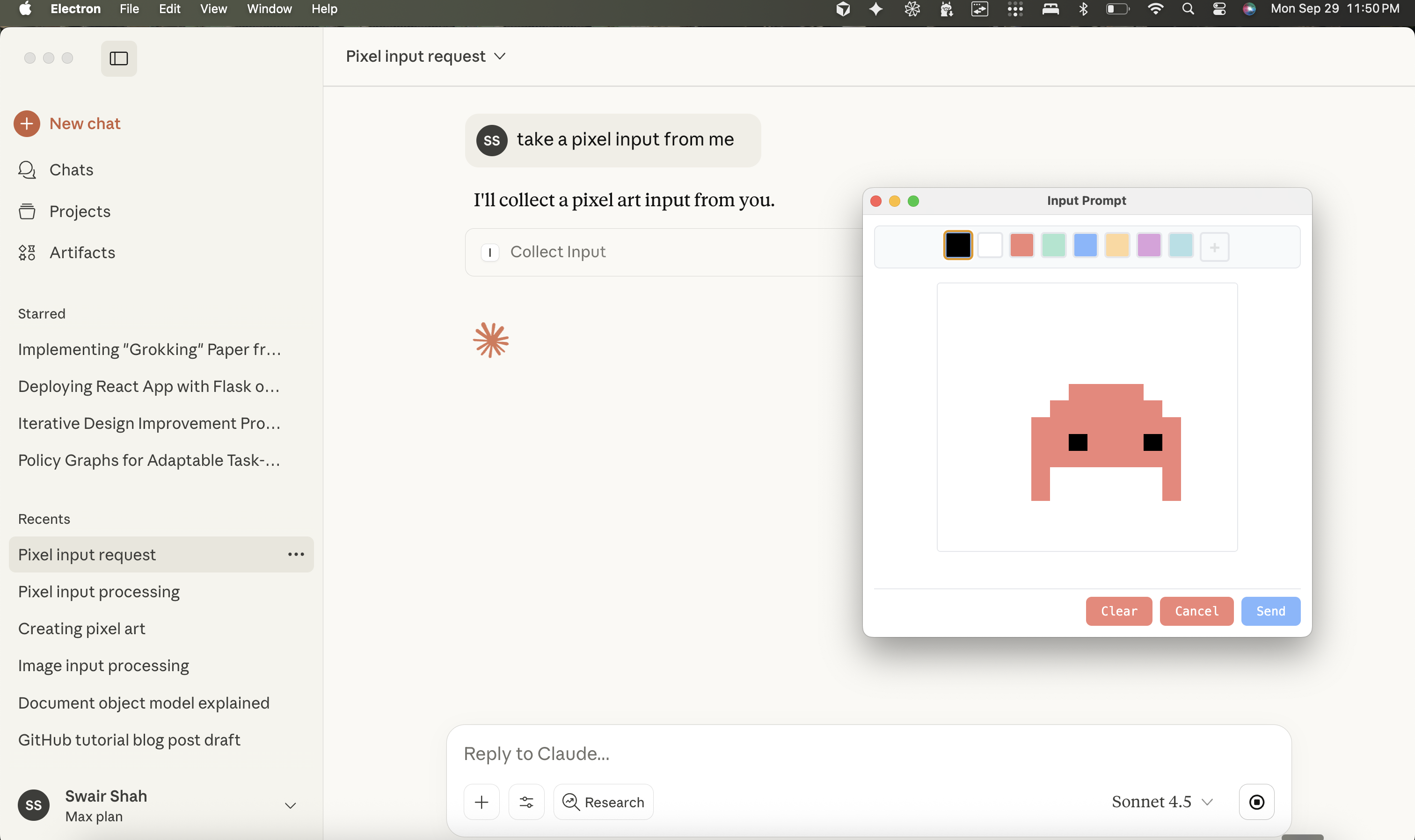
Pixel art - grid-based pixel art editor with color palette
When called, it launches an Electron window where the user can provide their input, then returns the result (as a file path for images) back to the MCP client.
Quick Start
Note: This package is also published on npm as @swairshah/input-mcp and can be used directly with npx @swairshah/input-mcp.
This opens a web interface where you can test the tool. Try calling collect_input with different parameters:
{"kind": "text"}- opens a text input window{"kind": "pixelart", "gridWidth": 16, "gridHeight": 16}- opens a pixel art editor{"kind": "image", "initialImage": "/path/to/image.png"}- opens an image editor with a starting image
Build and Test the UI Components
bun install first. obviously.
Build the UI bundle (creates
ui/dist/assets used by Electron):npm run build:ui # or bun run build:uiLaunch the Electron prompt helper directly (useful for smoke tests):
bun run createThis spawns the image/text prompt window with the default text spec.
Test script:
bunx tsx scripts/test-input.ts image
Testing with MCP Inspector
The inspector provides a web UI to test the tool. Images are saved to ~/.cache/input-mcp/images/ and the tool returns the file path.
Using with Claude Desktop
Add to your Claude config (~/Library/Application Support/Claude/claude_desktop_config.json):
Using npm package (recommended):
Using local clone:
Then ask Claude things like:
"Let me draw something for you" (opens drawing canvas)
"I want to create pixel art" (opens pixel art editor)
Dev
Project Structure
Development Workflow
Modify the renderer in
ui/renderer.tsand module files underui/modules/.Add new input kinds by extending
shared/types.tsand branching insidemount*Modulehelpers.When iterating on the UI, run
bun run create(ornpx tsx scripts/test-input.ts image) to open a live window with the current spec.
License
MIT
