
Enables searching, listing, and retrieving MindMup mind map files stored in Google Drive, with support for parsing mind map content, getting summaries, and extracting specific chunks with keyword search capabilities.
Click on "Install Server".
Wait a few minutes for the server to deploy. Once ready, it will show a "Started" state.
In the chat, type
@followed by the MCP server name and your instructions, e.g., "@Mindmup2GoogleDriveMCPfind mind maps about project planning"
That's it! The server will respond to your query, and you can continue using it as needed.
Here is a step-by-step guide with screenshots.
MindMup2 Google Drive MCP Server
A Model Context Protocol (MCP) server that provides seamless integration between MindMup mind maps and Google Drive. This server enables you to search, retrieve, and parse MindMup files stored in your Google Drive directly through the MCP interface.
Medium Article: https://medium.com/@shyinlim/using-google-drive-mindmup-mcp-to-review-test-cases-automatically-ee03f2e9272d
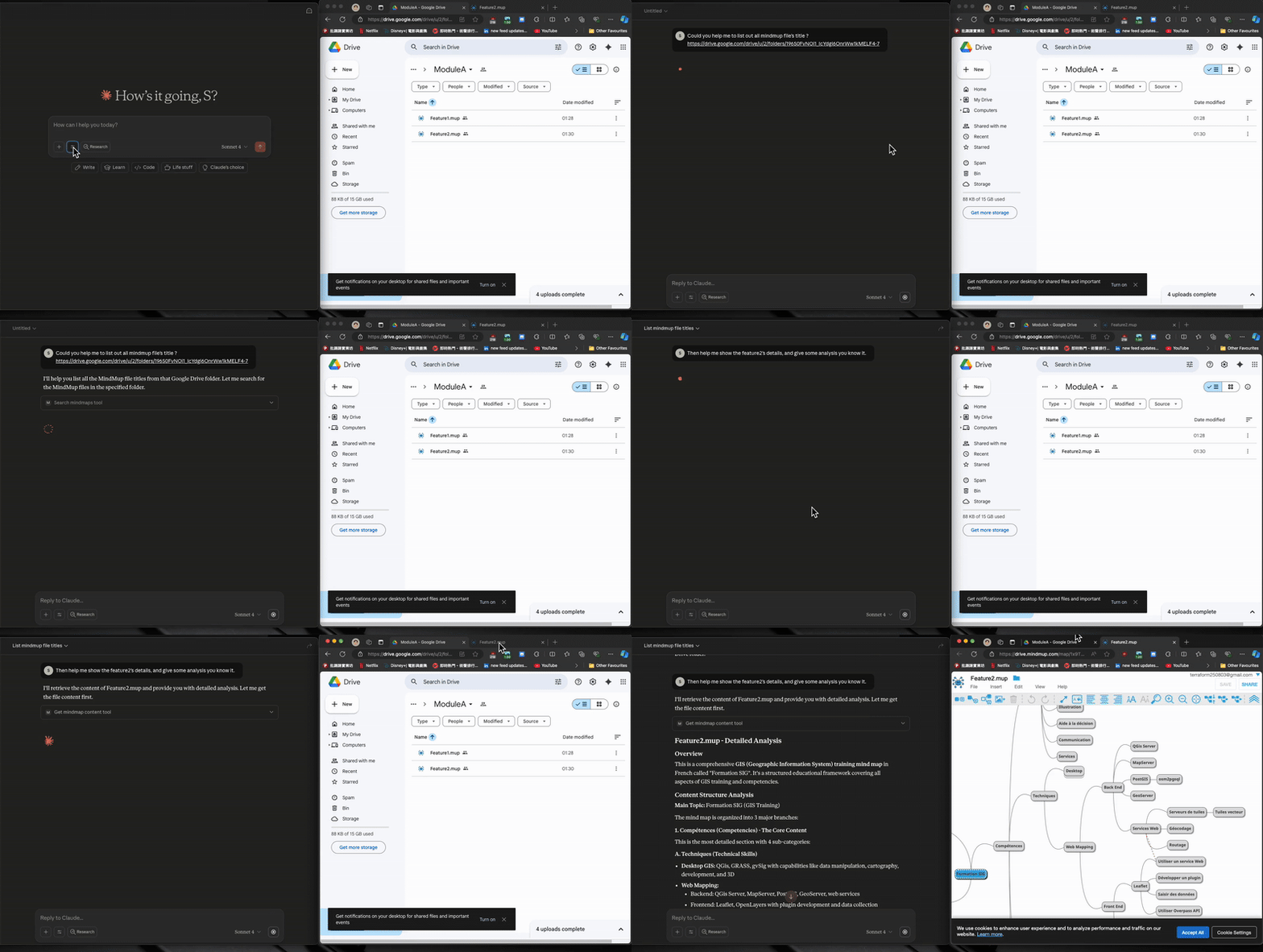
💫 Result
✨ Feature
Search MindMup Files: Find MindMup files across your entire Google Drive (read-only)
Google Drive Integration: List and filter files in Google Drive with various criteria
MindMup Parsing: Parse and extract content from MindMup mind map files
FastMCP Server: Built on FastMCP framework for high performance
Docker Support: Containerized deployment with Docker Compose
🔧 Available MCP Tools
Tool | Description |
| List files from Google Drive with optional filtering by file type or name |
| Get a single MindMup file by ID or name |
| Get summary overview of a MindMup file (sections, node count, structure) |
| Get specific chunk of a large MindMup file with optional keyword search |
🧠 Business Value
Unified Knowledge Management: Centralize mind map access across Google Drive through a single MCP interface
Enhanced Productivity: Quick search and retrieval of mind maps without switching between applications
Developer Integration: Seamlessly integrate mind mapping capabilities into existing workflows and tools
Scalable Architecture: Handle large collections of mind maps with efficient filtering and parsing
Cross-Platform Compatibility: Access mind maps from any MCP-compatible client or application
🏗️ Project Structure
🚀 Getting Started
Prerequisites
Python 3.12+
Google Cloud Platform account
Google Drive API Setup
Step | Description | Image |
1 | Go to Google Cloud Console and create a new project or select an existing one | |
2 | Enable Google Drive API in your project | |
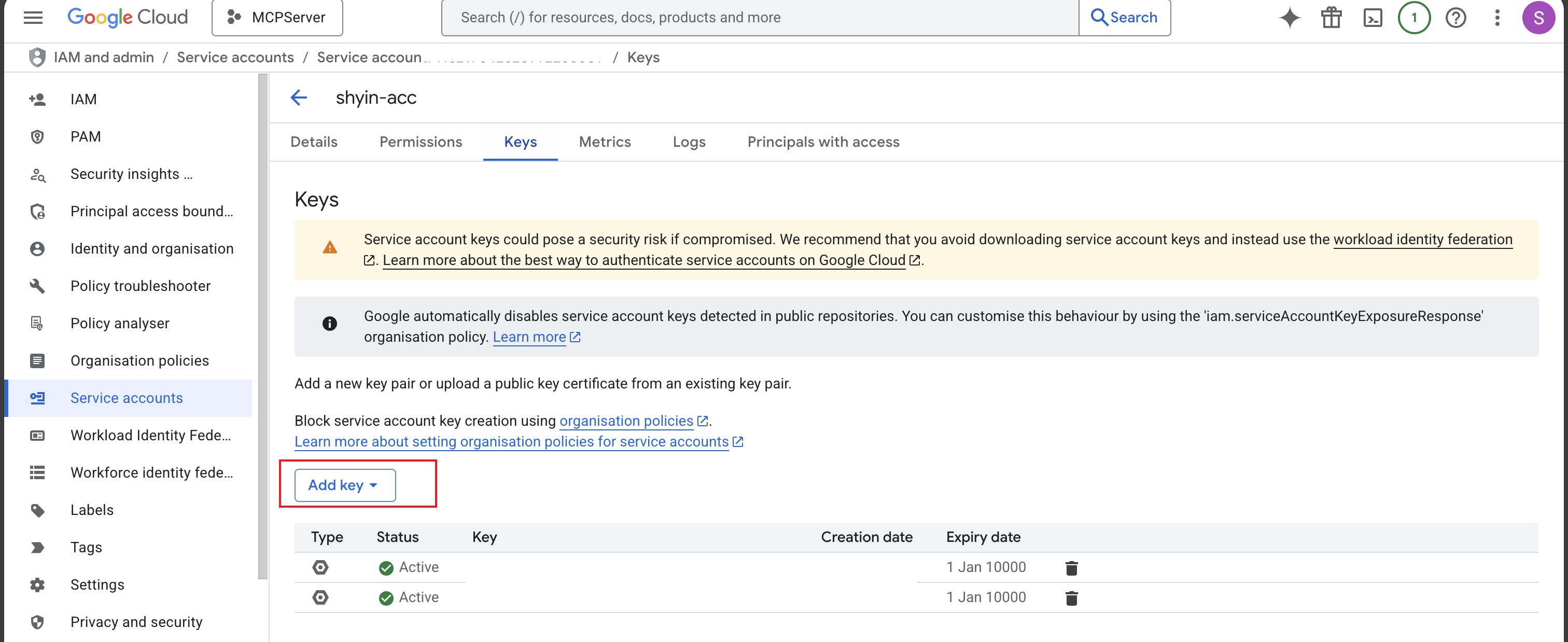
3 | Create Service Account credentials: - Go to "IAM & Admin" → "Service Accounts" - Click "Create Service Account" - Download the JSON key file |
|
4 | Encode the entire JSON key file to base64: - See Generate Base64 Credential section | |
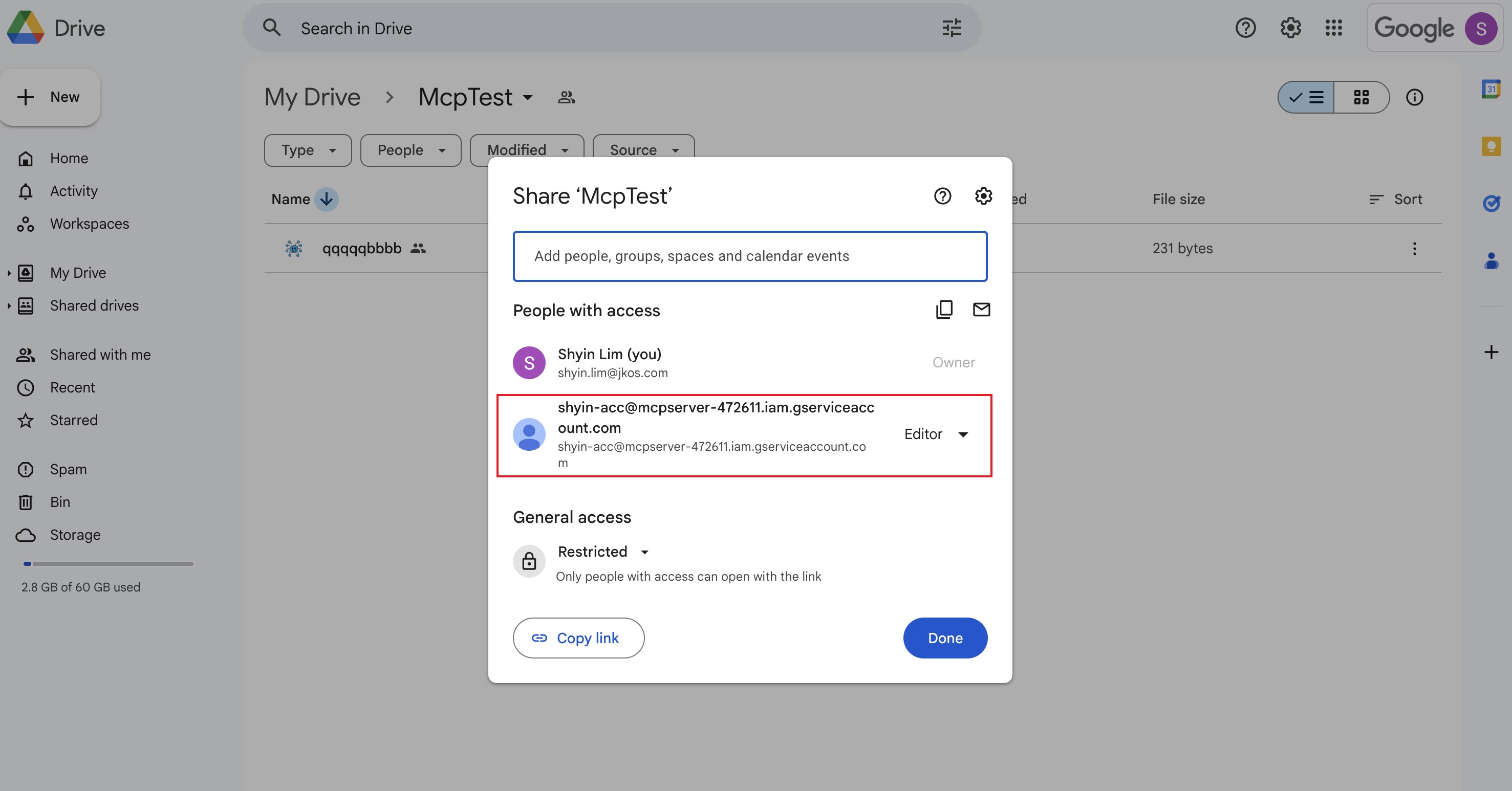
5 | Share your Google Drive folder with the Service Account: - Right-click folder → Share - Paste the service account email - Grant Viewer access - Do NOT send invitation |
|
Run the Server
For development:
For production:
MCP Client Configuration
Add this server to your MCP client configuration:
Generate Base64 Credential
Encode your Google service account JSON to base64:
https://www.base64encode.org/
Copy the output and paste it as the X-Google-Credential value.
Example
🔍 Future Plan
Create MindMup Files: Create new mind maps directly through MCP interface
Edit MindMup Content: Modify existing mind map nodes and structure
Export Features: Export mind maps to various formats (PDF, PNG, SVG)
Sync Operations: Two-way synchronization between local and cloud mind maps
Advanced Tagging: Add metadata and tags to mind map nodes
Plugin System: Extensible plugin architecture for custom functionality
Contribution
This project is a collaborative effort:
50% developed by the project maintainer
50% generated with assistance from Claude AI