
Provides OAuth 2.0 authenticated access to Gmail for fetching unread emails and creating draft replies with proper conversation threading.
Click on "Install Server".
Wait a few minutes for the server to deploy. Once ready, it will show a "Started" state.
In the chat, type
@followed by the MCP server name and your instructions, e.g., "@Gmail MCP Servercheck my unread emails and draft a reply to the latest one saying I'll get back to them tomorrow"
That's it! The server will respond to your query, and you can continue using it as needed.
Here is a step-by-step guide with screenshots.
Gmail MCP Server
An MCP (Model Context Protocol) server that provides Gmail access through OAuth 2.0 authentication.
Prerequisites
Bun runtime
Google Cloud project with Gmail API enabled
OAuth 2.0 credentials from Google Cloud Console
Setup
1. Google Cloud Configuration
Go to Google Cloud Console
Create a new project or select an existing one
Enable the Gmail API
Go to "Credentials" and create an OAuth 2.0 Client ID
Set the application type to "Web application"
Add
http://localhost:3000/callbackas an authorized redirect URIDownload the credentials and save as
credentials.jsonin the project root
Note: You may need to add your testing email address to the list of Test users in the Audience tab on your project if you want to test the integration before publishing the project.
The credentials.json should have this structure:
2. Install Dependencies
3. Start the Servers
This starts both:
Auth server on
http://localhost:3000MCP server on
http://localhost:3001
4. Configure with Claude
Claude Code
Add the MCP server to Claude Code:
Make sure the servers are running before using the MCP in Claude Code.
Claude Desktop
Claude Desktop doesn't natively support streamable HTTP MCP servers, so you need to use the mcp-remote package as a bridge. For more details, see:
Edit your Claude Desktop config file:
macOS:
~/Library/Application Support/Claude/claude_desktop_config.jsonWindows:
%APPDATA%\Claude\claude_desktop_config.json
Add the following configuration:
Important: Node.js Version Requirements
The mcp-remote package requires Node.js >= 20.18.1. If you encounter errors like ReferenceError: File is not defined, your Claude Desktop is using an older Node.js version.
To fix this, specify the full path to a compatible Node.js installation and set the PATH explicitly:
For nvm users on macOS, replace /path/to/node/v22/bin with something like:
After updating the config, restart Claude Desktop completely (Cmd+Q on macOS, then reopen).
5. Authenticate the MCP in Claude
Claude Code
Once you have run Claude Code, authenticate the MCP by entering:
to see your list of MCPs.
Select the Gmail MCP and follow the prompts to authenticate.
Claude Desktop
After restarting Claude Desktop with the configuration above, you'll be prompted to authenticate via the OAuth flow in your browser. Once authenticated, you can use the Gmail MCP tools.
Available Tools
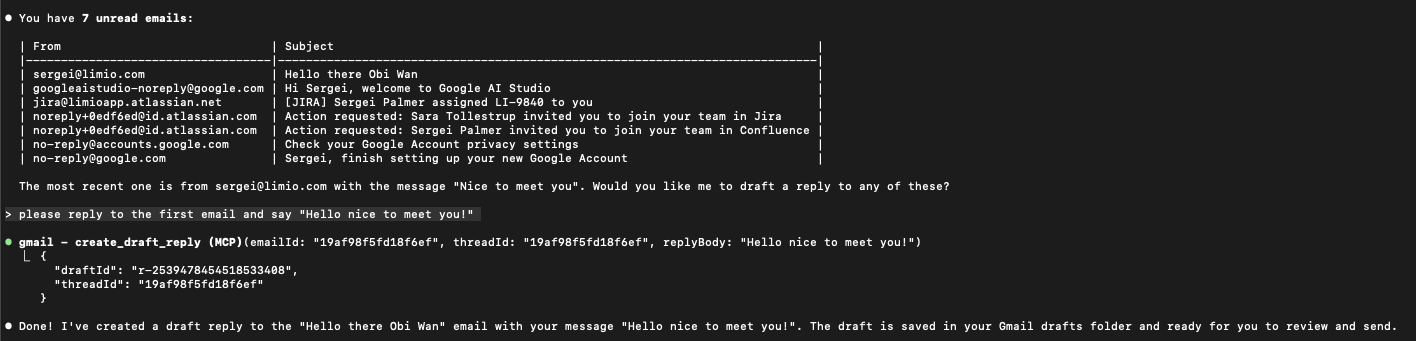
get_unread_emails
Fetches unread emails from your Gmail account.
Example Prompts
Claude Desktop
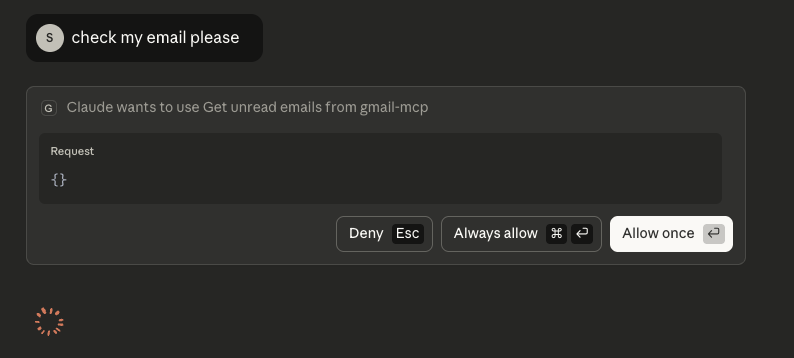
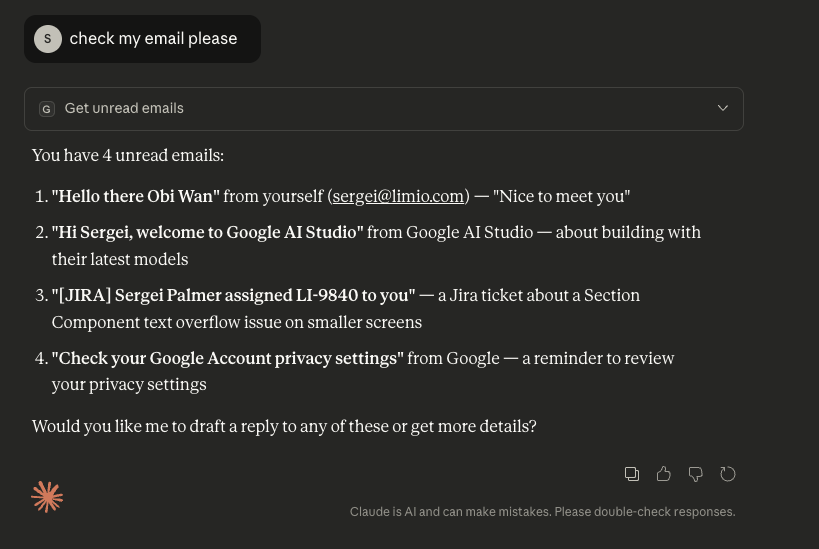
Claude Code
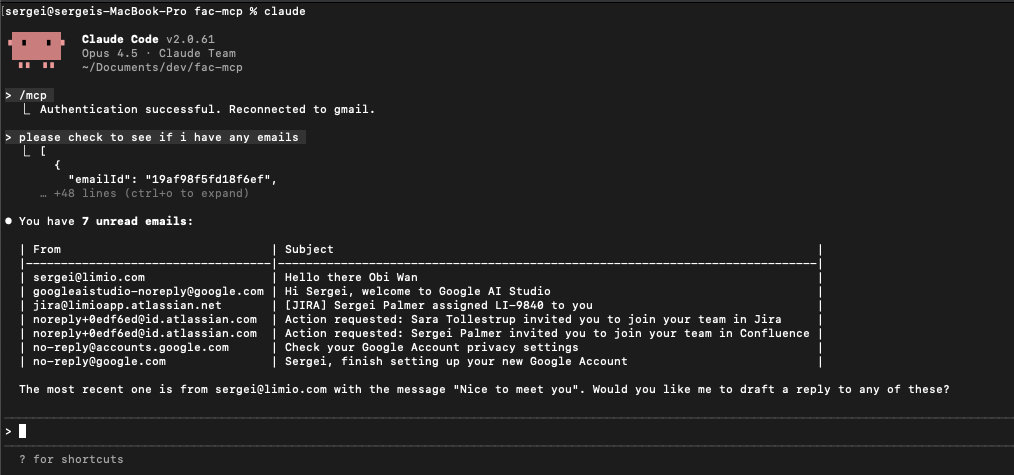
This should return a list of unread emails. You can then use the create_draft_reply tool to reply to an email.
create_draft_reply
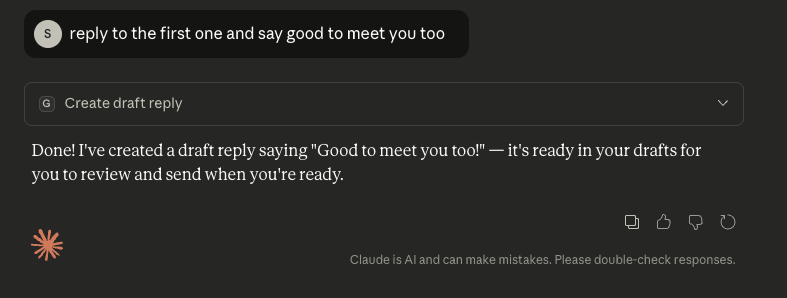
Creates a draft reply to an email. Properly threads the reply with the original conversation.
Example Prompts
Claude Desktop
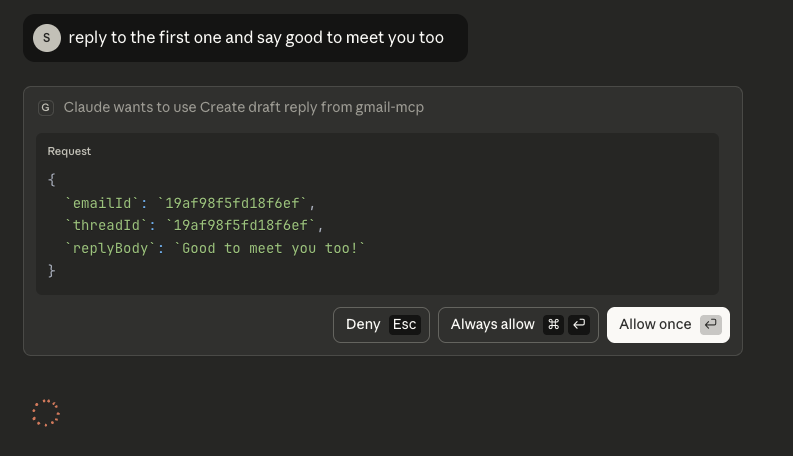
Claude Code
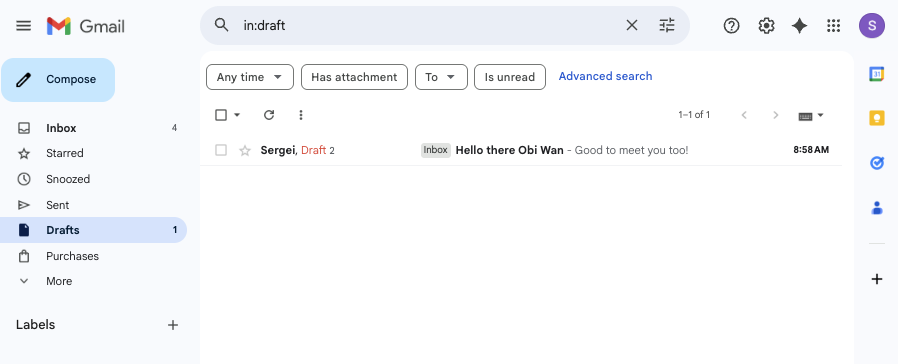
Success!
Draft Email
Architecture
src/mcp-server.ts- MCP server that exposes Gmail tools and proxies OAuth endpoints The MCP server has two tools available to it for use with Gmail:get_unread_emailsandcreate_draft_reply.
At the project outset, I chose to use the Bun runtime due to its ease of setup, simple compatibility with running TypeScript files and also because it was recently acquired by Anthropic, so I thought it would make a good fit.
However, during development, I discovered that it doesn't have good compatibility with the modelcontextprotocol SDK, and in particular the Streamable HTTP transport architecture due to the use of Node APIs. I found an experiment pull request raised by the maintainers which provides support for web standards which works with Bun. This is implemented in src/fetch-streamable-http-transport.ts.
Any requests to authentication endpoints on the MCP port are proxied to the auth server which needs to be running at the same time as the MCP server.
src/auth-server.ts- OAuth 2.0 authorisation server that handles Google OAuth flow.
The auth server acts as an OAuth proxy between the MCP client (i.e. Claude) and Google. When Claude needs Gmail access, it sends a request to /authorize, which is proxied to the auth server. The auth server then redirects the user to Google's OAuth flow. After the user authenticates with Google, the /callback endpoint exchanges Google's code for a real Google token, stores it, and issues its own auth code back to Claude. When Claude exchanges that code at /token, it gets a proxy token that maps to the stored Google token. The /introspect endpoint lets the MCP server validate tokens and retrieve the actual Google access token for making Gmail API calls.
Development
Run individual servers: