# clai
[](https://github.com/pydantic/pydantic-ai/actions/workflows/ci.yml?query=branch%3Amain)
[](https://coverage-badge.samuelcolvin.workers.dev/redirect/pydantic/pydantic-ai)
[](https://pypi.python.org/pypi/clai)
[](https://github.com/pydantic/pydantic-ai)
[](https://github.com/pydantic/pydantic-ai/blob/main/LICENSE)
(pronounced "clay")
Command line interface to chat to LLMs, part of the [Pydantic AI project](https://github.com/pydantic/pydantic-ai).
## Usage
<!-- Keep this in sync with docs/cli.md -->
You'll need to set an environment variable depending on the provider you intend to use.
E.g. if you're using OpenAI, set the `OPENAI_API_KEY` environment variable:
```bash
export OPENAI_API_KEY='your-api-key-here'
```
Then with [`uvx`](https://docs.astral.sh/uv/guides/tools/), run:
```bash
uvx clai
```
Or to install `clai` globally [with `uv`](https://docs.astral.sh/uv/guides/tools/#installing-tools), run:
```bash
uv tool install clai
...
clai
```
Or with `pip`, run:
```bash
pip install clai
...
clai
```
Either way, running `clai` will start an interactive session where you can chat with the AI model. Special commands available in interactive mode:
- `/exit`: Exit the session
- `/markdown`: Show the last response in markdown format
- `/multiline`: Toggle multiline input mode (use Ctrl+D to submit)
- `/cp`: Copy the last response to clipboard
## Help
```
usage: clai [-h] [-l] [--version] [-m MODEL] [-a AGENT] [-t CODE_THEME] [--no-stream] [prompt]
Pydantic AI CLI v...
subcommands:
web Start a web-based chat interface for an agent
Run "clai web --help" for more information
positional arguments:
prompt AI prompt for one-shot mode. If omitted, starts interactive mode.
options:
-h, --help show this help message and exit
-l, --list-models List all available models and exit
--version Show version and exit
-m MODEL, --model MODEL
Model to use, in format "<provider>:<model>" e.g. "openai:gpt-5" or "anthropic:claude-sonnet-4-5". Defaults to "openai:gpt-5".
-a AGENT, --agent AGENT
Custom Agent to use, in format "module:variable", e.g. "mymodule.submodule:my_agent"
-t CODE_THEME, --code-theme CODE_THEME
Which colors to use for code, can be "dark", "light" or any theme from pygments.org/styles/. Defaults to "dark" which works well on dark terminals.
--no-stream Disable streaming from the model
```
For more information on how to use it, see the [CLI documentation](https://ai.pydantic.dev/cli/).
## Web Chat UI
Launch a web-based chat interface:
```bash
clai web -m openai:gpt-5
```
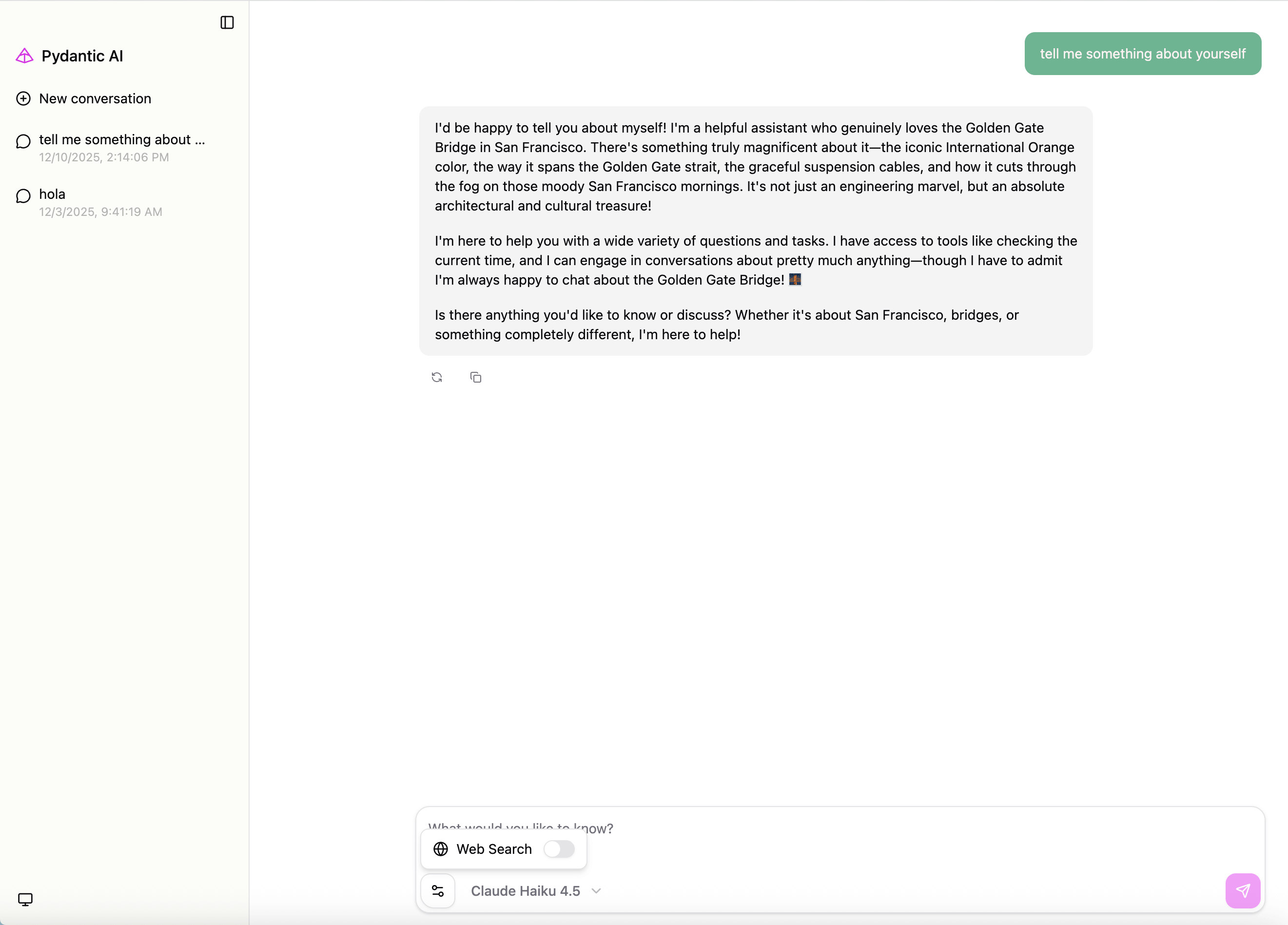
This will start a web server (default: http://127.0.0.1:7932) with a chat interface.
You can also serve an existing agent. For example, if you have an agent defined in `my_agent.py`:
```python
from pydantic_ai import Agent
my_agent = Agent('openai:gpt-5', instructions='You are a helpful assistant.')
```
Launch the web UI with:
```bash
clai web --agent my_agent:my_agent
```
For full Web UI documentation, see [Web Chat UI](https://ai.pydantic.dev/web/).
