Glama

Hacker News MCP

by pskill9

黑客新闻 MCP 服务器

一个模型上下文协议 (MCP) 服务器,提供从 Hacker News 获取新闻的工具。该服务器解析来自 news.ycombinator.com 的 HTML 内容,并为不同类型的新闻(热门、最新、咨询、展示、招聘)提供结构化数据。

特征

  • 获取不同类型的故事(热门、新、询问、展示、工作)

  • 获取结构化数据,包括标题、URL、点数、作者、时间戳和评论数

  • 可配置返回故事数量的限制

  • 清理错误处理和验证

Related MCP server: Fetch MCP Server

安装

  1. 克隆存储库:

git clone https://github.com/pskill9/hn-server cd hn-server
  1. 安装依赖项:

npm install
  1. 构建服务器:

npm run build
  1. 添加到您的 MCP 设置配置文件(位置取决于您的系统):

对于 VSCode Claude 扩展:

{ "mcpServers": { "hacker-news": { "command": "node", "args": ["/path/to/hn-server/build/index.js"] } } }

用法

该服务器提供了一个名为get_stories的工具,可用于从 Hacker News 获取故事。

工具:get_stories

参数:

  • type (字符串):要获取的故事类型

    • 选项:‘顶部’、‘新’、‘询问’、‘显示’、‘工作’

    • 默认值:'top'

  • limit (数字):要返回的故事数量

    • 范围:1-30

    • 默认值:10

使用示例:

use_mcp_tool with: server_name: "hacker-news" tool_name: "get_stories" arguments: { "type": "top", "limit": 5 }

示例输出:

[ { "title": "Example Story Title", "url": "https://example.com/story", "points": 100, "author": "username", "time": "2024-12-28T00:03:05", "commentCount": 50, "rank": 1 }, // ... more stories ]

与克劳德整合

要将此 MCP 服务器与 Claude 一起使用,您需要:

  1. 已安装 Claude 桌面应用程序或 VSCode Claude 扩展

  2. 在您的设置中配置 MCP 服务器

  3. 使用 Claude 的自然语言界面与 Hacker News 进行交互

配置

对于 Claude 桌面应用程序,将服务器配置添加到:

// ~/Library/Application Support/Claude/claude_desktop_config.json (macOS) // %APPDATA%\Claude\claude_desktop_config.json (Windows) { "mcpServers": { "hacker-news": { "command": "node", "args": ["/path/to/hn-server/build/index.js"] } } }

对于 VSCode Claude 扩展,添加:

// VSCode Settings JSON { "mcpServers": { "hacker-news": { "command": "node", "args": ["/path/to/hn-server/build/index.js"] } } }

交互示例

配置完成后,您可以使用自然语言与 Claude 互动,获取 Hacker News 报道。示例:

  • “向我展示 Hacker News 的五大新闻”

  • “Ask HN 的最新帖子是什么?”

  • “获取今天最热门的 Show HN 提交内容”

Claude 会自动使用适当的参数来获取您想要的故事。
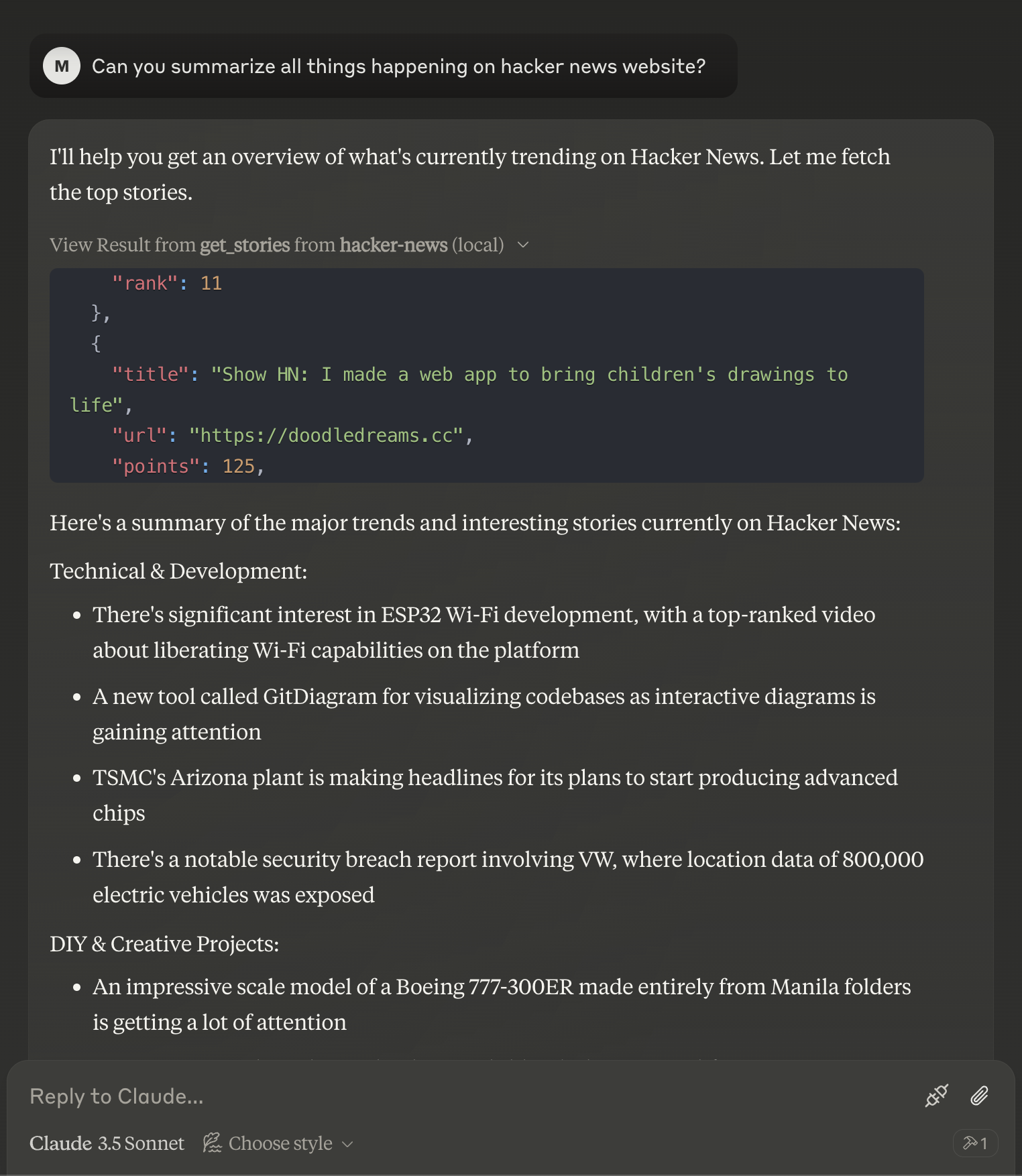
Claude 使用 Hacker News MCP 服务器

故事对象结构

每个故事对象包含:

  • title (字符串):故事标题

  • url (字符串,可选):故事的 URL(可能是文本帖子的内部 HN URL)

  • points (数字):赞同数

  • author (字符串):发帖人的用户名

  • time (字符串):故事发布的时间戳

  • commentCount (数字):评论数

  • rank (数字):列表中的位置

发展

该服务器使用以下方式构建:

  • TypeScript

  • 模型上下文协议 SDK

  • 用于 HTTP 请求的 Axios

  • Cheerio 用于 HTML 解析

修改服务器:

  1. 修改src/index.ts

  2. 重建:

npm run build

错误处理

该服务器包括强大的错误处理功能:

  • 无效的故事类型

  • 网络故障

  • HTML 解析错误

  • 参数值无效

错误将通过适当的错误代码和描述性消息返回。

贡献

欢迎贡献代码!欢迎提交 Pull 请求。

执照

MIT 许可证 - 请随意在您自己的项目中使用它。

Deploy Server
A
security – no known vulnerabilities
A
license - permissive license
A
quality - confirmed to work

Latest Blog Posts

MCP directory API

We provide all the information about MCP servers via our MCP API.

curl -X GET 'https://glama.ai/api/mcp/v1/servers/pskill9/hn-server'

If you have feedback or need assistance with the MCP directory API, please join our Discord server