
A
licenseB
qualityC
maintenanceA Model Context Protocol (MCP) server that lets you seamlessly use OpenAI's models right from Claude.
1
251
76
MIT

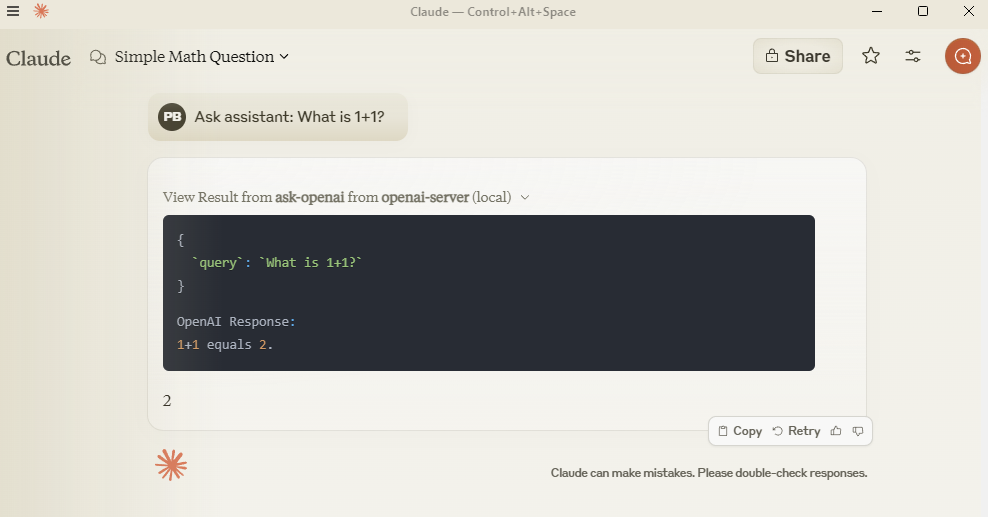
With the OpenAI MCP Server, you can query OpenAI models directly from Claude using the MCP protocol.
Ask OpenAI models questions: Use the ask-openai endpoint to interact with GPT-4 or GPT-3.5-turbo models
Customize query parameters: Control response length with max_tokens (1-4000) and creativity/randomness with temperature (0-2)
Integration with Claude: Configure the server in Claude Desktop for seamless use of OpenAI models
Local development: Clone, install, and test the server locally for debugging or customization
Allows querying OpenAI models directly from Claude using MCP protocol
Click on "Install Server".
Wait a few minutes for the server to deploy. Once ready, it will show a "Started" state.
In the chat, type @ followed by the MCP server name and your instructions, e.g., "@OpenAI MCP Server summarize this article in 3 bullet points"
That's it! The server will respond to your query, and you can continue using it as needed.
Here is a step-by-step guide with screenshots.
Query OpenAI models directly from Claude using MCP protocol.
Add to claude_desktop_config.json:
{
  "mcpServers": {
    "openai-server": {
      "command": "python",
      "args": ["-m", "src.mcp_server_openai.server"],
      "env": {
        "PYTHONPATH": "C:/path/to/your/mcp-server-openai",
        "OPENAI_API_KEY": "your-key-here"
      }
    }
  }
}
Related MCP server: OpenAI MCP Server
git clone https://github.com/pierrebrunelle/mcp-server-openai
cd mcp-server-openai
pip install -e .# Run tests from project root
pytest -v test_openai.py -s
# Sample test output:
Testing OpenAI API call...
OpenAI Response: Hello! I'm doing well, thank you for asking...
PASSEDMIT License
Unclaimed servers have limited discoverability.
If you are the server author, to access and configure the admin panel.
A paid remote MCP for OpenAI Codex agent coordination MCP, built to return verdicts, receipts, usage
Real-time chat hub for AI agents — Claude Code, Cursor, Cline, Codex over MCP or REST.
Hosted MCP server for LLM cost estimation, model comparison, and budget-aware routing.
We provide all the information about MCP servers via our MCP API.
curl -X GET 'https://glama.ai/api/mcp/v1/servers/pierrebrunelle/mcp-server-openai'
If you have feedback or need assistance with the MCP directory API, please join our Discord server