
A
licenseB
qualityF
maintenanceMCP server for reverse engineering that enables interaction with IDA Pro for analysis tasks such as decompilation, disassembly, and memory engagement reports.
24
46
MIT

This server exposes MCP tools to interact with an IDA Pro database, enabling reverse-engineering workflows such as browsing, decompiling, disassembling, renaming, typing, patching, and reading memory/globals.
Connection & metadata: check server connection, get IDB metadata, current address/function, entry points.
Function/global/string/import discovery: list and filter functions, globals, strings, imports, local types.
Disassembly & decompilation: decompile functions, disassemble functions, get stack frame variables.
Cross-references & calls: get xrefs to an address or struct field, callees, callers.
Renaming & typing: rename functions, globals, local variables, stack variables; set function prototypes, variable types, declare C types.
Comments: set comments at addresses in disassembly and pseudocode.
Memory reading: read raw bytes, integers (byte/word/dword/qword), strings, and global variable values by name or address.
Stack frame manipulation: create, rename, retype, delete stack variables.
Structure inspection: list defined structures and retrieve struct definitions (via separate resource/tool).
Number conversion: convert between decimal/hex/other representations via convert_number.
Integrates with GitHub for repository management, as the MCP server itself is hosted on GitHub and references GitHub resources.
Click on "Deploy Server".
Wait a few minutes for the server to deploy. Once ready, it will show a "Started" state.
In the chat, type @ followed by the MCP server name and your instructions, e.g., "@IDA Pro MCP analyze the main function and rename variables to be more descriptive"
That's it! The server will respond to your query, and you can continue using it as needed.
Here is a step-by-step guide with screenshots.
I recommend using the Official Hex-Rays IDA MCP Server instead!
See the announcement blog post for more information.
Simple MCP Server to allow vibe reversing in IDA Pro.
https://github.com/user-attachments/assets/6ebeaa92-a9db-43fa-b756-eececce2aca0
The binaries and prompt for the video are available in the mcp-reversing-dataset repository.
Python (3.11 or higher)
Use idapyswitch to switch to the newest Python version
IDA Pro (8.3 or higher, 9 recommended), IDA Free is not supported
Supported MCP Client (pick one you like)
Other MCP Clients: Run ida-pro-mcp --config to get the JSON config for your client.
Note: This requires having idalib activated globally and uv installed:
# windows
uv run "C:\Program Files\IDA Professional 9.3\idalib\python\py-activate-idalib.py"
# macos
uv run "/Applications/IDA Professional 9.3.app/Contents/MacOS/idalib/python/py-activate-idalib.py"
# linux
uv run "/path/to/idapro-9.3/idalib/python/py-activate-idalib.py"
Related MCP server: idalib-mcp-headless
To install the latest IDA Pro MCP in Claude Code:
claude plugin marketplace add mrexodia/claude-marketplace
claude plugin uninstall ida-pro-mcp@mrexodia
claude plugin install ida-pro-mcp@mrexodiaTo install the latest IDA Pro MCP in Codex:
codex plugin marketplace add mrexodia/codex-marketplace
codex plugin remove ida-pro-mcp@mrexodia
codex plugin add ida-pro-mcp@mrexodiaTo install the latest IDA Pro MCP in Kimi Code, run this slash command in the chat:
/plugins install https://github.com/mrexodia/ida-pro-mcp/tree/main
/reload
This installs the idalib MCP server and the idapython skill. Plugins are copied to
$KIMI_CODE_HOME/plugins/managed/, so uv must be on your PATH. The first session after
installing is slower, because uv resolves the dependencies before the server responds.
Note: the MCP plugin is no longer recommended and will eventually be deprecated. Use idalib-mcp instead.
If you want to configure the MCP server manually from the IDA GUI:
pip uninstall ida-pro-mcp
pip install https://github.com/mrexodia/ida-pro-mcp/archive/refs/heads/main.zip
Configure the MCP servers and install the IDA Plugin:
ida-pro-mcp --installImportant: Make sure you completely restart IDA and your MCP client for the installation to take effect. Some clients (like Claude) run in the background and need to be quit from the tray icon.
LLMs are prone to hallucinations and you need to be specific with your prompting. For reverse engineering the conversion between integers and bytes are especially problematic. Below is a minimal example prompt, feel free to start a discussion or open an issue if you have good results with a different prompt:
Your task is to analyze a crackme in IDA Pro. You can use the MCP tools to retrieve information. In general use the following strategy:

- Inspect the decompilation and add comments with your findings
- Rename variables to more sensible names
- Change the variable and argument types if necessary (especially pointer and array types)
- Change function names to be more descriptive
- If more details are necessary, disassemble the function and add comments with your findings
- NEVER convert number bases yourself. Use the `int_convert` MCP tool if needed!
- Do not attempt brute forcing, derive any solutions purely from the disassembly and simple python scripts
- Create a report.md with your findings and steps taken at the end
- When you find a solution, prompt to user for feedback with the password you found
This prompt was just the first experiment, please share if you found ways to improve the output!
Another prompt by @can1357:
Your task is to create a complete and comprehensive reverse engineering analysis. Reference AGENTS.md to understand the project goals and ensure the analysis serves our purposes.

Use the following systematic methodology:

1. **Decompilation Analysis**
   - Thoroughly inspect the decompiler output
   - Add detailed comments documenting your findings
   - Focus on understanding the actual functionality and purpose of each component (do not rely on old, incorrect comments)

2. **Improve Readability in the Database**
   - Rename variables to sensible, descriptive names
   - Correct variable and argument types where necessary (especially pointers and array types)
   - Update function names to be descriptive of their actual purpose

3. **Deep Dive When Needed**
   - If more details are necessary, examine the disassembly and add comments with findings
   - Document any low-level behaviors that aren't clear from the decompilation alone
   - Use sub-agents to perform detailed analysis

4. **Important Constraints**
   - NEVER convert number bases yourself - use the int_convert MCP tool if needed
   - Use MCP tools to retrieve information as necessary
   - Derive all conclusions from actual analysis, not assumptions

5. **Documentation**
   - Produce comprehensive RE/*.md files with your findings
   - Document the steps taken and methodology used
   - When asked by the user, ensure accuracy over previous analysis file
   - Organize findings in a way that serves the project goals outlined in AGENTS.md or CLAUDE.md
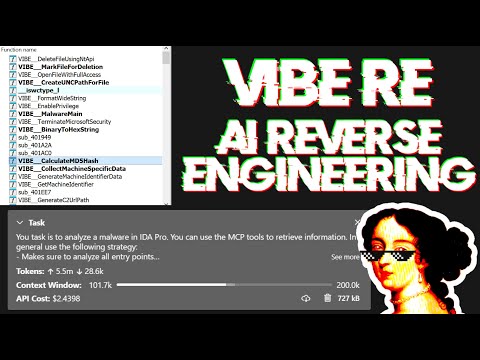
Live stream discussing prompting and showing some real-world malware analysis:
Large Language Models (LLMs) are powerful tools, but they can sometimes struggle with complex mathematical calculations or exhibit "hallucinations" (making up facts). Make sure to tell the LLM to use the int_convert MCP tool and you might also need math-mcp for certain operations.
Another thing to keep in mind is that LLMs will not perform well on obfuscated code. Before trying to use an LLM to solve the problem, take a look around the binary and spend some time (automatically) removing the following things:
String encryption
Import hashing
Control flow flattening
Code encryption
Anti-decompilation tricks
You should also use a tool like Lumina or FLIRT to try and resolve all the open source library code and the C++ STL, this will further improve the accuracy.
You can run an SSE server to connect to the user interface like this:
uv run ida-pro-mcp --transport http://127.0.0.1:8744/sseAfter installing idalib you can also run a headless MCP server. You can start with an initial binary:
uv run idalib-mcp --host 127.0.0.1 --port 8745 path/to/executableOr start without a binary and open arbitrary files later with idb_open(...):
uv run idalib-mcp --host 127.0.0.1 --port 8745For stdio-based clients, use:
uv run idalib-mcp --stdioDatabase workers are persistent: each one runs as a detached process that
outlives the supervisor that spawned it. When a new supervisor (over stdio
or HTTP) calls idb_open for a binary that is already open under a worker
on this host, the supervisor adopts that worker transparently — there is
no separate "shared" mode to enable. Workers self-exit when no request has
hit them for an idle interval.
Note: The idalib feature was contributed by Willi Ballenthin.
idalib-mcp is a supervisor that keeps each open database in its own idalib worker process. Workers register themselves in a host-local discovery directory and outlive the supervisor that spawned them; any subsequent supervisor that wants the same path adopts the running worker. A worker self-exits when no request has hit it for its idle TTL (default 1 hour). Call idb_close to release a worker eagerly (freeing a slot toward --max-workers), adopted GUI/worker instances are detached rather than killed.
idb_open picks the backend via its mode parameter:
prefer_headless (default): spawn an idalib worker (or adopt one that already has the file open).
force_headless: same, but never adopt a running GUI even if one has the file.
prefer_gui: adopt a running GUI for the file; otherwise spawn an idalib worker.
force_gui: adopt a running GUI for the file; otherwise launch a new IDA GUI process.
Every tool call must carry an explicit database argument. There is no implicit "current database" — callers name the session they want to operate on.
uv run idalib-mcp --stdio --max-workers 4Typical flow:
idb_open("/path/to/binary_a.exe", preferred_session_id="binary_a")
idb_open("/path/to/library.dll", preferred_session_id="library")

decompile("main", database="binary_a")
xrefs_to("ImportantExport", database="library")
database must be the session ID returned by idb_open (or shown in idb_list); filenames and paths are not accepted.
idb_open(input_path, mode="prefer_headless", run_auto_analysis=True, build_caches=True, init_hexrays=True, preferred_session_id=""): Open a binary, warm up subsystems (strings cache, Hex-Rays), and return its session ID. If a worker or GUI for this path is already running on the host, that instance is adopted and preferred_session_id is ignored.
idb_list(): List open sessions and running GUI IDA instances. Each entry has adopted (True if this supervisor manages it, False for GUIs/workers discovered but not yet opened via idb_open), backend (worker or gui), is_active, and process IDs.
idb_close(database, save=True): Save (optionally), unregister the session, and terminate its owned worker, freeing a slot toward --max-workers. Adopted GUI/worker instances are detached, not killed.
idb_save(session_id, path=""): Save a session's IDB to disk. Forwarded as a regular worker tool (database=<id> injected) — same signature in both backends.
Per-database health: call server_health(database=<id>) (forwarded). idb_list() reports is_active from the supervisor's TCP/RPC probe.
Worker controls:
--max-workers N: maximum simultaneous database workers (0 = unlimited, default 4).
IDA_MCP_MAX_WORKERS: environment default for --max-workers.
The bundled Codex plugin forwards the runtime's IDA_MCP_* configuration variables from the Codex host environment:
Capacity and lifecycle: IDA_MCP_MAX_WORKERS, IDA_MCP_OPEN_TIMEOUT, IDA_MCP_WEDGED_GRACE_SEC, IDA_MCP_WORKER_CALL_TIMEOUT.
Health probes: IDA_MCP_HEALTH_TCP_TIMEOUT, IDA_MCP_HEALTH_RPC_TIMEOUT, IDA_MCP_HEALTH_RETRIES, IDA_MCP_HEALTH_RETRY_BACKOFF.
Worker behavior: IDA_MCP_TOOL_TIMEOUT_SEC, IDA_MCP_ANALYSIS_PROMPT, IDA_MCP_URL.
Request logging: IDA_MCP_LOG_REQUESTS, IDA_MCP_LOG_SKIP_METHODS.
Resources represent browsable state (read-only data) following MCP's philosophy.
Core IDB State:
ida://idb/metadata - IDB file info (path, arch, base, size, hashes)
ida://idb/segments - Memory segments with permissions
ida://idb/entrypoints - Entry points (main, TLS callbacks, etc.)
UI State:
ida://cursor - Current cursor position and function
ida://selection - Current selection range
Type Information:
ida://types - All local types
ida://structs - All structures/unions
ida://struct/{name} - Structure definition with fields
Lookups:
ida://import/{name} - Import details by name
ida://export/{name} - Export details by name
ida://xrefs/from/{addr} - Cross-references from address
lookup_funcs(queries): Get function(s) by address or name (auto-detects, accepts list or comma-separated string).
int_convert(inputs): Convert numbers to different formats (decimal, hex, bytes, ASCII, binary).
list_funcs(queries): List functions (paginated, filtered).
list_globals(queries): List global variables (paginated, filtered).
imports(offset, count): List all imported symbols with module names (paginated).
decompile(addr): Decompile function at the given address.
disasm(addr): Disassemble function with full details (arguments, stack frame, etc).
xrefs_to(addrs): Get all cross-references to address(es).
xrefs_to_field(queries): Get cross-references to specific struct field(s).
callees(addrs): Get functions called by function(s) at address(es).
add_bookmark(addr, name, prefix): Add or replace the IDA bookmark at an address; set prefix="" for no prefix.
set_comments(items): Set comments at address(es) in both disassembly and decompiler views.
patch_asm(items): Patch assembly instructions at address(es).
declare_type(decls): Declare C type(s) in the local type library.
define_func(items): Define function(s) at address(es). Optionally specify end for explicit bounds.
define_code(items): Convert bytes to code instruction(s) at address(es).
undefine(items): Undefine item(s) at address(es), converting back to raw bytes. Optionally specify end or size.
get_bytes(addrs): Read raw bytes at address(es).
get_int(queries): Read integer values using ty (i8/u64/i16le/i16be/etc).
get_string(addrs): Read null-terminated string(s).
get_global_value(queries): Read global variable value(s) by address or name (auto-detects, compile-time values).
stack_frame(addrs): Get stack frame variables for function(s).
declare_stack(items): Create stack variable(s) at specified offset(s).
delete_stack(items): Delete stack variable(s) by name.
read_struct(queries): Read structure field values at specific address(es).
search_structs(filter): Search structures by name pattern.
Debugger tools are hidden by default. Enable with ?ext=dbg query parameter:
http://127.0.0.1:13337/mcp?ext=dbgControl:
dbg_start(): Start debugger process.
dbg_exit(): Exit debugger process.
dbg_continue(): Continue execution.
dbg_run_to(addr): Run to address.
dbg_step_into(): Step into instruction.
dbg_step_over(): Step over instruction.
Breakpoints:
dbg_bps(): List all breakpoints.
dbg_add_bp(addrs): Add breakpoint(s).
dbg_delete_bp(addrs): Delete breakpoint(s).
dbg_toggle_bp(items): Enable/disable breakpoint(s).
Registers:
dbg_regs(): All registers, current thread.
dbg_regs_all(): All registers, all threads.
dbg_regs_remote(tids): All registers, specific thread(s).
dbg_gpregs(): GP registers, current thread.
dbg_gpregs_remote(tids): GP registers, specific thread(s).
dbg_regs_named(names): Named registers, current thread.
dbg_regs_named_remote(tid, names): Named registers, specific thread.
Stack & Memory:
dbg_stacktrace(): Call stack with module/symbol info.
dbg_read(regions): Read memory from debugged process.
dbg_write(regions): Write memory to debugged process.
py_eval(code): Execute arbitrary Python code in IDA context (returns dict with result/stdout/stderr, supports Jupyter-style evaluation).
analyze_funcs(addrs): Comprehensive function analysis (decompilation, assembly, xrefs, callees, callers, strings, constants, basic blocks).
find_regex(queries): Search strings with case-insensitive regex (paginated).
find_bytes(patterns, limit=1000, offset=0): Find byte pattern(s) in binary (e.g., "48 8B ?? ??"). Max limit: 10000.
find_insns(sequences, limit=1000, offset=0): Find instruction sequence(s) in code. Max limit: 10000.
find(type, targets, limit=1000, offset=0): Advanced search (immediate values, strings, data/code references). Max limit: 10000.
basic_blocks(addrs): Get basic blocks with successors and predecessors.
set_type(edits): Apply type(s) to functions, globals, locals, or stack variables.
infer_types(addrs): Infer types at address(es) using Hex-Rays or heuristics.
export_funcs(addrs, format): Export function(s) in specified format (json, c_header, or prototypes).
callgraph(roots, max_depth): Build call graph from root function(s) with configurable depth.
rename(batch): Unified batch rename operation for functions, globals, locals, and stack variables (accepts dict with optional func, data, local, stack keys).
patch(patches): Patch multiple byte sequences at once.
put_int(items): Write integer values using ty (i8/u64/i16le/i16be/etc).
Key Features:
Type-safe API: All functions use strongly-typed parameters with TypedDict schemas for better IDE support and LLM structured outputs
Batch-first design: Most operations accept both single items and lists
Consistent error handling: All batch operations return [{..., error: null|string}, ...]
Cursor-based pagination: Search functions return cursor: {next: offset} or {done: true} (default limit: 1000, enforced max: 10000 to prevent token overflow)
Performance: Strings are cached with MD5-based invalidation to avoid repeated build_strlist calls in large projects
Adding new features is a super easy and streamlined process. All you have to do is add a new @tool function to the modular API files in src/ida_pro_mcp/ida_mcp/api_*.py and your function will be available in the MCP server without any additional boilerplate! Below is a video where I add the get_metadata function in less than 2 minutes (including testing):
https://github.com/user-attachments/assets/951de823-88ea-4235-adcb-9257e316ae64
To test the MCP server itself:
npx -y @modelcontextprotocol/inspectorThis will open a web interface at http://localhost:5173 and allow you to interact with the MCP tools for testing.
For testing I create a symbolic link to the IDA plugin and then POST a JSON-RPC request directly to http://localhost:13337/mcp. After enabling symbolic links you can run the following command:
uv run ida-pro-mcp --installGenerate the changelog of direct commits to main:
git log --first-parent --no-merges 1.2.0..main "--pretty=- %s"Check if the IDA plugin is running
| Name | Required | Description | Default |
|---|---|---|---|
No parameters | |||
Does the description disclose side effects, auth requirements, rate limits, or destructive behavior?
No annotations are provided, so the description carries the full burden of behavioral disclosure. It states the tool checks if the plugin is running, but doesn't explain what 'running' means (e.g., active connection, loaded state), potential errors (e.g., timeout, missing plugin), or the return format (e.g., boolean, status message). For a tool with zero annotation coverage, this is a significant gap in transparency.
Agents need to know what a tool does to the world before calling it. Descriptions should go beyond structured annotations to explain consequences.
Is the description appropriately sized, front-loaded, and free of redundancy?
The description is a single, clear sentence: 'Check if the IDA plugin is running'. It's front-loaded with the core action, has no unnecessary words, and efficiently conveys the purpose without redundancy. This is an excellent example of conciseness in tool descriptions.
Shorter descriptions cost fewer tokens and are easier for agents to parse. Every sentence should earn its place.
Given the tool's complexity, does the description cover enough for an agent to succeed on first attempt?
Given the tool's simplicity (0 parameters, no output schema), the description is minimal but adequate for basic understanding. However, it lacks context about what 'running' entails, potential outcomes, or integration with other tools. With no annotations and no output schema, more detail on behavior would improve completeness for agent use.
Complex tools with many parameters or behaviors need more documentation. Simple tools need less. This dimension scales expectations accordingly.
Does the description clarify parameter syntax, constraints, interactions, or defaults beyond what the schema provides?
The tool has 0 parameters, and the schema description coverage is 100%, so there are no parameters to document. The description doesn't need to add parameter semantics, and it correctly avoids mentioning any. A baseline of 4 is appropriate since no parameters exist, and the description doesn't mislead about them.
Input schemas describe structure but not intent. Descriptions should explain non-obvious parameter relationships and valid value ranges.
Does the description clearly state what the tool does and how it differs from similar tools?
The description clearly states the tool's purpose: 'Check if the IDA plugin is running' specifies the verb 'check' and the resource 'IDA plugin', making it easy to understand what the tool does. However, it doesn't differentiate from siblings like 'get_metadata' or other status-checking tools that might exist, keeping it from a perfect score.
Agents choose between tools based on descriptions. A clear purpose with a specific verb and resource helps agents select the right tool.
Does the description explain when to use this tool, when not to, or what alternatives exist?
The description provides no guidance on when to use this tool versus alternatives. It doesn't mention prerequisites, such as needing the plugin to be installed, or suggest other tools for related tasks like verifying plugin configuration. This lack of context leaves the agent with minimal usage direction.
Agents often have multiple tools that could apply. Explicit usage guidance like "use X instead of Y when Z" prevents misuse.
Convert a number (decimal, hexadecimal) to different representations
| Name | Required | Description | Default |
|---|---|---|---|
| size | Yes | Size of the variable in bytes | |
| text | Yes | Textual representation of the number to convert |
Does the description disclose side effects, auth requirements, rate limits, or destructive behavior?
No annotations are provided, so the description carries the full burden of behavioral disclosure. It mentions conversion between representations but doesn't specify what representations are supported beyond decimal and hexadecimal, what the output format is, whether the conversion is bidirectional, or any error handling. This leaves significant gaps in understanding the tool's behavior.
Agents need to know what a tool does to the world before calling it. Descriptions should go beyond structured annotations to explain consequences.
Is the description appropriately sized, front-loaded, and free of redundancy?
The description is a single, efficient sentence that directly states the tool's function. It's front-loaded with the core purpose and includes specific examples (decimal, hexadecimal), though it could be slightly more detailed without losing conciseness.
Shorter descriptions cost fewer tokens and are easier for agents to parse. Every sentence should earn its place.
Given the tool's complexity, does the description cover enough for an agent to succeed on first attempt?
Given no annotations and no output schema, the description is incomplete for a tool with 2 required parameters. It doesn't explain the conversion process, output format, or error cases, leaving the agent with insufficient context to use the tool effectively beyond basic inference.
Complex tools with many parameters or behaviors need more documentation. Simple tools need less. This dimension scales expectations accordingly.
Does the description clarify parameter syntax, constraints, interactions, or defaults beyond what the schema provides?
Schema description coverage is 100%, so the schema already documents both parameters ('text' and 'size') with descriptions. The description adds minimal value by implying 'text' is the number to convert and 'size' relates to variable size, but doesn't elaborate on how they interact or provide examples. Baseline 3 is appropriate as the schema does the heavy lifting.
Input schemas describe structure but not intent. Descriptions should explain non-obvious parameter relationships and valid value ranges.
Does the description clearly state what the tool does and how it differs from similar tools?
The description clearly states the tool's purpose as converting numbers between different representations, specifying decimal and hexadecimal as examples. It uses a specific verb ('convert') and resource ('number'), but doesn't distinguish from siblings beyond the general conversion function, which is adequate given the sibling tools are mostly data operations rather than conversion utilities.
Agents choose between tools based on descriptions. A clear purpose with a specific verb and resource helps agents select the right tool.
Does the description explain when to use this tool, when not to, or what alternatives exist?
The description provides no guidance on when to use this tool versus alternatives. It doesn't mention any prerequisites, context for conversion needs, or comparison with sibling tools, leaving the agent to infer usage based solely on the tool name and description.
Agents often have multiple tools that could apply. Explicit usage guidance like "use X instead of Y when Z" prevents misuse.
For a given function, create a stack variable at an offset and with a specific type
| Name | Required | Description | Default |
|---|---|---|---|
| function_address | Yes | Address of the disassembled function to set the stack frame variables | |
| offset | Yes | Offset of the stack frame variable | |
| type_name | Yes | Type of the stack variable | |
| variable_name | Yes | Name of the stack variable |
Does the description disclose side effects, auth requirements, rate limits, or destructive behavior?
No annotations are provided, so the description carries full burden. It states the action is to 'create' but doesn't disclose behavioral traits such as whether this is a destructive mutation, if it requires specific permissions, what happens on failure (e.g., duplicate variables), or the response format. This is a significant gap for a mutation tool with zero annotation coverage.
Agents need to know what a tool does to the world before calling it. Descriptions should go beyond structured annotations to explain consequences.
Is the description appropriately sized, front-loaded, and free of redundancy?
The description is a single, efficient sentence that front-loads the core action. It avoids redundancy and wastes no words, though it could be slightly more structured (e.g., by explicitly listing parameters).
Shorter descriptions cost fewer tokens and are easier for agents to parse. Every sentence should earn its place.
Given the tool's complexity, does the description cover enough for an agent to succeed on first attempt?
Given the complexity of a mutation tool with no annotations and no output schema, the description is incomplete. It lacks behavioral context (e.g., side effects, error handling), usage guidelines, and output details, making it inadequate for safe and effective use by an AI agent.
Complex tools with many parameters or behaviors need more documentation. Simple tools need less. This dimension scales expectations accordingly.
Does the description clarify parameter syntax, constraints, interactions, or defaults beyond what the schema provides?
Schema description coverage is 100%, so the schema already documents all four parameters thoroughly. The description adds minimal value beyond the schema by implying the parameters are used together ('create a stack variable at an offset and with a specific type'), but doesn't provide additional syntax, format details, or examples. Baseline 3 is appropriate when the schema does the heavy lifting.
Input schemas describe structure but not intent. Descriptions should explain non-obvious parameter relationships and valid value ranges.
Does the description clearly state what the tool does and how it differs from similar tools?
The description clearly states the action ('create a stack variable') and specifies the target resource ('for a given function'), with details about location ('at an offset') and attributes ('with a specific type'). It distinguishes from siblings like 'delete_stack_frame_variable' or 'rename_stack_frame_variable' by focusing on creation, though it doesn't explicitly contrast them.
Agents choose between tools based on descriptions. A clear purpose with a specific verb and resource helps agents select the right tool.
Does the description explain when to use this tool, when not to, or what alternatives exist?
The description provides no guidance on when to use this tool versus alternatives. It doesn't mention prerequisites (e.g., needing a disassembled function), exclusions, or related tools like 'set_stack_frame_variable_type' or 'get_stack_frame_variables', leaving the agent to infer usage from context alone.
Agents often have multiple tools that could apply. Explicit usage guidance like "use X instead of Y when Z" prevents misuse.
Read the 1 byte value at the specified address.

Only use this function if `get_global_variable_at` failed.
| Name | Required | Description | Default |
|---|---|---|---|
| address | Yes | Address to get 1 byte value from |
Does the description disclose side effects, auth requirements, rate limits, or destructive behavior?
No annotations are provided, so the description must fully disclose behavioral traits. It mentions reading a byte value but lacks details on error handling, permissions, or output format. For a tool with no annotations, this is insufficient to inform the agent about potential risks or results.
Agents need to know what a tool does to the world before calling it. Descriptions should go beyond structured annotations to explain consequences.
Is the description appropriately sized, front-loaded, and free of redundancy?
The description is extremely concise, consisting of only two sentences that directly state the purpose and usage guidelines. Every word serves a clear function, with no wasted information, making it highly efficient and front-loaded.
Shorter descriptions cost fewer tokens and are easier for agents to parse. Every sentence should earn its place.
Given the tool's complexity, does the description cover enough for an agent to succeed on first attempt?
Given the tool's low complexity (one parameter) and high schema coverage, the description is adequate for basic use. However, without annotations or an output schema, it lacks details on behavioral aspects like what happens on errors or the return value format, leaving gaps in completeness.
Complex tools with many parameters or behaviors need more documentation. Simple tools need less. This dimension scales expectations accordingly.
Does the description clarify parameter syntax, constraints, interactions, or defaults beyond what the schema provides?
The input schema has 100% description coverage, with the 'address' parameter well-documented. The description adds no additional semantic details beyond the schema, such as address format or constraints. With high schema coverage, the baseline score of 3 is appropriate.
Input schemas describe structure but not intent. Descriptions should explain non-obvious parameter relationships and valid value ranges.
Does the description clearly state what the tool does and how it differs from similar tools?
The description clearly states the action ('Read') and resource ('1 byte value at the specified address'), making the purpose unambiguous. However, it does not explicitly differentiate from sibling tools like data_read_word or data_read_dword, which likely read different byte sizes, so it falls short of a perfect score.
Agents choose between tools based on descriptions. A clear purpose with a specific verb and resource helps agents select the right tool.
Does the description explain when to use this tool, when not to, or what alternatives exist?
The description provides explicit guidance on when to use this tool: 'Only use this function if `get_global_variable_at` failed.' This directly addresses when to use it versus an alternative, offering clear context for selection.
Agents often have multiple tools that could apply. Explicit usage guidance like "use X instead of Y when Z" prevents misuse.
Read the 4 byte value at the specified address as a DWORD.

Only use this function if `get_global_variable_at` failed.
| Name | Required | Description | Default |
|---|---|---|---|
| address | Yes | Address to get 4 bytes value from |
Does the description disclose side effects, auth requirements, rate limits, or destructive behavior?
No annotations are provided, so the description carries the full burden. It mentions the tool reads memory, implying a read operation, but lacks details on permissions, error handling, or side effects. The description adds some context but is minimal for behavioral disclosure.
Agents need to know what a tool does to the world before calling it. Descriptions should go beyond structured annotations to explain consequences.
Is the description appropriately sized, front-loaded, and free of redundancy?
The description is two sentences, front-loaded with the core purpose and followed by a usage guideline, with no wasted words. Every sentence adds value, making it highly efficient and well-structured.
Shorter descriptions cost fewer tokens and are easier for agents to parse. Every sentence should earn its place.
Given the tool's complexity, does the description cover enough for an agent to succeed on first attempt?
Given the tool's low complexity (one parameter, no output schema, no annotations), the description is mostly complete. It covers purpose and usage well but could improve by adding more behavioral details like error handling or return format, though it's adequate for this context.
Complex tools with many parameters or behaviors need more documentation. Simple tools need less. This dimension scales expectations accordingly.
Does the description clarify parameter syntax, constraints, interactions, or defaults beyond what the schema provides?
Schema description coverage is 100%, so the schema already documents the 'address' parameter. The description adds that it reads '4 byte value' and 'as a DWORD', providing slight semantic context beyond the schema, but not extensive details, meeting the baseline for high coverage.
Input schemas describe structure but not intent. Descriptions should explain non-obvious parameter relationships and valid value ranges.
Does the description clearly state what the tool does and how it differs from similar tools?
The description clearly states the specific action ('Read the 4 byte value') and resource ('at the specified address as a DWORD'), distinguishing it from siblings like data_read_byte, data_read_word, and data_read_qword by specifying the data size and format.
Agents choose between tools based on descriptions. A clear purpose with a specific verb and resource helps agents select the right tool.
Does the description explain when to use this tool, when not to, or what alternatives exist?
It explicitly provides when to use this tool ('Only use this function if `get_global_variable_at` failed'), offering clear guidance on alternatives and exclusions, which helps the agent choose between sibling tools effectively.
Agents often have multiple tools that could apply. Explicit usage guidance like "use X instead of Y when Z" prevents misuse.
Read the 8 byte value at the specified address as a QWORD.

Only use this function if `get_global_variable_at` failed.
| Name | Required | Description | Default |
|---|---|---|---|
| address | Yes | Address to get 8 bytes value from |
Does the description disclose side effects, auth requirements, rate limits, or destructive behavior?
No annotations are provided, so the description carries the full burden. It clearly describes the read operation but doesn't disclose important behavioral aspects like error conditions (e.g., invalid addresses, memory access permissions), performance characteristics, or what happens when reading unmapped memory. The description adds value by specifying the fallback condition but lacks comprehensive behavioral context.
Agents need to know what a tool does to the world before calling it. Descriptions should go beyond structured annotations to explain consequences.
Is the description appropriately sized, front-loaded, and free of redundancy?
The description is extremely efficient with just two sentences. The first sentence states the core purpose, and the second provides crucial usage guidance. Every word earns its place with zero redundancy or unnecessary elaboration.
Shorter descriptions cost fewer tokens and are easier for agents to parse. Every sentence should earn its place.
Given the tool's complexity, does the description cover enough for an agent to succeed on first attempt?
For a read operation with no annotations and no output schema, the description is reasonably complete about purpose and usage context. However, it lacks information about return values (what format the QWORD is returned in), error handling, and memory access constraints. Given the low complexity but absence of output schema, it's adequate but has clear gaps.
Complex tools with many parameters or behaviors need more documentation. Simple tools need less. This dimension scales expectations accordingly.
Does the description clarify parameter syntax, constraints, interactions, or defaults beyond what the schema provides?
Schema description coverage is 100%, so the schema already fully documents the single 'address' parameter. The description adds no additional parameter information beyond what's in the schema (e.g., address format, valid ranges, or examples). This meets the baseline expectation when schema coverage is high.
Input schemas describe structure but not intent. Descriptions should explain non-obvious parameter relationships and valid value ranges.
Does the description clearly state what the tool does and how it differs from similar tools?
The description clearly states the specific action ('Read'), the resource ('8 byte value at the specified address'), and the data type ('as a QWORD'). It precisely distinguishes this tool from sibling tools like data_read_byte, data_read_word, and data_read_dword by specifying the 8-byte QWORD operation.
Agents choose between tools based on descriptions. A clear purpose with a specific verb and resource helps agents select the right tool.
Does the description explain when to use this tool, when not to, or what alternatives exist?
The description explicitly provides when NOT to use this tool ('Only use this function if `get_global_variable_at` failed'), naming a specific alternative and establishing a clear fallback relationship. This gives the agent precise guidance on tool selection.
Agents often have multiple tools that could apply. Explicit usage guidance like "use X instead of Y when Z" prevents misuse.
Read the string at the specified address.

Only use this function if `get_global_variable_at` failed.
| Name | Required | Description | Default |
|---|---|---|---|
| address | Yes | Address to get string from |
Does the description disclose side effects, auth requirements, rate limits, or destructive behavior?
With no annotations provided, the description carries full burden for behavioral disclosure. It mentions the fallback relationship with get_global_variable_at, which is useful context, but doesn't describe what happens on success/failure, error conditions, memory access permissions, or return format. For a tool that reads memory, this leaves significant behavioral gaps.
Agents need to know what a tool does to the world before calling it. Descriptions should go beyond structured annotations to explain consequences.
Is the description appropriately sized, front-loaded, and free of redundancy?
The description is extremely concise with just two sentences, both of which add value: the first states the purpose, the second provides crucial usage guidance. There's zero wasted text or redundancy.
Shorter descriptions cost fewer tokens and are easier for agents to parse. Every sentence should earn its place.
Given the tool's complexity, does the description cover enough for an agent to succeed on first attempt?
For a memory reading tool with no annotations and no output schema, the description is insufficient. It doesn't explain what constitutes a 'string' (null-terminated? length-prefixed?), encoding, maximum length, or what happens if the address is invalid. The fallback guidance is helpful but doesn't compensate for these fundamental gaps.
Complex tools with many parameters or behaviors need more documentation. Simple tools need less. This dimension scales expectations accordingly.
Does the description clarify parameter syntax, constraints, interactions, or defaults beyond what the schema provides?
Schema description coverage is 100%, so the schema already documents the 'address' parameter. The description adds no additional parameter semantics beyond what's in the schema (e.g., address format, valid ranges, or examples). This meets the baseline for high schema coverage.
Input schemas describe structure but not intent. Descriptions should explain non-obvious parameter relationships and valid value ranges.
Does the description clearly state what the tool does and how it differs from similar tools?
The description clearly states the verb 'Read' and the resource 'string at the specified address', making the purpose unambiguous. However, it doesn't explicitly differentiate from sibling tools like data_read_byte, data_read_word, etc., which likely read different data types from addresses.
Agents choose between tools based on descriptions. A clear purpose with a specific verb and resource helps agents select the right tool.
Does the description explain when to use this tool, when not to, or what alternatives exist?
The description provides explicit guidance: 'Only use this function if `get_global_variable_at` failed.' This clearly defines when to use this tool versus an alternative (get_global_variable_at), though it doesn't mention other potential alternatives like data_read_byte for different data types.
Agents often have multiple tools that could apply. Explicit usage guidance like "use X instead of Y when Z" prevents misuse.
Read the 2 byte value at the specified address as a WORD.

Only use this function if `get_global_variable_at` failed.
| Name | Required | Description | Default |
|---|---|---|---|
| address | Yes | Address to get 2 bytes value from |
Does the description disclose side effects, auth requirements, rate limits, or destructive behavior?
No annotations are provided, so the description carries the full burden. It states the tool reads memory (implied safe operation) but doesn't disclose potential side effects, error conditions, or what happens if the address is invalid. The description adds some context about the fallback usage but lacks behavioral details like memory access permissions or return format.
Agents need to know what a tool does to the world before calling it. Descriptions should go beyond structured annotations to explain consequences.
Is the description appropriately sized, front-loaded, and free of redundancy?
The description is extremely concise with just two sentences, both of which earn their place: the first defines the tool's purpose, and the second provides critical usage guidance. There is zero wasted text, and information is front-loaded appropriately.
Shorter descriptions cost fewer tokens and are easier for agents to parse. Every sentence should earn its place.
Given the tool's complexity, does the description cover enough for an agent to succeed on first attempt?
Given the tool's low complexity (single parameter, no output schema, no annotations), the description is reasonably complete. It covers purpose and usage guidelines well but lacks details about return values or error handling, which would be helpful since there's no output schema. The sibling tool context is adequately addressed through the explicit alternative reference.
Complex tools with many parameters or behaviors need more documentation. Simple tools need less. This dimension scales expectations accordingly.
Does the description clarify parameter syntax, constraints, interactions, or defaults beyond what the schema provides?
Schema description coverage is 100%, with the address parameter fully documented in the schema. The description adds no additional parameter information beyond what's in the schema, so it meets the baseline score of 3 for high schema coverage without compensating value.
Input schemas describe structure but not intent. Descriptions should explain non-obvious parameter relationships and valid value ranges.
Does the description clearly state what the tool does and how it differs from similar tools?
The description clearly states the specific action ('Read'), resource ('2 byte value at the specified address'), and data type ('as a WORD'), distinguishing it from sibling tools like data_read_byte, data_read_dword, and data_read_qword which handle different data sizes.
Agents choose between tools based on descriptions. A clear purpose with a specific verb and resource helps agents select the right tool.
Does the description explain when to use this tool, when not to, or what alternatives exist?
The description explicitly provides usage guidance: 'Only use this function if `get_global_variable_at` failed.' This gives clear when-to-use criteria and references a specific alternative tool, helping the agent choose between this and sibling tools.
Agents often have multiple tools that could apply. Explicit usage guidance like "use X instead of Y when Z" prevents misuse.
Create or update a local type from a C declaration
| Name | Required | Description | Default |
|---|---|---|---|
| c_declaration | Yes | C declaration of the type. Examples include: typedef int foo_t; struct bar { int a; bool b; }; |
Does the description disclose side effects, auth requirements, rate limits, or destructive behavior?
No annotations are provided, so the description carries the full burden of behavioral disclosure. It states 'create or update' which implies mutation, but does not detail permissions, side effects, error handling, or what 'local type' entails in this context. This leaves significant gaps in understanding how the tool behaves beyond its basic function.
Agents need to know what a tool does to the world before calling it. Descriptions should go beyond structured annotations to explain consequences.
Is the description appropriately sized, front-loaded, and free of redundancy?
The description is a single, efficient sentence that directly states the tool's purpose without unnecessary words. It is front-loaded and every part earns its place, making it highly concise and well-structured.
Shorter descriptions cost fewer tokens and are easier for agents to parse. Every sentence should earn its place.
Given the tool's complexity, does the description cover enough for an agent to succeed on first attempt?
Given the complexity of a mutation tool with no annotations and no output schema, the description is incomplete. It lacks details on behavioral traits, return values, error conditions, and how it integrates with sibling tools, making it inadequate for full contextual understanding despite the simple parameter schema.
Complex tools with many parameters or behaviors need more documentation. Simple tools need less. This dimension scales expectations accordingly.
Does the description clarify parameter syntax, constraints, interactions, or defaults beyond what the schema provides?
The description adds minimal meaning beyond the input schema, which has 100% coverage and fully documents the single parameter 'c_declaration' with examples. The description implies the parameter is used for type declaration but does not provide additional syntax, constraints, or context, so it meets the baseline for high schema coverage.
Input schemas describe structure but not intent. Descriptions should explain non-obvious parameter relationships and valid value ranges.
Does the description clearly state what the tool does and how it differs from similar tools?
The description clearly states the action ('create or update') and the resource ('a local type from a C declaration'), making the purpose specific and understandable. However, it does not explicitly differentiate from sibling tools like 'set_local_variable_type' or 'get_defined_structures', which might involve similar concepts, so it lacks sibling differentiation for a perfect score.
Agents choose between tools based on descriptions. A clear purpose with a specific verb and resource helps agents select the right tool.
Does the description explain when to use this tool, when not to, or what alternatives exist?
The description provides no guidance on when to use this tool versus alternatives, such as when to choose it over 'set_local_variable_type' or other type-related tools in the sibling list. It mentions the action but does not specify context, prerequisites, or exclusions, leaving usage unclear.
Agents often have multiple tools that could apply. Explicit usage guidance like "use X instead of Y when Z" prevents misuse.
Decompile a function at the given address
| Name | Required | Description | Default |
|---|---|---|---|
| address | Yes | Address of the function to decompile |
Does the description disclose side effects, auth requirements, rate limits, or destructive behavior?
No annotations are provided, so the description carries the full burden of behavioral disclosure. It states the action but doesn't describe what decompilation outputs (e.g., pseudo-code, C-like representation), potential limitations (e.g., accuracy issues with obfuscated code), or side effects (e.g., whether it modifies the binary). This leaves significant gaps for a mutation-like tool.
Agents need to know what a tool does to the world before calling it. Descriptions should go beyond structured annotations to explain consequences.
Is the description appropriately sized, front-loaded, and free of redundancy?
The description is a single, efficient sentence that directly states the tool's purpose without unnecessary words. It is front-loaded and wastes no space, making it easy to parse quickly.
Shorter descriptions cost fewer tokens and are easier for agents to parse. Every sentence should earn its place.
Given the tool's complexity, does the description cover enough for an agent to succeed on first attempt?
Given the complexity of decompilation (a non-trivial reverse engineering task), no annotations, and no output schema, the description is inadequate. It doesn't explain the output format, potential errors, or how results integrate with other tools (e.g., 'get_function_by_address'), leaving the agent with insufficient context for effective use.
Complex tools with many parameters or behaviors need more documentation. Simple tools need less. This dimension scales expectations accordingly.
Does the description clarify parameter syntax, constraints, interactions, or defaults beyond what the schema provides?
The schema description coverage is 100%, with the 'address' parameter fully documented in the schema. The description adds no additional semantic context beyond implying the address targets a function, which is already clear from the schema. This meets the baseline for high schema coverage.
Input schemas describe structure but not intent. Descriptions should explain non-obvious parameter relationships and valid value ranges.
Does the description clearly state what the tool does and how it differs from similar tools?
The description clearly states the verb ('decompile') and resource ('a function at the given address'), making the purpose unambiguous. However, it doesn't differentiate from sibling tools like 'disassemble_function' or explain what decompilation entails versus disassembly, which would be needed for a perfect score.
Agents choose between tools based on descriptions. A clear purpose with a specific verb and resource helps agents select the right tool.
Does the description explain when to use this tool, when not to, or what alternatives exist?
The description provides no guidance on when to use this tool versus alternatives. It doesn't mention prerequisites (e.g., needing a loaded binary), contrast with 'disassemble_function', or specify scenarios where decompilation is preferred over other analysis methods.
Agents often have multiple tools that could apply. Explicit usage guidance like "use X instead of Y when Z" prevents misuse.
Delete the named stack variable for a given function
| Name | Required | Description | Default |
|---|---|---|---|
| function_address | Yes | Address of the function to set the stack frame variables | |
| variable_name | Yes | Name of the stack variable |
Does the description disclose side effects, auth requirements, rate limits, or destructive behavior?
With no annotations provided, the description carries the full burden of behavioral disclosure. It states the tool deletes a variable, implying a destructive mutation, but doesn't clarify if this is permanent, reversible, requires specific permissions, or what happens on success/failure. This leaves significant gaps for a mutation tool.
Agents need to know what a tool does to the world before calling it. Descriptions should go beyond structured annotations to explain consequences.
Is the description appropriately sized, front-loaded, and free of redundancy?
The description is a single, efficient sentence that directly states the tool's action without unnecessary words. It's front-loaded with the key verb 'Delete', making it easy to parse, though it could be slightly more structured for clarity.
Shorter descriptions cost fewer tokens and are easier for agents to parse. Every sentence should earn its place.
Given the tool's complexity, does the description cover enough for an agent to succeed on first attempt?
Given the tool's complexity as a destructive mutation with no annotations and no output schema, the description is insufficient. It doesn't explain behavioral aspects like effects, error handling, or return values, leaving the agent with incomplete information for safe and effective use.
Complex tools with many parameters or behaviors need more documentation. Simple tools need less. This dimension scales expectations accordingly.
Does the description clarify parameter syntax, constraints, interactions, or defaults beyond what the schema provides?
The schema description coverage is 100%, so the schema already documents both parameters ('function_address' and 'variable_name') adequately. The description mentions 'named stack variable' and 'given function', which aligns with the schema but doesn't add significant meaning beyond it, justifying the baseline score.
Input schemas describe structure but not intent. Descriptions should explain non-obvious parameter relationships and valid value ranges.
Does the description clearly state what the tool does and how it differs from similar tools?
The description clearly states the action ('Delete') and the target ('the named stack variable for a given function'), making the purpose understandable. However, it doesn't explicitly differentiate from sibling tools like 'rename_stack_frame_variable' or 'set_stack_frame_variable_type', which involve similar resources but different operations.
Agents choose between tools based on descriptions. A clear purpose with a specific verb and resource helps agents select the right tool.
Does the description explain when to use this tool, when not to, or what alternatives exist?
The description provides no guidance on when to use this tool versus alternatives, such as 'rename_stack_frame_variable' or 'set_stack_frame_variable_type', nor does it mention prerequisites like needing an existing variable. It lacks context for selection among sibling tools.
Agents often have multiple tools that could apply. Explicit usage guidance like "use X instead of Y when Z" prevents misuse.
Get assembly code for a function
| Name | Required | Description | Default |
|---|---|---|---|
| start_address | Yes | Address of the function to disassemble |
Does the description disclose side effects, auth requirements, rate limits, or destructive behavior?
With no annotations provided, the description carries the full burden of behavioral disclosure. It states what the tool does but doesn't cover critical aspects like whether it's read-only or mutating (though 'Get' implies read-only), what the output format is (e.g., raw assembly lines, structured data), error handling, or performance considerations. This leaves significant gaps for an agent to use it effectively.
Agents need to know what a tool does to the world before calling it. Descriptions should go beyond structured annotations to explain consequences.
Is the description appropriately sized, front-loaded, and free of redundancy?
The description is extremely concise—a single, clear sentence with no wasted words. It's front-loaded with the core action and resource, making it easy to parse quickly. Every word earns its place by directly conveying the tool's purpose.
Shorter descriptions cost fewer tokens and are easier for agents to parse. Every sentence should earn its place.
Given the tool's complexity, does the description cover enough for an agent to succeed on first attempt?
Given the complexity of a disassembly operation, no annotations, and no output schema, the description is incomplete. It doesn't explain what the output looks like (e.g., text, structured data), potential side effects, or how it integrates with sibling tools like 'get_current_address'. For a tool with one parameter but significant behavioral implications, more context is needed.
Complex tools with many parameters or behaviors need more documentation. Simple tools need less. This dimension scales expectations accordingly.
Does the description clarify parameter syntax, constraints, interactions, or defaults beyond what the schema provides?
The schema description coverage is 100%, with the single parameter 'start_address' well-documented in the schema as 'Address of the function to disassemble'. The description doesn't add any extra meaning beyond this, such as address format examples or validation rules, but the schema provides adequate baseline information.
Input schemas describe structure but not intent. Descriptions should explain non-obvious parameter relationships and valid value ranges.
Does the description clearly state what the tool does and how it differs from similar tools?
The description clearly states the verb ('Get') and resource ('assembly code for a function'), making the purpose understandable. However, it doesn't differentiate from sibling tools like 'decompile_function' (which might produce higher-level code) or 'get_function_by_address' (which might retrieve metadata), leaving room for ambiguity in a crowded toolset.
Agents choose between tools based on descriptions. A clear purpose with a specific verb and resource helps agents select the right tool.
Does the description explain when to use this tool, when not to, or what alternatives exist?
No guidance is provided on when to use this tool versus alternatives. For example, it doesn't mention when to prefer 'disassemble_function' over 'decompile_function' or how it relates to 'get_current_function' for context. The description lacks any context about prerequisites or exclusions.
Agents often have multiple tools that could apply. Explicit usage guidance like "use X instead of Y when Z" prevents misuse.
Get all the functions called (callees) by the function at function_address
| Name | Required | Description | Default |
|---|---|---|---|
| function_address | Yes | Address of the function to get callee functions |
Does the description disclose side effects, auth requirements, rate limits, or destructive behavior?
No annotations are provided, so the description carries the full burden of behavioral disclosure. It states what the tool does but lacks details on behavior, such as whether it returns a list or single item, error handling, performance implications, or dependencies. This is a significant gap for a tool with no annotation coverage.
Agents need to know what a tool does to the world before calling it. Descriptions should go beyond structured annotations to explain consequences.
Is the description appropriately sized, front-loaded, and free of redundancy?
The description is a single, efficient sentence that directly states the tool's purpose without unnecessary words. It is front-loaded and every part of the sentence contributes to understanding the tool's function.
Shorter descriptions cost fewer tokens and are easier for agents to parse. Every sentence should earn its place.
Given the tool's complexity, does the description cover enough for an agent to succeed on first attempt?
Given no annotations and no output schema, the description is incomplete. It lacks information on return values, error conditions, and behavioral traits, which are crucial for a tool that retrieves data. The description does not compensate for the missing structured data.
Complex tools with many parameters or behaviors need more documentation. Simple tools need less. This dimension scales expectations accordingly.
Does the description clarify parameter syntax, constraints, interactions, or defaults beyond what the schema provides?
The description adds minimal meaning beyond the input schema, which has 100% coverage. It clarifies that 'function_address' is used to identify the function whose callees are retrieved, but does not provide additional context like format requirements or examples. With high schema coverage, the baseline is 3.
Input schemas describe structure but not intent. Descriptions should explain non-obvious parameter relationships and valid value ranges.
Does the description clearly state what the tool does and how it differs from similar tools?
The description clearly states the verb 'Get' and the resource 'functions called (callees) by the function at function_address', specifying exactly what the tool does. It distinguishes from sibling tools like 'get_callers' (which gets callers rather than callees) and 'get_function_by_address' (which gets function details rather than its callees).
Agents choose between tools based on descriptions. A clear purpose with a specific verb and resource helps agents select the right tool.
Does the description explain when to use this tool, when not to, or what alternatives exist?
The description provides no guidance on when to use this tool versus alternatives. It does not mention prerequisites, context, or exclusions, such as whether the function must be defined or analyzed. No explicit alternatives or usage scenarios are provided.
Agents often have multiple tools that could apply. Explicit usage guidance like "use X instead of Y when Z" prevents misuse.
Get all callers of the given address
| Name | Required | Description | Default |
|---|---|---|---|
| function_address | Yes | Address of the function to get callers |
Does the description disclose side effects, auth requirements, rate limits, or destructive behavior?
No annotations are provided, so the description carries the full burden. It states what the tool does but lacks behavioral details such as whether it returns a list or single result, if there are rate limits, permission requirements, or how it handles invalid addresses. This is a significant gap for a tool with no annotation coverage.
Agents need to know what a tool does to the world before calling it. Descriptions should go beyond structured annotations to explain consequences.
Is the description appropriately sized, front-loaded, and free of redundancy?
The description is a single, direct sentence with no wasted words, making it highly concise and front-loaded. Every part of the sentence contributes to understanding the tool's purpose efficiently.
Shorter descriptions cost fewer tokens and are easier for agents to parse. Every sentence should earn its place.
Given the tool's complexity, does the description cover enough for an agent to succeed on first attempt?
Given the complexity of reverse engineering tools, no annotations, and no output schema, the description is incomplete. It doesn't explain what 'callers' means in this context, the return format, or error handling, leaving gaps for an AI agent to use it correctly.
Complex tools with many parameters or behaviors need more documentation. Simple tools need less. This dimension scales expectations accordingly.
Does the description clarify parameter syntax, constraints, interactions, or defaults beyond what the schema provides?
The description adds minimal semantic context by implying the parameter is an address to query callers from, but the input schema already has 100% coverage with a clear description ('Address of the function to get callers'). The description doesn't provide additional details like format examples or constraints beyond what's in the schema.
Input schemas describe structure but not intent. Descriptions should explain non-obvious parameter relationships and valid value ranges.
Does the description clearly state what the tool does and how it differs from similar tools?
The description clearly states the action ('Get') and target resource ('callers of the given address'), making the purpose understandable. However, it doesn't explicitly differentiate from sibling tools like 'get_callees' or 'get_xrefs_to', which might have overlapping functionality in a reverse engineering context.
Agents choose between tools based on descriptions. A clear purpose with a specific verb and resource helps agents select the right tool.
Does the description explain when to use this tool, when not to, or what alternatives exist?
The description provides no guidance on when to use this tool versus alternatives like 'get_callees' (which might get functions called by an address) or 'get_xrefs_to' (which might get cross-references). There's no mention of prerequisites, context, or exclusions for usage.
Agents often have multiple tools that could apply. Explicit usage guidance like "use X instead of Y when Z" prevents misuse.
Get the address currently selected by the user
| Name | Required | Description | Default |
|---|---|---|---|
No parameters | |||
Does the description disclose side effects, auth requirements, rate limits, or destructive behavior?
No annotations are provided, so the description carries the full burden of behavioral disclosure. It states the tool retrieves the current address but doesn't explain what 'currently selected' entails (e.g., is it from a UI selection, memory address, or function?), potential side effects, error conditions, or return format. This is a significant gap for a tool with zero annotation coverage.
Agents need to know what a tool does to the world before calling it. Descriptions should go beyond structured annotations to explain consequences.
Is the description appropriately sized, front-loaded, and free of redundancy?
The description is a single, efficient sentence that directly states the tool's function without any fluff or redundancy. It's front-loaded and wastes no words, making it easy to parse quickly.
Shorter descriptions cost fewer tokens and are easier for agents to parse. Every sentence should earn its place.
Given the tool's complexity, does the description cover enough for an agent to succeed on first attempt?
Given the complexity implied by the sibling tools (e.g., in a reverse engineering context), no annotations, and no output schema, the description is incomplete. It doesn't clarify the tool's role in the broader system, what 'address' refers to (e.g., memory, function), or what the return value might be, leaving critical gaps for an agent to use it effectively.
Complex tools with many parameters or behaviors need more documentation. Simple tools need less. This dimension scales expectations accordingly.
Does the description clarify parameter syntax, constraints, interactions, or defaults beyond what the schema provides?
The tool has 0 parameters, and the input schema has 100% description coverage (though empty). The description doesn't need to add parameter details, so it meets the baseline for no parameters. No extra semantic value is required or provided.
Input schemas describe structure but not intent. Descriptions should explain non-obvious parameter relationships and valid value ranges.
Does the description clearly state what the tool does and how it differs from similar tools?
The description clearly states the tool's purpose with a specific verb ('Get') and resource ('the address currently selected by the user'), making it immediately understandable. However, it doesn't explicitly differentiate from sibling tools, as none appear to directly compete for retrieving the current address, though tools like 'get_current_function' or 'get_function_by_address' might be contextually related in a reverse engineering context.
Agents choose between tools based on descriptions. A clear purpose with a specific verb and resource helps agents select the right tool.
Does the description explain when to use this tool, when not to, or what alternatives exist?
The description provides no guidance on when to use this tool versus alternatives. It doesn't mention prerequisites, context (e.g., what 'selected by the user' means in this environment), or exclusions, leaving the agent to infer usage based on the name alone.
Agents often have multiple tools that could apply. Explicit usage guidance like "use X instead of Y when Z" prevents misuse.
Get the function currently selected by the user
| Name | Required | Description | Default |
|---|---|---|---|
No parameters | |||
Does the description disclose side effects, auth requirements, rate limits, or destructive behavior?
With no annotations provided, the description carries the full burden of behavioral disclosure. It states it 'gets' information, implying a read-only operation, but doesn't clarify what 'currently selected by the user' means operationally, whether it returns metadata or code, or any error conditions. This is inadequate for a tool with zero annotation coverage.
Agents need to know what a tool does to the world before calling it. Descriptions should go beyond structured annotations to explain consequences.
Is the description appropriately sized, front-loaded, and free of redundancy?
The description is a single, direct sentence with no wasted words. It's front-loaded with the core purpose and efficiently communicates the essential action without redundancy or fluff.
Shorter descriptions cost fewer tokens and are easier for agents to parse. Every sentence should earn its place.
Given the tool's complexity, does the description cover enough for an agent to succeed on first attempt?
Given the complexity of function-related operations and the lack of annotations and output schema, the description is insufficient. It doesn't explain what 'selected' means in this context, what data is returned, or how it differs from other function-retrieval tools, leaving significant gaps for an agent to operate effectively.
Complex tools with many parameters or behaviors need more documentation. Simple tools need less. This dimension scales expectations accordingly.
Does the description clarify parameter syntax, constraints, interactions, or defaults beyond what the schema provides?
The tool has 0 parameters, and schema description coverage is 100%, so there's no need for parameter explanation in the description. The baseline for 0 parameters is 4, as the description appropriately avoids unnecessary parameter details.
Input schemas describe structure but not intent. Descriptions should explain non-obvious parameter relationships and valid value ranges.
Does the description clearly state what the tool does and how it differs from similar tools?
The description clearly states the action ('Get') and the target resource ('the function currently selected by the user'), making the purpose immediately understandable. However, it doesn't explicitly differentiate from sibling tools like 'get_function_by_address' or 'get_function_by_name', which would require a 5.
Agents choose between tools based on descriptions. A clear purpose with a specific verb and resource helps agents select the right tool.
Does the description explain when to use this tool, when not to, or what alternatives exist?
The description provides no guidance on when to use this tool versus alternatives like 'get_function_by_address' or 'get_function_by_name'. It doesn't mention prerequisites, context requirements, or exclusions, leaving the agent to infer usage from the name alone.
Agents often have multiple tools that could apply. Explicit usage guidance like "use X instead of Y when Z" prevents misuse.
Returns a list of all defined structures
| Name | Required | Description | Default |
|---|---|---|---|
No parameters | |||
Does the description disclose side effects, auth requirements, rate limits, or destructive behavior?
No annotations are provided, so the description carries the full burden. It states it 'returns a list', implying a read-only operation, but doesn't disclose behavioral traits such as whether it's safe (non-destructive), if there are rate limits, what permissions are needed, or how the list is formatted (e.g., pagination, sorting). This is a significant gap for a tool with zero annotation coverage.
Agents need to know what a tool does to the world before calling it. Descriptions should go beyond structured annotations to explain consequences.
Is the description appropriately sized, front-loaded, and free of redundancy?
The description is a single, efficient sentence that gets straight to the point ('Returns a list of all defined structures'). There's no wasted verbiage or unnecessary details, making it easy to parse. However, it could be slightly more structured by front-loading key context, but this is minor.
Shorter descriptions cost fewer tokens and are easier for agents to parse. Every sentence should earn its place.
Given the tool's complexity, does the description cover enough for an agent to succeed on first attempt?
Given the complexity (no parameters, but unclear resource type), lack of annotations, and no output schema, the description is incomplete. It doesn't explain what 'defined structures' are, how the list is returned, or any prerequisites, leaving the agent with insufficient context to use the tool effectively in this server's environment.
Complex tools with many parameters or behaviors need more documentation. Simple tools need less. This dimension scales expectations accordingly.
Does the description clarify parameter syntax, constraints, interactions, or defaults beyond what the schema provides?
The tool has 0 parameters, and the schema description coverage is 100%, so there are no parameters to document. The description doesn't need to add parameter semantics, and it correctly implies no inputs are required. A baseline of 4 is appropriate as it avoids misleading information about parameters.
Input schemas describe structure but not intent. Descriptions should explain non-obvious parameter relationships and valid value ranges.
Does the description clearly state what the tool does and how it differs from similar tools?
The description states the verb ('returns') and resource ('list of all defined structures'), which clarifies the basic purpose. However, it's vague about what 'defined structures' are in this context (e.g., data structures, memory structures, or something else), and it doesn't differentiate from siblings like 'list_functions' or 'list_globals', which might overlap conceptually.
Agents choose between tools based on descriptions. A clear purpose with a specific verb and resource helps agents select the right tool.
Does the description explain when to use this tool, when not to, or what alternatives exist?
No guidance is provided on when to use this tool versus alternatives. With siblings like 'list_functions', 'list_globals', and 'list_local_types', the description doesn't specify if this tool is for a broader category, a subset, or something entirely different, leaving the agent to guess based on the name alone.
Agents often have multiple tools that could apply. Explicit usage guidance like "use X instead of Y when Z" prevents misuse.
Get all entry points in the database
| Name | Required | Description | Default |
|---|---|---|---|
No parameters | |||
Does the description disclose side effects, auth requirements, rate limits, or destructive behavior?
With no annotations provided, the description carries the full burden of behavioral disclosure. It only states the action without details on permissions, rate limits, output format, or potential side effects. For a read operation in a database context, this leaves significant gaps in understanding how the tool behaves.
Agents need to know what a tool does to the world before calling it. Descriptions should go beyond structured annotations to explain consequences.
Is the description appropriately sized, front-loaded, and free of redundancy?
The description is a single, clear sentence with no wasted words. It is front-loaded and efficiently conveys the core purpose without redundancy or fluff, making it easy to parse quickly.
Shorter descriptions cost fewer tokens and are easier for agents to parse. Every sentence should earn its place.
Given the tool's complexity, does the description cover enough for an agent to succeed on first attempt?
Given the complexity of database operations and the lack of annotations and output schema, the description is insufficient. It does not explain what 'entry points' are, the return format, or any behavioral traits, leaving the agent with incomplete information for proper tool invocation.
Complex tools with many parameters or behaviors need more documentation. Simple tools need less. This dimension scales expectations accordingly.
Does the description clarify parameter syntax, constraints, interactions, or defaults beyond what the schema provides?
The tool has 0 parameters, and the schema description coverage is 100%, so no parameter information is needed. The description adequately implies no inputs are required, aligning with the schema. A baseline of 4 is appropriate as it adds no unnecessary details.
Input schemas describe structure but not intent. Descriptions should explain non-obvious parameter relationships and valid value ranges.
Does the description clearly state what the tool does and how it differs from similar tools?
The description clearly states the verb 'Get' and the resource 'all entry points in the database', making the purpose specific and understandable. However, it does not differentiate from sibling tools like 'get_callees' or 'get_callers', which also retrieve specific data types, leaving room for ambiguity in tool selection.
Agents choose between tools based on descriptions. A clear purpose with a specific verb and resource helps agents select the right tool.
Does the description explain when to use this tool, when not to, or what alternatives exist?
No guidance is provided on when to use this tool versus alternatives. The description lacks context such as prerequisites, typical use cases, or comparisons to siblings like 'list_functions' or 'list_imports', which might serve similar listing purposes in different contexts.
Agents often have multiple tools that could apply. Explicit usage guidance like "use X instead of Y when Z" prevents misuse.
Get a function by its address
| Name | Required | Description | Default |
|---|---|---|---|
| address | Yes | Address of the function to get |
Does the description disclose side effects, auth requirements, rate limits, or destructive behavior?
No annotations are provided, so the description carries full burden for behavioral disclosure. It states what the tool does but doesn't describe what 'Get' entails—whether it returns metadata, code, or other details; if it requires specific permissions; or what happens for invalid addresses. For a tool with zero annotation coverage, this is insufficient.
Agents need to know what a tool does to the world before calling it. Descriptions should go beyond structured annotations to explain consequences.
Is the description appropriately sized, front-loaded, and free of redundancy?
The description is a single, efficient sentence that front-loads the core purpose without unnecessary words. Every part of the sentence contributes directly to understanding the tool's function, making it optimally concise and well-structured.
Shorter descriptions cost fewer tokens and are easier for agents to parse. Every sentence should earn its place.
Given the tool's complexity, does the description cover enough for an agent to succeed on first attempt?
Given the lack of annotations and output schema, the description is incomplete for a tool that likely returns function data. It doesn't explain what 'Get' returns (e.g., function details, code, metadata) or address format expectations, leaving significant gaps in understanding how to use the tool effectively.
Complex tools with many parameters or behaviors need more documentation. Simple tools need less. This dimension scales expectations accordingly.
Does the description clarify parameter syntax, constraints, interactions, or defaults beyond what the schema provides?
Schema description coverage is 100%, with the single parameter 'address' clearly documented in the schema. The description adds no additional semantic context beyond implying address-based lookup, so it meets the baseline for high schema coverage without compensating with extra details.
Input schemas describe structure but not intent. Descriptions should explain non-obvious parameter relationships and valid value ranges.
Does the description clearly state what the tool does and how it differs from similar tools?
The description clearly states the action ('Get') and resource ('a function') with specific targeting ('by its address'), making the purpose immediately understandable. However, it doesn't differentiate from sibling tools like 'get_function_by_name' or 'get_current_function', which would require explicit comparison to achieve a perfect score.
Agents choose between tools based on descriptions. A clear purpose with a specific verb and resource helps agents select the right tool.
Does the description explain when to use this tool, when not to, or what alternatives exist?
The description provides no guidance on when to use this tool versus alternatives. With siblings like 'get_function_by_name', 'get_current_function', and 'list_functions' available, there's no indication of when address-based lookup is preferred over name-based or other methods, leaving usage context ambiguous.
Agents often have multiple tools that could apply. Explicit usage guidance like "use X instead of Y when Z" prevents misuse.
Get a function by its name
| Name | Required | Description | Default |
|---|---|---|---|
| name | Yes | Name of the function to get |
Does the description disclose side effects, auth requirements, rate limits, or destructive behavior?
No annotations are provided, so the description carries the full burden of behavioral disclosure. It states 'Get a function by its name', which implies a read-only operation, but doesn't specify what happens if the function doesn't exist (e.g., returns null, throws an error), the format of the returned data, or any permissions required. For a tool with zero annotation coverage, this leaves significant gaps in understanding its behavior.
Agents need to know what a tool does to the world before calling it. Descriptions should go beyond structured annotations to explain consequences.
Is the description appropriately sized, front-loaded, and free of redundancy?
The description is a single, efficient sentence ('Get a function by its name') that is front-loaded and wastes no words. However, it could be more structured by including key details like the tool's scope or limitations, but given its brevity, it earns a high score for conciseness.
Shorter descriptions cost fewer tokens and are easier for agents to parse. Every sentence should earn its place.
Given the tool's complexity, does the description cover enough for an agent to succeed on first attempt?
Given the complexity of function retrieval (implied by sibling tools like 'get_function_by_address'), no annotations, and no output schema, the description is incomplete. It doesn't explain what a 'function' entails in this context, the return format, error handling, or how it fits among similar tools. This makes it inadequate for an agent to use effectively without additional context.
Complex tools with many parameters or behaviors need more documentation. Simple tools need less. This dimension scales expectations accordingly.
Does the description clarify parameter syntax, constraints, interactions, or defaults beyond what the schema provides?
The input schema has 100% description coverage, with the 'name' parameter clearly documented as 'Name of the function to get'. The description adds no additional meaning beyond this, such as examples of valid names or constraints. Since the schema does the heavy lifting, the baseline score of 3 is appropriate, as the description doesn't compensate but also doesn't detract.
Input schemas describe structure but not intent. Descriptions should explain non-obvious parameter relationships and valid value ranges.
Does the description clearly state what the tool does and how it differs from similar tools?
The description 'Get a function by its name' clearly states the verb ('Get') and resource ('function'), making the purpose understandable. However, it doesn't differentiate from sibling tools like 'get_function_by_address' or 'get_current_function', which serve similar purposes but use different lookup methods. The description is vague about what 'function' means in this context (e.g., programming function, mathematical function).
Agents choose between tools based on descriptions. A clear purpose with a specific verb and resource helps agents select the right tool.
Does the description explain when to use this tool, when not to, or what alternatives exist?
The description provides no guidance on when to use this tool versus alternatives. It doesn't mention sibling tools like 'get_function_by_address' (for address-based lookup) or 'list_functions' (for listing all functions), nor does it specify prerequisites such as needing the function name to be known. Without this context, an agent might struggle to choose between similar tools.
Agents often have multiple tools that could apply. Explicit usage guidance like "use X instead of Y when Z" prevents misuse.
Read a global variable's value by its address (if known at compile-time)

Prefer this function over the `data_read_*` functions.
| Name | Required | Description | Default |
|---|---|---|---|
| ea | Yes | Address of the global variable |
Does the description disclose side effects, auth requirements, rate limits, or destructive behavior?
No annotations are provided, so the description carries the full burden of behavioral disclosure. It mentions the tool reads a value and has a compile-time address constraint, but it doesn't describe what happens if the address is invalid, whether it requires specific permissions, the return format, or error handling. For a read operation with zero annotation coverage, this is insufficient, as key behavioral traits like safety, response structure, and limitations are missing.
Agents need to know what a tool does to the world before calling it. Descriptions should go beyond structured annotations to explain consequences.
Is the description appropriately sized, front-loaded, and free of redundancy?
The description is extremely concise and front-loaded: two sentences with zero waste. The first sentence states the purpose, and the second provides usage guidance. Every word earns its place, making it easy to parse and understand quickly without unnecessary details.
Shorter descriptions cost fewer tokens and are easier for agents to parse. Every sentence should earn its place.
Given the tool's complexity, does the description cover enough for an agent to succeed on first attempt?
Given the tool's complexity (reading memory values), lack of annotations, and no output schema, the description is incomplete. It doesn't explain what the return value looks like (e.g., data type, format), potential errors, or how it interacts with other tools like 'get_global_variable_value_by_name'. For a tool that likely returns critical data, this leaves significant gaps in understanding its full behavior and integration.
Complex tools with many parameters or behaviors need more documentation. Simple tools need less. This dimension scales expectations accordingly.
Does the description clarify parameter syntax, constraints, interactions, or defaults beyond what the schema provides?
The input schema has 100% description coverage, with the parameter 'ea' documented as 'Address of the global variable'. The description adds no additional meaning beyond this, as it doesn't explain the format of 'ea' (e.g., hexadecimal, decimal) or provide examples. Given the high schema coverage, the baseline score of 3 is appropriate, as the schema does the heavy lifting without extra value from the description.
Input schemas describe structure but not intent. Descriptions should explain non-obvious parameter relationships and valid value ranges.
Does the description clearly state what the tool does and how it differs from similar tools?
The description clearly states the tool's purpose: 'Read a global variable's value by its address (if known at compile-time)'. It specifies the verb ('Read'), resource ('global variable's value'), and constraint ('by its address', 'if known at compile-time'), making the function distinct. However, it doesn't explicitly differentiate from its sibling 'get_global_variable_value_by_name', which is a similar tool but uses a name instead of an address.
Agents choose between tools based on descriptions. A clear purpose with a specific verb and resource helps agents select the right tool.
Does the description explain when to use this tool, when not to, or what alternatives exist?
The description provides explicit guidance: 'Prefer this function over the `data_read_*` functions.' This indicates when to use this tool versus alternatives like 'data_read_byte', 'data_read_dword', etc., by suggesting it's the preferred choice for reading global variables. However, it doesn't specify when to use this over 'get_global_variable_value_by_name' or other siblings, leaving some context gaps.
Agents often have multiple tools that could apply. Explicit usage guidance like "use X instead of Y when Z" prevents misuse.
Read a global variable's value (if known at compile-time)

Prefer this function over the `data_read_*` functions.
| Name | Required | Description | Default |
|---|---|---|---|
| variable_name | Yes | Name of the global variable |
Does the description disclose side effects, auth requirements, rate limits, or destructive behavior?
No annotations are provided, so the description carries the full burden. It discloses that the tool reads values 'if known at compile-time', which is a key behavioral trait not evident from the schema. However, it lacks details on error handling, return format, or what happens if the variable isn't known at compile-time. For a read operation with no annotations, this is adequate but leaves gaps in transparency.
Agents need to know what a tool does to the world before calling it. Descriptions should go beyond structured annotations to explain consequences.
Is the description appropriately sized, front-loaded, and free of redundancy?
The description is extremely concise and front-loaded: two sentences that directly state the purpose and usage guidance. Every sentence earns its place without redundancy or fluff, making it easy for an AI agent to parse quickly.
Shorter descriptions cost fewer tokens and are easier for agents to parse. Every sentence should earn its place.
Given the tool's complexity, does the description cover enough for an agent to succeed on first attempt?
Given the tool's complexity (a read operation with a compile-time constraint), no annotations, and no output schema, the description is minimally complete. It covers the core purpose and basic usage but lacks details on behavioral outcomes, error cases, or return values. This is adequate for a simple tool but could be improved for better agent understanding.
Complex tools with many parameters or behaviors need more documentation. Simple tools need less. This dimension scales expectations accordingly.
Does the description clarify parameter syntax, constraints, interactions, or defaults beyond what the schema provides?
The input schema has 100% description coverage, with the parameter 'variable_name' clearly documented. The description doesn't add any parameter-specific semantics beyond what the schema provides, such as format examples or constraints. Given the high schema coverage, the baseline score of 3 is appropriate, as the description doesn't compensate but also doesn't detract.
Input schemas describe structure but not intent. Descriptions should explain non-obvious parameter relationships and valid value ranges.
Does the description clearly state what the tool does and how it differs from similar tools?
The description clearly states the tool's purpose: 'Read a global variable's value (if known at compile-time)'. It specifies the verb ('Read'), resource ('global variable's value'), and a key constraint ('if known at compile-time'), which helps distinguish it from data_read_* functions. However, it doesn't explicitly differentiate from sibling tools like 'get_global_variable_value_at_address' or 'list_globals', leaving some ambiguity.
Agents choose between tools based on descriptions. A clear purpose with a specific verb and resource helps agents select the right tool.
Does the description explain when to use this tool, when not to, or what alternatives exist?
The description provides explicit guidance: 'Prefer this function over the `data_read_*` functions.' This gives clear context on when to use this tool versus alternatives, though it doesn't specify when NOT to use it (e.g., for non-compile-time values) or mention other siblings like 'get_global_variable_value_at_address'. The guidance is helpful but could be more comprehensive.
Agents often have multiple tools that could apply. Explicit usage guidance like "use X instead of Y when Z" prevents misuse.
Get metadata about the current IDB
| Name | Required | Description | Default |
|---|---|---|---|
No parameters | |||
Does the description disclose side effects, auth requirements, rate limits, or destructive behavior?
No annotations are provided, so the description carries the full burden. It states the tool retrieves metadata but does not disclose behavioral traits such as what metadata is included, format of return, permissions needed, or error conditions. This is a significant gap for a tool with zero annotation coverage.
Agents need to know what a tool does to the world before calling it. Descriptions should go beyond structured annotations to explain consequences.
Is the description appropriately sized, front-loaded, and free of redundancy?
The description is a single, clear sentence with no wasted words. It is appropriately sized and front-loaded, making it efficient and easy to parse.
Shorter descriptions cost fewer tokens and are easier for agents to parse. Every sentence should earn its place.
Given the tool's complexity, does the description cover enough for an agent to succeed on first attempt?
Given the lack of annotations and output schema, the description is incomplete. It does not explain what metadata is returned, the format, or any limitations, which is inadequate for a tool that likely provides structured information about the IDB.
Complex tools with many parameters or behaviors need more documentation. Simple tools need less. This dimension scales expectations accordingly.
Does the description clarify parameter syntax, constraints, interactions, or defaults beyond what the schema provides?
The tool has 0 parameters with 100% schema description coverage, so the schema fully documents the inputs. The description does not add parameter information, but with no parameters, this is acceptable, and it implies no inputs are needed, aligning with the schema.
Input schemas describe structure but not intent. Descriptions should explain non-obvious parameter relationships and valid value ranges.
Does the description clearly state what the tool does and how it differs from similar tools?
The description clearly states the action ('Get') and resource ('metadata about the current IDB'), making the purpose understandable. However, it does not differentiate from siblings like 'get_current_address' or 'get_current_function', which also retrieve information about the current context, so it lacks sibling distinction.
Agents choose between tools based on descriptions. A clear purpose with a specific verb and resource helps agents select the right tool.
Does the description explain when to use this tool, when not to, or what alternatives exist?
No guidance is provided on when to use this tool versus alternatives. The description does not mention context, prerequisites, or exclusions, leaving the agent without usage instructions.
Agents often have multiple tools that could apply. Explicit usage guidance like "use X instead of Y when Z" prevents misuse.
Retrieve the stack frame variables for a given function
| Name | Required | Description | Default |
|---|---|---|---|
| function_address | Yes | Address of the disassembled function to retrieve the stack frame variables |
Does the description disclose side effects, auth requirements, rate limits, or destructive behavior?
No annotations are provided, so the description carries the full burden. It states the action ('Retrieve') but doesn't disclose behavioral traits such as whether this is a read-only operation, if it requires specific permissions, what the return format looks like, or potential errors. This is inadequate for a tool with no annotation coverage.
Agents need to know what a tool does to the world before calling it. Descriptions should go beyond structured annotations to explain consequences.
Is the description appropriately sized, front-loaded, and free of redundancy?
The description is a single, efficient sentence that directly states the tool's purpose without unnecessary words. It's front-loaded and wastes no space, making it easy to parse quickly.
Shorter descriptions cost fewer tokens and are easier for agents to parse. Every sentence should earn its place.
Given the tool's complexity, does the description cover enough for an agent to succeed on first attempt?
Given the complexity of retrieving stack frame variables, no annotations, and no output schema, the description is insufficient. It doesn't explain what 'stack frame variables' entail, the return format, or error conditions. For a tool with no structured data support, more context is needed to be complete.
Complex tools with many parameters or behaviors need more documentation. Simple tools need less. This dimension scales expectations accordingly.
Does the description clarify parameter syntax, constraints, interactions, or defaults beyond what the schema provides?
The input schema has 100% description coverage, with the parameter 'function_address' well-documented. The description adds no additional meaning beyond the schema, such as format examples or constraints. With high schema coverage, the baseline score of 3 is appropriate as the schema handles the parameter documentation.
Input schemas describe structure but not intent. Descriptions should explain non-obvious parameter relationships and valid value ranges.
Does the description clearly state what the tool does and how it differs from similar tools?
The description clearly states the verb ('Retrieve') and resource ('stack frame variables for a given function'), making the purpose understandable. However, it doesn't differentiate from sibling tools like 'get_current_function' or 'get_function_by_address', which also retrieve function-related information but for different resources.
Agents choose between tools based on descriptions. A clear purpose with a specific verb and resource helps agents select the right tool.
Does the description explain when to use this tool, when not to, or what alternatives exist?
The description provides no guidance on when to use this tool versus alternatives. With siblings like 'get_current_function' or 'get_function_by_address', it's unclear if this tool is for specific debugging contexts or general analysis, and no prerequisites or exclusions are mentioned.
Agents often have multiple tools that could apply. Explicit usage guidance like "use X instead of Y when Z" prevents misuse.
Get all cross references to the given address
| Name | Required | Description | Default |
|---|---|---|---|
| address | Yes | Address to get cross references to |
Does the description disclose side effects, auth requirements, rate limits, or destructive behavior?
No annotations are provided, so the description carries the full burden of behavioral disclosure. It states the tool retrieves cross references but does not describe what 'cross references' entail (e.g., types, formats, or limitations), whether it's read-only or has side effects, or any performance considerations like rate limits. This leaves significant gaps in understanding the tool's behavior.
Agents need to know what a tool does to the world before calling it. Descriptions should go beyond structured annotations to explain consequences.
Is the description appropriately sized, front-loaded, and free of redundancy?
The description is a single, direct sentence that efficiently conveys the core purpose without unnecessary words. It is front-loaded with the main action, making it easy to parse and understand quickly.
Shorter descriptions cost fewer tokens and are easier for agents to parse. Every sentence should earn its place.
Given the tool's complexity, does the description cover enough for an agent to succeed on first attempt?
Given the lack of annotations and output schema, the description is incomplete for a tool that likely returns complex data (cross references). It does not explain the return format, potential errors, or how results are structured, which is critical for an AI agent to use the tool effectively in this context.
Complex tools with many parameters or behaviors need more documentation. Simple tools need less. This dimension scales expectations accordingly.
Does the description clarify parameter syntax, constraints, interactions, or defaults beyond what the schema provides?
The input schema has 100% description coverage, with the 'address' parameter clearly documented. The description adds minimal value beyond the schema by reiterating the parameter's purpose ('to the given address'), but it does not provide additional context such as address format examples or constraints. This meets the baseline for high schema coverage.
Input schemas describe structure but not intent. Descriptions should explain non-obvious parameter relationships and valid value ranges.
Does the description clearly state what the tool does and how it differs from similar tools?
The description clearly states the action ('Get all cross references') and the target resource ('to the given address'), which is specific and unambiguous. However, it does not explicitly differentiate from its sibling tool 'get_xrefs_to_field', which might handle cross references to fields rather than addresses, leaving some ambiguity in sibling distinction.
Agents choose between tools based on descriptions. A clear purpose with a specific verb and resource helps agents select the right tool.
Does the description explain when to use this tool, when not to, or what alternatives exist?
The description provides no guidance on when to use this tool versus alternatives, such as 'get_xrefs_to_field' or other cross-reference-related tools in the sibling list. It lacks context on prerequisites, exclusions, or typical scenarios for invocation.
Agents often have multiple tools that could apply. Explicit usage guidance like "use X instead of Y when Z" prevents misuse.
Get all cross references to a named struct field (member)
| Name | Required | Description | Default |
|---|---|---|---|
| field_name | Yes | Name of the field (member) to get xrefs to | |
| struct_name | Yes | Name of the struct (type) containing the field |
Does the description disclose side effects, auth requirements, rate limits, or destructive behavior?
No annotations are provided, so the description carries full burden. It states what the tool does but lacks behavioral details such as permission requirements, rate limits, output format, or whether it's read-only/destructive. 'Get' suggests a read operation, but this isn't explicitly confirmed.
Agents need to know what a tool does to the world before calling it. Descriptions should go beyond structured annotations to explain consequences.
Is the description appropriately sized, front-loaded, and free of redundancy?
The description is a single, efficient sentence with no wasted words. It's front-loaded with the core purpose and appropriately sized for the tool's complexity.
Shorter descriptions cost fewer tokens and are easier for agents to parse. Every sentence should earn its place.
Given the tool's complexity, does the description cover enough for an agent to succeed on first attempt?
For a tool with no annotations and no output schema, the description is incomplete. It doesn't explain return values, error conditions, or behavioral traits, leaving gaps in understanding how to interpret results or handle edge cases.
Complex tools with many parameters or behaviors need more documentation. Simple tools need less. This dimension scales expectations accordingly.
Does the description clarify parameter syntax, constraints, interactions, or defaults beyond what the schema provides?
Schema description coverage is 100%, with clear parameter descriptions in the schema. The description adds minimal value by implying parameters relate to struct and field names but doesn't provide additional context like format examples or constraints beyond the schema.
Input schemas describe structure but not intent. Descriptions should explain non-obvious parameter relationships and valid value ranges.
Does the description clearly state what the tool does and how it differs from similar tools?
The description clearly states the verb ('Get') and resource ('all cross references to a named struct field'), specifying it retrieves cross-references for a struct field member. It distinguishes from sibling 'get_xrefs_to' by focusing on field-level rather than general cross-references, though it doesn't explicitly name that sibling.
Agents choose between tools based on descriptions. A clear purpose with a specific verb and resource helps agents select the right tool.
Does the description explain when to use this tool, when not to, or what alternatives exist?
No guidance is provided on when to use this tool versus alternatives like 'get_xrefs_to' or other analysis tools. The description implies usage for struct field cross-references but doesn't specify prerequisites, exclusions, or contextual triggers.
Agents often have multiple tools that could apply. Explicit usage guidance like "use X instead of Y when Z" prevents misuse.
List all functions in the database (paginated)
| Name | Required | Description | Default |
|---|---|---|---|
| count | Yes | Number of functions to list (100 is a good default, 0 means remainder) | |
| offset | Yes | Offset to start listing from (start at 0) |
Does the description disclose side effects, auth requirements, rate limits, or destructive behavior?
With no annotations provided, the description carries the full burden of behavioral disclosure. It mentions pagination, which is useful, but fails to describe critical aspects like whether this is a read-only operation, what permissions are required, how results are ordered, or what happens with invalid parameters. For a tool with no annotation coverage, this leaves significant gaps in understanding its behavior.
Agents need to know what a tool does to the world before calling it. Descriptions should go beyond structured annotations to explain consequences.
Is the description appropriately sized, front-loaded, and free of redundancy?
The description is a single, efficient sentence that front-loads the core purpose ('List all functions in the database') and adds a crucial behavioral note ('paginated') without any wasted words. Every element earns its place.
Shorter descriptions cost fewer tokens and are easier for agents to parse. Every sentence should earn its place.
Given the tool's complexity, does the description cover enough for an agent to succeed on first attempt?
Given the tool's moderate complexity (a paginated list operation), no annotations, and no output schema, the description is minimally adequate but incomplete. It covers the basic action and pagination but lacks details on output format, error handling, or integration with sibling tools, leaving the agent with gaps in understanding the full context.
Complex tools with many parameters or behaviors need more documentation. Simple tools need less. This dimension scales expectations accordingly.
Does the description clarify parameter syntax, constraints, interactions, or defaults beyond what the schema provides?
The schema description coverage is 100%, with both parameters ('count' and 'offset') well-documented in the schema. The description adds no additional parameter semantics beyond implying pagination, which is already covered by the schema's descriptions. This meets the baseline score of 3 when the schema does the heavy lifting.
Input schemas describe structure but not intent. Descriptions should explain non-obvious parameter relationships and valid value ranges.
Does the description clearly state what the tool does and how it differs from similar tools?
The description clearly states the verb ('List') and resource ('all functions in the database'), making the purpose specific and understandable. However, it doesn't explicitly differentiate from sibling tools like 'get_function_by_address' or 'get_function_by_name', which are more targeted retrieval methods rather than bulk listing.
Agents choose between tools based on descriptions. A clear purpose with a specific verb and resource helps agents select the right tool.
Does the description explain when to use this tool, when not to, or what alternatives exist?
The description provides no guidance on when to use this tool versus alternatives like 'get_function_by_address' or 'get_function_by_name', nor does it mention prerequisites or exclusions. It simply states what the tool does without contextual usage information.
Agents often have multiple tools that could apply. Explicit usage guidance like "use X instead of Y when Z" prevents misuse.
List all globals in the database (paginated)
| Name | Required | Description | Default |
|---|---|---|---|
| count | Yes | Number of globals to list (100 is a good default, 0 means remainder) | |
| offset | Yes | Offset to start listing from (start at 0) |
Does the description disclose side effects, auth requirements, rate limits, or destructive behavior?
With no annotations provided, the description carries the full burden of behavioral disclosure. It mentions pagination, which is a key behavioral trait, but doesn't cover other aspects like rate limits, permissions needed, or what happens if parameters are invalid. It adequately describes the core operation but lacks depth for a tool with no annotation support.
Agents need to know what a tool does to the world before calling it. Descriptions should go beyond structured annotations to explain consequences.
Is the description appropriately sized, front-loaded, and free of redundancy?
The description is a single, efficient sentence that front-loads the key information ('List all globals in the database') and adds necessary context ('paginated') without any wasted words. It's appropriately sized for the tool's complexity.
Shorter descriptions cost fewer tokens and are easier for agents to parse. Every sentence should earn its place.
Given the tool's complexity, does the description cover enough for an agent to succeed on first attempt?
Given no annotations and no output schema, the description is minimal but covers the basic operation. It mentions pagination, which is crucial for a listing tool, but doesn't explain return format, error handling, or how it fits with siblings like 'list_globals_filter'. For a tool with 2 parameters and no structured support, it's adequate but has clear gaps.
Complex tools with many parameters or behaviors need more documentation. Simple tools need less. This dimension scales expectations accordingly.
Does the description clarify parameter syntax, constraints, interactions, or defaults beyond what the schema provides?
Schema description coverage is 100%, so the input schema fully documents the 'count' and 'offset' parameters. The description adds no additional parameter semantics beyond what's in the schema, such as default values or usage tips. Baseline 3 is appropriate when the schema handles all parameter documentation.
Input schemas describe structure but not intent. Descriptions should explain non-obvious parameter relationships and valid value ranges.
Does the description clearly state what the tool does and how it differs from similar tools?
The description clearly states the verb ('List') and resource ('all globals in the database'), making the purpose specific and understandable. However, it doesn't explicitly differentiate from sibling tools like 'list_globals_filter' or 'get_global_variable_value_by_name', which would require more nuance about filtering vs. listing.
Agents choose between tools based on descriptions. A clear purpose with a specific verb and resource helps agents select the right tool.
Does the description explain when to use this tool, when not to, or what alternatives exist?
The description provides no guidance on when to use this tool versus alternatives such as 'list_globals_filter' or other global-related tools. It mentions pagination but doesn't explain why or when paginated listing is preferred over filtered or specific value retrieval.
Agents often have multiple tools that could apply. Explicit usage guidance like "use X instead of Y when Z" prevents misuse.
List matching globals in the database (paginated, filtered)
| Name | Required | Description | Default |
|---|---|---|---|
| count | Yes | Number of globals to list (100 is a good default, 0 means remainder) | |
| filter | Yes | Filter to apply to the list (required parameter, empty string for no filter). Case-insensitive contains or /regex/ syntax | |
| offset | Yes | Offset to start listing from (start at 0) |
Does the description disclose side effects, auth requirements, rate limits, or destructive behavior?
No annotations are provided, so the description carries the full burden. It mentions pagination and filtering, which are useful behavioral traits, but lacks critical details: it doesn't specify the return format (e.g., list of objects, error handling), permissions required, rate limits, or whether it's read-only (implied but not stated). For a tool with no annotations, this leaves significant gaps in understanding its behavior.
Agents need to know what a tool does to the world before calling it. Descriptions should go beyond structured annotations to explain consequences.
Is the description appropriately sized, front-loaded, and free of redundancy?
The description is a single, efficient sentence that front-loads the core purpose ('List matching globals in the database') and appends key behavioral notes ('paginated, filtered') in parentheses. Every word earns its place with zero waste, making it easy for an agent to parse quickly.
Shorter descriptions cost fewer tokens and are easier for agents to parse. Every sentence should earn its place.
Given the tool's complexity, does the description cover enough for an agent to succeed on first attempt?
Given no annotations and no output schema, the description is minimally adequate for a read operation with filtering. It covers the basic action and key traits (pagination, filtering), but lacks details on return values, error conditions, or integration with sibling tools. For a tool with 3 parameters and 100% schema coverage, it's complete enough to use but leaves the agent to infer missing context.
Complex tools with many parameters or behaviors need more documentation. Simple tools need less. This dimension scales expectations accordingly.
Does the description clarify parameter syntax, constraints, interactions, or defaults beyond what the schema provides?
Schema description coverage is 100%, so the schema fully documents the parameters (count, filter, offset). The description adds no additional meaning beyond what's in the schema—it doesn't explain parameter interactions, default values beyond schema hints, or edge cases. This meets the baseline of 3 when schema coverage is high, but adds no extra value.
Input schemas describe structure but not intent. Descriptions should explain non-obvious parameter relationships and valid value ranges.
Does the description clearly state what the tool does and how it differs from similar tools?
The description clearly states the action ('List matching globals') and resource ('globals in the database'), with additional context about filtering and pagination. It distinguishes from the sibling 'list_globals' by specifying filtering capability, though it doesn't explicitly compare to 'list_globals' or other similar tools like 'list_strings_filter'.
Agents choose between tools based on descriptions. A clear purpose with a specific verb and resource helps agents select the right tool.
Does the description explain when to use this tool, when not to, or what alternatives exist?
The description provides no guidance on when to use this tool versus alternatives. It doesn't mention sibling tools like 'list_globals' (unfiltered) or 'list_strings_filter' (for strings), nor does it specify prerequisites, error conditions, or typical use cases. The agent must infer usage from the name and description alone.
Agents often have multiple tools that could apply. Explicit usage guidance like "use X instead of Y when Z" prevents misuse.
List all imported symbols with their name and module (paginated)
| Name | Required | Description | Default |
|---|---|---|---|
| count | Yes | Number of imports to list (100 is a good default, 0 means remainder) | |
| offset | Yes | Offset to start listing from (start at 0) |
Does the description disclose side effects, auth requirements, rate limits, or destructive behavior?
No annotations are provided, so the description carries the full burden of behavioral disclosure. It mentions pagination, which is a useful behavioral trait, but lacks details on permissions, rate limits, error handling, or the format of returned data. For a tool with no annotation coverage, this leaves significant gaps in understanding its operational behavior.
Agents need to know what a tool does to the world before calling it. Descriptions should go beyond structured annotations to explain consequences.
Is the description appropriately sized, front-loaded, and free of redundancy?
The description is a single, efficient sentence that is front-loaded with the core purpose ('List all imported symbols') and includes essential details ('with their name and module' and 'paginated'). There is no wasted verbiage, and every part of the sentence contributes meaningful information.
Shorter descriptions cost fewer tokens and are easier for agents to parse. Every sentence should earn its place.
Given the tool's complexity, does the description cover enough for an agent to succeed on first attempt?
Given the tool's moderate complexity (listing with pagination), no annotations, and no output schema, the description is minimally adequate. It covers the basic purpose and pagination but lacks details on output format, error conditions, or integration with sibling tools. This leaves room for improvement in providing a more complete operational context.
Complex tools with many parameters or behaviors need more documentation. Simple tools need less. This dimension scales expectations accordingly.
Does the description clarify parameter syntax, constraints, interactions, or defaults beyond what the schema provides?
The input schema has 100% description coverage, with clear documentation for both 'count' and 'offset' parameters. The description adds no additional parameter semantics beyond what the schema provides, such as default values or constraints. However, since schema coverage is high, the baseline score of 3 is appropriate as the schema adequately handles parameter documentation.
Input schemas describe structure but not intent. Descriptions should explain non-obvious parameter relationships and valid value ranges.
Does the description clearly state what the tool does and how it differs from similar tools?
The description clearly states the tool's purpose: 'List all imported symbols with their name and module (paginated)'. It specifies the verb ('list'), resource ('imported symbols'), and key attributes ('name and module'), but does not explicitly differentiate it from sibling tools like 'list_functions' or 'list_globals', which handle different resource types.
Agents choose between tools based on descriptions. A clear purpose with a specific verb and resource helps agents select the right tool.
Does the description explain when to use this tool, when not to, or what alternatives exist?
The description provides no guidance on when to use this tool versus alternatives. It does not mention sibling tools like 'list_functions' or 'list_globals', nor does it specify prerequisites or exclusions for usage. The only implied context is for listing imported symbols, but no explicit usage rules are given.
Agents often have multiple tools that could apply. Explicit usage guidance like "use X instead of Y when Z" prevents misuse.
List all Local types in the database
| Name | Required | Description | Default |
|---|---|---|---|
No parameters | |||
Does the description disclose side effects, auth requirements, rate limits, or destructive behavior?
With no annotations provided, the description carries the full burden of behavioral disclosure. It states it's a list operation, implying read-only behavior, but doesn't cover aspects like permissions, rate limits, output format, or whether it's a safe query. This leaves significant gaps for a tool with zero annotation coverage.
Agents need to know what a tool does to the world before calling it. Descriptions should go beyond structured annotations to explain consequences.
Is the description appropriately sized, front-loaded, and free of redundancy?
The description is a single, efficient sentence that directly states the tool's purpose without any wasted words. It's appropriately sized and front-loaded, making it easy to parse quickly.
Shorter descriptions cost fewer tokens and are easier for agents to parse. Every sentence should earn its place.
Given the tool's complexity, does the description cover enough for an agent to succeed on first attempt?
Given the lack of annotations and output schema, the description is incomplete. It doesn't explain what 'Local types' are, the return format, or any behavioral traits, which is inadequate for a tool in a complex environment like database or debugging tools.
Complex tools with many parameters or behaviors need more documentation. Simple tools need less. This dimension scales expectations accordingly.
Does the description clarify parameter syntax, constraints, interactions, or defaults beyond what the schema provides?
The input schema has 0 parameters with 100% coverage, so no parameter documentation is needed. The description doesn't add parameter details, which is appropriate, earning a baseline score of 4 for not introducing unnecessary information.
Input schemas describe structure but not intent. Descriptions should explain non-obvious parameter relationships and valid value ranges.
Does the description clearly state what the tool does and how it differs from similar tools?
The description clearly states the action ('List all') and resource ('Local types in the database'), providing a specific verb+resource combination. However, it doesn't differentiate from sibling tools like 'list_functions' or 'list_globals' beyond the resource name, which is why it doesn't reach a score of 5.
Agents choose between tools based on descriptions. A clear purpose with a specific verb and resource helps agents select the right tool.
Does the description explain when to use this tool, when not to, or what alternatives exist?
The description provides no guidance on when to use this tool versus alternatives. It doesn't mention prerequisites, context, or exclusions, such as whether it's for debugging or data retrieval, leaving the agent with minimal usage context.
Agents often have multiple tools that could apply. Explicit usage guidance like "use X instead of Y when Z" prevents misuse.
List all strings in the database (paginated)
| Name | Required | Description | Default |
|---|---|---|---|
| count | Yes | Number of strings to list (100 is a good default, 0 means remainder) | |
| offset | Yes | Offset to start listing from (start at 0) |
Does the description disclose side effects, auth requirements, rate limits, or destructive behavior?
With no annotations provided, the description carries the full burden of behavioral disclosure. It mentions pagination but doesn't describe what the paginated response looks like, whether there are rate limits, authentication requirements, or any other behavioral characteristics. For a read operation with no annotation coverage, this leaves significant gaps.
Agents need to know what a tool does to the world before calling it. Descriptions should go beyond structured annotations to explain consequences.
Is the description appropriately sized, front-loaded, and free of redundancy?
The description is extremely concise - a single sentence that efficiently communicates the core functionality. Every word earns its place, and the information is front-loaded with no unnecessary elaboration.
Shorter descriptions cost fewer tokens and are easier for agents to parse. Every sentence should earn its place.
Given the tool's complexity, does the description cover enough for an agent to succeed on first attempt?
For a read operation with no annotations and no output schema, the description is insufficiently complete. It doesn't explain what the return format looks like, what 'strings' represent in this database context, or how pagination works in practice. The existence of a sibling filtering tool suggests this is part of a larger system that needs more contextual explanation.
Complex tools with many parameters or behaviors need more documentation. Simple tools need less. This dimension scales expectations accordingly.
Does the description clarify parameter syntax, constraints, interactions, or defaults beyond what the schema provides?
The input schema has 100% description coverage, providing clear documentation for both parameters. The description adds no additional parameter information beyond what's already in the schema, so it meets the baseline expectation when schema coverage is complete.
Input schemas describe structure but not intent. Descriptions should explain non-obvious parameter relationships and valid value ranges.
Does the description clearly state what the tool does and how it differs from similar tools?
The description clearly states the action ('List') and resource ('all strings in the database'), making the purpose immediately understandable. However, it doesn't explicitly differentiate from its sibling 'list_strings_filter', which appears to offer filtered listing capabilities.
Agents choose between tools based on descriptions. A clear purpose with a specific verb and resource helps agents select the right tool.
Does the description explain when to use this tool, when not to, or what alternatives exist?
No guidance is provided about when to use this tool versus alternatives. The existence of 'list_strings_filter' as a sibling suggests there are multiple ways to list strings, but the description doesn't indicate when to choose this unfiltered, paginated approach over the filtered version.
Agents often have multiple tools that could apply. Explicit usage guidance like "use X instead of Y when Z" prevents misuse.
List matching strings in the database (paginated, filtered)
| Name | Required | Description | Default |
|---|---|---|---|
| count | Yes | Number of strings to list (100 is a good default, 0 means remainder) | |
| filter | Yes | Filter to apply to the list (required parameter, empty string for no filter). Case-insensitive contains or /regex/ syntax | |
| offset | Yes | Offset to start listing from (start at 0) |
Does the description disclose side effects, auth requirements, rate limits, or destructive behavior?
With no annotations provided, the description carries the full burden. It discloses pagination and filtering behavior, which is useful, but lacks details on permissions, rate limits, error handling, or return format. It adequately covers basic operation but misses deeper behavioral traits.
Agents need to know what a tool does to the world before calling it. Descriptions should go beyond structured annotations to explain consequences.
Is the description appropriately sized, front-loaded, and free of redundancy?
The description is a single, efficient sentence that front-loads the core purpose. It avoids redundancy and wastes no words, though it could be slightly more structured (e.g., separating pagination and filtering details).
Shorter descriptions cost fewer tokens and are easier for agents to parse. Every sentence should earn its place.
Given the tool's complexity, does the description cover enough for an agent to succeed on first attempt?
Given no annotations and no output schema, the description is moderately complete for a read operation with full schema coverage. It covers the basic action and key behaviors but lacks details on output format, error cases, or integration with sibling tools, leaving gaps for the agent.
Complex tools with many parameters or behaviors need more documentation. Simple tools need less. This dimension scales expectations accordingly.
Does the description clarify parameter syntax, constraints, interactions, or defaults beyond what the schema provides?
Schema description coverage is 100%, so the schema fully documents all parameters. The description adds no additional meaning beyond what's in the schema (e.g., it doesn't explain filter syntax or pagination logic further). Baseline 3 is appropriate as the schema does the heavy lifting.
Input schemas describe structure but not intent. Descriptions should explain non-obvious parameter relationships and valid value ranges.
Does the description clearly state what the tool does and how it differs from similar tools?
The description clearly states the action ('List matching strings') and resource ('in the database'), with additional context about pagination and filtering. However, it doesn't explicitly differentiate from its sibling 'list_strings' (which presumably lists all strings without filtering), missing full sibling distinction.
Agents choose between tools based on descriptions. A clear purpose with a specific verb and resource helps agents select the right tool.
Does the description explain when to use this tool, when not to, or what alternatives exist?
The description provides no guidance on when to use this tool versus alternatives like 'list_strings' or other filtering tools. It mentions filtering but doesn't specify scenarios or prerequisites for usage, leaving the agent without contextual direction.
Agents often have multiple tools that could apply. Explicit usage guidance like "use X instead of Y when Z" prevents misuse.
Read bytes at a given address.

Only use this function if `get_global_variable_at` and `get_global_variable_by_name`
both failed.
| Name | Required | Description | Default |
|---|---|---|---|
| memory_address | Yes | Address of the memory value to be read | |
| size | Yes | size of memory to read |
Does the description disclose side effects, auth requirements, rate limits, or destructive behavior?
No annotations are provided, so the description carries the full burden of behavioral disclosure. It mentions the fallback usage but doesn't describe key behavioral traits such as what happens on invalid addresses, error handling, performance implications, or the format of returned data. For a low-level memory read tool with zero annotation coverage, this leaves significant gaps in understanding its behavior.
Agents need to know what a tool does to the world before calling it. Descriptions should go beyond structured annotations to explain consequences.
Is the description appropriately sized, front-loaded, and free of redundancy?
The description is extremely concise and front-loaded, consisting of only two sentences that directly address purpose and usage guidelines. Every sentence earns its place with no wasted words, making it highly efficient and easy to parse.
Shorter descriptions cost fewer tokens and are easier for agents to parse. Every sentence should earn its place.
Given the tool's complexity, does the description cover enough for an agent to succeed on first attempt?
Given the complexity of a low-level memory read operation, no annotations, and no output schema, the description is incomplete. It lacks details on behavioral traits, error conditions, and return format, which are critical for safe and effective use. The usage guidance is strong, but other aspects are under-specified for this context.
Complex tools with many parameters or behaviors need more documentation. Simple tools need less. This dimension scales expectations accordingly.
Does the description clarify parameter syntax, constraints, interactions, or defaults beyond what the schema provides?
The schema description coverage is 100%, with both parameters (memory_address and size) well-documented in the schema. The description doesn't add any additional meaning or context about the parameters beyond what the schema provides, such as address format or size constraints. Given the high schema coverage, a baseline score of 3 is appropriate.
Input schemas describe structure but not intent. Descriptions should explain non-obvious parameter relationships and valid value ranges.
Does the description clearly state what the tool does and how it differs from similar tools?
The description clearly states the verb 'Read' and the resource 'bytes at a given address', making the purpose specific and understandable. However, it doesn't explicitly distinguish this tool from its many siblings (e.g., data_read_byte, data_read_word, etc.) beyond the general 'bytes' vs. specific data types, leaving some ambiguity in sibling differentiation.
Agents choose between tools based on descriptions. A clear purpose with a specific verb and resource helps agents select the right tool.
Does the description explain when to use this tool, when not to, or what alternatives exist?
The description provides explicit usage guidelines by stating 'Only use this function if `get_global_variable_at` and `get_global_variable_by_name` both failed.' This clearly defines when to use this tool versus alternatives, including specific sibling tools to try first, offering strong guidance for the agent.
Agents often have multiple tools that could apply. Explicit usage guidance like "use X instead of Y when Z" prevents misuse.
Rename a function
| Name | Required | Description | Default |
|---|---|---|---|
| function_address | Yes | Address of the function to rename | |
| new_name | Yes | New name for the function (empty for a default name) |
Does the description disclose side effects, auth requirements, rate limits, or destructive behavior?
With no annotations provided, the description carries the full burden of behavioral disclosure but offers minimal insight. 'Rename a function' implies a mutation operation but doesn't specify permissions needed, side effects (e.g., whether it updates references), error conditions, or what happens with an empty 'new_name'. This is inadequate for a tool that modifies data.
Agents need to know what a tool does to the world before calling it. Descriptions should go beyond structured annotations to explain consequences.
Is the description appropriately sized, front-loaded, and free of redundancy?
The description is extremely concise at three words, with no wasted text. It's front-loaded and to the point, though this brevity contributes to its inadequacy in other dimensions.
Shorter descriptions cost fewer tokens and are easier for agents to parse. Every sentence should earn its place.
Given the tool's complexity, does the description cover enough for an agent to succeed on first attempt?
Given the tool's complexity (a mutation operation with no annotations and no output schema), the description is insufficient. It doesn't explain what 'rename' entails (e.g., does it affect cross-references?), what the result looks like, or error handling, leaving critical gaps for an agent to use it correctly.
Complex tools with many parameters or behaviors need more documentation. Simple tools need less. This dimension scales expectations accordingly.
Does the description clarify parameter syntax, constraints, interactions, or defaults beyond what the schema provides?
The schema description coverage is 100%, with clear parameter descriptions in the schema itself (e.g., 'Address of the function to rename', 'New name for the function (empty for a default name)'). The tool description adds no additional meaning beyond what the schema provides, so it meets the baseline score of 3.
Input schemas describe structure but not intent. Descriptions should explain non-obvious parameter relationships and valid value ranges.
Does the description clearly state what the tool does and how it differs from similar tools?
The description 'Rename a function' is a tautology that merely restates the tool name without adding specificity. It doesn't distinguish this tool from sibling renaming tools like 'rename_global_variable' or 'rename_local_variable', nor does it clarify what type of function is being renamed (e.g., decompiled function, imported function, etc.).
Agents choose between tools based on descriptions. A clear purpose with a specific verb and resource helps agents select the right tool.
Does the description explain when to use this tool, when not to, or what alternatives exist?
The description provides no guidance on when to use this tool versus alternatives. It doesn't mention prerequisites (e.g., needing an existing function), exclusions, or how it differs from other renaming tools in the sibling list, leaving the agent to guess based on context.
Agents often have multiple tools that could apply. Explicit usage guidance like "use X instead of Y when Z" prevents misuse.
Rename a global variable
| Name | Required | Description | Default |
|---|---|---|---|
| new_name | Yes | New name for the global variable (empty for a default name) | |
| old_name | Yes | Current name of the global variable |
Does the description disclose side effects, auth requirements, rate limits, or destructive behavior?
With no annotations provided, the description carries full burden for behavioral disclosure. 'Rename a global variable' implies a mutation operation but doesn't specify permissions needed, whether the rename is reversible, what happens if the new name conflicts with existing variables, or error conditions. This leaves significant behavioral gaps for a mutation tool.
Agents need to know what a tool does to the world before calling it. Descriptions should go beyond structured annotations to explain consequences.
Is the description appropriately sized, front-loaded, and free of redundancy?
The description is extremely concise at just four words, with zero wasted language. It's front-loaded with the core action and resource, making it immediately understandable despite its brevity.
Shorter descriptions cost fewer tokens and are easier for agents to parse. Every sentence should earn its place.
Given the tool's complexity, does the description cover enough for an agent to succeed on first attempt?
For a mutation tool with no annotations and no output schema, the description is insufficient. It doesn't explain what happens after renaming, whether the change is immediate/persistent, what permissions are required, or potential side effects. The context demands more behavioral information than provided.
Complex tools with many parameters or behaviors need more documentation. Simple tools need less. This dimension scales expectations accordingly.
Does the description clarify parameter syntax, constraints, interactions, or defaults beyond what the schema provides?
Schema description coverage is 100%, with both parameters well-documented in the schema. The description adds no additional parameter information beyond what's already in the schema (old_name and new_name). This meets the baseline expectation when schema coverage is high.
Input schemas describe structure but not intent. Descriptions should explain non-obvious parameter relationships and valid value ranges.
Does the description clearly state what the tool does and how it differs from similar tools?
The description clearly states the verb ('rename') and resource ('global variable'), making the purpose immediately understandable. However, it doesn't differentiate from sibling tools like rename_function, rename_local_variable, or rename_stack_frame_variable, which all perform similar renaming operations on different resource types.
Agents choose between tools based on descriptions. A clear purpose with a specific verb and resource helps agents select the right tool.
Does the description explain when to use this tool, when not to, or what alternatives exist?
The description provides no guidance on when to use this tool versus alternatives. There's no mention of prerequisites (e.g., whether the global variable must exist), when not to use it, or how it differs from other renaming tools in the sibling list.
Agents often have multiple tools that could apply. Explicit usage guidance like "use X instead of Y when Z" prevents misuse.
Rename a local variable in a function
| Name | Required | Description | Default |
|---|---|---|---|
| function_address | Yes | Address of the function containing the variable | |
| new_name | Yes | New name for the variable (empty for a default name) | |
| old_name | Yes | Current name of the variable |
Does the description disclose side effects, auth requirements, rate limits, or destructive behavior?
With no annotations provided, the description carries full burden for behavioral disclosure. It states the tool performs a rename operation, implying mutation, but doesn't cover critical aspects like permissions needed, whether changes are reversible, error conditions (e.g., invalid names), or side effects on code references. This is inadequate for a mutation tool with zero annotation coverage.
Agents need to know what a tool does to the world before calling it. Descriptions should go beyond structured annotations to explain consequences.
Is the description appropriately sized, front-loaded, and free of redundancy?
The description is a single, efficient sentence that directly states the tool's purpose without redundancy. It's front-loaded and wastes no words, making it easy for an agent to parse quickly.
Shorter descriptions cost fewer tokens and are easier for agents to parse. Every sentence should earn its place.
Given the tool's complexity, does the description cover enough for an agent to succeed on first attempt?
For a mutation tool with no annotations and no output schema, the description is insufficient. It lacks behavioral details (e.g., error handling, side effects), usage context, and output expectations, leaving significant gaps that could hinder correct tool invocation by an AI agent.
Complex tools with many parameters or behaviors need more documentation. Simple tools need less. This dimension scales expectations accordingly.
Does the description clarify parameter syntax, constraints, interactions, or defaults beyond what the schema provides?
Schema description coverage is 100%, so the schema fully documents all three parameters (function_address, old_name, new_name). The description adds no additional parameter semantics beyond what's in the schema, such as format examples or constraints on variable names. Baseline 3 is appropriate when the schema does the heavy lifting.
Input schemas describe structure but not intent. Descriptions should explain non-obvious parameter relationships and valid value ranges.
Does the description clearly state what the tool does and how it differs from similar tools?
The description clearly states the action ('Rename') and target ('a local variable in a function'), which is specific and unambiguous. It distinguishes from sibling tools like rename_global_variable and rename_stack_frame_variable by specifying 'local variable', though it doesn't explicitly contrast with them.
Agents choose between tools based on descriptions. A clear purpose with a specific verb and resource helps agents select the right tool.
Does the description explain when to use this tool, when not to, or what alternatives exist?
The description provides no guidance on when to use this tool versus alternatives. It doesn't mention prerequisites (e.g., needing a valid function address), exclusions, or comparisons to similar tools like rename_stack_frame_variable, leaving the agent to infer context from the tool name alone.
Agents often have multiple tools that could apply. Explicit usage guidance like "use X instead of Y when Z" prevents misuse.
Change the name of a stack variable for an IDA function
| Name | Required | Description | Default |
|---|---|---|---|
| function_address | Yes | Address of the disassembled function to set the stack frame variables | |
| new_name | Yes | New name for the variable (empty for a default name) | |
| old_name | Yes | Current name of the variable |
Does the description disclose side effects, auth requirements, rate limits, or destructive behavior?
With no annotations provided, the description carries full burden for behavioral disclosure. It states the action is to 'Change the name,' implying a mutation, but doesn't address permissions, side effects, or error conditions. This leaves significant gaps for a tool that modifies data in a disassembly context.
Agents need to know what a tool does to the world before calling it. Descriptions should go beyond structured annotations to explain consequences.
Is the description appropriately sized, front-loaded, and free of redundancy?
The description is a single, clear sentence with no wasted words. It's front-loaded with the core action and target, making it efficient and easy to parse.
Shorter descriptions cost fewer tokens and are easier for agents to parse. Every sentence should earn its place.
Given the tool's complexity, does the description cover enough for an agent to succeed on first attempt?
Given the tool's complexity (mutating stack variables in IDA) and lack of annotations or output schema, the description is minimally adequate. It states what the tool does but lacks details on behavior, error handling, or output, leaving room for improvement in completeness.
Complex tools with many parameters or behaviors need more documentation. Simple tools need less. This dimension scales expectations accordingly.
Does the description clarify parameter syntax, constraints, interactions, or defaults beyond what the schema provides?
Schema description coverage is 100%, so the schema already documents all parameters thoroughly. The description adds no additional meaning beyond what's in the schema, such as examples or edge cases, resulting in the baseline score for high schema coverage.
Input schemas describe structure but not intent. Descriptions should explain non-obvious parameter relationships and valid value ranges.
Does the description clearly state what the tool does and how it differs from similar tools?
The description clearly states the action ('Change the name') and target ('a stack variable for an IDA function'), making the purpose evident. However, it doesn't explicitly differentiate from sibling tools like rename_function or rename_local_variable, which prevents a perfect score.
Agents choose between tools based on descriptions. A clear purpose with a specific verb and resource helps agents select the right tool.
Does the description explain when to use this tool, when not to, or what alternatives exist?
No guidance is provided on when to use this tool versus alternatives. The description lacks context about prerequisites, such as needing an existing variable to rename, or comparisons to related tools like create_stack_frame_variable or delete_stack_frame_variable.
Agents often have multiple tools that could apply. Explicit usage guidance like "use X instead of Y when Z" prevents misuse.
Set a comment for a given address in the function disassembly and pseudocode
| Name | Required | Description | Default |
|---|---|---|---|
| address | Yes | Address in the function to set the comment for | |
| comment | Yes | Comment text |
Does the description disclose side effects, auth requirements, rate limits, or destructive behavior?
No annotations are provided, so the description carries the full burden of behavioral disclosure. It states the tool sets a comment, implying a write/mutation operation, but doesn't describe whether this requires specific permissions, if changes are reversible, what happens to existing comments, or the expected response format. For a mutation tool with zero annotation coverage, this leaves significant behavioral gaps.
Agents need to know what a tool does to the world before calling it. Descriptions should go beyond structured annotations to explain consequences.
Is the description appropriately sized, front-loaded, and free of redundancy?
The description is a single, efficient sentence that front-loads the core action ('Set a comment') and context. There is no wasted verbiage, and every word contributes directly to understanding the tool's purpose, making it appropriately concise and well-structured.
Shorter descriptions cost fewer tokens and are easier for agents to parse. Every sentence should earn its place.
Given the tool's complexity, does the description cover enough for an agent to succeed on first attempt?
Given the tool's moderate complexity (a mutation operation with 2 parameters), no annotations, and no output schema, the description is minimally adequate but incomplete. It covers the basic purpose but lacks behavioral details, usage guidelines, and output expectations, leaving gaps that could hinder effective agent use in a broader context.
Complex tools with many parameters or behaviors need more documentation. Simple tools need less. This dimension scales expectations accordingly.
Does the description clarify parameter syntax, constraints, interactions, or defaults beyond what the schema provides?
The input schema has 100% description coverage, clearly documenting both parameters ('address' and 'comment'). The description adds minimal value beyond the schema, as it doesn't provide additional context like address format examples or comment length limits. With high schema coverage, the baseline score of 3 is appropriate, as the description doesn't compensate but also doesn't detract.
Input schemas describe structure but not intent. Descriptions should explain non-obvious parameter relationships and valid value ranges.
Does the description clearly state what the tool does and how it differs from similar tools?
The description clearly states the action ('Set a comment') and the target resource ('for a given address in the function disassembly and pseudocode'), making the purpose unambiguous. However, it doesn't explicitly differentiate from sibling tools like 'rename_function' or 'set_function_prototype' that also modify function metadata, though the specific focus on comments provides some implicit distinction.
Agents choose between tools based on descriptions. A clear purpose with a specific verb and resource helps agents select the right tool.
Does the description explain when to use this tool, when not to, or what alternatives exist?
The description provides no guidance on when to use this tool versus alternatives, such as whether it's for temporary annotations or permanent documentation, or if there are prerequisites like needing a disassembled function first. It mentions the context ('function disassembly and pseudocode') but doesn't specify exclusions or compare to other metadata-setting tools in the sibling list.
Agents often have multiple tools that could apply. Explicit usage guidance like "use X instead of Y when Z" prevents misuse.
Set a function's prototype
| Name | Required | Description | Default |
|---|---|---|---|
| function_address | Yes | Address of the function | |
| prototype | Yes | New function prototype |
Does the description disclose side effects, auth requirements, rate limits, or destructive behavior?
No annotations are provided, so the description carries the full burden of behavioral disclosure. 'Set' implies a mutation operation, but the description doesn't specify whether this requires specific permissions, if changes are reversible, what happens to existing prototypes, or what the response looks like. For a mutation tool with zero annotation coverage, this is a significant gap in transparency.
Agents need to know what a tool does to the world before calling it. Descriptions should go beyond structured annotations to explain consequences.
Is the description appropriately sized, front-loaded, and free of redundancy?
The description is a single, efficient sentence with zero waste. It's front-loaded and appropriately sized for the tool's complexity, making it easy to parse quickly without unnecessary elaboration.
Shorter descriptions cost fewer tokens and are easier for agents to parse. Every sentence should earn its place.
Given the tool's complexity, does the description cover enough for an agent to succeed on first attempt?
Given the tool's complexity (a mutation operation with no annotations and no output schema), the description is incomplete. It doesn't explain what a 'prototype' entails, potential side effects, or return values, leaving the agent with insufficient context for safe and effective use. This is inadequate for a tool that modifies function definitions.
Complex tools with many parameters or behaviors need more documentation. Simple tools need less. This dimension scales expectations accordingly.
Does the description clarify parameter syntax, constraints, interactions, or defaults beyond what the schema provides?
The input schema has 100% description coverage, with clear documentation for both parameters ('function_address' and 'prototype'). The description adds no additional meaning beyond the schema, such as format examples or constraints. According to the rules, with high schema coverage (>80%), the baseline is 3, which is appropriate here as the schema does the heavy lifting.
Input schemas describe structure but not intent. Descriptions should explain non-obvious parameter relationships and valid value ranges.
Does the description clearly state what the tool does and how it differs from similar tools?
The description 'Set a function's prototype' clearly states the verb ('Set') and resource ('function's prototype'), making the purpose understandable. However, it lacks specificity about what a 'prototype' means in this context (e.g., function signature, type definition) and doesn't distinguish it from sibling tools like 'rename_function' or 'decompile_function', which could involve similar function modifications.
Agents choose between tools based on descriptions. A clear purpose with a specific verb and resource helps agents select the right tool.
Does the description explain when to use this tool, when not to, or what alternatives exist?
The description provides no guidance on when to use this tool versus alternatives. It doesn't mention prerequisites (e.g., needing an existing function), exclusions (e.g., not for global variables), or related tools (e.g., 'set_global_variable_type' for similar type-setting operations). This leaves the agent without context for appropriate tool selection.
Agents often have multiple tools that could apply. Explicit usage guidance like "use X instead of Y when Z" prevents misuse.
Set a global variable's type
| Name | Required | Description | Default |
|---|---|---|---|
| new_type | Yes | New type for the variable | |
| variable_name | Yes | Name of the global variable |
Does the description disclose side effects, auth requirements, rate limits, or destructive behavior?
No annotations are provided, so the description carries the full burden of behavioral disclosure. It states 'Set a global variable's type', implying a mutation operation, but fails to describe any behavioral traits such as permissions required, whether the change is reversible, error conditions, or side effects. This is inadequate for a mutation tool with zero annotation coverage.
Agents need to know what a tool does to the world before calling it. Descriptions should go beyond structured annotations to explain consequences.
Is the description appropriately sized, front-loaded, and free of redundancy?
The description is a single, efficient sentence with no wasted words, making it appropriately concise. However, it is under-specified rather than optimally structured, as it lacks front-loaded critical information like context or differentiation from siblings, which limits its effectiveness despite brevity.
Shorter descriptions cost fewer tokens and are easier for agents to parse. Every sentence should earn its place.
Given the tool's complexity, does the description cover enough for an agent to succeed on first attempt?
Given that this is a mutation tool with no annotations and no output schema, the description is incomplete. It does not explain what 'type' entails, potential return values, error handling, or how it interacts with sibling tools. For a tool that modifies global variables, more context is needed to ensure safe and correct usage by an agent.
Complex tools with many parameters or behaviors need more documentation. Simple tools need less. This dimension scales expectations accordingly.
Does the description clarify parameter syntax, constraints, interactions, or defaults beyond what the schema provides?
The input schema has 100% description coverage, with clear documentation for both parameters ('variable_name' and 'new_type'). The description does not add any semantic details beyond what the schema provides, such as examples of valid types or naming conventions. Given the high schema coverage, the baseline score of 3 is appropriate, as the schema handles parameter documentation adequately.
Input schemas describe structure but not intent. Descriptions should explain non-obvious parameter relationships and valid value ranges.
Does the description clearly state what the tool does and how it differs from similar tools?
The description 'Set a global variable's type' is a tautology that essentially restates the tool name 'set_global_variable_type'. It does not provide any additional specificity about what 'type' means in this context or how this differs from similar tools like 'set_local_variable_type' or 'set_stack_frame_variable_type' among the siblings. While it identifies the verb ('Set') and resource ('global variable's type'), it lacks differentiation from related tools.
Agents choose between tools based on descriptions. A clear purpose with a specific verb and resource helps agents select the right tool.
Does the description explain when to use this tool, when not to, or what alternatives exist?
The description provides no guidance on when to use this tool versus alternatives. It does not mention prerequisites, context, or exclusions, nor does it reference sibling tools like 'set_local_variable_type' or 'rename_global_variable' that might handle related operations. Without any usage instructions, an agent cannot determine appropriate scenarios for invocation.
Agents often have multiple tools that could apply. Explicit usage guidance like "use X instead of Y when Z" prevents misuse.
Set a local variable's type
| Name | Required | Description | Default |
|---|---|---|---|
| function_address | Yes | Address of the decompiled function containing the variable | |
| new_type | Yes | New type for the variable | |
| variable_name | Yes | Name of the variable |
Does the description disclose side effects, auth requirements, rate limits, or destructive behavior?
No annotations are provided, so the description carries the full burden of behavioral disclosure. It states the action ('Set') which implies a mutation, but doesn't describe side effects (e.g., whether changes persist, if it affects decompilation output), permission requirements, error conditions, or response format. For a mutation tool with zero annotation coverage, this is a significant gap in transparency.
Agents need to know what a tool does to the world before calling it. Descriptions should go beyond structured annotations to explain consequences.
Is the description appropriately sized, front-loaded, and free of redundancy?
The description is a single, efficient sentence with zero waste—it directly states the tool's purpose without fluff. It's appropriately sized for a simple action and front-loaded, making it easy to parse quickly.
Shorter descriptions cost fewer tokens and are easier for agents to parse. Every sentence should earn its place.
Given the tool's complexity, does the description cover enough for an agent to succeed on first attempt?
Given the complexity (a mutation tool with 3 parameters), lack of annotations, and no output schema, the description is incomplete. It doesn't cover behavioral aspects like side effects, error handling, or return values, leaving significant gaps for the agent to operate effectively. The schema handles parameters well, but overall context is lacking.
Complex tools with many parameters or behaviors need more documentation. Simple tools need less. This dimension scales expectations accordingly.
Does the description clarify parameter syntax, constraints, interactions, or defaults beyond what the schema provides?
Schema description coverage is 100%, with all three parameters clearly documented in the input schema (function_address, variable_name, new_type). The description adds no additional meaning beyond what the schema provides, such as format examples or constraints. Baseline 3 is appropriate when the schema does the heavy lifting.
Input schemas describe structure but not intent. Descriptions should explain non-obvious parameter relationships and valid value ranges.
Does the description clearly state what the tool does and how it differs from similar tools?
The description clearly states the action ('Set') and the target ('a local variable's type'), making the purpose immediately understandable. It distinguishes from sibling tools like 'rename_local_variable' or 'set_global_variable_type' by focusing specifically on type assignment rather than naming or global scope. However, it doesn't specify the context (e.g., decompilation environment) which would make it fully specific.
Agents choose between tools based on descriptions. A clear purpose with a specific verb and resource helps agents select the right tool.
Does the description explain when to use this tool, when not to, or what alternatives exist?
The description provides no guidance on when to use this tool versus alternatives. It doesn't mention prerequisites (e.g., needing a decompiled function), exclusions, or compare with siblings like 'set_stack_frame_variable_type' or 'set_global_variable_type'. The agent must infer usage solely from the tool name and parameters.
Agents often have multiple tools that could apply. Explicit usage guidance like "use X instead of Y when Z" prevents misuse.
For a given disassembled function, set the type of a stack variable
| Name | Required | Description | Default |
|---|---|---|---|
| function_address | Yes | Address of the disassembled function to set the stack frame variables | |
| type_name | Yes | Type of the stack variable | |
| variable_name | Yes | Name of the stack variable |
Does the description disclose side effects, auth requirements, rate limits, or destructive behavior?
With no annotations provided, the description carries the full burden of behavioral disclosure. It indicates a mutation operation ('set'), but doesn't specify permissions needed, whether changes are reversible, error conditions, or side effects. This is a significant gap for a tool that modifies data without annotation coverage.
Agents need to know what a tool does to the world before calling it. Descriptions should go beyond structured annotations to explain consequences.
Is the description appropriately sized, front-loaded, and free of redundancy?
The description is a single, efficient sentence with zero waste. It's front-loaded with the core action and context, making it easy to parse quickly.
Shorter descriptions cost fewer tokens and are easier for agents to parse. Every sentence should earn its place.
Given the tool's complexity, does the description cover enough for an agent to succeed on first attempt?
For a mutation tool with no annotations and no output schema, the description is incomplete. It lacks behavioral details like error handling, permissions, or what happens on success/failure. Given the complexity of modifying stack variables in disassembled functions, more context is needed for safe and effective use.
Complex tools with many parameters or behaviors need more documentation. Simple tools need less. This dimension scales expectations accordingly.
Does the description clarify parameter syntax, constraints, interactions, or defaults beyond what the schema provides?
Schema description coverage is 100%, so the schema already documents all three parameters. The description adds minimal value beyond the schema by implying the function must be disassembled, but doesn't provide additional syntax, format details, or examples. Baseline 3 is appropriate when schema does the heavy lifting.
Input schemas describe structure but not intent. Descriptions should explain non-obvious parameter relationships and valid value ranges.
Does the description clearly state what the tool does and how it differs from similar tools?
The description clearly states the action ('set the type') and target resource ('stack variable'), with context about the disassembled function. It distinguishes from siblings like 'set_global_variable_type' and 'set_local_variable_type' by specifying stack variables, but doesn't explicitly differentiate from 'create_stack_frame_variable' or 'delete_stack_frame_variable' in terms of when to use each.
Agents choose between tools based on descriptions. A clear purpose with a specific verb and resource helps agents select the right tool.
Does the description explain when to use this tool, when not to, or what alternatives exist?
No guidance is provided on when to use this tool versus alternatives like 'create_stack_frame_variable' or 'delete_stack_frame_variable'. The description implies usage for existing stack variables in disassembled functions, but lacks explicit context, prerequisites, or exclusions.
Agents often have multiple tools that could apply. Explicit usage guidance like "use X instead of Y when Z" prevents misuse.
Recent tool additions, removals, and schema changes observed during successful MCP inspections.
v1.0.0check_connectionconvert_numbercreate_stack_frame_variabledata_read_bytedata_read_dworddata_read_qworddata_read_stringdata_read_worddeclare_c_typedecompile_functiondelete_stack_frame_variabledisassemble_functionget_calleesget_callersget_current_addressget_current_functionget_defined_structuresget_entry_pointsget_function_by_addressget_function_by_nameget_global_variable_value_at_addressget_global_variable_value_by_nameget_metadataget_stack_frame_variablesget_xrefs_toget_xrefs_to_fieldlist_functionslist_globalslist_globals_filterlist_importslist_local_typeslist_stringslist_strings_filterread_memory_bytesrename_functionrename_global_variablerename_local_variablerename_stack_frame_variableset_commentset_function_prototypeset_global_variable_typeset_local_variable_typeset_stack_frame_variable_typeScored across 43 tools
The tool set has clear functional groupings, but there is significant overlap between data reading tools (data_read_byte, data_read_word, etc.) and memory/global variable tools, with explicit guidance to prefer certain tools over others indicating ambiguity. Tools like list_functions and get_function_by_address serve distinct but related purposes that could cause confusion in selection.
Most tools follow a consistent verb_noun or verb_noun_preposition pattern (e.g., get_function_by_address, set_global_variable_type), with clear action-object naming. Minor deviations exist, such as convert_number (verb_noun) vs. declare_c_type (verb_noun), but overall the naming is predictable and readable across the set.
With 43 tools, the count is excessive for typical MCP server purposes, leading to potential cognitive overload and reduced usability. While IDA Pro is a complex domain, the tool surface could be consolidated (e.g., merging data_read_* variants) to improve coherence without losing functionality.
The tool set comprehensively covers IDA Pro's core functionalities, including disassembly, decompilation, data reading, variable and type management, cross-referencing, and metadata retrieval. It supports full CRUD/lifecycle operations for functions, variables, and types, with no obvious gaps for agent-driven analysis workflows.
MCP server for ScanMalware.com URL scanning, malware detection, and analysis.
MCP server for static security analysis of Android source code
MCP server for progressive tool usage at any scale (see https://klavis.ai)