Provides OAuth-authenticated access to Salesforce APIs with Bearer token forwarding, enabling AI agents to interact with Salesforce data and functionality through authenticated API calls.
Click on "Install Server".
Wait a few minutes for the server to deploy. Once ready, it will show a "Started" state.
In the chat, type
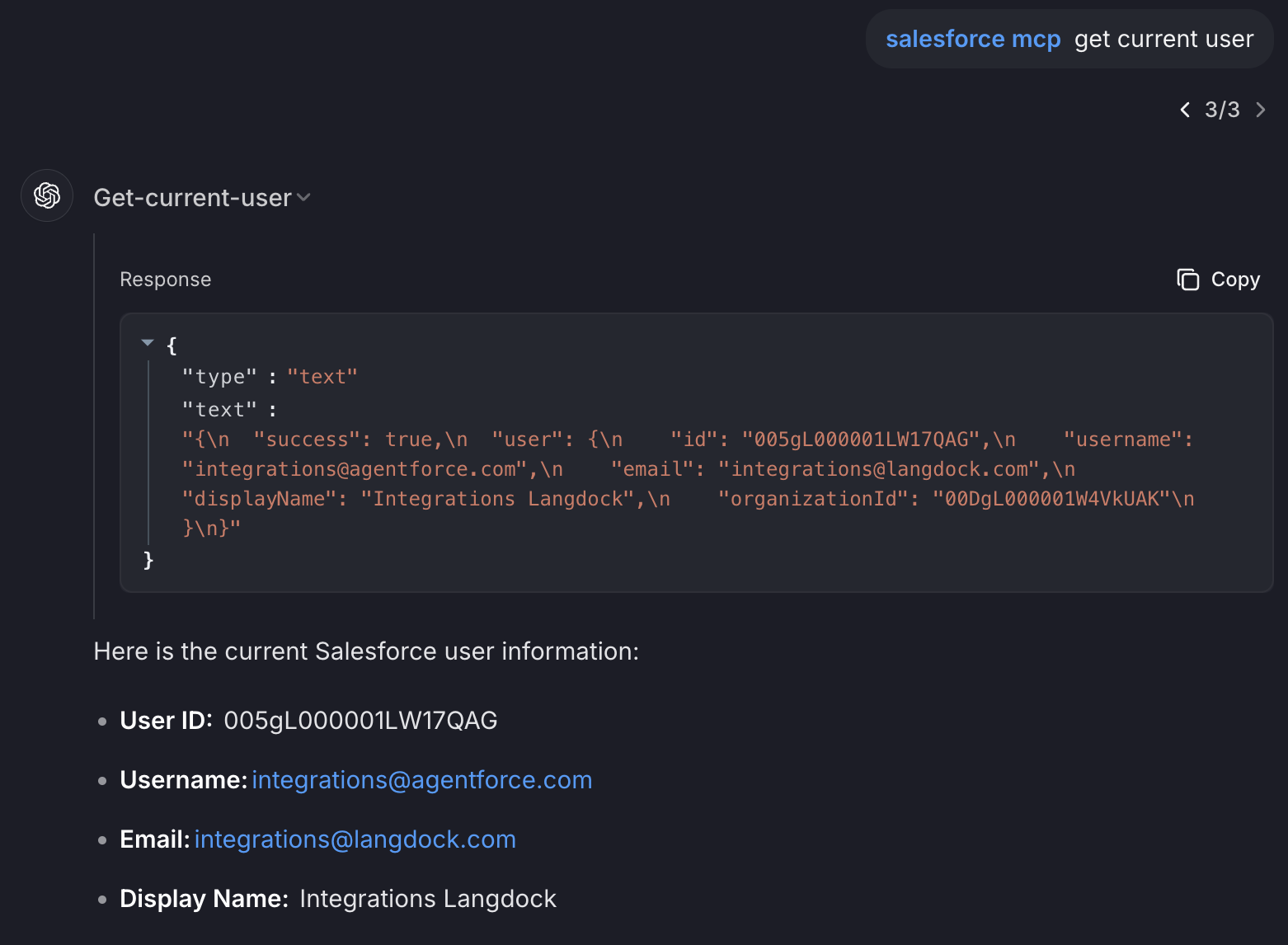
@followed by the MCP server name and your instructions, e.g., "@Salesforce MCP Servershow me my open opportunities this quarter"
That's it! The server will respond to your query, and you can continue using it as needed.
Here is a step-by-step guide with screenshots.
Salesforce MCP Server
A Model Context Protocol (MCP) server for Salesforce integration with Bearer token forwarding.
How it Works
This MCP server demonstrates the OAuth Bearer token forwarding pattern:
Langdock authenticates with Salesforce using your External Client App OAuth configuration
Langdock receives a Bearer token from Salesforce
Langdock forwards this Bearer token to your MCP server in the
AuthorizationheaderYour MCP server extracts this token and uses it to make authenticated API calls to Salesforce
The server stores the Bearer token per session, allowing it to maintain authenticated connections to Salesforce throughout the MCP session lifecycle.
Related MCP server: Auth0 OIDC MCP Server
Installation / Setup
Environment Setup
Create a .env file in the root directory with your Salesforce configuration:
The server uses the Salesforce instance URL from the SALESFORCE_INSTANCE_URL environment variable.
Configuration
The server requires:
Bearer token in the
Authorizationheader (format:Bearer YOUR_TOKEN)Salesforce instance URL via
SALESFORCE_INSTANCE_URLenvironment variable (see Environment Setup above)
Salesforce setup
Enable API Access, go to: Setup → Profiles → [Your Profile] → System Permissions
a. Make sure API Enabled is checked. Without this, no external app can reach Salesforce.
Add a Connected App. You need to go to Setup → Apps → App Manager (https://your-instance.develop.lightning.force.com/lightning/setup/NavigationMenus/home).
a. Create a new Connected App
b. Name your app
c. Enable OAuth Settings
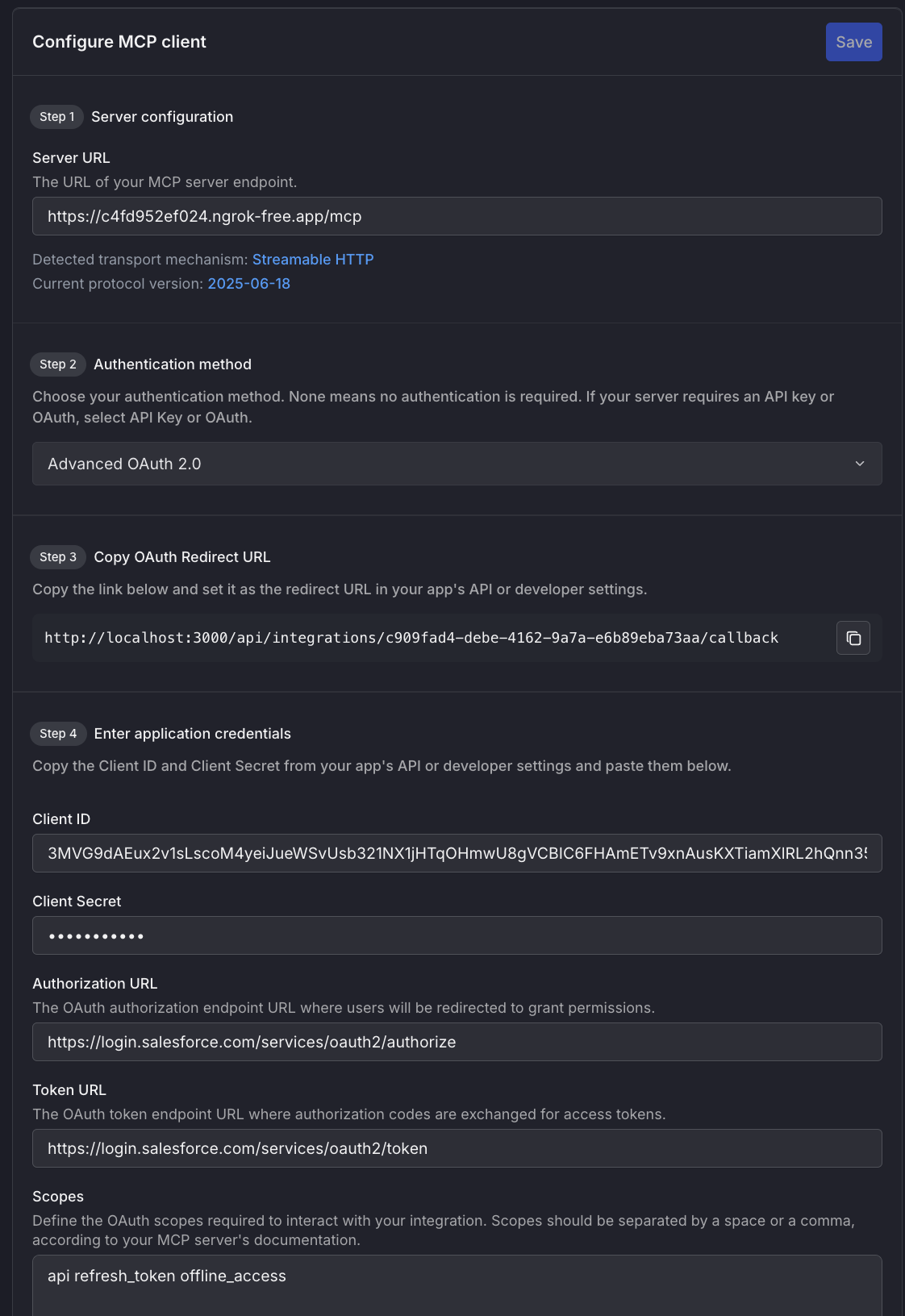
d. Set the callbackk url from /mcp on langdock
e. Add scopes like: full, refresh_token, api
f. Save your Consumer Key and Consumer Secret
Connecting with Langdock
Start the server
Tunnel using ngrok
Configure MCP client in Langdock
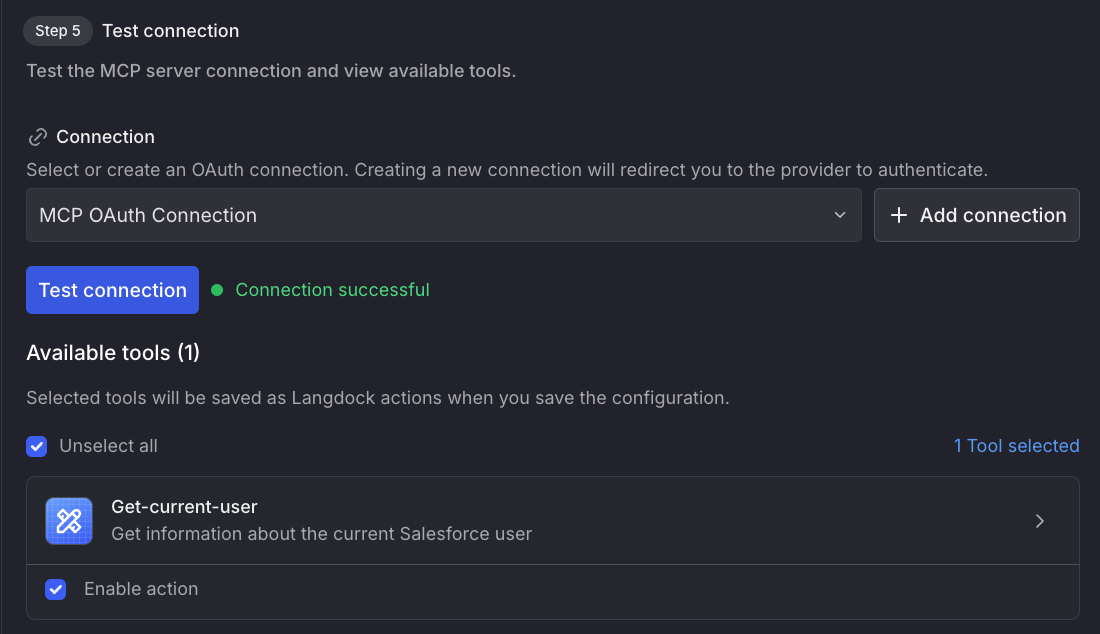
Then create and test the connection