# GitHub Repository Information
## Repository Description
```
Production-ready MCP server for Claude Desktop providing real-time trading analysis, 25+ technical indicators, and Pine Script v6 development tools for Forex, Stocks, and Crypto. Features LRU caching, auto-retry logic, health monitoring, and Docker support.
```
## Topics / Tags
```
mcp
model-context-protocol
claude
claude-desktop
trading
forex
stocks
crypto
cryptocurrency
technical-analysis
indicators
pine-script
tradingview
python
docker
api
real-time-data
market-data
alpha-vantage
production-ready
monitoring
caching
retry-logic
ci-cd
testing
```
## GitHub Shields Badges
Add these to the top of README.md (already added):
```markdown
[](https://github.com/lev-corrupted/TradingViewMCPServer/actions)
[](https://www.python.org/downloads/)
[](https://opensource.org/licenses/MIT)
[](https://hub.docker.com)
[](https://github.com/lev-corrupted/TradingViewMCPServer/releases)
```
## About Section
```
🎯 Production-ready trading assistant for Claude Desktop
📊 25+ technical indicators for Forex, Stocks & Crypto
🐍 Pine Script v6 development tools
🐳 Docker support with 100% test coverage
⚡ LRU caching, auto-retry, health monitoring
```
## Website (Optional)
```
https://github.com/lev-corrupted/TradingViewMCPServer
```
## Social Preview Image Suggestions
Create a 1280x640 image with:
- TradingView MCP Server logo/title
- Key features listed
- Version badge
- Technology stack icons (Python, Docker, MCP)
- Trading chart graphic
## Repository Settings
### Features to Enable
- ✅ Issues
- ✅ Projects
- ✅ Discussions (optional - for community)
- ✅ Wiki (optional - for extended docs)
- ✅ Sponsors (if accepting)
### Branch Protection Rules (for main branch)
- ✅ Require pull request reviews
- ✅ Require status checks to pass (CI/CD)
- ✅ Require branches to be up to date
- ✅ Include administrators
### GitHub Actions
- ✅ Allow all actions
- ✅ Enable workflow permissions (read/write)
## Release Notes Template
When creating releases on GitHub:
### Title Format
```
v3.4.0 - Production Ready
```
### Description Template
```markdown
## 🎉 Major Release - Production Ready
### Highlights
- 🏥 Health monitoring with statistics
- 🔄 Auto-retry with exponential backoff
- ⚡ LRU cache (1000 entries max)
- 🐳 Docker support
- 🚀 CI/CD pipeline
- ✅ 100% test coverage
### What's Changed
- Added LRU cache with size limits
- Added API retry logic with exponential backoff
- Added health check MCP tool
- Complete Docker support
- GitHub Actions CI/CD pipeline
- Fixed 3 failing tests
### Full Changelog
See [CHANGELOG.md](CHANGELOG.md#340---2025-10-18) for complete details.
### Installation
**Docker (Recommended):**
```bash
docker-compose up -d
```
**Standard:**
```bash
pip install -e .
```
### Documentation
- [README.md](../README.md) - Main documentation
- [IMPROVEMENTS_v3.4.0.md](releases/IMPROVEMENTS_v3.4.0.md) - Detailed improvements
- [ARCHITECTURE.md](ARCHITECTURE.md) - Architecture guide
```
## GitHub Actions Badge URLs
```
Tests: https://github.com/lev-corrupted/TradingViewMCPServer/actions/workflows/test.yml
```
## Community Guidelines
### Issue Templates
Create `.github/ISSUE_TEMPLATE/`:
- `bug_report.md` - Bug reports
- `feature_request.md` - Feature requests
- `question.md` - Questions
### Pull Request Template
Create `.github/pull_request_template.md`:
```markdown
## Description
<!-- Describe your changes -->
## Type of Change
- [ ] Bug fix
- [ ] New feature
- [ ] Documentation update
- [ ] Performance improvement
## Testing
- [ ] All tests pass locally
- [ ] Added new tests (if applicable)
- [ ] Updated documentation
## Checklist
- [ ] Code follows project style
- [ ] Commit messages are clear
- [ ] No breaking changes (or documented)
```
## Star History
After gaining stars, add this to README:
```markdown
## Star History
[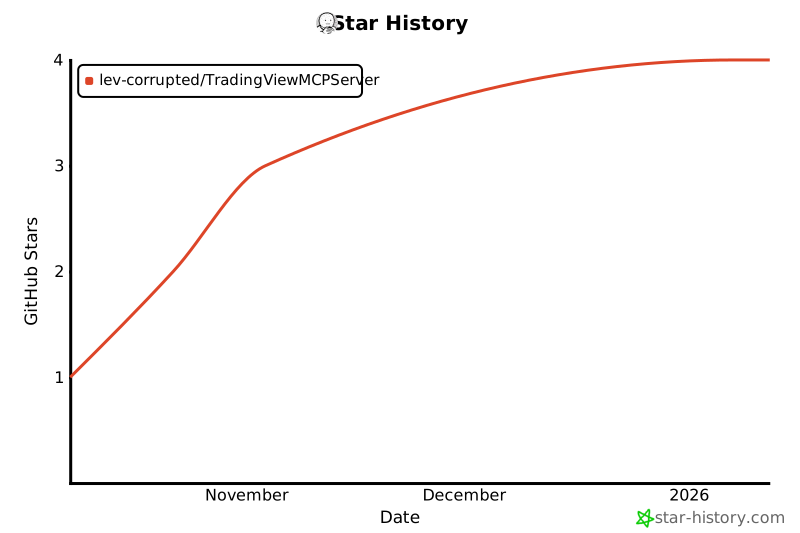](https://star-history.com/#lev-corrupted/TradingViewMCPServer&Date)
```
## Awesome Lists
Submit to these awesome lists:
- awesome-mcp (Model Context Protocol projects)
- awesome-trading
- awesome-python
- awesome-docker
## How to Update GitHub Repository
1. Go to repository settings
2. Update description (top field)
3. Add website URL
4. Add topics (click gear icon next to About)
5. Add each topic from the list above
6. Save changes
7. Create new release:
- Go to Releases
- Click "Create a new release"
- Tag: v3.4.0
- Title: v3.4.0 - Production Ready
- Use template description from above
- Attach files if needed
- Publish release
