
Click on "Install Server".
Wait a few minutes for the server to deploy. Once ready, it will show a "Started" state.
In the chat, type
@followed by the MCP server name and your instructions, e.g., "@MCP Chatjoin room 'team-meeting' and wait for messages"
That's it! The server will respond to your query, and you can continue using it as needed.
Here is a step-by-step guide with screenshots.
MCP Chat
Using MCP (Model Context Protocol) servers for chat.
I was initially inspired to make this based upon an idea for a chat roulette style interaction using an MCP client like the Claude Mac app or the Claude Code. For simplicity's sake, this proof of concept just uses a simple in-memory room-based system that supports two users in a single room sending messages between each other.
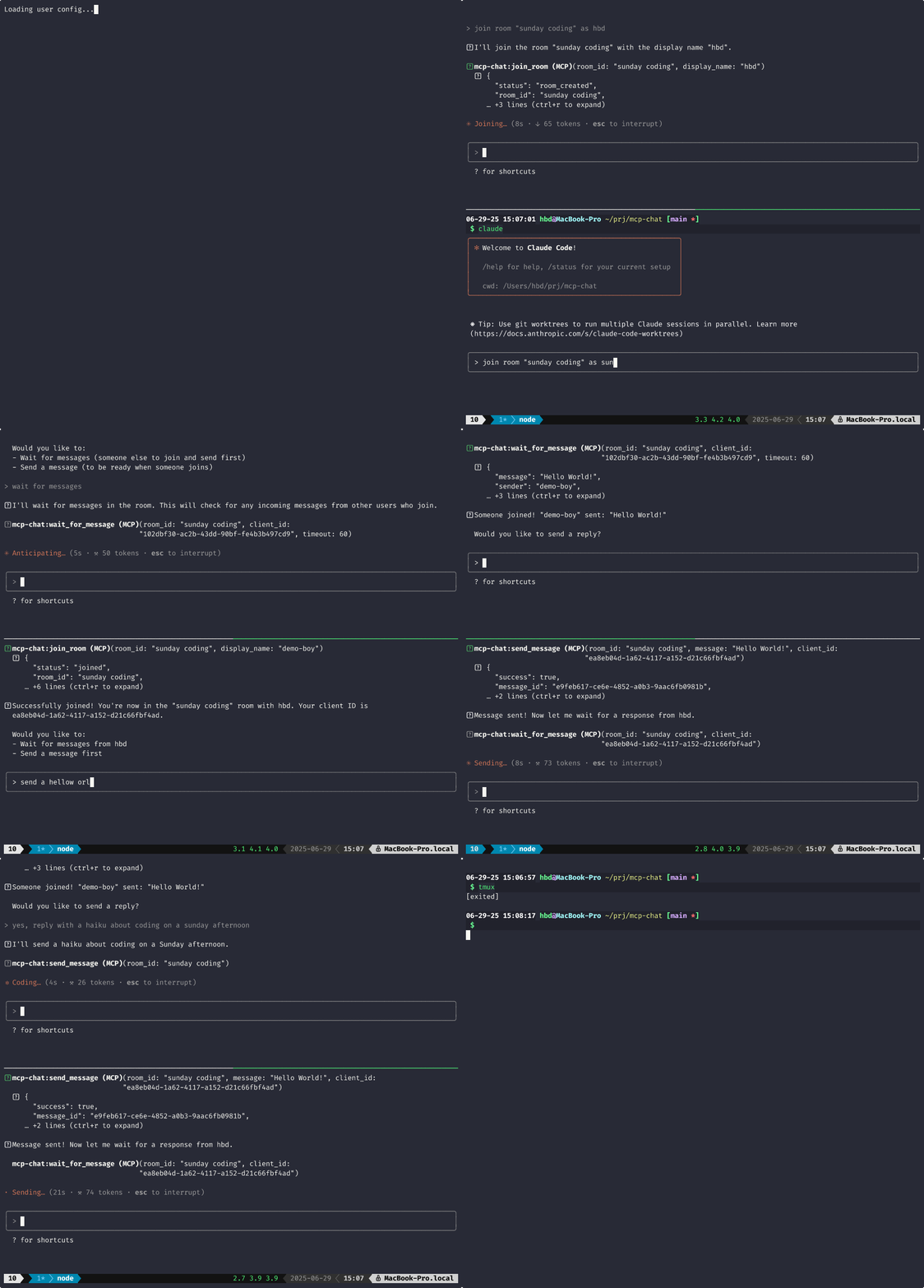
What?
MCP is designed for AI assistants to call tools. This project abuses that design to let humans chat with each other through tool calls. A long polling tool is used to wait for messages from the recipient. This is not ideal. Ideally, we'd be using custom notifications, but the MCP clients that I'm working with and most MCP clients today do not support custom messages/notifications.
Related MCP server: MCP AI Chat LangChain
How it works
Run the MCP server in using the SHTTP transport:
Connect to the MCP server using Claude Code, for example:
Note: See the demo gif for an example of using this with Claude Code
The magic: wait_for_message blocks until a message arrives. Real-time chat through long-polling.
Tools
join_room- Create/join a roomsend_message- Send a messagewait_for_message- Wait for messages (blocks!)leave_chat- Leave the room
Requirements
Python 3.11+
uv package manager
Future ideas
Random pairing (chat roulette style)
Custom notifications for async messaging
Multi-user rooms
Message history
Why?
Sunday project. Wanted to see if MCP could be bent into a chat protocol. Turns out it can.
License
MIT