
iRacing Data MCP Server
Click on "Install Server".
Wait a few minutes for the server to deploy. Once ready, it will show a "Started" state.
In the chat, type
@followed by the MCP server name and your instructions, e.g., "@iRacing Data MCP Serverfind the career statistics for driver Max Verstappen"
That's it! The server will respond to your query, and you can continue using it as needed.
Here is a step-by-step guide with screenshots.
iRacing Data MCP Server 🏎️
A Node.js Model Context Protocol (MCP) server that provides seamless access to iRacing's racing simulation data API. This project serves as both a standalone CLI tool and an MCP server for AI assistant integration.


🌟 Features
🤖 MCP Server Integration
AI Assistant Ready: Seamlessly integrate with Claude, ChatGPT, and other AI assistants
Real-time Data Access: Live access to iRacing's comprehensive racing data
Automatic Authentication: Handles login and session management automatically
Type-safe Operations: Full TypeScript support with Zod schema validation
📊 Data Access
Member Profiles: Detailed driver information including licenses and ratings
Team Information: Comprehensive team data and statistics
Career Statistics: Complete racing career history and achievements
Season Recaps: Detailed season performance and progression
Driver Lookup: Search and find drivers by name
API Documentation: Built-in access to iRacing's API documentation
🛠️ Dual Interface
MCP Server: For AI assistant integration
CLI Tool: For direct command-line access and automation
Related MCP server: Pitstop
📖 Usage
As MCP Server
Configuration for LLM Clients
To use this MCP server with AI assistants like Claude Desktop, add the following configuration to your MCP settings file:
For Claude Desktop (~/Library/Application Support/Claude/claude_desktop_config.json on macOS):
{
  "mcpServers": {
    "iracing-data-mcp-server": {
      "command": "npx",
      "args": [
        "iracing-data-mcp-server@latest",
        "@modelcontextprotocol/server-filesystem",
        "/path/to/your/cookie-jar-file"
      ]
      "env": {
        "COOKIE_JAR": "/path/to/your/cookie-jar-file",
        "EMAIL": "your.email@example.com",
        "API_KEY": "your_api_key_here"
      }
    }
  }
}
Available MCP Tools
The server will run and provide the following tools to AI assistants:
Tool | Description | Parameters |
| Authenticate with iRacing | None |
| Get member profile data |
|
| Retrieve team information |
|
| Get season recap data |
|
| Get career statistics |
|
| Search for drivers |
|
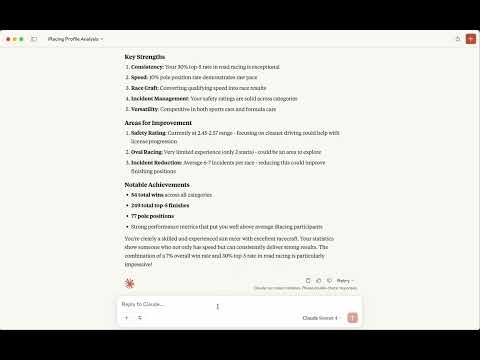
📹 Watch the video
As CLI Tool
Environment Setup
Create a .env file in your project directory:
# Required: Path to store authentication cookies
COOKIE_JAR=./cookies.txt

# Required: Your iRacing account credentials
EMAIL=your.email@example.com

# Option 1: Use your iRacing password
PASSWORD=your_password

# Option 2: Use pre-generated API key (recommended for security)
# API_KEY=your_api_key_here
Initial Authentication
Before using the cli, authenticate with iRacing:
npm run loginUse the command-line interface for direct data access:
Get Member Profile
# Single member
npm run api member 123456

# Multiple members
npm run api member 123456,789012
Get Team Information
npm run api team 123456Get Member Career Data
npm run api member-career 123456Get Season Recap
# Current season recap
npm run api member-recap --member-id 123456

# Specific year and season
npm run api member-recap --member-id 123456 --year 2024 --season 1
Driver Lookup
npm run api driver-lookup "Max Verstappen"API Documentation
npm run api documentation🔧 Development Setup
Prerequisites
Node.js 24+
npm
iRacing account with active subscription
Clone and Install
git clone https://github.com/yourusername/iracing-data-mcp-server.git
cd iracing-data-mcp-server
npm install
🔐 Authentication & Security
API Key vs Password
Recommended: Use an API key for enhanced security:
Generate API Key:
const crypto = require('crypto');
const apiKey = crypto.createHash('sha256')
  .update(password + email)
  .digest('base64');
Set in Environment:
API_KEY=your_generated_api_key
# Remove PASSWORD variable when using API_KEY
Cookie Management
The server automatically manages authentication cookies:
Stores cookies in the path specified by
COOKIE_JARAutomatically refreshes expired sessions
Handles authentication errors gracefully
Maintenance
Resources
Unclaimed servers have limited discoverability.
Looking for Admin?
If you are the server author, to access and configure the admin panel.
Latest Blog Posts
MCP directory API
We provide all the information about MCP servers via our MCP API.
curl -X GET 'https://glama.ai/api/mcp/v1/servers/emilioSp/iracing-data-mcp-server'
If you have feedback or need assistance with the MCP directory API, please join our Discord server