Glama
btwiuse

npm-search-mcp-server

by btwiuse

npm-search MCP 服务器

铁匠徽章

模型上下文协议服务器允许您通过调用npm search命令来搜索 npm 包。

可用工具

  • search_npm_packages - 搜索 npm 包。

    • 必需参数:

      • query (字符串):搜索查询。

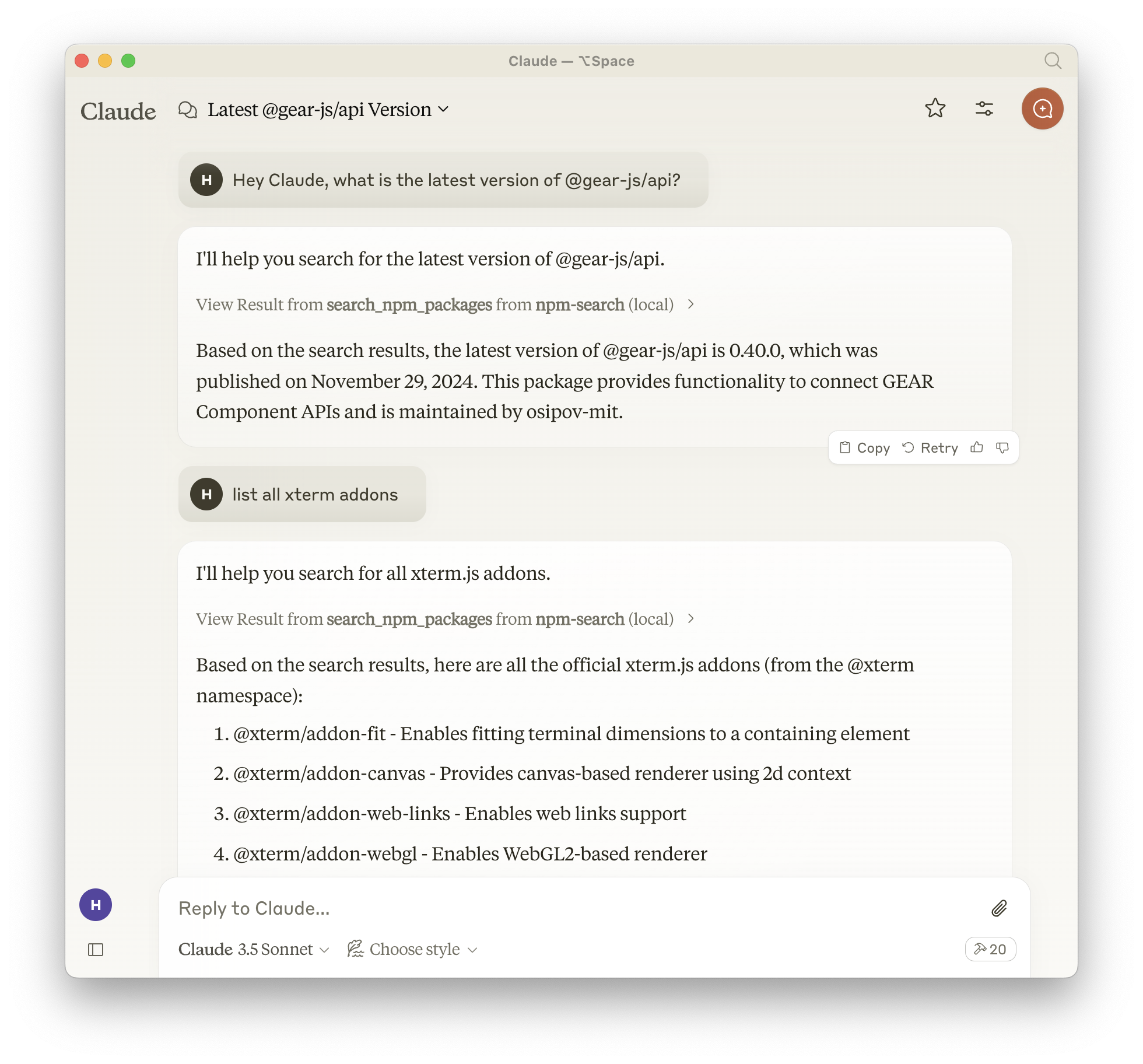
克劳德截图

安装

通过 Smithery 安装

要通过Smithery自动为 Claude Desktop 安装 npm-search :

npx -y @smithery/cli install npm-search-mcp-server --client claude

使用 NPM(推荐)

或者,您可以通过 npm 安装npm-search-mcp-server

npm install -g npm-search-mcp-server

安装后,您可以使用以下命令运行它:

npm-search-mcp-server

使用 uv

使用uv时无需特殊安装。我们将使用uvx直接运行npm-search-mcp-server

Related MCP server: mcp-registry-server

配置

为 Claude.app 配置

添加到您的 Claude 设置:

"mcpServers": { "npm-search": { "command": "npx", "args": ["-y", "npm-search-mcp-server"] } }
"mcpServers": { "npm-search": { "command": "uvx", "args": ["npm-search-mcp-server"] } }

为 Zed 配置

添加到您的 Zed settings.json:

"context_servers": { "npm-search-mcp-server": { "command": "npx", "args": ["-y", "npm-search-mcp-server"] } },
"context_servers": [ "npm-search-mcp-server": { "command": "uvx", "args": ["npm-search-mcp-server"] } ],

交互示例

  1. 搜索 npm 包:

{ "name": "search_npm_packages", "arguments": { "query": "express" } }

回复:

{ "results": [ { "name": "express", "description": "Fast, unopinionated, minimalist web framework", "version": "4.17.1", "author": "TJ Holowaychuk", "license": "MIT" }, ... ] }

调试

您可以使用 MCP 检查器来调试服务器。对于 uvx 安装:

npx @modelcontextprotocol/inspector npx -y npm-search-mcp-server

或者,如果您已将软件包安装在特定目录中或正在其上进行开发:

cd path/to/servers/src/npm-search npx @modelcontextprotocol/inspector uv run npm-search-mcp-server

克劳德的问题示例

  1. “在 npm 上搜索 express 包”

  2. “查找与 React 相关的包”

  3. “向我展示用于 Web 开发的 npm 包”

建造

Docker 构建:

cd src/npm-search docker build -t mcp/npm-search .

贡献

我们鼓励您为扩展和改进 npm-search-mcp-server 做出贡献。无论您是想添加新的 npm 相关工具、增强现有功能还是改进文档,您的贡献都弥足珍贵。

有关其他 MCP 服务器和实现模式的示例,请参阅: https://github.com/modelcontextprotocol/servers

欢迎提交 Pull 请求!欢迎贡献新想法、错误修复或改进,让 npm-search-mcp-server 更加强大实用。

执照

npm-search-mcp-server 采用 MIT 许可证。这意味着您可以自由使用、修改和分发该软件,但需遵守 MIT 许可证的条款和条件。更多详细信息,请参阅项目仓库中的 LICENSE 文件。

One-click Deploy
A
security – no known vulnerabilities
A
license - permissive license
A
quality - confirmed to work

Latest Blog Posts

MCP directory API

We provide all the information about MCP servers via our MCP API.

curl -X GET 'https://glama.ai/api/mcp/v1/servers/btwiuse/npm-search-mcp-server'

If you have feedback or need assistance with the MCP directory API, please join our Discord server