
Enables interaction with Autodesk Civil 3D software, allowing AI to retrieve drawing data, query Civil 3D object types, manage selected objects, create COGO points, and generate line segments. Requires the Civil 3D MCP plugin to execute commands within the Civil 3D application.
Click on "Install Server".
Wait a few minutes for the server to deploy. Once ready, it will show a "Started" state.
In the chat, type
@followed by the MCP server name and your instructions, e.g., "@Civil3D MCP Servercreate a new COGO point at coordinates X=1000, Y=2000, elevation=50"
That's it! The server will respond to your query, and you can continue using it as needed.
Here is a step-by-step guide with screenshots.
civil3d-mcp
English | 简体中文
Description
civil3d-mcp allows you to interact with Autodesk Civil 3D using the MCP protocol through MCP-supported clients (such as Claude, Cline, etc.).
This project is the server side (providing Tools to AI), and you need to use a Civil 3D MCP plugin (driving Civil 3D) in conjunction.
Features
Allow AI to get data from the Civil 3D project
Allow AI to drive Civil 3D to create, modify, and delete elements
Send AI-generated code to Civil 3D to execute (may not be successful, successful rate is higher in some simple scenarios with clear requirements)
Requirements
nodejs 18+
Complete installation environment still needs to consider the needs of the Civil 3D MCP plugin, please refer to its documentation.
Installation
1. Build local MCP service
Install dependencies
Build
2. Client configuration
Claude client
Claude client -> Settings > Developer > Edit Config > claude_desktop_config.json
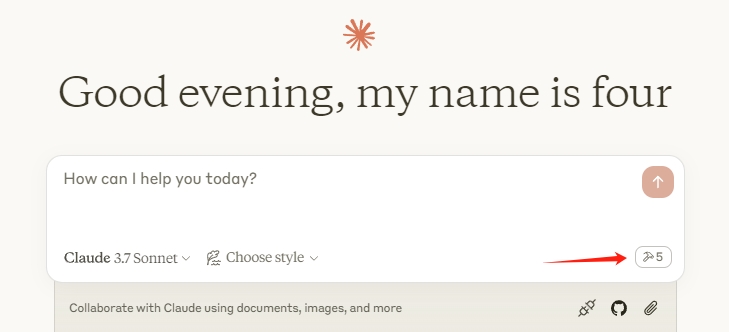
Restart the Claude client. When you see the hammer icon, it means the connection to the MCP service is normal. (example shows Civil 3D, will be Civil 3D)
Framework
Supported Tools
Name | Description |
| Retrieves basic information about the active Civil 3D drawing. |
| Lists major Civil 3D object types available or present in the current drawing (e.g., Alignments, Surfaces). |
| Gets basic properties of currently selected Civil 3D objects. Can limit the number of returned objects. |
| Creates a new COGO (Coordinate Geometry) point in the Civil 3D drawing. |
| Creates a simple line segment in the Civil 3D drawing. |