
Enables management of Synology NAS devices, including file system operations (create, delete, list, search, rename, move files and directories), share management, and Download Station control (create, pause, resume, delete download tasks and torrent management).
Click on "Install Server".
Wait a few minutes for the server to deploy. Once ready, it will show a "Started" state.
In the chat, type
@followed by the MCP server name and your instructions, e.g., "@Synology MCP Serverlist all files in my Downloads folder"
That's it! The server will respond to your query, and you can continue using it as needed.
Here is a step-by-step guide with screenshots.
💾 Synology MCP Server
A Model Context Protocol (MCP) server for Synology NAS devices. Enables AI assistants to manage files and downloads through secure authentication and session management.
🌟 NEW: Unified server supports both Claude/Cursor (stdio) and Xiaozhi (WebSocket) simultaneously!
🚀 Quick Start with Docker
1️⃣ Setup Environment
# Clone repository
git clone https://github.com/atom2ueki/mcp-server-synology.git
cd mcp-server-synology

# Create environment file
cp env.example .env
2️⃣ Configure .env File
Basic Configuration (Claude/Cursor only):
# Required: Synology NAS connection
SYNOLOGY_URL=http://192.168.1.100:5000
SYNOLOGY_USERNAME=your_username
SYNOLOGY_PASSWORD=your_password

# Optional: Auto-login on startup
AUTO_LOGIN=true
VERIFY_SSL=false
Extended Configuration (Both Claude/Cursor + Xiaozhi):
# Required: Synology NAS connection
SYNOLOGY_URL=http://192.168.1.100:5000
SYNOLOGY_USERNAME=your_username
SYNOLOGY_PASSWORD=your_password

# Optional: Auto-login on startup
AUTO_LOGIN=true
VERIFY_SSL=false

# Enable Xiaozhi support
ENABLE_XIAOZHI=true
XIAOZHI_TOKEN=your_xiaozhi_token_here
XIAOZHI_MCP_ENDPOINT=wss://api.xiaozhi.me/mcp/
3️⃣ Run with Docker
One simple command supports both modes:
# Claude/Cursor only mode (default if ENABLE_XIAOZHI not set)
docker-compose up -d

# Both Claude/Cursor + Xiaozhi mode (if ENABLE_XIAOZHI=true in .env)
docker-compose up -d

# Build and run
docker-compose up -d --build
4️⃣ Alternative: Local Python
# Install dependencies
pip install -r requirements.txt

# Run with environment control
python main.py
🔌 Client Setup
🤖 Claude Desktop
Add to your Claude Desktop configuration file:
macOS: ~/Library/Application Support/Claude/claude_desktop_config.json
Windows: %APPDATA%\Claude\claude_desktop_config.json
{
  "mcpServers": {
    "synology": {
      "command": "docker-compose",
      "args": [
        "-f", "/path/to/your/mcp-server-synology/docker-compose.yml",
        "run", "--rm", "synology-mcp"
      ],
      "cwd": "/path/to/your/mcp-server-synology"
    }
  }
}
↗️ Cursor
Add to your Cursor MCP settings:
{
  "mcpServers": {
    "synology": {
      "command": "docker-compose",
      "args": [
        "-f", "/path/to/your/mcp-server-synology/docker-compose.yml",
        "run", "--rm", "synology-mcp"
      ],
      "cwd": "/path/to/your/mcp-server-synology"
    }
  }
}
🔄 Continue (VS Code Extension)
Add to your Continue configuration (.continue/config.json):
{
  "mcpServers": {
    "synology": {
      "command": "docker-compose",
      "args": [
        "-f", "/path/to/your/mcp-server-synology/docker-compose.yml",
        "run", "--rm", "synology-mcp"
      ],
      "cwd": "/path/to/your/mcp-server-synology"
    }
  }
}
💻 Codeium
For Codeium's MCP support:
{
  "mcpServers": {
    "synology": {
      "command": "docker-compose",
      "args": [
        "-f", "/path/to/your/mcp-server-synology/docker-compose.yml",
        "run", "--rm", "synology-mcp"
      ],
      "cwd": "/path/to/your/mcp-server-synology"
    }
  }
}
🐍 Alternative: Direct Python Execution
If you prefer not to use Docker:
{
  "mcpServers": {
    "synology": {
      "command": "python",
      "args": ["main.py"],
      "cwd": "/path/to/your/mcp-server-synology",
      "env": {
        "SYNOLOGY_URL": "http://192.168.1.100:5000",
        "SYNOLOGY_USERNAME": "your_username",
        "SYNOLOGY_PASSWORD": "your_password",
        "AUTO_LOGIN": "true",
        "ENABLE_XIAOZHI": "false"
      }
    }
  }
}
🌟 Xiaozhi Integration
New unified architecture supports both clients simultaneously!
How It Works
ENABLE_XIAOZHI=false (default): Standard MCP server for Claude/Cursor via stdio
ENABLE_XIAOZHI=true: Multi-client bridge supporting both:
📡 Xiaozhi: WebSocket connection
💻 Claude/Cursor: stdio connection
Setup Steps
Add to your .env file:
ENABLE_XIAOZHI=true
XIAOZHI_TOKEN=your_xiaozhi_token_here
Run normally:
# Same command, different behavior based on environment
python main.py
# OR
docker-compose up
Key Features
✅ Zero Configuration Conflicts: One server, multiple clients
✅ Parallel Operation: Both clients can work simultaneously
✅ All Tools Available: Xiaozhi gets access to all Synology MCP tools
✅ Backward Compatible: Existing setups work unchanged
✅ Auto-Reconnection: Handles WebSocket connection drops
✅ Environment Controlled: Simple boolean flag to enable/disable
Startup Messages
Claude/Cursor only mode:
🚀 Synology MCP Server
==============================
📌 Claude/Cursor only mode (ENABLE_XIAOZHI=false)
Both clients mode:
🚀 Synology MCP Server with Xiaozhi Bridge
==================================================
🌟 Supports BOTH Xiaozhi and Claude/Cursor simultaneously!
🛠️ Available MCP Tools
🔐 Authentication
synology_status- Check authentication status and active sessionssynology_list_nas- List all configured NAS units from settings.jsonsynology_login- Authenticate with Synology NAS (conditional)synology_logout- Logout from session (conditional)
📁 File System Operations
list_shares- List all available NAS shareslist_directory- List directory contents with metadatapath(required): Directory path starting with/
get_file_info- Get detailed file/directory informationpath(required): File path starting with/
search_files- Search files matching patternpath(required): Search directorypattern(required): Search pattern (e.g.,*.pdf)
create_file- Create new files with contentpath(required): Full file path starting with/content(optional): File content (default: empty string)overwrite(optional): Overwrite existing files (default: false)
create_directory- Create new directoriesfolder_path(required): Parent directory path starting with/name(required): New directory nameforce_parent(optional): Create parent directories if needed (default: false)
delete- Delete files or directories (auto-detects type)path(required): File/directory path starting with/
rename_file- Rename files or directoriespath(required): Current file pathnew_name(required): New filename
move_file- Move files to new locationsource_path(required): Source file pathdestination_path(required): Destination pathoverwrite(optional): Overwrite existing files
📥 Download Station Management
ds_get_info- Get Download Station informationds_list_tasks- List all download tasks with statusoffset(optional): Pagination offsetlimit(optional): Max tasks to return
ds_create_task- Create new download taskuri(required): Download URL or magnet linkdestination(optional): Download folder path
ds_pause_tasks- Pause download taskstask_ids(required): Array of task IDs
ds_resume_tasks- Resume paused taskstask_ids(required): Array of task IDs
ds_delete_tasks- Delete download taskstask_ids(required): Array of task IDsforce_complete(optional): Force delete completed
ds_get_statistics- Get download/upload statistics
🏥 Health Monitoring
synology_system_info- Get system model, serial, DSM version, uptime, temperaturesynology_utilization- Get real-time CPU, memory, swap, and disk I/O utilizationsynology_disk_health- List all physical disks with SMART status, model, temp, sizesynology_disk_smart- Get detailed SMART attributes for a specific disksynology_volume_status- List all volumes with status, size, usage, filesystem typesynology_storage_pool- List RAID/storage pools with level, status, member diskssynology_network- Get network interface status and transfer ratessynology_ups- Get UPS status, battery level, power readingssynology_services- List installed packages and their running statussynology_system_log- Get recent system log entriessynology_health_summary- Aggregate system info, utilization, disk health, and volume status
📦 NFS Management
synology_nfs_status- Get NFS service status and configurationsynology_nfs_enable- Enable or disable the NFS servicesynology_nfs_list_shares- List all shared folders with their NFS permissionssynology_nfs_set_permission- Set NFS client access permissions on a shared folder
⚙️ Configuration Options
⚠️ Security Warning: Use a Dedicated Account
For this MCP server, create a dedicated Synology user account with appropriate permissions. This account should:
NOT have 2FA enabled - The MCP server cannot handle 2FA prompts and will fail authentication
Have minimal required permissions only (not admin!)
Be used exclusively for MCP server automation
Using your primary account with 2FA is dangerous - if auto-login fails, you may be locked out of your NAS!
Using settings.json (Recommended)
Variable | Required | Default | Description |
| Yes* | - | NAS base URL (e.g., |
| Yes* | - | Username for authentication |
| Yes* | - | Password for authentication |
| No |
| Auto-login on server start |
| No |
| Verify SSL certificates |
| No |
| Enable debug logging |
| No |
| Enable Xiaozhi WebSocket bridge |
| Xiaozhi only | - | Authentication token for Xiaozhi |
| No |
| Xiaozhi WebSocket endpoint |
*Required for auto-login and default operations
Using settings.json (Multi-NAS Support)
For managing multiple Synology NAS devices, use the XDG standard config directory (~/.config/synology-mcp/settings.json):
mkdir -p ~/.config/synology-mcp
touch ~/.config/synology-mcp/settings.json
chmod 600 ~/.config/synology-mcp/settings.json  # Important: secure permissions!
Note: This follows the XDG Base Directory Specification - ~/.config/ is the standard location for user configuration files on Linux/macOS. You can customize the location by setting the XDG_CONFIG_HOME environment variable.
With Docker:
The docker-compose.yml automatically mounts your ~/.config/synology-mcp directory into the container at /home/mcpuser/.config/synology-mcp, so multi-NAS works out of the box with Docker as well.
settings.json format:
{
  "synology": {
    "nas1": {
      "host": "192.168.1.100",
      "port": 5000,
      "username": "admin",
      "password": "your_password",
      "note": "Primary NAS at home"
    },
    "nas2": {
      "host": "192.168.1.200",
      "port": 5001,
      "username": "admin",
      "password": "your_password",
      "note": "Backup NAS"
    }
  },
  "xiaozhi": {
    "enabled": false,
    "token": "your_xiaozhi_token",
    "endpoint": "wss://api.xiaozhi.me/mcp/"
  },
  "server": {
    "auto_login": true,
    "verify_ssl": false,
    "session_timeout": 3600,
    "debug": false,
    "log_level": "INFO"
  }
}
Configuration fields:
Field | Required | Description |
| Yes | NAS hostname or IP address |
| No | API port (default: 5000 for HTTP, 5001 for HTTPS) |
| Yes | NAS username |
| Yes | NAS password |
| No | Optional description for your reference |
Notes:
The server will use port 5001 (HTTPS) if port is 5001, otherwise defaults to HTTP (5000)
File permissions:
chmod 600 ~/.config/synology-mcp/settings.jsonis required for securityThe server will refuse to load settings if permissions are too open
Both .env and settings.json can be used together (settings.json takes priority)
⚠️ Security Recommendations
SSL Certificate Verification (VERIFY_SSL):
Default is
falseto support self-signed certificates on internal NAS devicesIf your NAS has a valid SSL certificate (e.g., from Let's Encrypt or a corporate CA), set
VERIFY_SSL=trueSetting
VERIFY_SSL=falsedisables certificate verification and makes your connection vulnerable to man-in-the-middle (MITM) attacksNever disable SSL verification on untrusted networks
Auto-Login (AUTO_LOGIN):
Default is
truefor convenience with settings.jsonCredentials are stored securely in
~/.config/synology-mcp/settings.jsonwith 0600 permissionsIf you prefer manual login, set
AUTO_LOGIN=falseand use thesynology_logintool
📖 Usage Examples
📁 File Operations
✅ Creating Files and Directories
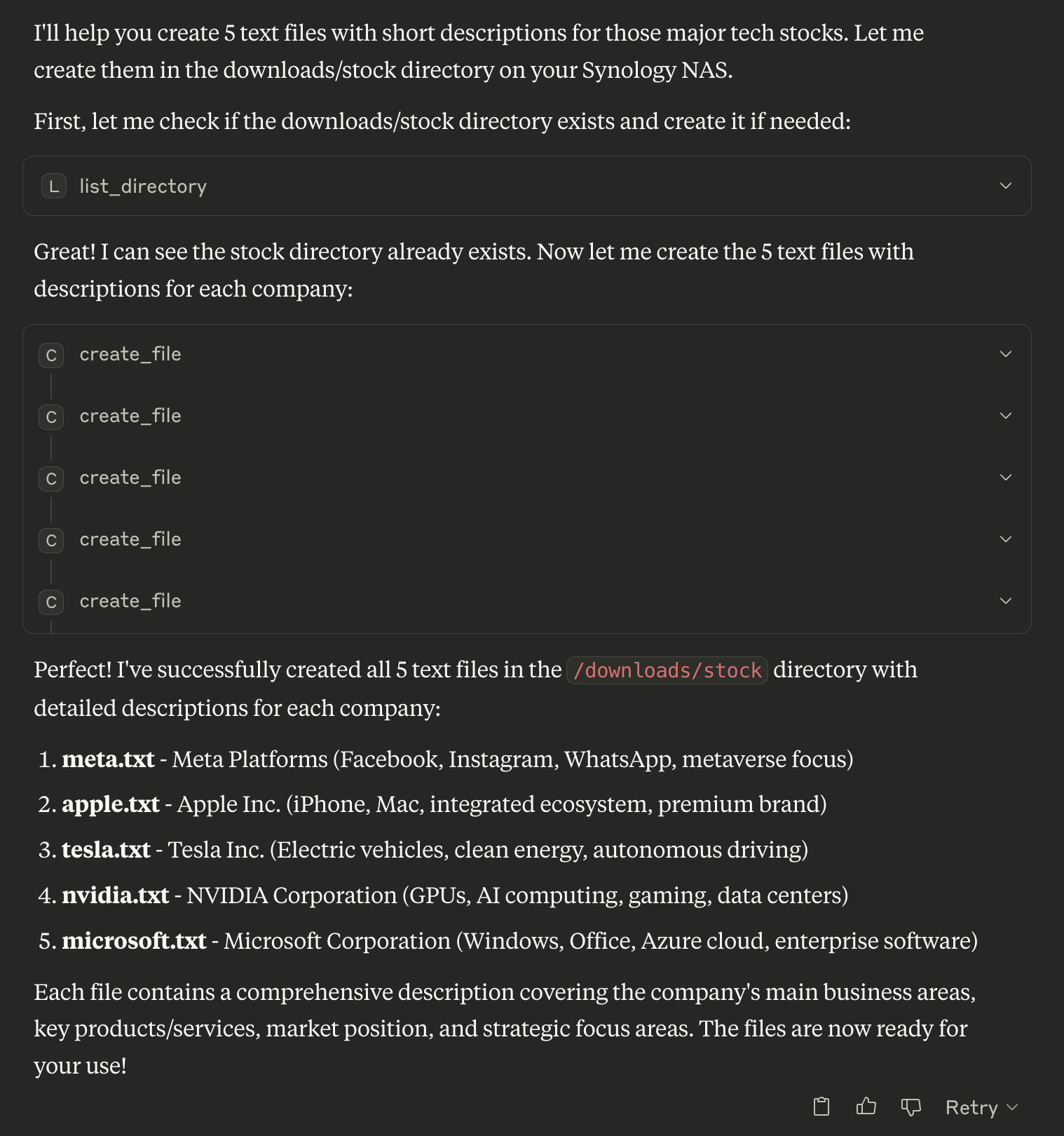
// List directory
{
  "path": "/volume1/homes"
}

// Search for PDFs
{
  "path": "/volume1/documents",
  "pattern": "*.pdf"
}

// Create new file
{
  "path": "/volume1/documents/notes.txt",
  "content": "My important notes\nLine 2 of notes",
  "overwrite": false
}
🗑️ Deleting Files and Directories
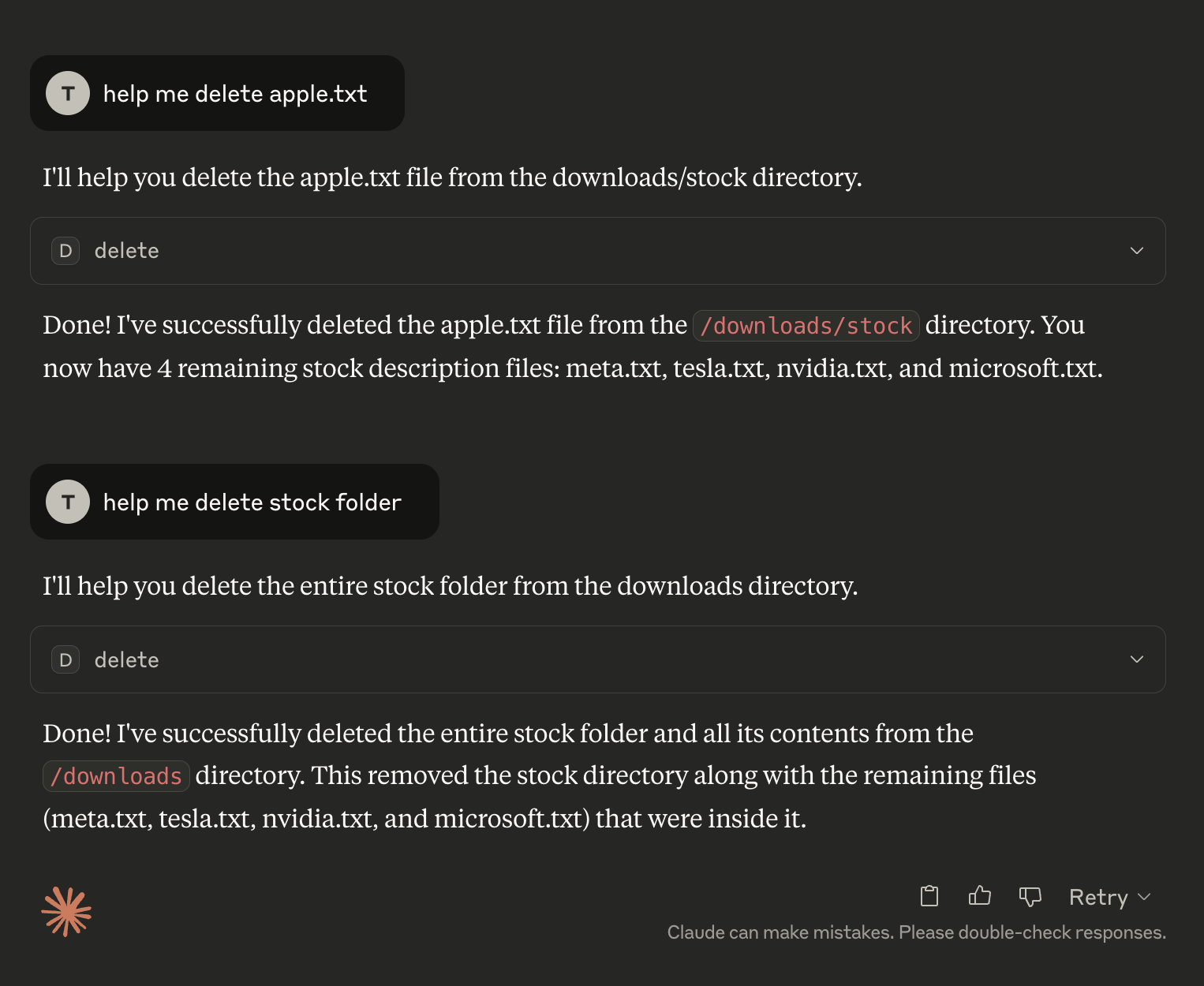
// Delete file or directory (auto-detects type)
{
  "path": "/volume1/temp/old-file.txt"
}

// Move file
{
  "source_path": "/volume1/temp/file.txt",
  "destination_path": "/volume1/archive/file.txt"
}
⬇️ Download Management
🛠️ Creating a Download Task
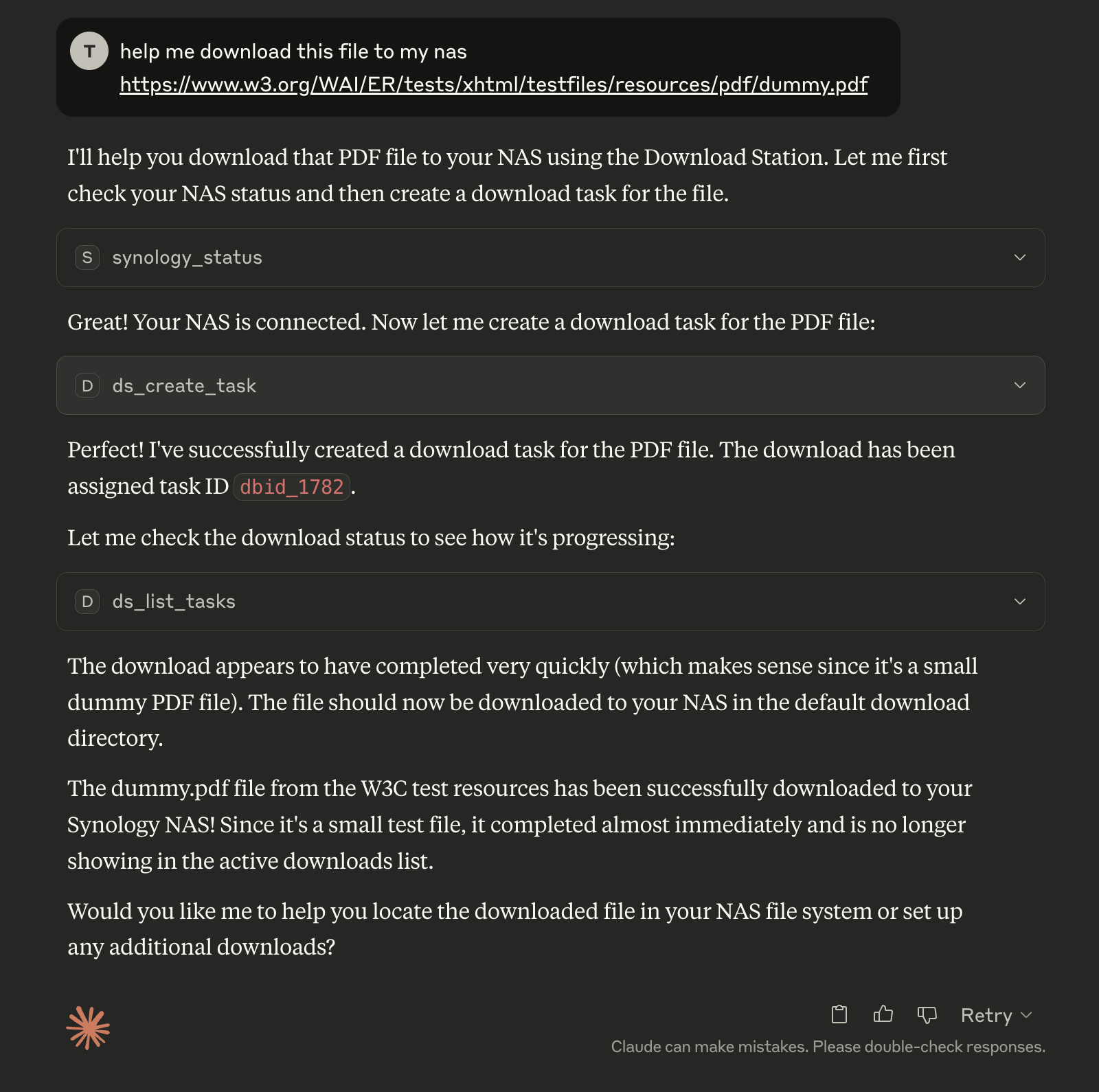
// Create download task
{
  "uri": "https://example.com/file.zip",
  "destination": "/volume1/downloads"
}

// Pause tasks
{
  "task_ids": ["dbid_123", "dbid_456"]
}
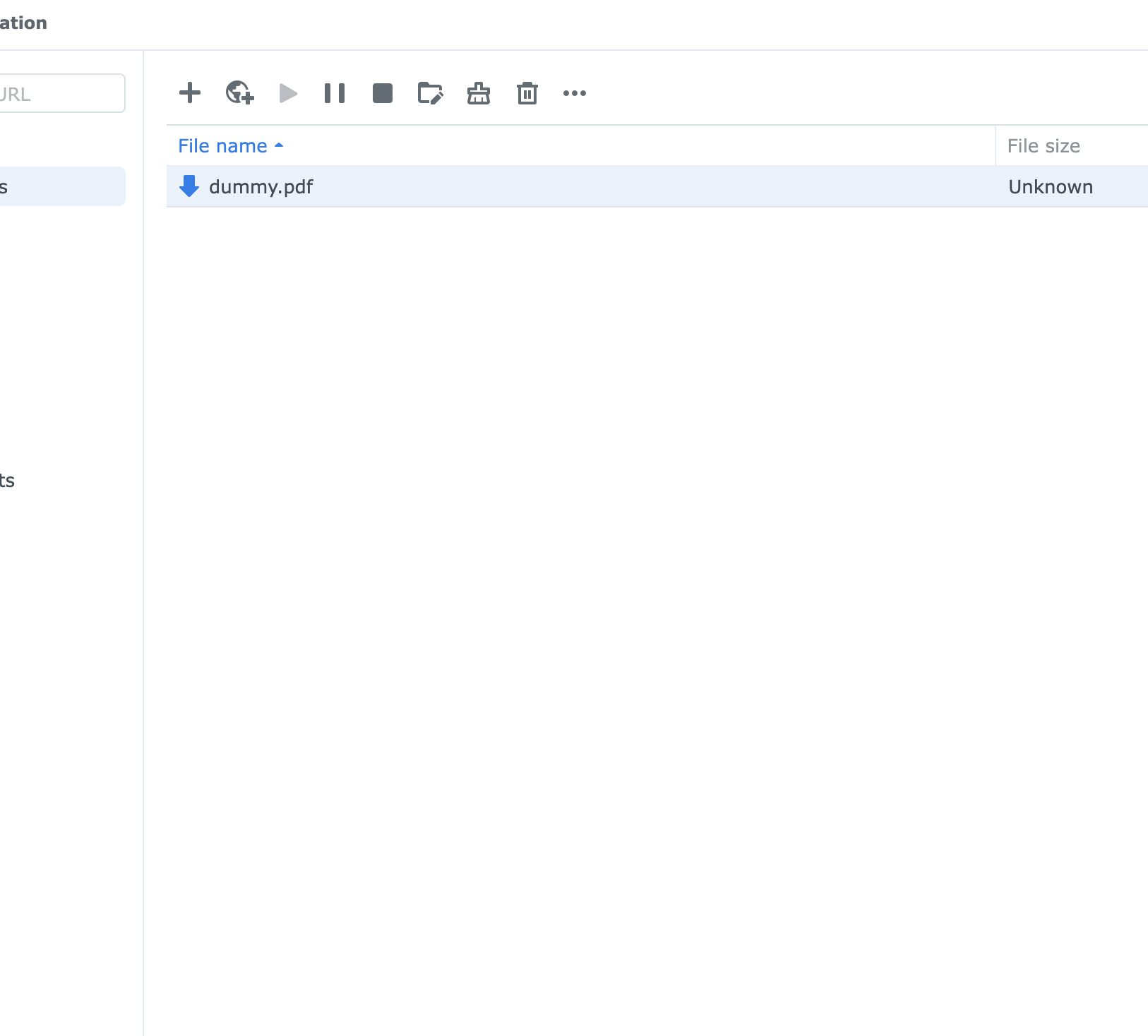
🦦 Download Results
✨ Features
✅ Unified Entry Point - Single
main.pysupports both stdio and WebSocket clients✅ Environment Controlled - Switch modes via
ENABLE_XIAOZHIenvironment variable✅ Multi-Client Support - Simultaneous Claude/Cursor + Xiaozhi access
✅ Secure Authentication - RSA encrypted password transmission
✅ Session Management - Persistent sessions across multiple NAS devices
✅ Complete File Operations - Create, delete, list, search, rename, move files with detailed metadata
✅ Directory Management - Recursive directory operations with safety checks
✅ Download Station - Complete torrent and download management
✅ Docker Support - Easy containerized deployment
✅ Backward Compatible - Existing configurations work unchanged
✅ Error Handling - Comprehensive error reporting and recovery
🏗️ Architecture
File Structure
mcp-server-synology/
├── main.py                    # 🎯 Unified entry point
├── src/
│   ├── mcp_server.py         # Standard MCP server
│   ├── multiclient_bridge.py # Multi-client bridge
│   ├── auth/                 # Authentication modules
│   ├── filestation/          # File operations
│   └── downloadstation/      # Download management
├── docker-compose.yml        # Single service, environment-controlled
├── Dockerfile
├── requirements.txt
└── .env                      # Configuration
Mode Selection
ENABLE_XIAOZHI=false→main.py→mcp_server.py(stdio only)ENABLE_XIAOZHI=true→main.py→multiclient_bridge.py→mcp_server.py(both clients)
Perfect for any workflow - from simple Claude/Cursor usage to advanced multi-client setups! 🚀