
Provides IVR flow validation tools for ChatGPT, enabling linting of IVR JSON flows with error detection, scoring, and interactive Skybridge widget visualization of results.
Click on "Install Server".
Wait a few minutes for the server to deploy. Once ready, it will show a "Started" state.
In the chat, type
@followed by the MCP server name and your instructions, e.g., "@IVR Flow Linterlint this IVR flow JSON for errors and suggest fixes"
That's it! The server will respond to your query, and you can continue using it as needed.
Here is a step-by-step guide with screenshots.
IVR Flow Linter


Deterministic IVR Flow Linter via MCP + ChatGPT Skybridge Widget
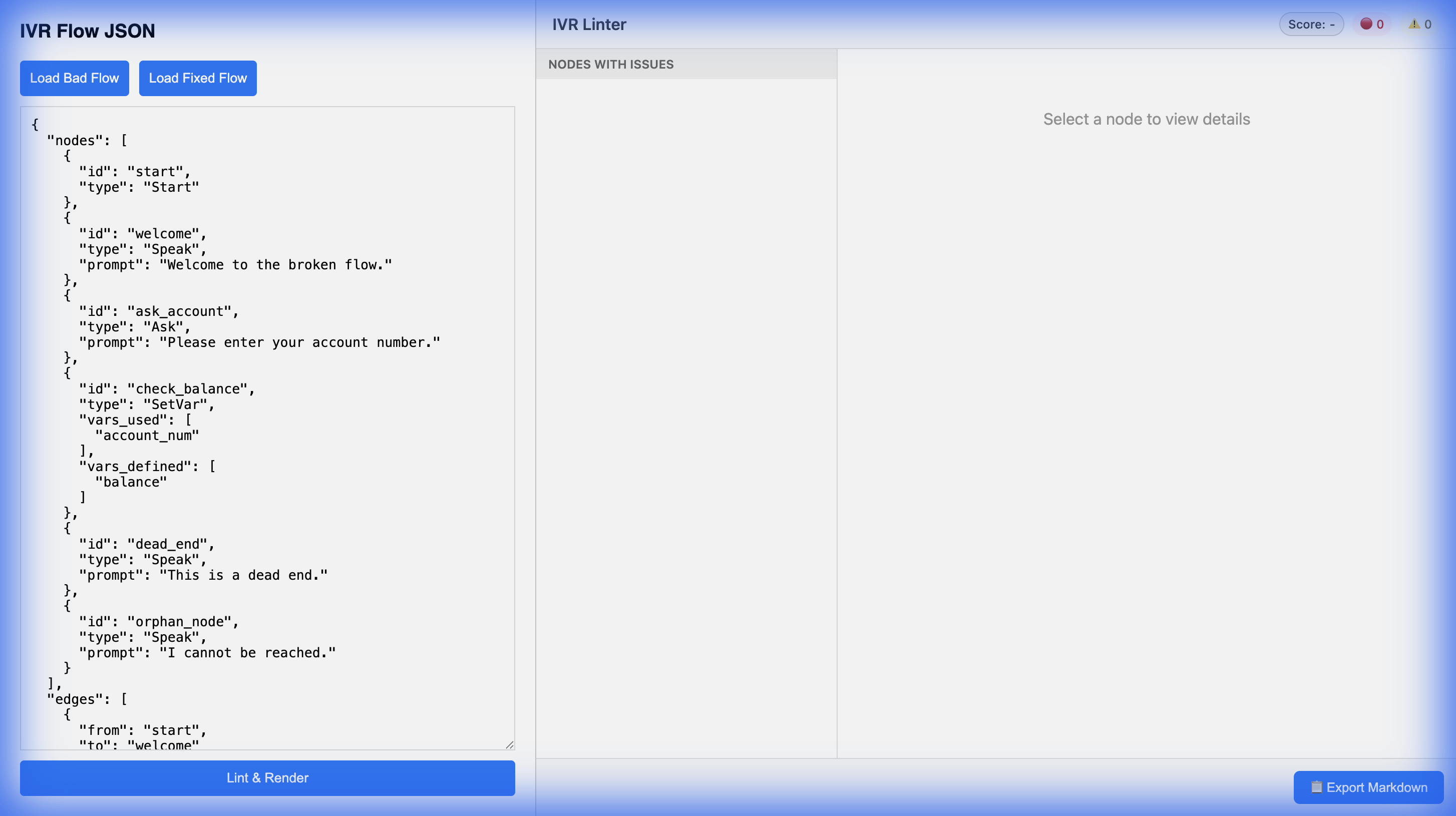
A Model Context Protocol (MCP) server that validates IVR flows (JSON) providing a score, error detection (unreachable nodes, dead ends), and suggested fixes. Includes a Skybridge-pattern HTML widget for visualizing results directly in ChatGPT.
Features
Strict Validations: Unreachable nodes, dead ends, missing fallbacks, undefined variables.
Best Practices: Warning on long prompts, multiple questions, and irreversible actions without confirmation.
Idempotency: Consistent results via flow hashing.
Skybridge Widget: Interactive HTML/JS visualization with zero external dependencies.
MCP Compatible: Works with both ChatGPT Actions and Claude Desktop.
Architecture
Server: FastAPI with JSON-RPC 2.0 (
/mcp)Linter: Pure Python deterministic engine
Widget: Inline HTML injection (text/html+skybridge)
Local Development
Prerequisites
Python 3.9+
git
Setup
# Clone
git clone https://github.com/arebury/ivr-flow-linter.git
cd ivr-flow-linter

# Virtual Environment
python -m venv venv
source venv/bin/activate

# Install
pip install -r requirements.txt

# Run Server
uvicorn src.main:app --host 0.0.0.0 --port 8000 --reload
Visit http://localhost:8000/demo for an interactive simulator.
Validating the Demo
Run server:
uvicorn src.main:app --host 0.0.0.0 --port 8000 --reloadOpen
http://localhost:8000/demoSelect "Invalid: Dead End" from the dropdown.
Click Lint & Render.
Verify:
"Parsed Result" tab shows errors.
Widget renders the flow with error indicators.
Deployment (Render)
This project includes a render.yaml for 1-click deployment on Render.
Create a new Web Service on Render.
Connect your GitHub repository:
https://github.com/arebury/ivr-flow-linter.Select "Python 3" runtime.
Build Command:
pip install -r requirements.txtStart Command:
uvicorn src.main:app --host 0.0.0.0 --port $PORT
Connecting to ChatGPT (Apps SDK / MCP)
This server acts as an MCP Server that exposes the lint_flow tool. The tool returns a Skybridge-compatible widget (text/html+skybridge) for rich visualization.
Deploy the service to a public URL (e.g.,
https://your-app.onrender.com).Register the app in the OpenAI Developer Portal (for Apps SDK) using the manifest at
/.well-known/ai-plugin.json.Alternatively, for Custom Actions (GPTs):
Import configuration from
https://your-app.onrender.com/openapi.yaml.Ensure the model knows how to interpret the
uifield in the response (Skybridge pattern).
Connecting to Claude (Desktop)
Add the server to your Claude Desktop configuration (claude_desktop_config.json):
Local:
{
  "mcpServers": {
    "ivr-linter": {
      "command": "uvicorn",
      "args": ["src.main:app", "--port", "8000"],
      "cwd": "/absolute/path/to/ivr-flow-linter"
    }
  }
}
Remote (via Stdio Wrapper - Advanced): (Typically Claude Desktop connects to local processes. For remote MCP, use a local bridge or simple local-proxy).
Examples
See /examples directory for 10 sample flows (5 valid, 5 invalid) including:
valid_basic.json: Simple greetingvalid_payment.json: Transaction flowinvalid_unreachable.json: Disconnected nodesinvalid_dead_end.json: Stuck user path