<h1>genai-mcp: GenAI MCP Server for Image Generation(eg. Nano Banana)</h1>
## GenAI MCP Server
This project implements a **Model Context Protocol (MCP) server** for image generation and image editing using **Google Gemini** (via `google.golang.org/genai`) and **Tongyi Wanxiang (Ali Bailian)** image APIs, plus optional automatic upload of generated images to **S3‑compatible object storage** (AWS S3, Aliyun OSS, etc.).
The server exposes a **streamable HTTP MCP endpoint** and provides tools for Gemini and Wan:
- `gemini_generate_image` – text → image
- `gemini_edit_image` – image + text → edited image
### Gemini / Nano Banana backend support
This MCP server currently supports the following Gemini‑compatible backends:
1. **Google official Gemini API**
- Use the default `GENAI_BASE_URL=https://generativelanguage.googleapis.com`
- `GENAI_API_KEY` is a Google Gemini API key
2. **dmxapi (Gemini‑compatible third‑party gateway)**
- Set `GENAI_BASE_URL` to the dmxapi Gemini endpoint (for example `https://www.dmxapi.cn`)
- `GENAI_API_KEY` is the key issued by dmxapi
- As long as the endpoint implements the `google.golang.org/genai` compatible Gemini API, no code changes are needed
### Tongyi Wanxiang (Ali Bailian) backend support
When `GENAI_PROVIDER=wan`, the server will use **Ali Bailian Tongyi Wanxiang** image APIs (via DashScope) instead of Gemini:
- Set:
- `GENAI_PROVIDER=wan`
- `GENAI_BASE_URL=https://dashscope.aliyuncs.com`
- `GENAI_API_KEY=<your DashScope API key>`
- `GENAI_GEN_MODEL_NAME=wan2.5-t2i-preview` (text → image)
- `GENAI_EDIT_MODEL_NAME=wan2.5-i2i-preview` (image → image)
- Wan provides a separate MCP tool set (see `internal/tools/wan.go`):
- `wan_create_generate_image_task`
- `wan_query_generate_image_task`
- `wan_create_edit_image_task`
- `wan_query_edit_image_task`
The Python test client in `tests/mcp_client.py` will automatically route calls to Gemini or Wan based on `GENAI_PROVIDER` (`gemini` by default, `wan` for Tongyi Wanxiang).
---
### 1. Prerequisites
- Go **1.21+** (recommended; `go.mod` uses module mode)
- A valid Gemini API key
- Optional: S3 / OSS bucket for storing images
---
### 2. Configuration (`.env`)
Copy `env.example` to `.env`, then fill in real values.
**GenAI configuration**
```env
# GenAI provider:
# - gemini: Google Gemini / compatible backend
# - wan: Ali Bailian Tongyi Wanxiang image APIs
GENAI_PROVIDER=gemini
# Shared GenAI endpoint / key for both providers
GENAI_BASE_URL=https://generativelanguage.googleapis.com
GENAI_API_KEY=your_api_key_here
# Model names:
# - When GENAI_PROVIDER=gemini: Gemini model names, e.g. gemini-3-pro-image-preview
# - When GENAI_PROVIDER=wan: Wanxiang model names, e.g. wan2.5-t2i-preview / wan2.5-i2i-preview
GENAI_GEN_MODEL_NAME=gemini-3-pro-image-preview
GENAI_EDIT_MODEL_NAME=gemini-3-pro-image-preview
# Request timeout in seconds for each GenAI call (generate / edit)
GENAI_TIMEOUT_SECONDS=120
# Image output format:
# - base64: return image as data URI (base64 encoded)
# - url: upload image to OSS and return plain URL
GENAI_IMAGE_FORMAT=base64
```
**HTTP server**
```env
SERVER_ADDRESS=0.0.0.0
SERVER_PORT=8080
```
MCP endpoint will listen on:
```text
http://SERVER_ADDRESS:SERVER_PORT/mcp
```
**OSS / S3 configuration (optional, required when `GENAI_IMAGE_FORMAT=url`)**
```env
# For AWS S3: leave OSS_ENDPOINT empty or set to s3.amazonaws.com
# For Aliyun OSS: set to oss-cn-hangzhou.aliyuncs.com or your region
# For Tencent COS: set to cos.ap-guangzhou.myqcloud.com
# For MinIO: set to your MinIO endpoint
OSS_ENDPOINT=
OSS_REGION=us-east-1
OSS_ACCESS_KEY=your_access_key_here
OSS_SECRET_KEY=your_secret_key_here
OSS_BUCKET=your_bucket_name
```
When `GENAI_IMAGE_FORMAT=url`:
- For **Aliyun OSS**: make sure
- `OSS_ENDPOINT` is like `oss-cn-beijing.aliyuncs.com`
- The bucket policy allows read access if you expect the returned URL to be publicly accessible
---
### 3. Running the MCP Server
You can run the MCP server in **two ways**:
1. **Clone & build from source**
- Clone this repo and enter the project root
- Copy `env.example` to `.env` and fill in your configuration
- Run:
```bash
go build .
./genai-mcp
```
2. **Download release binary**
- Download the appropriate binary from the Releases page
- Place it in a directory of your choice
- Copy `env.example` from this repo (or from the release asset) to `.env` in the same directory and update configuration
- Run (binary name may vary by platform):
```bash
./genai-mcp
```
By default the MCP HTTP endpoint will be:
```text
http://127.0.0.1:8080/mcp
```
You can connect to this MCP endpoint from any MCP‑compatible client (e.g. Code editors or tools that support the streamable HTTP MCP transport).
---
### 4. MCP Tools
The server registers two tools in `internal/tools/gemini.go`:
- **`gemini_generate_image`**
- **Input**:
- `prompt` (string, required): text prompt describing the image
- **Output**:
- When `GENAI_IMAGE_FORMAT=base64`: a `data:image/...;base64,...` string
- When `GENAI_IMAGE_FORMAT=url`: an OSS/S3 URL generated by the server
- **`gemini_edit_image`**
- **Input**:
- `prompt` (string, required): how to edit the image
- `image_url` (string, required): original image URL or data URI
- **Output**:
- Same format as above (`base64` or `url`), depending on configuration
When `GENAI_IMAGE_FORMAT=url`:
- Generated / edited images are:
- Downloaded (if Gemini returns a URL), or decoded (if it returns inline data)
- Re‑uploaded to OSS / S3
- Stored under key pattern: `images/yyyy-MM-dd/{uuid_timestamp_random}.ext`
---
### 5. Contact
- **WeChat**: Scan the QR code below to add as a friend

- **Discord**: Username `adamydwang`
---
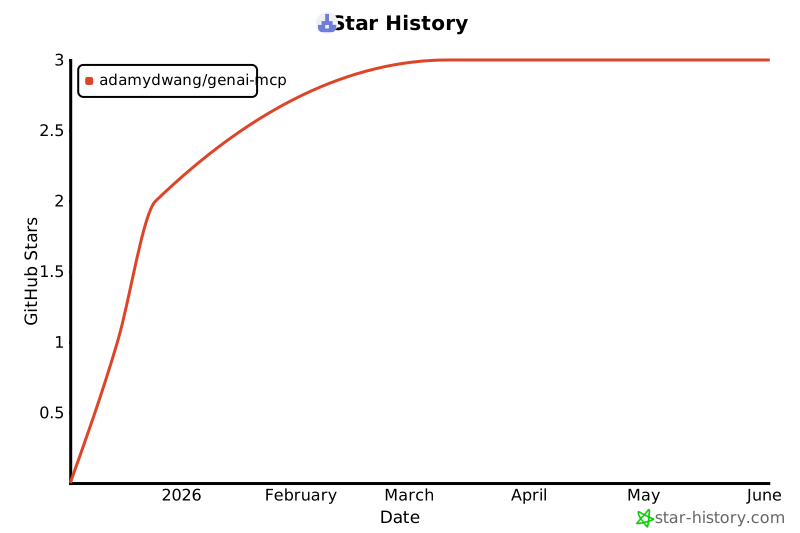
## Star History
[](https://star-history.com/#adamydwang/genai-mcp)
