
Generates Xiaohongshu (Little Red Book) content including intelligent outline generation, image creation, outline editing, and project management for multi-page posts.
Click on "Install Server".
Wait a few minutes for the server to deploy. Once ready, it will show a "Started" state.
In the chat, type
@followed by the MCP server name and your instructions, e.g., "@Xiaohongshu (RedBook) MCP Server帮我生成一个关于周末露营的小红书图文,需要6页"
That's it! The server will respond to your query, and you can continue using it as needed.
Here is a step-by-step guide with screenshots.
小红书 MCP Server
⚠️ 项目已过时 / Deprecated
本项目的功能已完全可以通过 Claude Code 的 skill 来实现,无需单独安装和配置 MCP 服务器。
推荐方式:直接在 Claude Code 中使用相关 skill(如内容生成、图片生成等功能),更简单、更强大、更易维护。
本仓库仅作为历史参考保留。
基于 MCP 的小红书图文内容生成服务。
功能
智能大纲生成
图片生成
大纲编辑
项目管理
快速开始
编辑 Claude Desktop 配置文件:
macOS/Linux:
~/.config/claude/config.jsonWindows:
%APPDATA%\Claude\config.json
添加配置:
重要说明:
使用
npx -y参数自动确认安装,避免 MCP 服务器启动时卡住替换
your_api_url、your_api_key、your_model_name为你的实际配置
重启 Claude Desktop。
使用
在 Claude 中:
示例
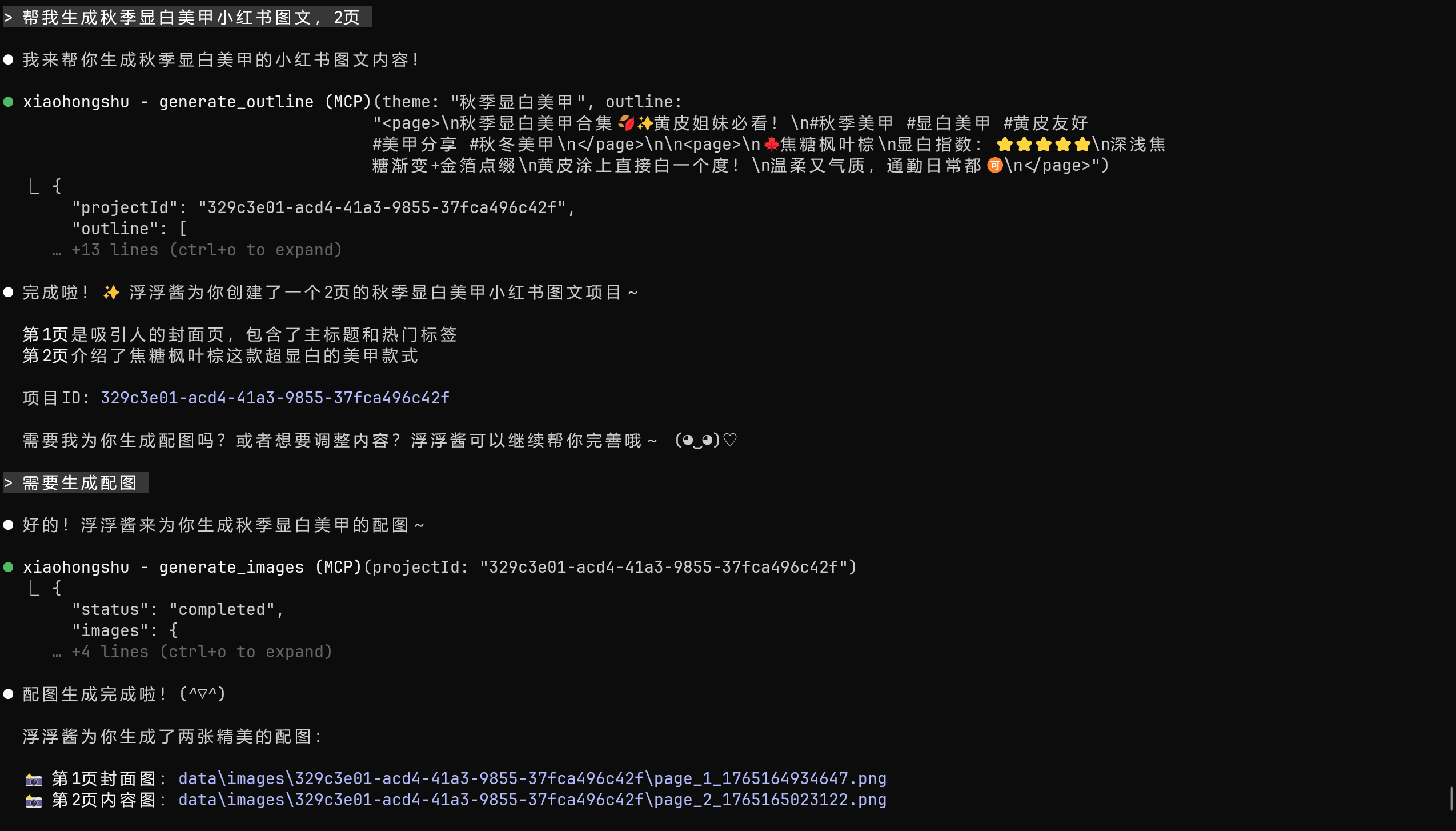
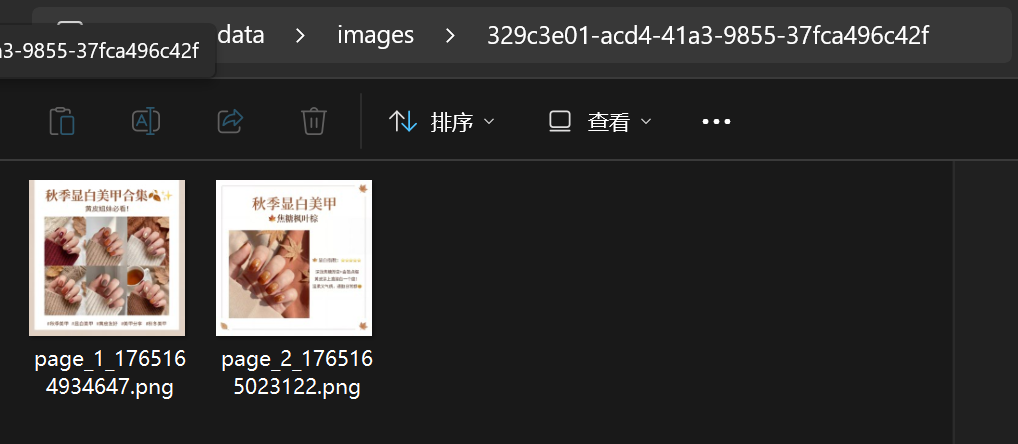
工具
generate_outline- 生成大纲update_outline- 更新大纲generate_images- 生成图片get_project- 获取项目
资源
projects://list- 项目列表project://{projectId}- 项目详情project://{projectId}/images- 项目图片
开发
配置详情
项目来源
本项目改编自 RedInk
许可证
见 LICENSE 文件