
Provides tools for managing and searching records within DEVONthink Pro on macOS, including support for interacting with Finder paths to resolve metadata.
Enables the resolution of bibliography metadata for DEVONthink attachments by matching records against exported Zotero library data in JSON or BibTeX formats.
Click on "Install Server".
Wait a few minutes for the server to deploy. Once ready, it will show a "Started" state.
In the chat, type
@followed by the MCP server name and your instructions, e.g., "@DEVONthink MCP Serversearch for my research notes about machine learning"
That's it! The server will respond to your query, and you can continue using it as needed.
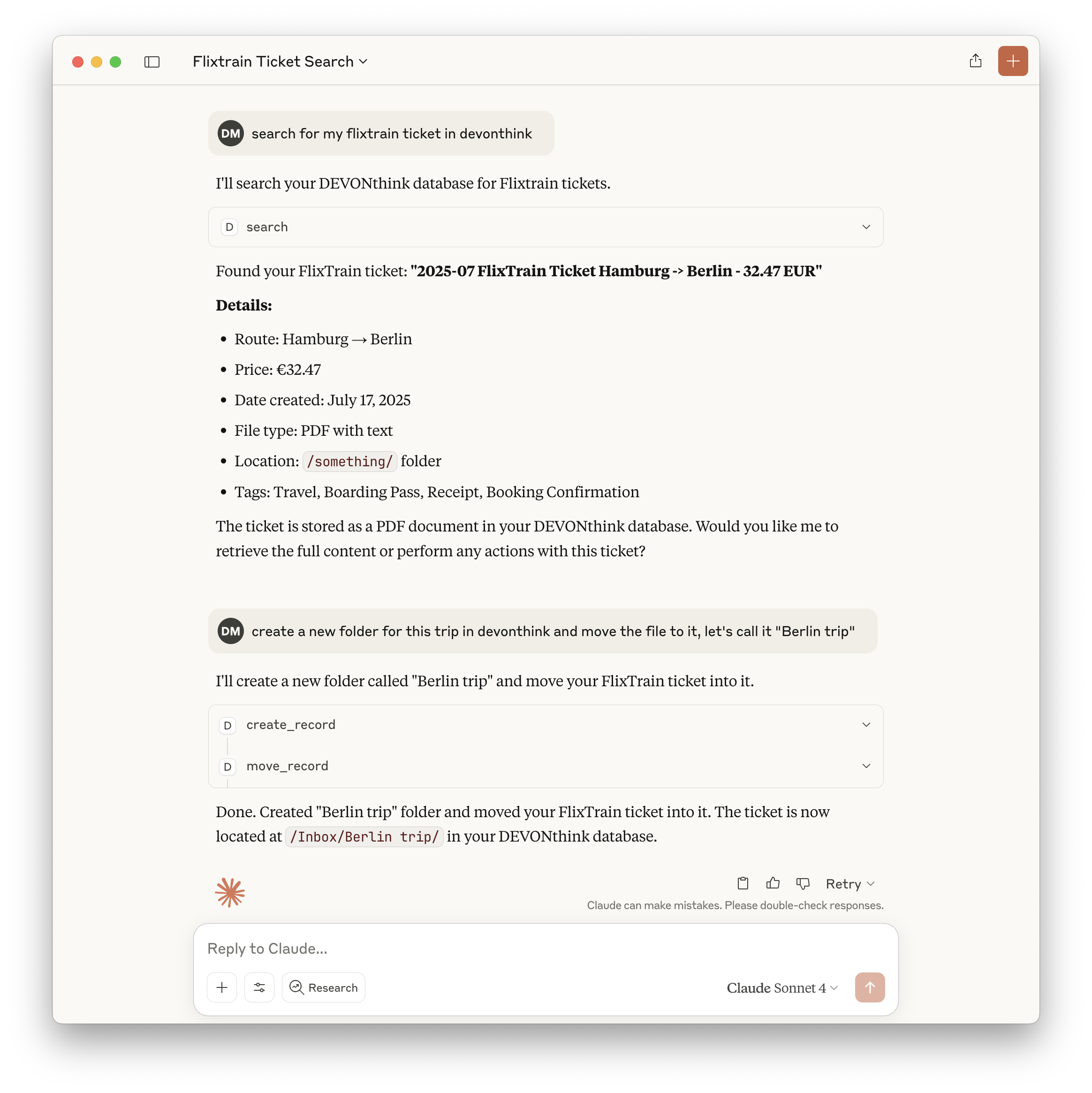
Here is a step-by-step guide with screenshots.
Modified based on dvcrn/mcp-server-devonthink
DEVONthink MCP Server
This MCP server provides access to DEVONthink functionality via the Model Context Protocol (MCP). It enables listing, searching, creating, modifying, and managing records and databases in DEVONthink Pro on macOS. Additionally, it includes tools to resolve bibliography metadata for DEVONthink attachments based on exported bibliography data.
Features
Exposes a comprehensive set of DEVONthink operations as MCP tools
List, search, and look up records by various attributes
Create, delete, move, and rename records and groups
Retrieve and modify record content, properties, and tags
Create records from URLs in multiple formats
List open databases and group contents
Resolve bibliography metadata for DEVONthink attachments via bibliography exports
Locate DEVONthink records directly from citation keys or attachment metadata
All tools are type-safe and validated with Zod schemas
Tools
Core Tools
is_runningChecks if DEVONthink is currently running
No input required
Returns:
{ "success": true | false }
create_recordCreates new records (notes, bookmarks, groups) with specified properties
Input: record type, name, parent group, and optional metadata
delete_recordDeletes records by ID, name, or path
Input: record identifier
move_recordMoves records between groups
Input: record ID and destination group
get_record_propertiesRetrieves detailed metadata and properties for records
Input: record identifier
searchPerforms text-based searches with various comparison options
Input: query string and search options
lookup_recordLooks up records by filename, path, URL, tags, comment, or content hash (exact matches only)
Input: lookup type and value
create_from_urlCreates records from web URLs in multiple formats
Input: URL and format options
get_open_databasesLists all currently open databases
No input required
list_group_contentLists the content of a specific group
Input: group identifier
get_record_contentRetrieves the content of a specific record
Input: record identifier
rename_recordRenames a specific record
Input: record ID and new name
add_tagsAdds tags to a specific record
Input: record ID and tags
remove_tagsRemoves tags from a specific record
Input: record ID and tags
classifyGets classification proposals for a record using DEVONthink's AI
Input: record UUID, optional database name, comparison type, and tags option
Returns: Array of classification proposals (groups or tags) with scores
compareCompares records to find similarities (hybrid approach)
Input: primary record UUID, optional second record UUID, database name, and comparison type
Returns: Either similar records (single mode) or detailed comparison analysis (two-record mode)
get_bib_metadataResolves bibliography metadata for a DEVONthink record or Finder path
Input: Finder path, record UUID, DEVONthink ID + database, or DEVONthink location path (optional
bibliographyJsonPath/bibliographyBibPathoverride export locations)Returns: The matched bibliography item with top-level
citationKey,bibliographyId, attachment list, and a short summary string for LLM prompts
get_records_by_citation_keyResolves a citation key to its attachment metadata and matching DEVONthink records
Input:
citationKeyalong with optional overrides for JSON/BibTeX export pathsReturns: Bibliography metadata (JSON or BibTeX) plus any DEVONthink records whose Finder paths match the attachment entries
Example: Search Tool
Returns:
Installation
Claude Code
The --scope user flag installs the MCP server for your user account (available in all projects). You can also use --scope local for the current workspace only.
Codex
Configuration
Claude Desktop
Add to your Claude Desktop configuration (~/Library/Application Support/Claude/claude_desktop_config.json):
VS Code
Add to your VS Code MCP settings (~/Library/Application Support/Code/User/mcp.json):
Implementation Details
Uses JXA (JavaScript for Automation) to control DEVONthink via AppleScript APIs
All tool inputs are validated with Zod schemas for safety and clarity
Returns structured JSON for all tool outputs
Implements robust error handling for all operations
Includes comprehensive tests using Vitest
See CLAUDE.md for full documentation, tool development guidelines, and API reference.
Bibliography Metadata Lookup
Bibliography attachments stored in DEVONthink can be matched to exported bibliography metadata. The MCP server inspects both JSON and BibTeX exports and prefers JSON when both are present.
Export your bibliography library (or a subset) to
.jsonor.bibin Zotero.Point the server at the exports via environment variables before launching it (using Claude's MCP configuration or your shell):
export BIBLIOGRAPHY_JSON="/path/to/bibliography.json" export BIBLIOGRAPHY_BIB="/path/to/bibliography.bib"Supplying only one file is fine—the server detects whether you provided a
.jsonor.bibpath and uses it automatically.If no metadata file is configured, the tool returns an informative error so you can correct the setup.
Call the
get_bib_metadatatool with a Finder path or any supported DEVONthink identifier. The tool returns the matched bibliography entry (including citation key, fields, and the property that matched), exposescitationKey/bibliographyIdat the top level, and provides a briefmetadataSummarystring for LLM prompts. If no match is found, the response lists the files that were checked.
Example invocation:
