
Fetches and ingests learning content from Reddit threads as one of the supported content source types
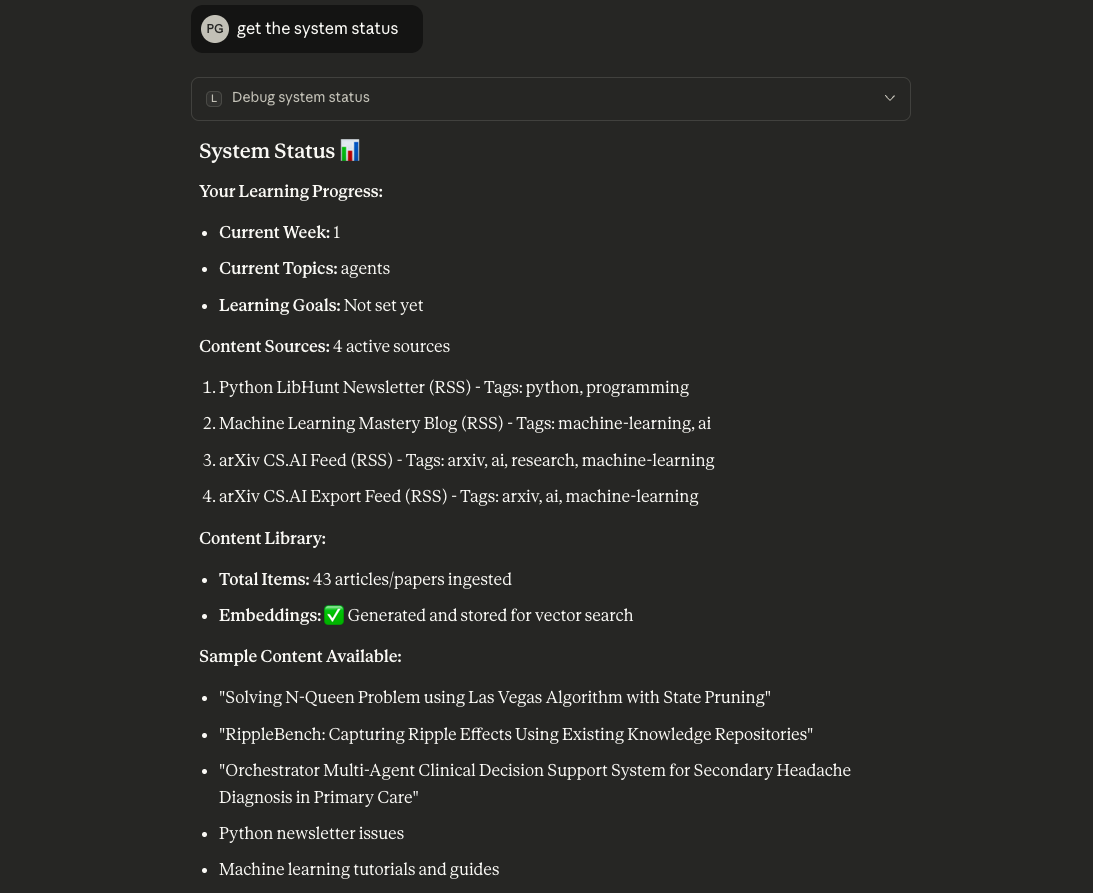
Fetches and ingests learning content from RSS feeds and blogs to build a personalized knowledge base
Stores learning content, embeddings, user progress, and daily insights in PostgreSQL with pgvector extension for semantic search capabilities
Click on "Install Server".
Wait a few minutes for the server to deploy. Once ready, it will show a "Started" state.
In the chat, type
@followed by the MCP server name and your instructions, e.g., "@Learning Coach MCP Servergenerate today's learning insights for me"
That's it! The server will respond to your query, and you can continue using it as needed.
Here is a step-by-step guide with screenshots.
Learning Coach MCP Server
An MCP (Model Context Protocol) server that acts as your personal AI Learning Coach. Tracks your learning progress, fetches relevant content, and generates personalized daily learning insights using RAG (Retrieval-Augmented Generation).
Features
1. Content Management
Store learning content from trusted sources (blogs, RSS feeds, Reddit)
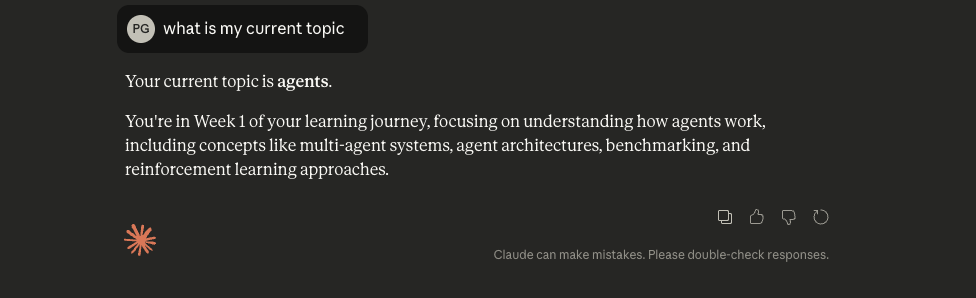
Track which week and topics you're currently learning
Store your learning preferences and goals
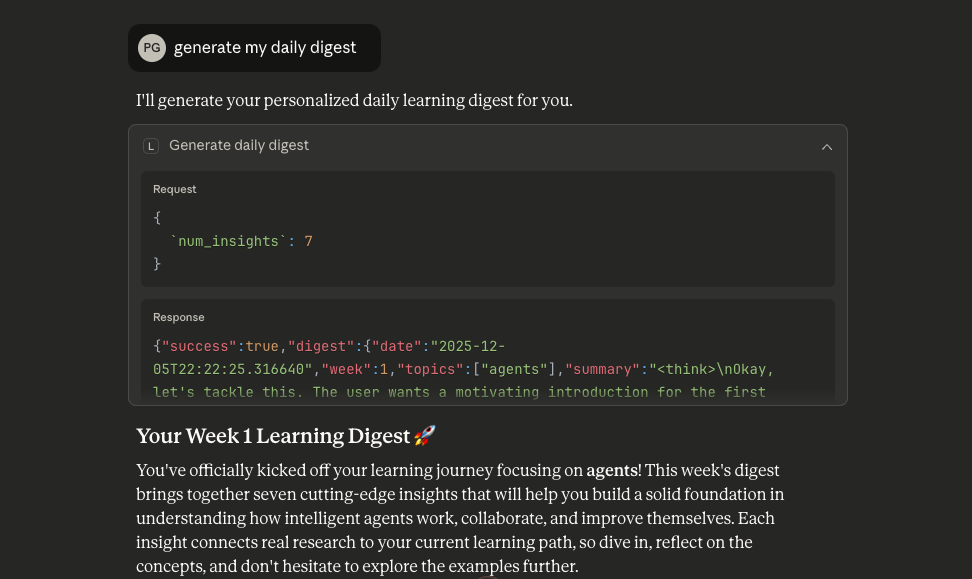
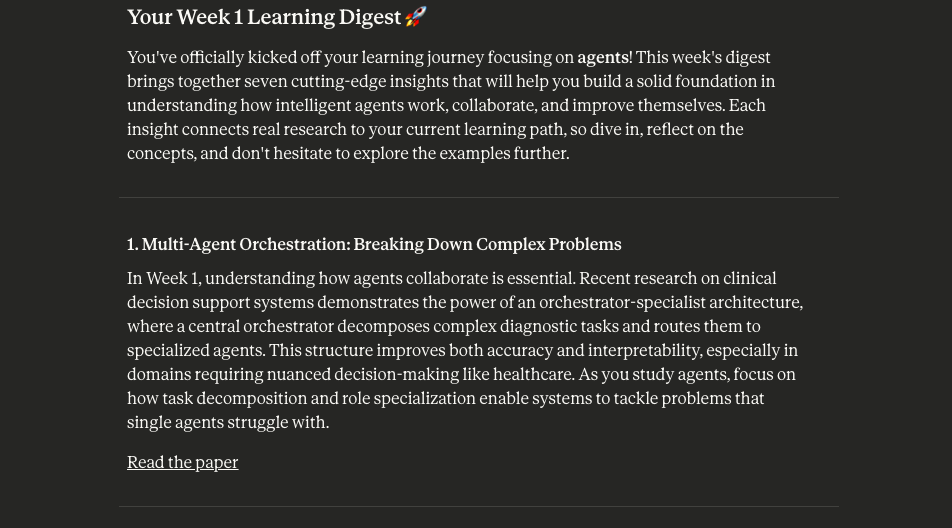
2. Daily Learning Digest
Generate 5-7 personalized learning insights each day
Use RAG to find relevant content from your sources
Adapt difficulty based on your current week
3. MCP Tools for LLM Clients (Claude App)
generate_daily_digest: Create today's personalized learning insightsadd_content_source: Add new content sources (RSS/blogs)update_progress: Update your current week and learning topicssearch_insights: Search through past learning insightsget_progress: View current learning progressingest_content_from_sources: Manually trigger content ingestionget_today_insights: Retrieve today's generated insights
4. Semantic Search
Use vector embeddings to find relevant content
Match content to your current learning topics
Score relevance of each insight using RAGAS-inspired metrics
Tech Stack
FastMCP: For building the MCP server
Supabase: PostgreSQL database with pgvector extension
HuggingFace: Open source sentence-transformers for embeddings
Groq: Fast LLM inference (Llama 3.3 70B) for generating personalized insights
Python: Programming language
Project Structure
Setup Instructions
1. Clone and Install Dependencies
2. Set Up Supabase Database
Create a Supabase project and run the following SQL to set up your schema:
3. Configure Environment Variables
Copy .env.example to .env and fill in your credentials:
Edit .env:
4. Run the MCP Server
Usage with Claude Desktop
Add this to your Claude Desktop MCP configuration:
Example Workflow
Set up your learning profile:
Use update_progress to set: - current_week: 1 - current_topics: ["Python", "Machine Learning", "RAG"] - learning_goals: "Build production ML applications"Add content sources:
Use add_content_source to add: - RSS feeds from tech blogs - Popular ML newsletters - Reddit threadsGenerate daily digest:
Use generate_daily_digest to get 5-7 personalized insights based on your topics and learning levelSearch past insights:
Use search_insights to find specific topics or concepts you've learned before
Note: This is a single-user system. All data is stored under a default user profile.
Screenshots
How It Works
Content Ingestion: Fetches content from RSS feeds and blogs, generates embeddings using sentence-transformers
Storage: Stores content with vector embeddings in Supabase with pgvector
Retrieval: Uses semantic search to find content relevant to your current topics
Generation: Groq (Llama 3.3 70B) generates personalized insights based on your learning context
Scoring: RAGAS-inspired metrics score each insight for relevance


