
android-mcp-toolkit
The Android MCP Toolkit is an MCP server that bridges AI agents to Android development tools, providing asset conversion, debugging, UI testing, and localization utilities.
Asset Conversion
Convert SVG markup or files to Android VectorDrawable XML with options for precision, tint, caching, and file output
Device Debugging & Diagnostics
Read and filter ADB logcat output by package, PID, tag, or priority with configurable line limits and timeouts
Fetch recent crash stacktraces from the crash buffer, optionally filtered by package/PID
Check ANR (Application Not Responding) state via ActivityManager logs and traces files
Resolve process IDs for Android package names
Get currently focused activity/window
Clear logcat buffers
UI Testing & Inspection
Dump UI hierarchy as XML via UIAutomator
Take screenshots and save to local files
Inject input events: taps, text input, swipes, key events, and navigation (back/home)
Find and interact with UI elements by ID or text
Localization Support
Estimate translation length differences to flag potential layout-breaking changes
Key Features: Zero-friction operation via npx, LRU caching for SVG conversions, configurable timeouts, and agent-friendly structured outputs optimized for LLM parsing.
Provides tools for Android development including SVG to VectorDrawable conversion, adb logcat reading with package/pid/tag filters, crash stacktrace fetching, ANR state checking, and current activity detection for debugging and asset management.
Enables zero-friction SVG to VectorDrawable conversion without requiring Android Studio to be launched, streamlining the asset conversion workflow for Android projects.
Integrates with Figma to extract SVG designs and convert them directly to Android VectorDrawable XML resources for use in Android projects.
Converts SVG files or inline SVG content to Android VectorDrawable XML format with caching, customizable float precision, fill options, and tint support.
Click on "Install Server".
Wait a few minutes for the server to deploy. Once ready, it will show a "Started" state.
In the chat, type
@followed by the MCP server name and your instructions, e.g., "@android-mcp-toolkitconvert this SVG to an Android VectorDrawable with fillBlack enabled"
That's it! The server will respond to your query, and you can continue using it as needed.
Here is a step-by-step guide with screenshots.
Android MCP Toolkit for AI Agents
Small MCP server with three tools:
Fast SVG → Android VectorDrawable conversion (cached, file or inline).
adb logcat reader with package/pid/tag filters for quick crash triage.
Translation length difference estimator to flag risky length deltas before layout breaks.
Why this exists
The Mission: Bringing Native Android to the AI Agent Era
While the AI ecosystem flourishes with web-first tools, Android development often feels left behind. This MCP server is my answer to that gap—a dedicated bridge connecting AI Agents directly to the Android toolchain.
⚡ Zero-Friction Asset Conversion: Convert SVGs to VectorDrawables instantly without the overhead of launching Android Studio.
🔍 Direct Diagnostic Access: Empower agents to pull, filter, and analyze adb logcat streams (by package, PID, or tag) in real-time.
🤖 Agent-Native Architecture: Deliver structured, scriptable outputs that LLMs can parse and act upon efficiently.
🚀 Built for Extensibility: A solid foundation designed to grow, paving the way for future utilities like bitmap helpers and asset validation.
Pairing ideas
Figma MCP: grab SVGs from designs, feed to
convert-svg-to-android-drawableto get XML for Android resources.Debugging: while running the app, call
read-adb-logcatwith package name or tag to capture crashes and filtered logs without leaving the MCP client.
Previews
SVG to VectorDrawable
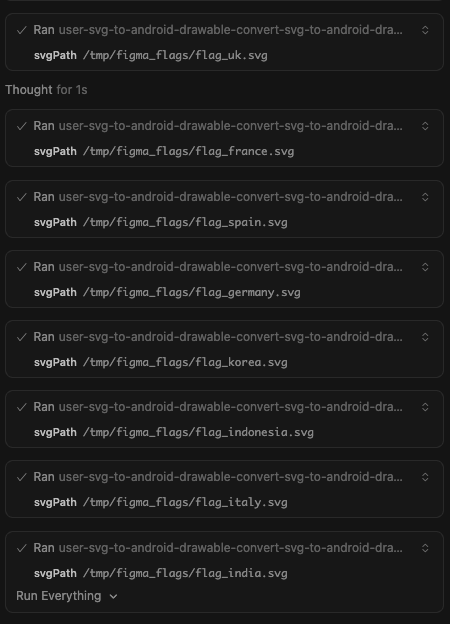
Figma request → SVG extraction
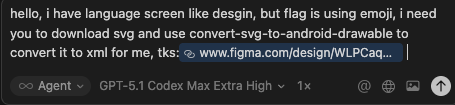
Flag conversion preview (single)
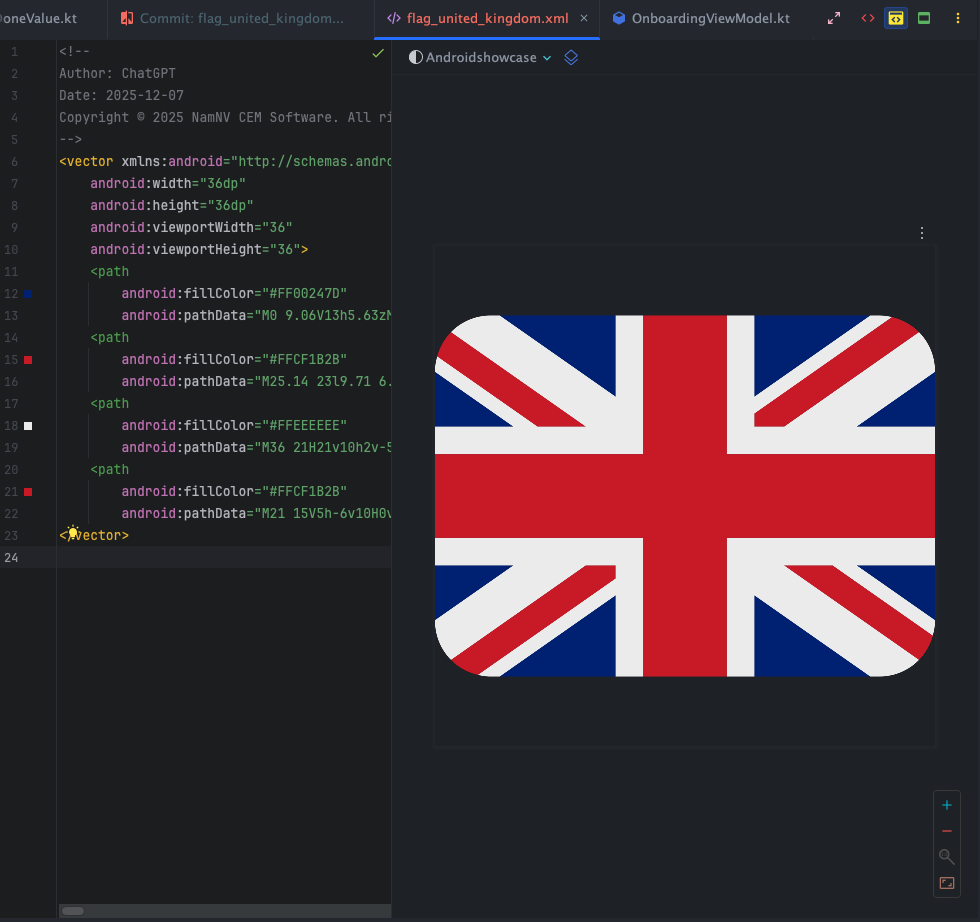
Batch flag review (side-by-side)
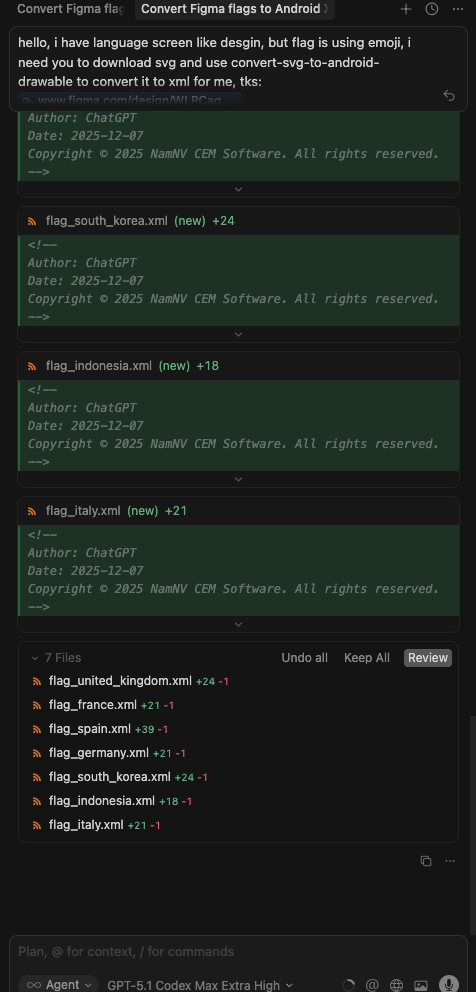
Batch run via MCP (console)
ADB logcat tool
Crash capture prompt (inputs + filters)
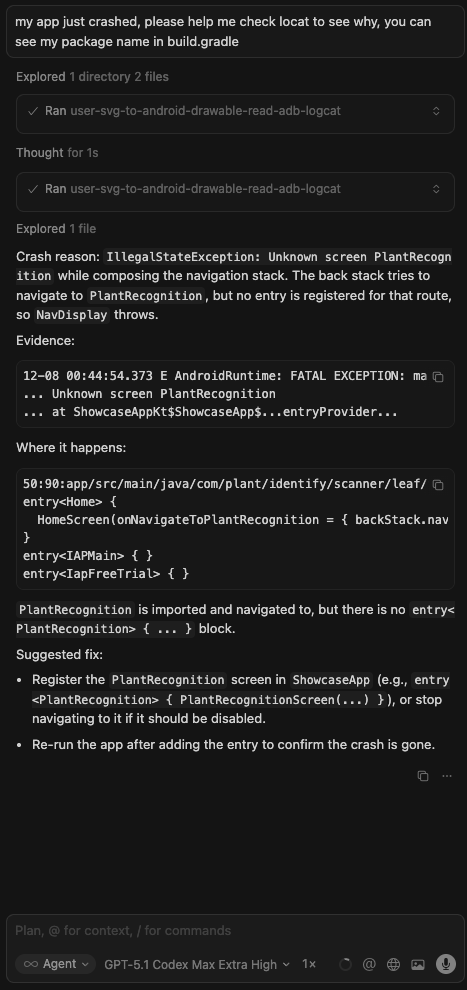
Response preview (summarized logcat)

Current tools
convert-svg-to-android-drawableInputs:
svg(inline) orsvgPath(file path). Optional:outputPath,floatPrecision(default 2),fillBlack(default false),xmlTag(default false),tint,cache(default true).Output: VectorDrawable XML text; also writes to disk when
outputPathis provided.Performance: LRU cache (32 entries) keyed by SVG + options plus fast reuse in-session.
Converter: vendored fork in
vendor/svg2vectordrawablewith fixes forrgb()/rgba(),hsl()/hsla(), and named colors. Upstream license:vendor/svg2vectordrawable/LICENSE(MIT).
manage-logcatInputs:
action:read(default),crash,anr, orclear.packageName: Optional. Resolves PID viaadb shell pidof.pid: Optional. Explicit PID.tag: Optional. Filter by tag (e.g.MyApp).priority:V,D,I,W,E,F,S(defaultV).maxLines: Tail count (default 200, max 2000).timeoutMs: Default 5000.
Behavior:
read: Fetches logcat tail.crash: Fetcheslogcat -b crash.anr: Fetches recent ActivityManager ANR logs + tail of/data/anr/traces.txt.clear: clears logcat buffers.
get-current-activityInputs:
timeoutMs(default5000, max15000).Behavior: Inspects
dumpsys windowto find the currently focused app/window. Useful to verify state.
dump-ui-hierarchyInputs:
timeoutMs(default 10000).Behavior: Captures current UI hierarchy as XML via
uiautomator.
take-screenshotInputs:
outputPath(required),timeoutMs.Behavior: Saves device screenshot to local file.
inject-inputInputs:
command(tap,text,swipe,keyevent,back,home),args(array),timeoutMs.Optional:
elementIdorelementText(finds element center and taps it).Behavior: Simulates user interaction suitable for testing flows.
estimate-text-length-differenceInputs:
sourceText(original),translatedText(to compare),tolerancePercent(default30, max500).Behavior: Measures grapheme length of both strings, computes percent change, and reports whether it exceeds the tolerance (useful to catch translation length blowups that could break layouts).
Roadmap (planned)
Additional MCP tools for Android assets (e.g., batch conversions, validations, optimizers).
Optional resource prompts for common Android drawables/templates.
Quick start
npm installnpm run buildnode dist/index.js(stdio MCP server)
Run via npx
Global:
npx android-mcp-toolkit
Use in Cursor (MCP config)
Add to your Cursor settings JSON:
{
  "mcpServers": {
    "android-mcp-toolkit": {
      "command": "npx",
      "args": [
        "-y",
        "android-mcp-toolkit"
      ]
    }
  }
}
The npx call downloads the published package; no local path required.
Quick install via Cursor deep link:
cursor://anysphere.cursor-deeplink/mcp/install?name=android-mcp-toolkit&config=eyJjb21tYW5kIjoibnB4IC15IGFuZHJvaWQtbWNwLXRvb2xraXQifQ%3D%3D
Examples
Input SVG:
sample_svg.svgOutput VectorDrawable:
examples/sample_svg.xml
Notes
Transport: stdio via
@modelcontextprotocol/sdk.Base deps kept minimal; everything needed to convert SVGs is vendored/included.
Contact
nam.nv205106@gmail.com
Maintenance
Appeared in Searches
Latest Blog Posts
MCP directory API
We provide all the information about MCP servers via our MCP API.
curl -X GET 'https://glama.ai/api/mcp/v1/servers/Nam0101/android-mcp-toolkit'
If you have feedback or need assistance with the MCP directory API, please join our Discord server