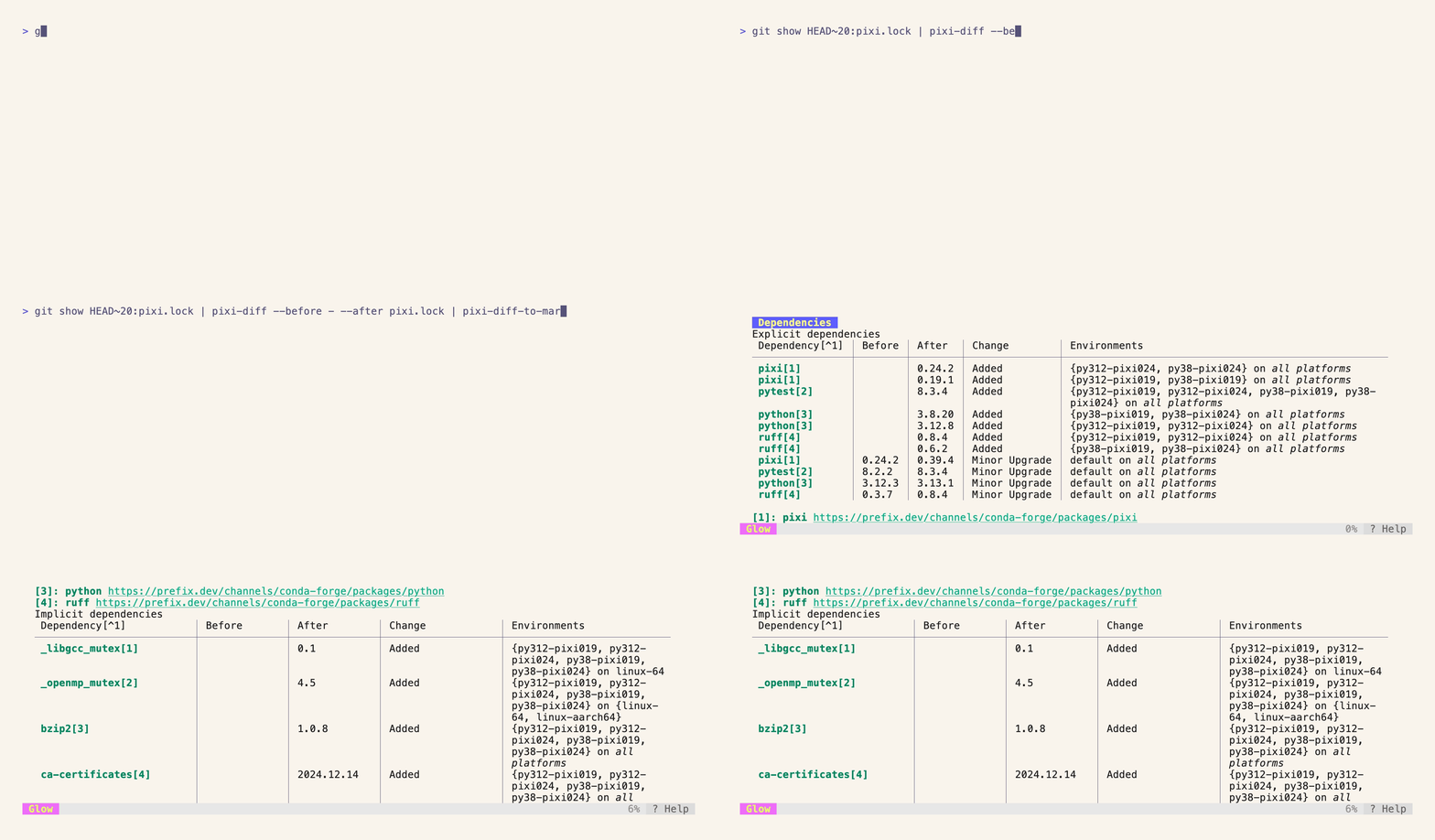

It can happen that you want to know what changed in your lockfile after repeatedly adding and removing dependencies within a pull request.
For this, you can use [pavelzw/pixi-diff](https://github.com/pavelzw/pixi-diff) to calculate the differences between two lockfiles.
This can be leveraged in combination with [pavelzw/pixi-diff-to-markdown](https://github.com/pavelzw/pixi-diff-to-markdown) to generate a markdown file that shows the diff in a human-readable format.
With [charmbracelet/glow](https://github.com/charmbracelet/glow), you can even render the markdown file in the terminal.
!!!tip "Install the tools globally"
All of the above-mentioned tools are available on conda-forge and can be installed using [`pixi global install`](../../global_tools/introduction.md).
```bash
pixi global install pixi-diff pixi-diff-to-markdown glow-md
```
`pixi diff --before pixi.lock.old --after pixi.lock.new` will output a JSON object that contains the differences between the two lockfiles similar to [`pixi update --json`](../../reference/cli/pixi/update.md).
```bash
$ pixi diff --before pixi.lock.old --after pixi.lock.new
{
"version": 1,
"environment": {
"default": {
"osx-arm64": [
{
"name": "libmpdec",
"before": null,
"after": {
"conda": "https://conda.anaconda.org/conda-forge/osx-arm64/libmpdec-4.0.0-h99b78c6_0.conda",
"sha256": "f7917de9117d3a5fe12a39e185c7ce424f8d5010a6f97b4333e8a1dcb2889d16",
"md5": "7476305c35dd9acef48da8f754eedb40",
"depends": [
"__osx >=11.0"
],
"license": "BSD-2-Clause",
"license_family": "BSD",
"size": 69263,
"timestamp": 1723817629767
},
"type": "conda"
},
// ...
```
Named pipes can be handy for comparing lockfiles from different states in your git history:
```bash
# bash / zsh
pixi diff --before <(git show HEAD~20:pixi.lock) --after pixi.lock
# fish
pixi diff --before (git show HEAD~20:pixi.lock | psub) --after pixi.lock
```
Or specify either the "before" or "after" lockfile via stdin:
```bash
git show HEAD~20:pixi.lock | pixi diff --before - --after pixi.lock
```
This can be integrated with [`pixi-diff-to-markdown`](https://github.com/pavelzw/pixi-diff-to-markdown) to generate a markdown file that shows the diff in a human-readable format:
```bash
pixi diff <(git show HEAD~20:pixi.lock) pixi.lock | pixi diff-to-markdown > diff.md
```
!!!tip "pixi-diff-to-markdown in GitHub Actions updates"
For other usages of [`pixi-diff-to-markdown`](https://github.com/pavelzw/pixi-diff-to-markdown), see also our page about [updating lockfiles using GitHub Actions](../ci/updates_github_actions.md).
You can view this generated markdown file in your terminal using [`glow`](https://github.com/charmbracelet/glow).
```bash
glow diff.md --tui
```
You can also view the markdown file directly from stdin using [`glow`](https://github.com/charmbracelet/glow).
```bash
pixi diff <(git show HEAD~20:pixi.lock) pixi.lock | pixi diff-to-markdown | glow --tui
```
